 PluginStats
ATL Sandbox listing history
By VizPageAI · ChatGPT Plugins · Developer Tools
Run code in cloud sandboxes
ChatGPT Plugins does not publish install or usage counts, so PluginStats tracks ATL Sandbox's listing placement instead, currently position #1804 in the marketplace's popularity-sorted listing.
Category positions: #623 in Developer Tools
About ATL Sandbox
ATL Sandbox gives ChatGPT isolated cloud computers for your account. Ask in plain language and ChatGPT creates a sandbox, runs Python, Node.js, C/C++, Rust, or shell commands, and returns the results to the conversation.
What you can do:
- Run code in ready-made environments (Python, Node.js, GCC, Rust, Blender) or, with the developer profile, any public Linux container image.
- Attach NVIDIA GPUs for CUDA, model inference, and Blender Cycles rendering.
- Keep work in encrypted persistent workspaces and private object storage, and use a PostgreSQL database that belongs to your account.
- Publish static websites and expose web apps on public links when you choose to share them.
- Schedule recurring jobs and one-off runs, and check their history later.
Who it is for: developers, analysts, students, and creators who want their assistant to run real code and keep the results.
Security: every sandbox runs behind its own user-space kernel and can reach only the compute, storage, and database of the signed-in account. Infrastructure credentials never enter the conversation. Actions that change or delete data are marked so ChatGPT asks before running them.
Limitations: an ATL Sandbox account is required. Accounts have usage limits on concurrent sandboxes, run time, storage, GPUs, and schedules, and running compute stops when an account reaches its limit. Instant sandboxes discard their files when stopped. Images must be linux/amd64 and include /bin/sh. Interactive terminals and Codex sessions are not available in this app. Do not paste passwords, API keys, or payment details into sandboxes.
Description from the ChatGPT Plugins listing.
- Use a private PostgreSQL database
- Publish static websites and web apps
- Schedule recurring jobs and one-off runs
README badge
Show your rank in a README or on your website. The badge updates automatically.
Charts
Images: 30d · 1y · all time · 1600×900 dark
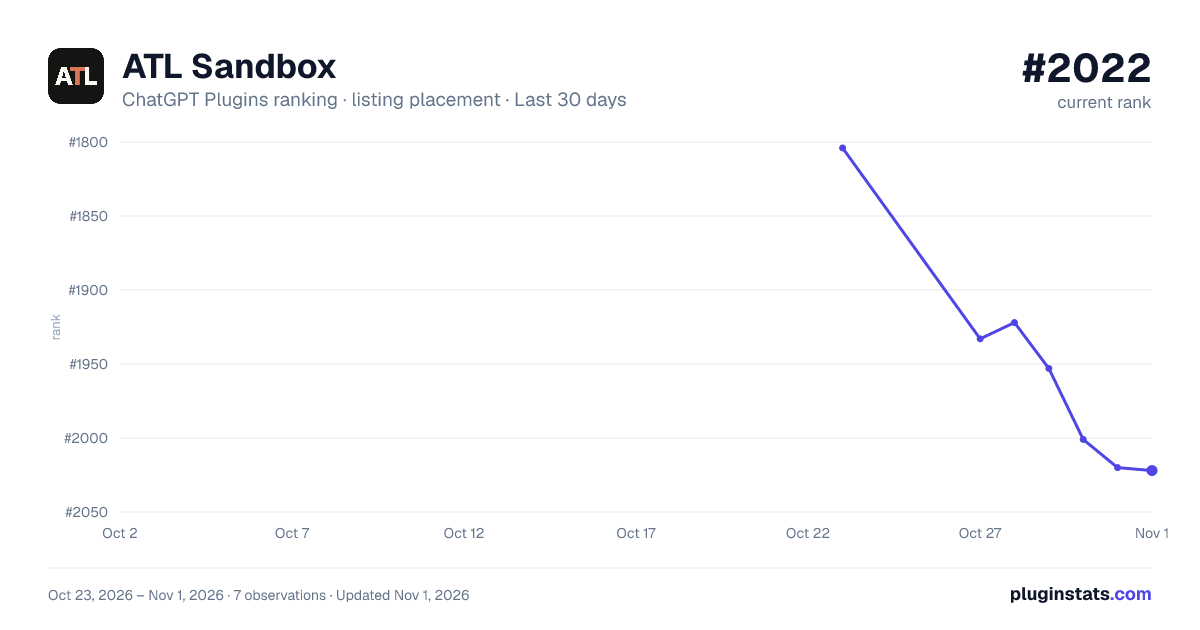
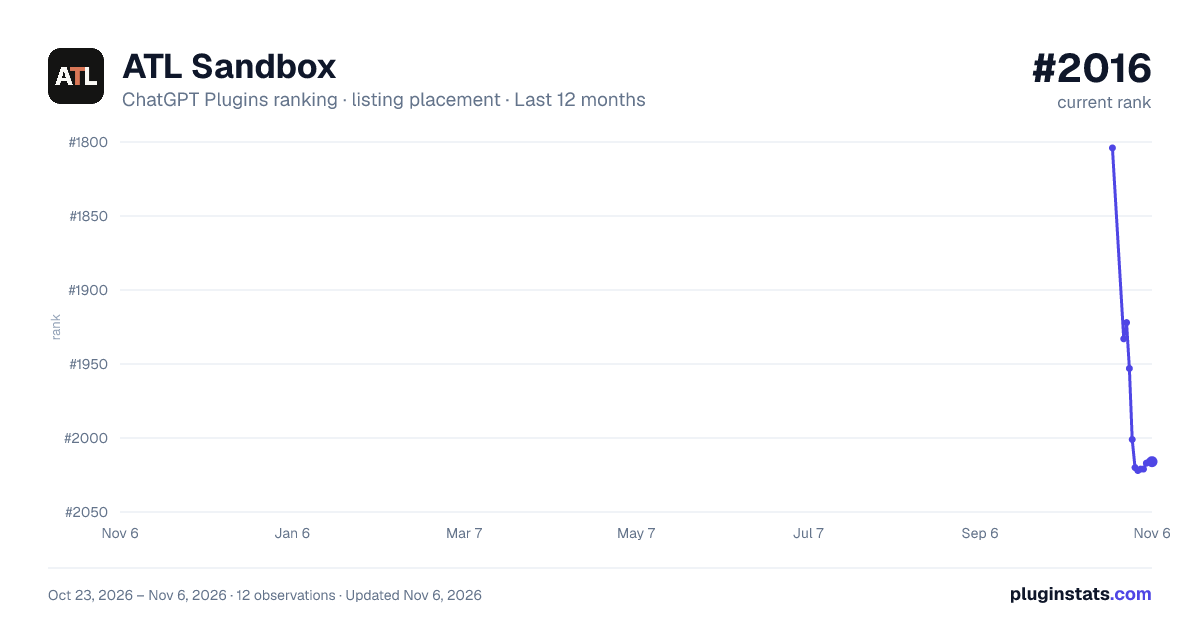
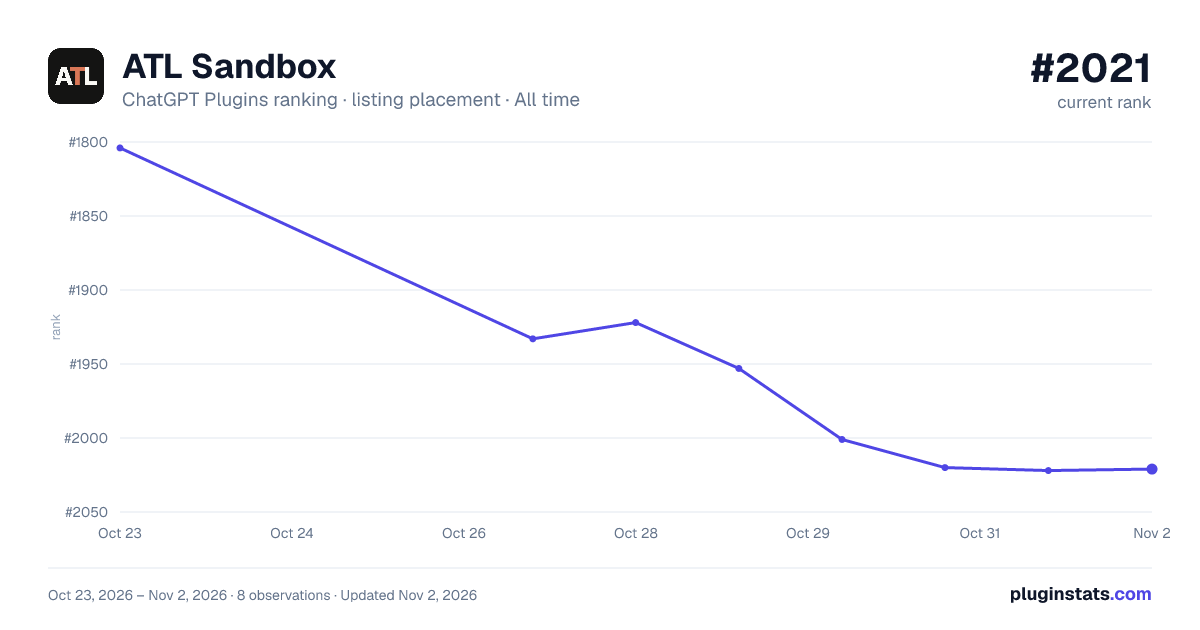

Ranking history
Filled points are observed values; hollow points come from Internet Archive snapshots of the listing page. Dashed segments span periods with no observations — values between points are not interpolated.
Similar ChatGPT Plugins Developer Tools plugins
All 20 ATL Sandbox alternativesData source
OpenAI does not publish install counts or ratings for ChatGPT plugins. PluginStats records listing details and each plugin's placement in the directory over time: overall position follows the Popular list, then New & Noteworthy, then each category in directory order.
Listing: https://chatgpt.com/plugins/plugin_asdk_app_6ac652932c9081919aa663763d7d13f4. First seen Oct 23, 2026; last successful collection Oct 23, 2026. See the methodology.