 PluginStats
Blueprint Studio listing history
By Blueprint Studio · ChatGPT Plugins · Creativity
Images that match your brand
ChatGPT Plugins does not publish install or usage counts, so PluginStats tracks Blueprint Studio's listing placement instead, currently position #1376 in the marketplace's popularity-sorted listing.
Category positions: #674 in Creativity
About Blueprint Studio
Blueprint Studio keeps your brand in one place, with its Styles, official logos and asset library, and uses it to make images that match your brand, right in the chat.
Ask for what you need in plain words: an Instagram post for this week's sale, a hero image for your website, a LinkedIn banner, an email header, app icons, UI illustrations, pitch-deck visuals or product shots. Blueprint Studio Asset Generator makes each one in your brand's saved Style, can place your official logo instead of redrawing it, and saves every image to your library so you and your team can find, reuse and download it later.
What you can do
- Set up your brand from your website. Share your site, or a few images you like, and Blueprint Studio reads your real colors, fonts and imagery, drafts a brand and a reusable Style, and shows previews before you save.
- Make on-brand images: social posts and ads, website heroes and banners, email headers, slide and pitch-deck visuals, product shots, icons and illustrations, from square to 16:9 and 9:16.
- Use your official logo and product artwork in new images.
- Keep a set consistent: use one Style across a campaign, or make another image in the same style as last time.
- Find past work: see your recent images inline, open them in Asset Generator or download full-resolution files.
- Work as a team: a brand is a shared workspace, so everyone on it uses the same Styles, logos and library.
- Edit or make variations of earlier images.
Who it's for Small-business owners, marketers, founders, designers and agencies who need visuals that look like their brand, and teams who want one shared place for them.
How it works Sign in with your Blueprint Studio account and approve access; signing in with a new email creates an account. You can then work in your personal library or in any brand you belong to. Every image is also saved to Blueprint Studio Asset Generator on the web, where you manage your brands, team and plan.
Limitations
- Blueprint Studio works with images in your Blueprint Studio library. It can't edit photos you attach to the chat.
- It's made for brand and business visuals, not photo retouching or pictures of real people.
- Making images uses your Blueprint Studio Asset Generator credits.
- Brand setup reads public websites only.
Description from the ChatGPT Plugins listing.
- Set up your brand from your website
- Use your official logo in new images
- Find, show and download images you made
- Share one brand library with your team
README badge
Show your rank in a README or on your website. The badge updates automatically.
Charts
Images: 30d · 1y · all time · 1600×900 dark
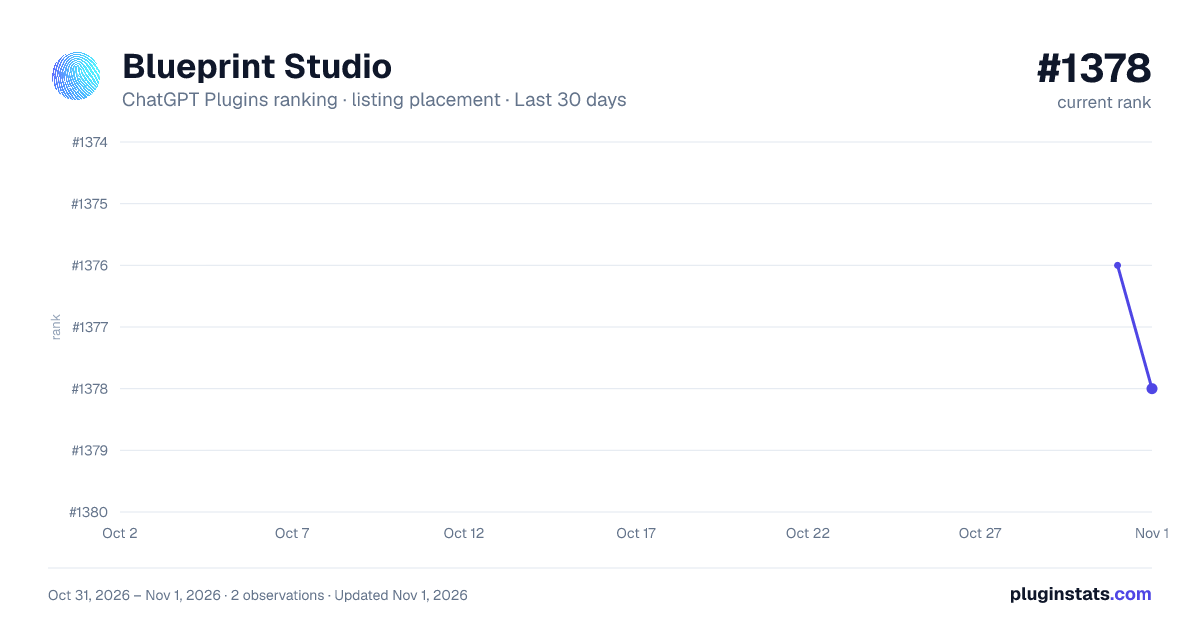
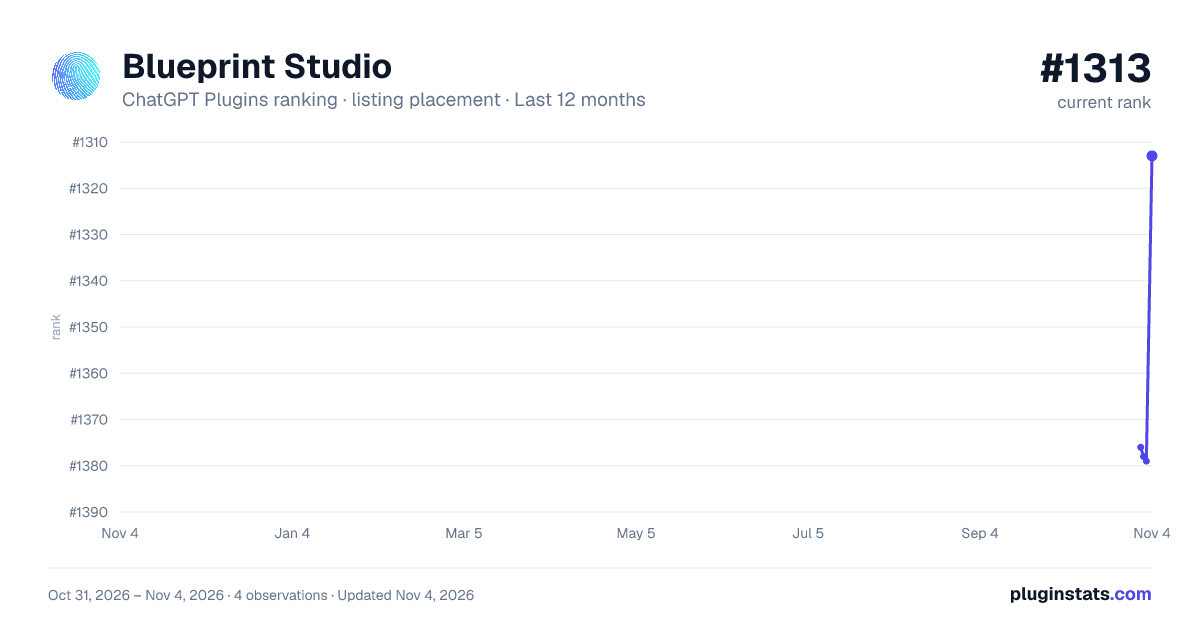
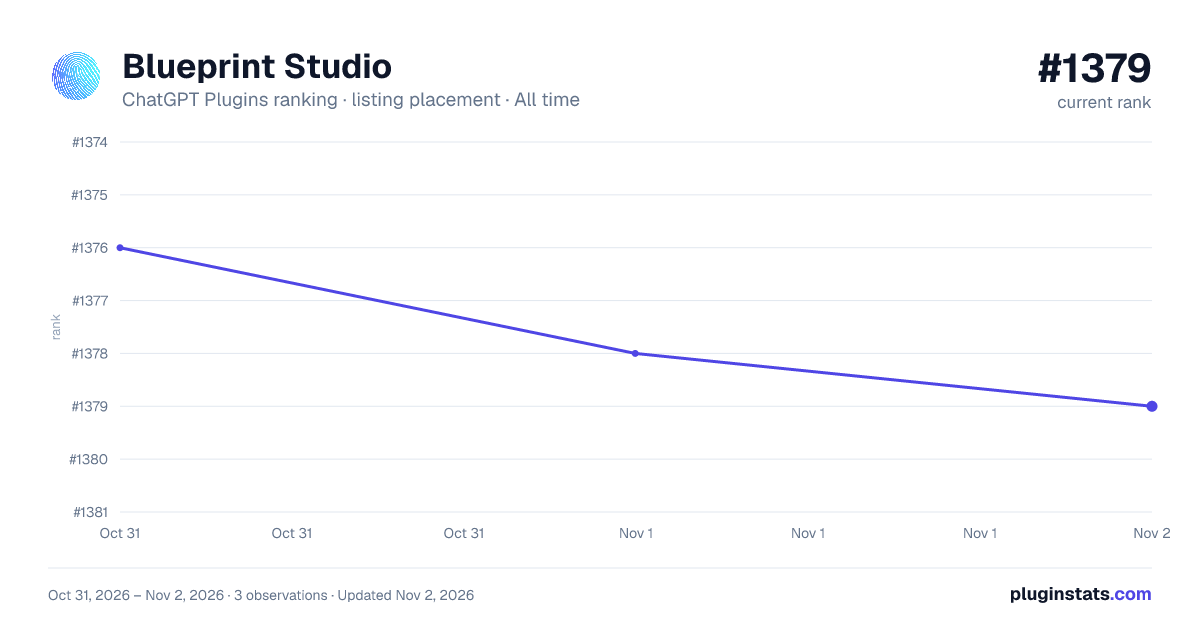

Ranking history
Filled points are observed values; hollow points come from Internet Archive snapshots of the listing page. Dashed segments span periods with no observations — values between points are not interpolated.
Similar ChatGPT Plugins Creativity plugins
All 20 Blueprint Studio alternativesData source
OpenAI does not publish install counts or ratings for ChatGPT plugins. PluginStats records listing details and each plugin's placement in the directory over time: overall position follows the Popular list, then New & Noteworthy, then each category in directory order.
Listing: https://chatgpt.com/plugins/plugin_asdk_app_6abfb0b38b148191b9609320ba986e6b. First seen Oct 31, 2026; last successful collection Oct 31, 2026. See the methodology.