 PluginStats
GitDiagram listing history
By GitDiagram · ChatGPT Plugins · Developer Tools
Architecture diagrams of repos
ChatGPT Plugins does not publish install or usage counts, so PluginStats tracks GitDiagram's listing placement instead, currently position #1635 in the marketplace's popularity-sorted listing.
Category positions: #530 in Developer Tools
About GitDiagram
GitDiagram shows how a public GitHub repository is built. Ask about a repository, for example "Show me the architecture of fastapi/fastapi", and you get its architecture diagram: an interactive map of the main components and how they connect, which you can pan, zoom and open full screen, and where every component opens its source code on GitHub.
With the diagram, ChatGPT also receives GitDiagram's written explanation of how the codebase is organized, the list of components with the paths they live in, how they connect, and the Mermaid source, so it can answer follow-up questions about the code and point you to the right files.
You can also search GitDiagram's library of diagrams by owner or repository name, and get a repository's narrated explainer video and its transcript when one exists.
It's for anyone getting to know an unfamiliar codebase: onboarding to a project, evaluating an open-source dependency, preparing a first contribution, or explaining how a project works.
Limitations: GitDiagram covers public GitHub repositories only. The plugin reads diagrams GitDiagram has already made; when a repository has none yet, it gives you a link to gitdiagram.com, where the diagram is made in about a minute, and after that the plugin can read it. Diagrams are AI-generated from the repository's files and can miss details, so check anything important against the code. The plugin is read-only, never changes anything on GitHub or elsewhere, and needs no account.
Description from the ChatGPT Plugins listing.
README badge
Show your rank in a README or on your website. The badge updates automatically.
Charts
Images: 30d · 1y · all time · 1600×900 dark
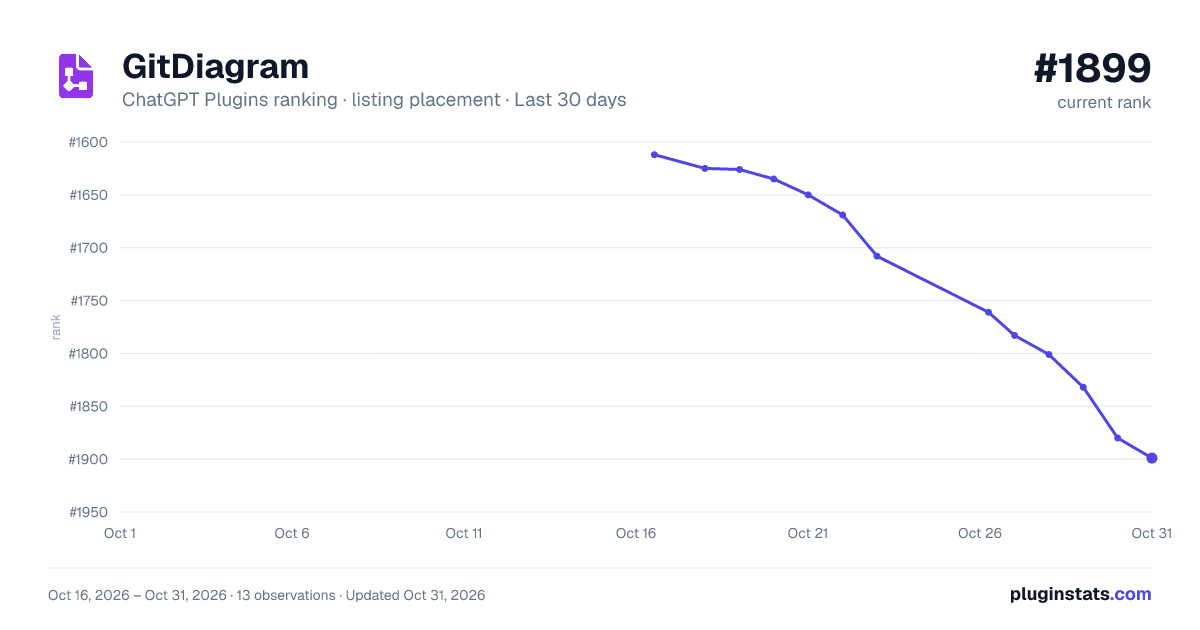
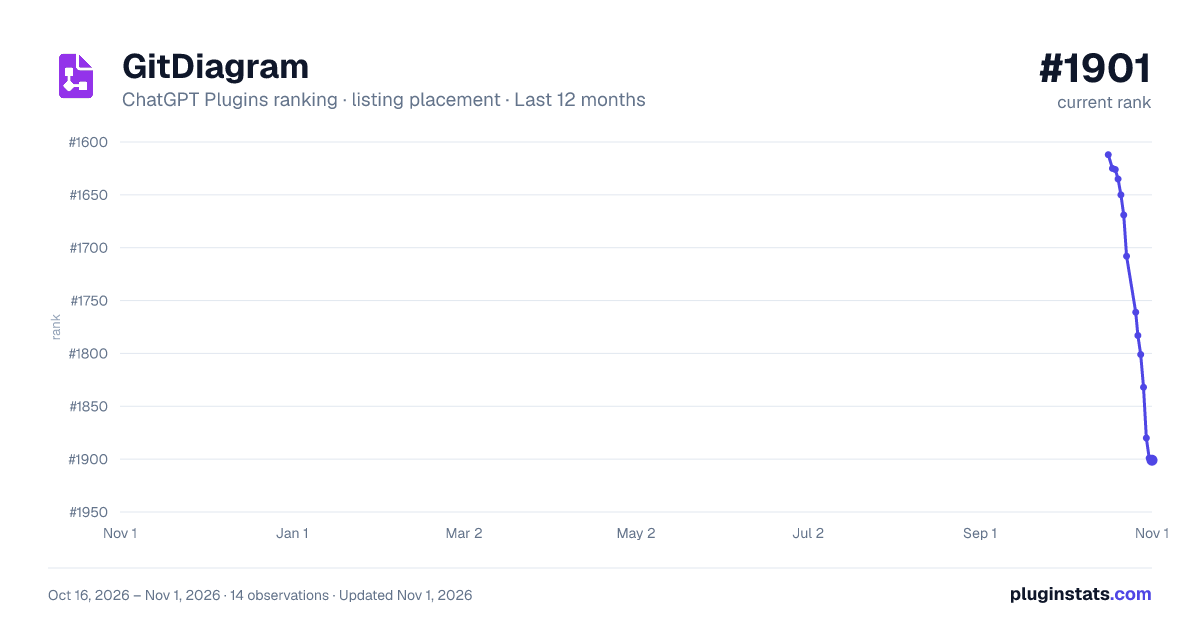
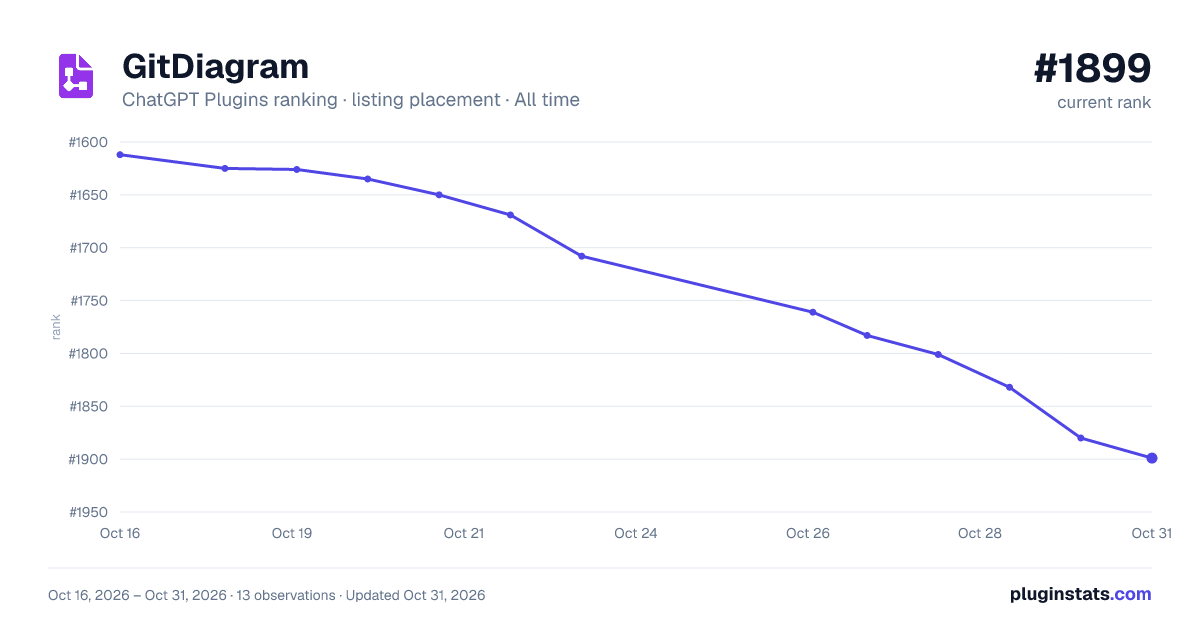

Ranking history
Filled points are observed values; hollow points come from Internet Archive snapshots of the listing page. Dashed segments span periods with no observations — values between points are not interpolated.
Similar ChatGPT Plugins Developer Tools plugins
All 20 GitDiagram alternativesData source
OpenAI does not publish install counts or ratings for ChatGPT plugins. PluginStats records listing details and each plugin's placement in the directory over time: overall position follows the Popular list, then New & Noteworthy, then each category in directory order.
Listing: https://chatgpt.com/plugins/plugin_asdk_app_6abc42c5af60819187ab2426e92768c4. First seen Oct 16, 2026; last successful collection Oct 20, 2026. See the methodology.