 PluginStats
Glossa listing history
By Ario Barin Ostovary · ChatGPT Plugins · Developer Tools
Work on your local project
ChatGPT Plugins does not publish install or usage counts, so PluginStats tracks Glossa's listing placement instead, currently position #1815 in the marketplace's popularity-sorted listing.
Category positions: #675 in Developer Tools
About Glossa
Glossa lets ChatGPT work on a project on your computer. Start Glossa in a project folder and ChatGPT can search and read your code, look at images, make careful edits, and, if you allow it, run your tests, builds, Git, and other commands with the tools you already have installed.
You pick the access for each folder when you start it:
- Read-only: ChatGPT can list, search, and read files and view PNG, JPEG, and WebP images.
- Workspace (the default): ChatGPT can also create, edit, move, and delete files inside that folder. Edits check the file's current version first, so your own changes aren't silently overwritten.
- System: ChatGPT can also run commands. Commands run as your computer account, with its environment, credentials, files, and network access. They aren't sandboxed or limited to the project folder, so turn this on only for an account and machine you're comfortable giving that access.
How it works: the Glossa CLI on your computer connects out to the Glossa relay, so nothing on your machine accepts incoming connections. The relay passes requests to your computer and doesn't store your file contents, command arguments, or command output. Glossa blocks recognizable passwords, API keys, and tokens in file text, edits, and command output before they leave your computer. Images are passed through as they are.
Glossa doesn't add another AI model or agent. ChatGPT does the work, and your plan's usage limits and available features still apply. Don't use Glossa with payment card data, health records, government ID numbers, or account credentials.
To get started, install the CLI with npm install -g @ariobarin/glossa, run glossa in your project folder, and pair your computer when it asks.
Description from the ChatGPT Plugins listing.
- Read local project files
- View local project images
- Edit local project files
- Run local project commands
README badge
Show your rank in a README or on your website. The badge updates automatically.
Charts
Images: 30d · 1y · all time · 1600×900 dark
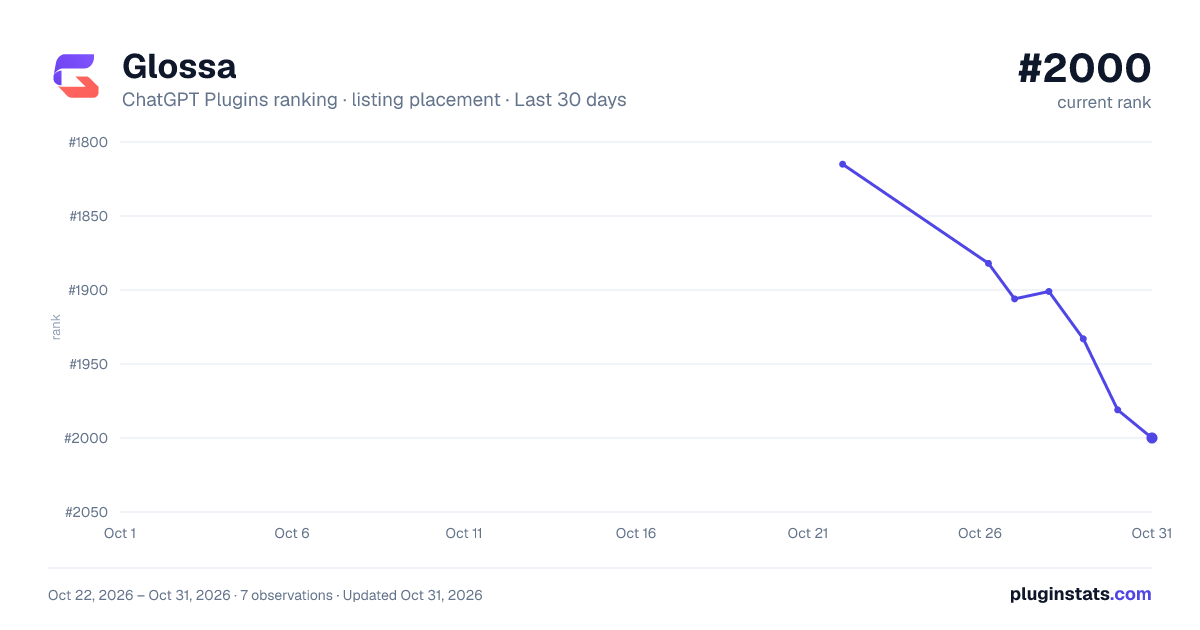
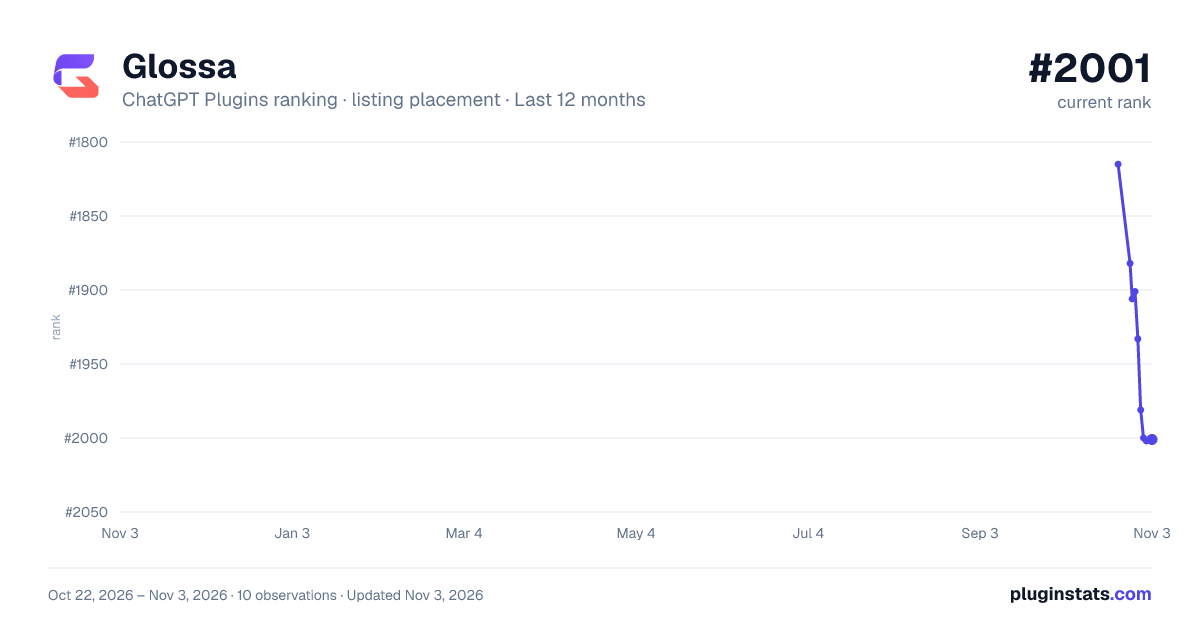
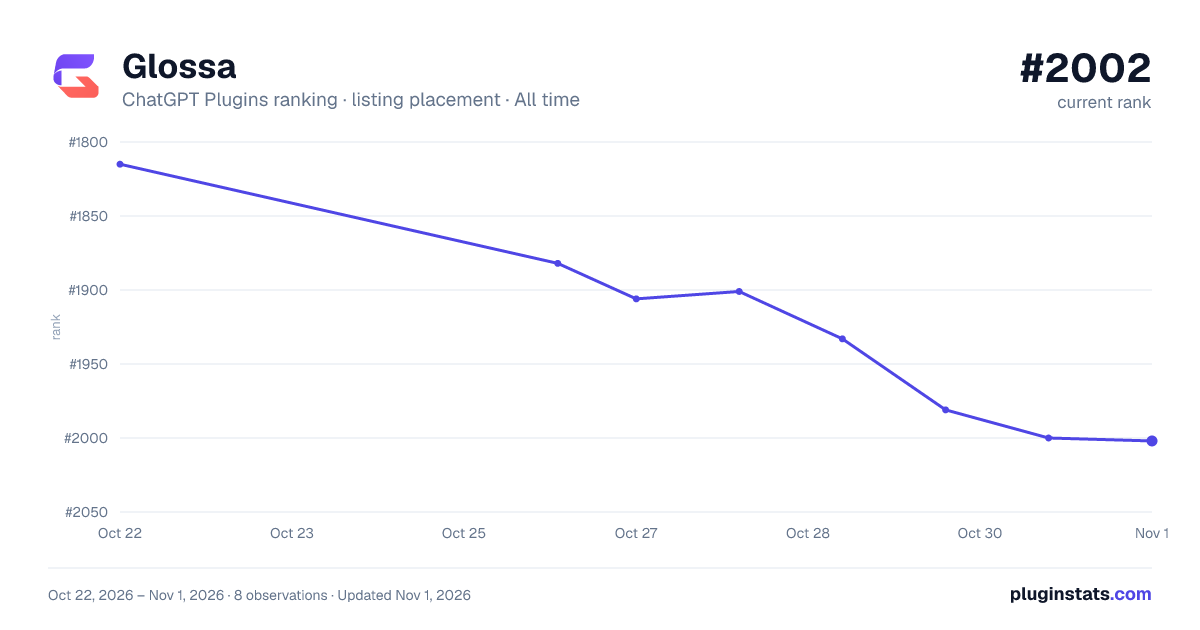

Ranking history
Filled points are observed values; hollow points come from Internet Archive snapshots of the listing page. Dashed segments span periods with no observations — values between points are not interpolated.
Similar ChatGPT Plugins Developer Tools plugins
All 20 Glossa alternativesData source
OpenAI does not publish install counts or ratings for ChatGPT plugins. PluginStats records listing details and each plugin's placement in the directory over time: overall position follows the Popular list, then New & Noteworthy, then each category in directory order.
Listing: https://chatgpt.com/plugins/plugin_asdk_app_6ad2768d567c8191a369d9f6e6c79d11. First seen Oct 22, 2026; last successful collection Oct 22, 2026. See the methodology.