 PluginStats
Miro listing history
By Miro (5 listings) · ChatGPT Plugins · Productivity
Visualize and structure ideas
ChatGPT Plugins does not publish install or usage counts, so PluginStats tracks Miro's listing placement instead.
It currently appears at position #89 in the marketplace's popularity-sorted listing.
Category positions: #30 in Productivity
About Miro
Connect ChatGPT to Miro to summarize existing boards, update them, or build new ones from scratch. Point ChatGPT at a board and it reads what your team has already decided, researched, and drawn, so its answers start from your context. Ask it to build, and its answers land on the board as native Miro objects – slides, tables, docs, diagrams, sticky notes, frames, and workshop widgets – visual, instantly editable, and collaborative by default.
Key Use Cases: Product strategy review: ChatGPT generates a strategy presentation as Miro slides, alongside your team's priorities, so the team sees the full picture and comes together to review and collaborate on it. From there, ChatGPT reads the feedback and discussion – the call transcript plus Miro comments and stickies – and writes the update for the wider team. System design review: Get ChatGPT to create an interactive architecture diagram and documentation for a team of engineers to review and discuss ahead of upcoming changes. Documentation automation: Set up a scheduled task in ChatGPT to keep your Miro diagrams and documents up to date as things change. Journey mapping: ChatGPT maps out an existing user journey in Miro for the team to review in a collaborative session. From there, any proposed changes can be picked up by ChatGPT and drafted into follow-up items.
Invoke Miro directly with @Miro, or just describe what you want in plain language. Try prompts like: - @Miro, summarize the decisions on this board [board URL] - @Miro, turn this strategy doc into slides alongside our priorities - @Miro, diagram this service's architecture with the docs beside it - @Miro, update the journey map on this board with the changes we agreed - @Miro, turn the comments on this board into action items - @Miro, build a retro board for my team with dot voting
What Miro can do in ChatGPT: - Read, search, and summarize context from your Miro boards - Create boards, and generate full boards for workshops, retros, and planning sessions - Create slides, diagrams, docs, tables, timelines, sticky notes, and images on the canvas - Update and edit content already on the canvas, and delete what it created - Create and update tables, including kanban and timeline views - Read, reply to, and resolve board comments - Upload images to a board - Create, update, and share Miro spaces
Description from the ChatGPT Plugins listing.
Charts
Images: 30d · 1y · all time · 1600×900 dark
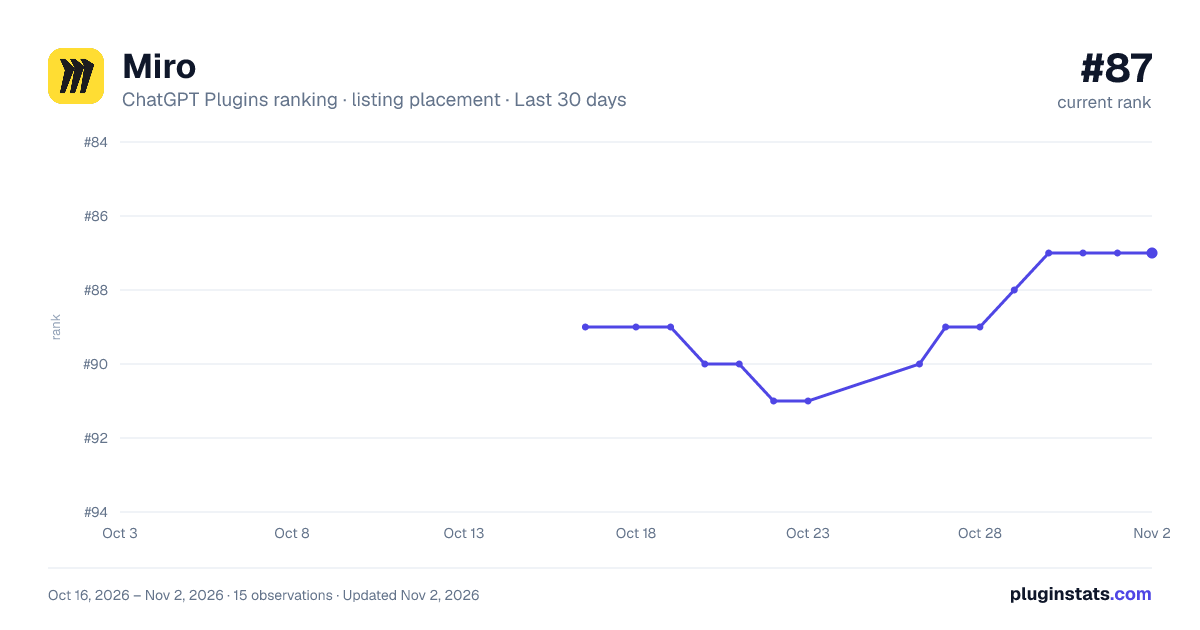
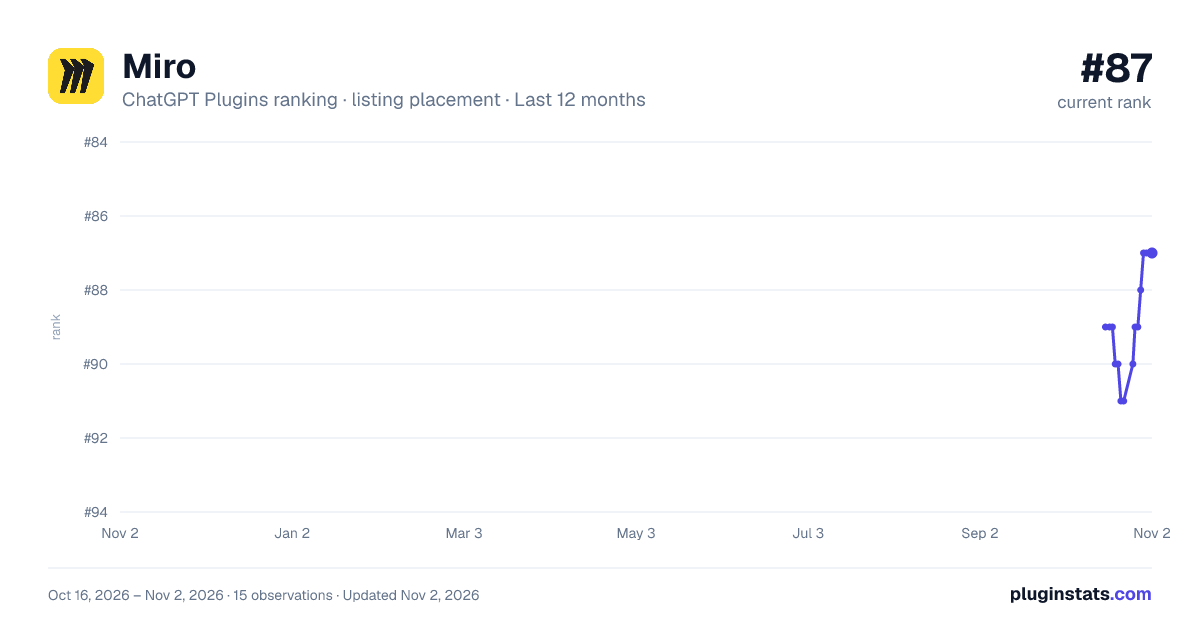
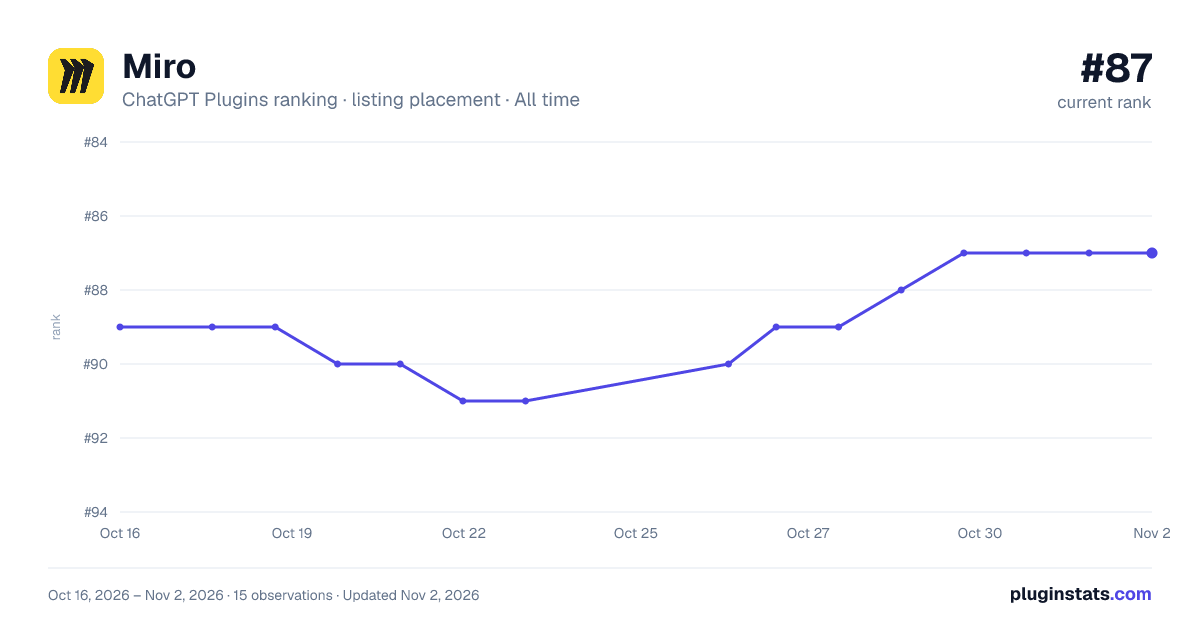


Filled points are observed values; hollow points come from Internet Archive snapshots of the listing page. Dashed segments span periods with no observations — values between points are not interpolated.
Similar ChatGPT Plugins Productivity plugins
All 20 Miro alternativesMiro on other marketplaces
Data source
OpenAI does not publish install counts or ratings for ChatGPT plugins. PluginStats records listing details and each plugin's placement in the directory over time: overall position follows the Popular list, then New & Noteworthy, then each category in directory order.
Listing: https://chatgpt.com/plugins/plugin_asdk_app_6a392799cb58819185f82dc01ac13dad. First seen Oct 16, 2026; last successful collection Oct 19, 2026. See the methodology.