 PluginStats
PlatoForms listing history
By PlatoForms Pty Ltd · ChatGPT Plugins · Productivity
Find forms and submissions
ChatGPT Plugins does not publish install or usage counts, so PluginStats tracks PlatoForms's listing placement instead.
It currently appears at position #541 in the marketplace's popularity-sorted listing.
Category positions: #483 in Productivity
About PlatoForms
PlatoForms is an online form builder for web forms, fillable PDF forms and PDF documents. This plugin connects your PlatoForms account so you can work with your own forms and their submissions in conversation, instead of opening the dashboard.
What you can do
• Find forms. List published, draft or archived forms with their folder, publish state and submission count, or search by name.
• Understand a form. Read a form's full field schema — every field's id, type, label, whether it is required, its options and its validation rules — so you can reason about the data before you touch it.
• Review submissions. List a form's submissions newest-first, filter them by date range or keyword, find one by an exact field value (for example the submission where the email field is a particular address), and read every answer of a single submission with its field labels.
• Export. Mint a time-limited download URL for a submission's PDF, CSV, signing certificate, zipped attachments or a single attachment. Files are never streamed through the conversation — you get a link that expires.
• Share a prefilled link. Create one or more tracked invitation links to a form with fields already filled in, optionally single-use, optionally with an expiry. The plugin returns the URLs for you to send; it never sends email itself.
• Submit an entry. Post an entry to a published form after reading its schema, with validation errors returned verbatim so mistakes can be corrected and resubmitted.
• Start something new. Describe a form or a PDF document in plain English and get a builder link back. The design happens in the PlatoForms builder when you open the link, with its own AI asking you the clarifying questions.
How it connects
Sign in with your PlatoForms account over OAuth — your password is never shared with the assistant, access is scoped to read or read-and-write, and you can revoke it at any time from your PlatoForms account. The plugin can only see what your own account can see. A team owner controls whether the team is reachable this way at all, from Account → API.
Requirements
A PlatoForms account on a plan that includes API access. Actions count against your plan's API allowance. Teams in HIPAA mode have this access switched off by default and must opt in explicitly; data sent to a third-party AI assistant is not covered by the PlatoForms Business Associate Agreement.
What the plugin cannot do
It cannot edit an existing form or document, publish, delete, rename or duplicate anything, send email, or configure workflows, integrations or notifications. Those stay in the PlatoForms editor.
Description from the ChatGPT Plugins listing.
Charts
Images: 30d · 1y · all time · 1600×900 dark
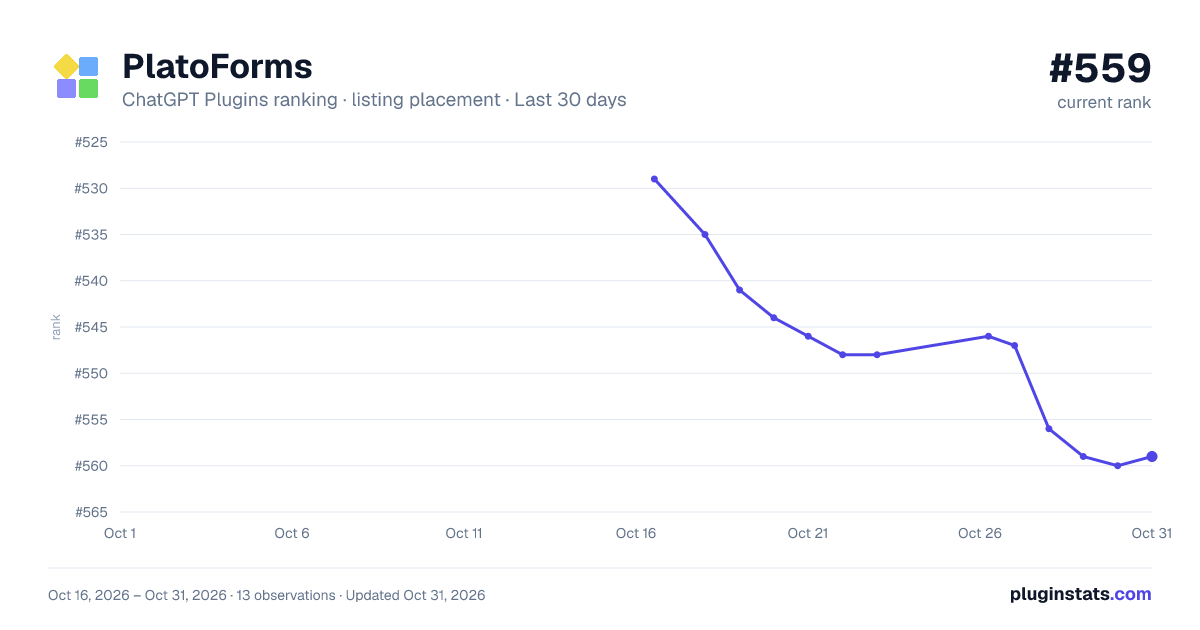
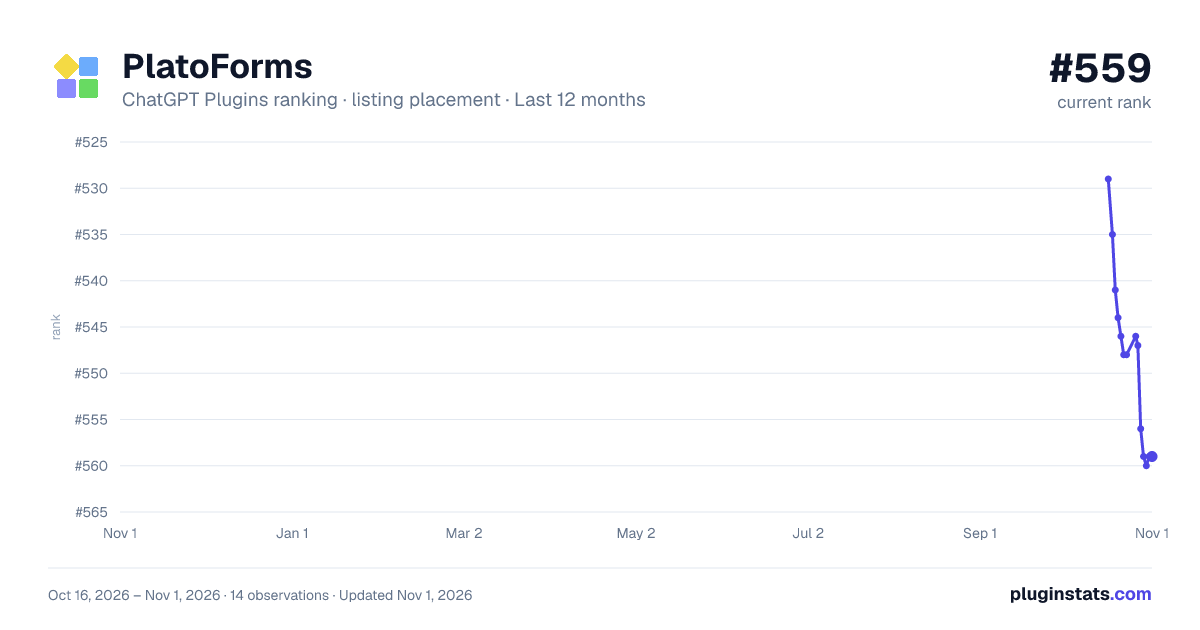
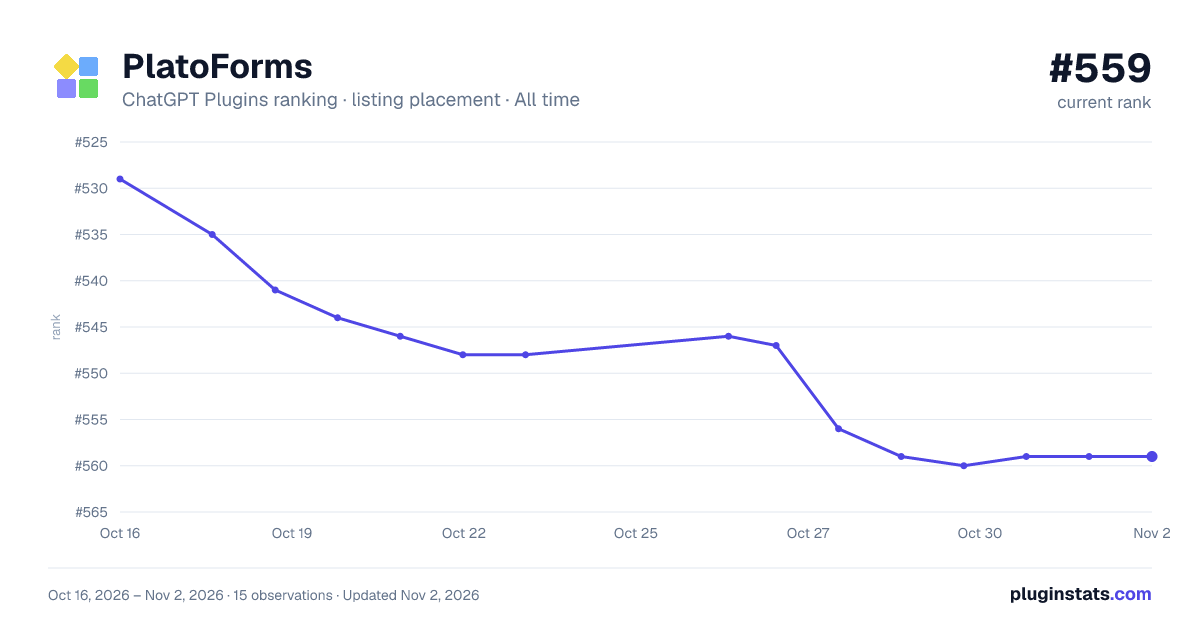


Filled points are observed values; hollow points come from Internet Archive snapshots of the listing page. Dashed segments span periods with no observations — values between points are not interpolated.
Similar ChatGPT Plugins Productivity plugins
All 20 PlatoForms alternativesData source
OpenAI does not publish install counts or ratings for ChatGPT plugins. PluginStats records listing details and each plugin's placement in the directory over time: overall position follows the Popular list, then New & Noteworthy, then each category in directory order.
Listing: https://chatgpt.com/plugins/plugin_asdk_app_6a7da30673a481918a1f6867aaf0ec06. First seen Oct 16, 2026; last successful collection Oct 19, 2026. See the methodology.