 PluginStats
RiverScript listing history
By RiverScript · ChatGPT Plugins · Productivity
Bring transcripts to ChatGPT
ChatGPT Plugins does not publish install or usage counts, so PluginStats tracks RiverScript's listing placement instead.
It currently appears at position #583 in the marketplace's popularity-sorted listing.
Category positions: #525 in Productivity
About RiverScript
Capture and transcribe everything you can hear on your computer with RiverScript, then bring your transcripts into your ChatGPT workflow.
RiverScript turns meetings, calls, lectures, podcasts, interviews, and any other media content into text. Record your system audio directly from any app with RiverScript Desktop client for Windows and Mac, or transcribe your audio and video files up to 50 GB and 8 hours long.
In RiverScript click the Share button for the transcript you want to bring into ChatGPT and get the link. Add it to this app. Continue working with your transcript in ChatGPT however you like.
It works with both transcripts and their AI translations. Transcribe with RiverScript. Work with ChatGPT.
Description from the ChatGPT Plugins listing.
Charts
Images: 30d · 1y · all time · 1600×900 dark
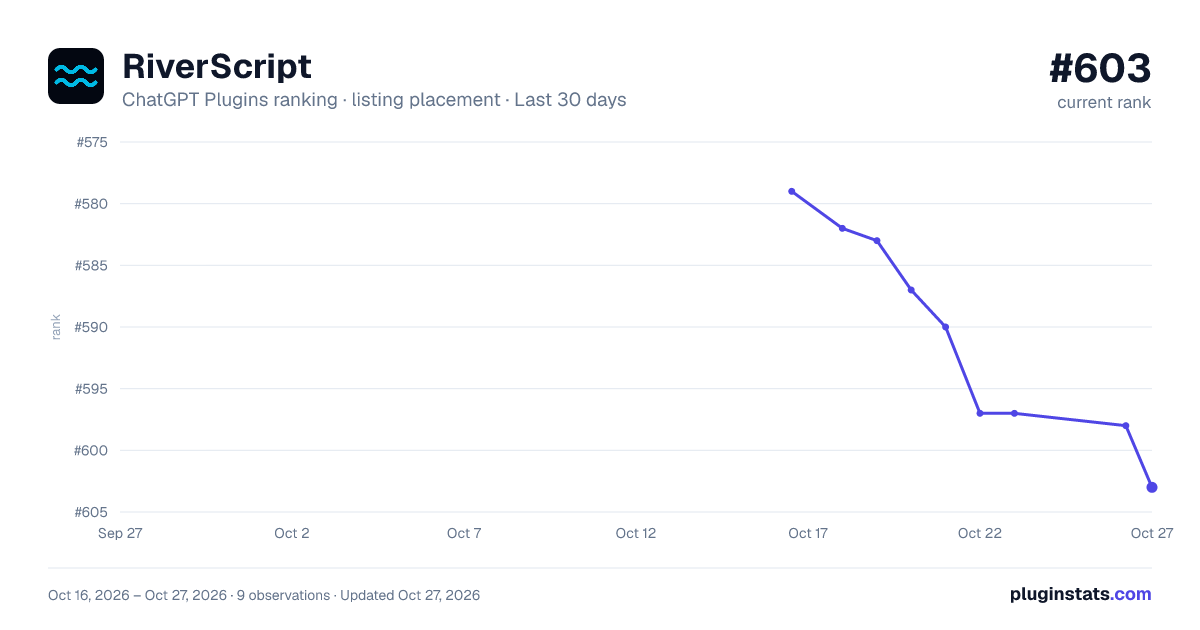
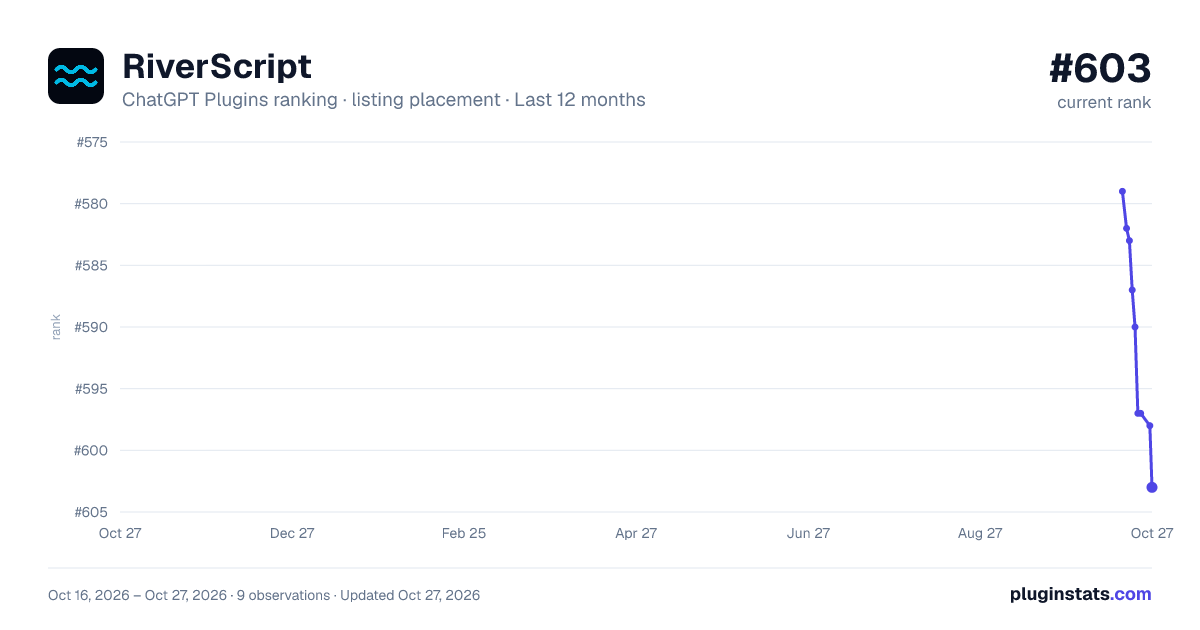
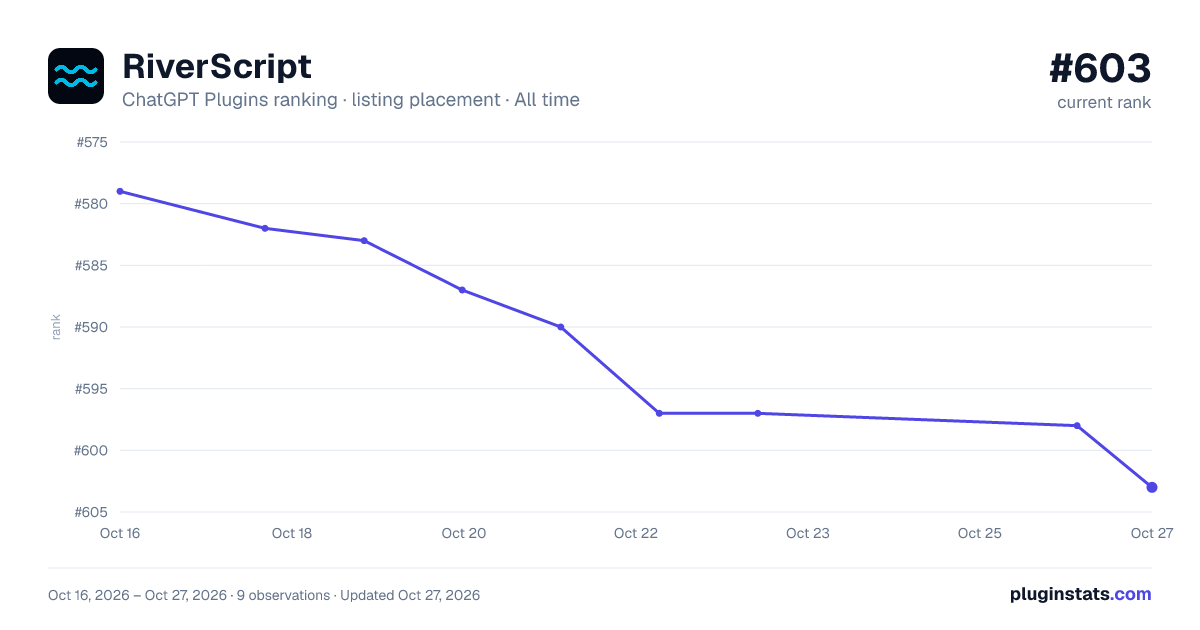


Filled points are observed values; hollow points come from Internet Archive snapshots of the listing page. Dashed segments span periods with no observations — values between points are not interpolated.
Similar ChatGPT Plugins Productivity plugins
All 20 RiverScript alternativesData source
OpenAI does not publish install counts or ratings for ChatGPT plugins. PluginStats records listing details and each plugin's placement in the directory over time: overall position follows the Popular list, then New & Noteworthy, then each category in directory order.
Listing: https://chatgpt.com/plugins/plugin_asdk_app_6a7e2518fdf88191bcfab1b7aeac0494. First seen Oct 16, 2026; last successful collection Oct 19, 2026. See the methodology.