 PluginStats
SnapVisor listing history
By Devino Solutions (3 listings) · ChatGPT Plugins · Developer Tools
Review visual regression tests
ChatGPT Plugins does not publish install or usage counts, so PluginStats tracks SnapVisor's listing placement instead, currently position #1808 in the marketplace's popularity-sorted listing.
Category positions: #627 in Developer Tools
About SnapVisor
SnapVisor is a visual regression testing platform. Your CI uploads screenshots as builds, SnapVisor compares them pixel by pixel against a baseline, and your team reviews and approves the changes it finds. The SnapVisor plugin lets ChatGPT work through that review with you.
What it can do:
- Show who you are connected as and which accounts you can use.
- List your projects, open one, and read account analytics.
- List a project's builds, open a build, and list the visual changes it found, with links to the baseline, new and diff images.
- Approve or reject a build with a review, list reviews, and dismiss one.
- Mark an individual change as ignored, or un-ignore it.
- Read and post comments on a build, edit or delete your own, add and remove reactions, and resolve, unresolve, subscribe to or unsubscribe from a comment thread.
- Create a project.
Tools: 24 named tools (getMe, listProjects, getProject, getAccountAnalytics, listBuilds, getBuild, listBuildDiffs, listReviews, listBuildComments, getBuildComment, createReview, dismissReview, ignoreChange, unignoreChange, createProject, createBuildComment, updateBuildComment, deleteBuildComment, addBuildCommentReaction, removeBuildCommentReaction, resolveBuildCommentThread, unresolveBuildCommentThread, subscribeBuildCommentThread, unsubscribeBuildCommentThread).
Who it is for: teams that run visual tests with SnapVisor and want to check and review builds from a conversation.
How it connects: you sign in to SnapVisor with OAuth 2.1 (PKCE) and choose on the consent screen which account the connection covers and which permissions it gets. Connected applications are listed in your SnapVisor settings, where you can revoke them.
Limitations: SnapVisor does not generate images. It only compares and serves the screenshots your own CI uploaded, as short-lived signed links. The plugin cannot run your tests or upload screenshots, and it does not change billing.
Description from the ChatGPT Plugins listing.
- Read projects, builds and visual diffs
- Approve or reject builds
- Discuss builds in comment threads
- Ignore known flaky changes
README badge
Show your rank in a README or on your website. The badge updates automatically.
Charts
Images: 30d · 1y · all time · 1600×900 dark
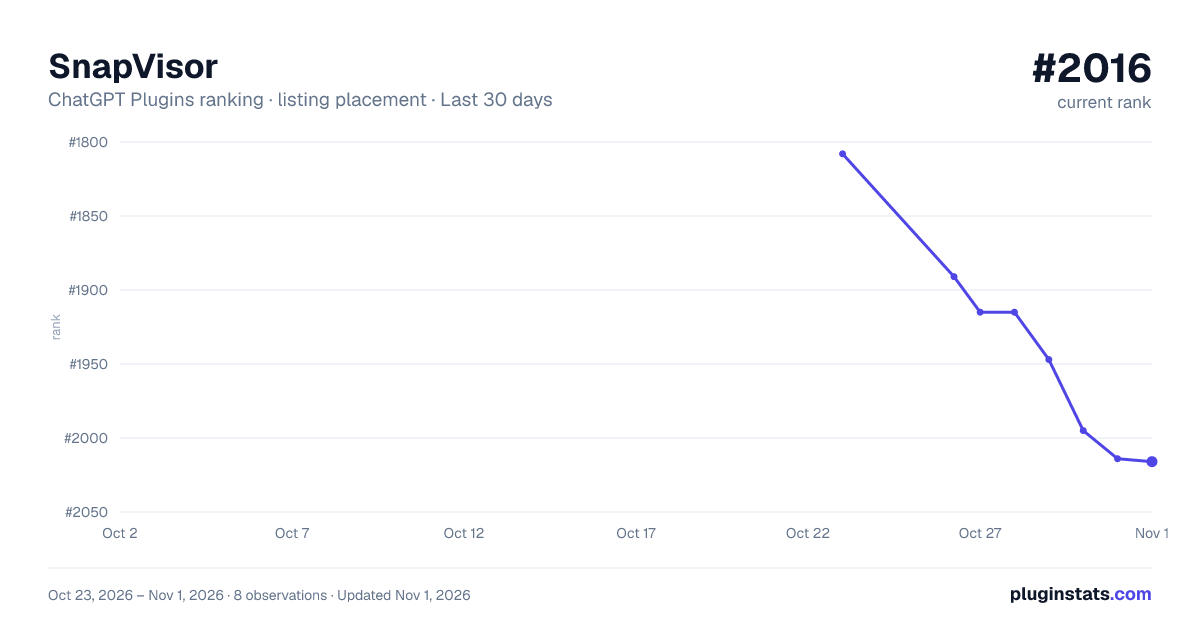
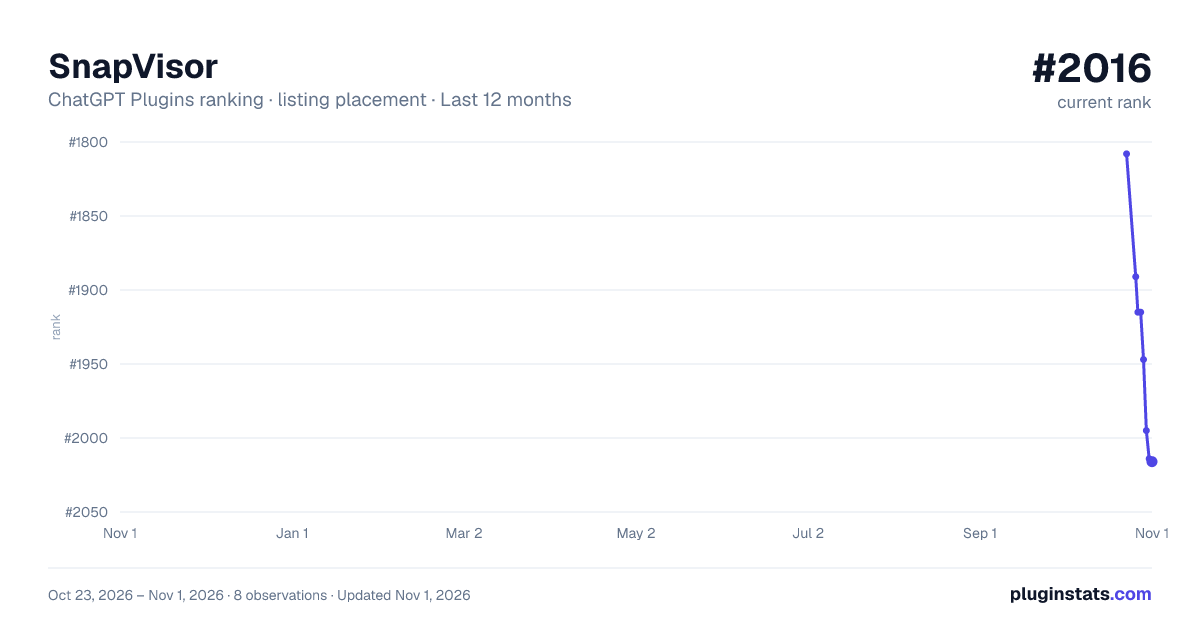
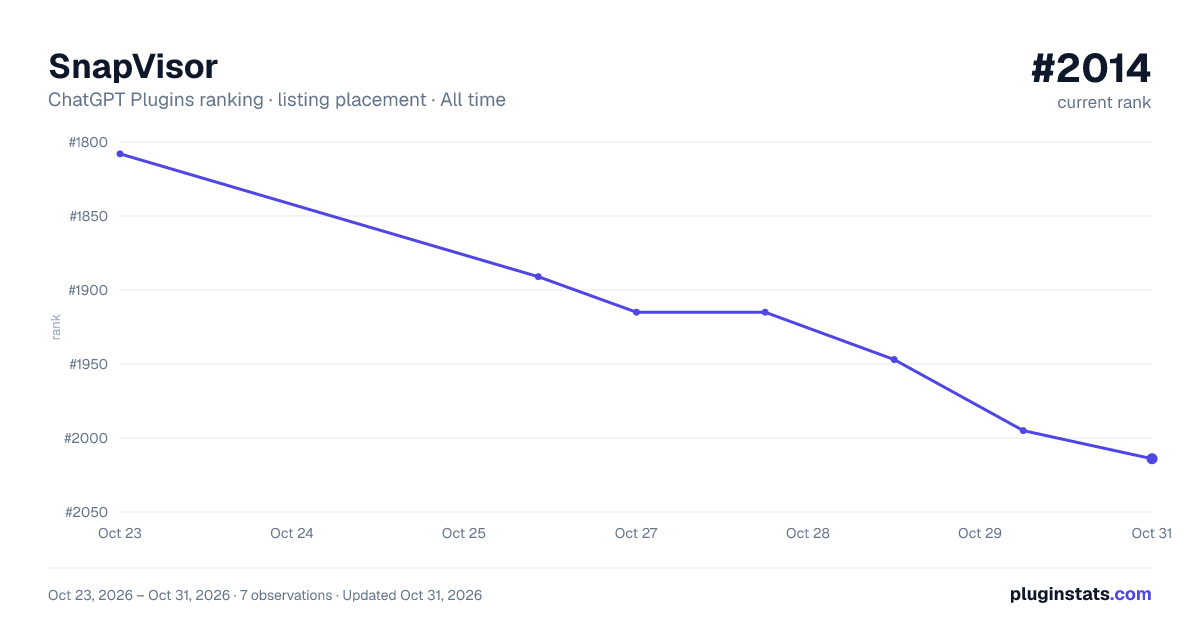

Ranking history
Filled points are observed values; hollow points come from Internet Archive snapshots of the listing page. Dashed segments span periods with no observations — values between points are not interpolated.
Similar ChatGPT Plugins Developer Tools plugins
All 20 SnapVisor alternativesData source
OpenAI does not publish install counts or ratings for ChatGPT plugins. PluginStats records listing details and each plugin's placement in the directory over time: overall position follows the Popular list, then New & Noteworthy, then each category in directory order.
Listing: https://chatgpt.com/plugins/plugin_asdk_app_6ac9859f88f88191b1c38454d315bf81. First seen Oct 23, 2026; last successful collection Oct 23, 2026. See the methodology.