 PluginStats
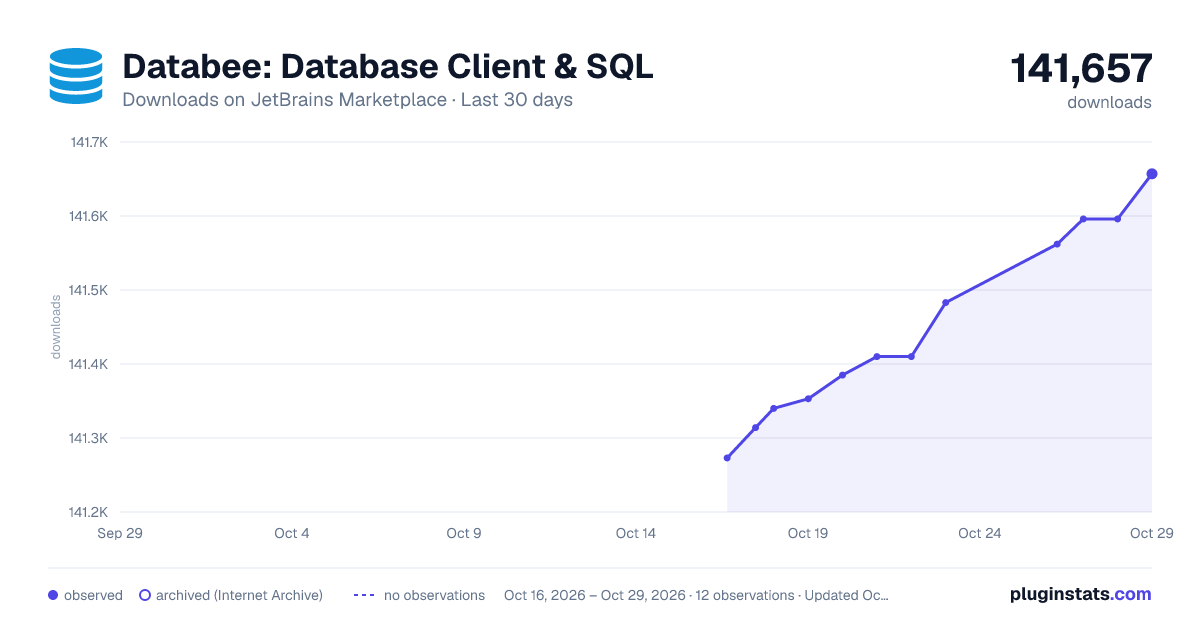
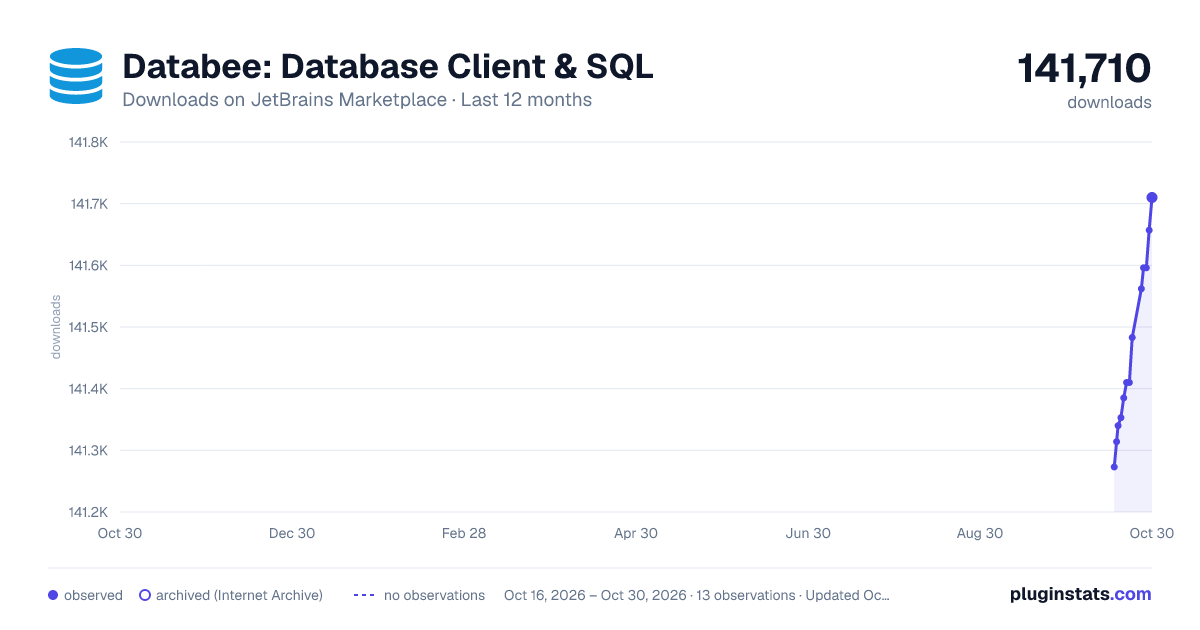
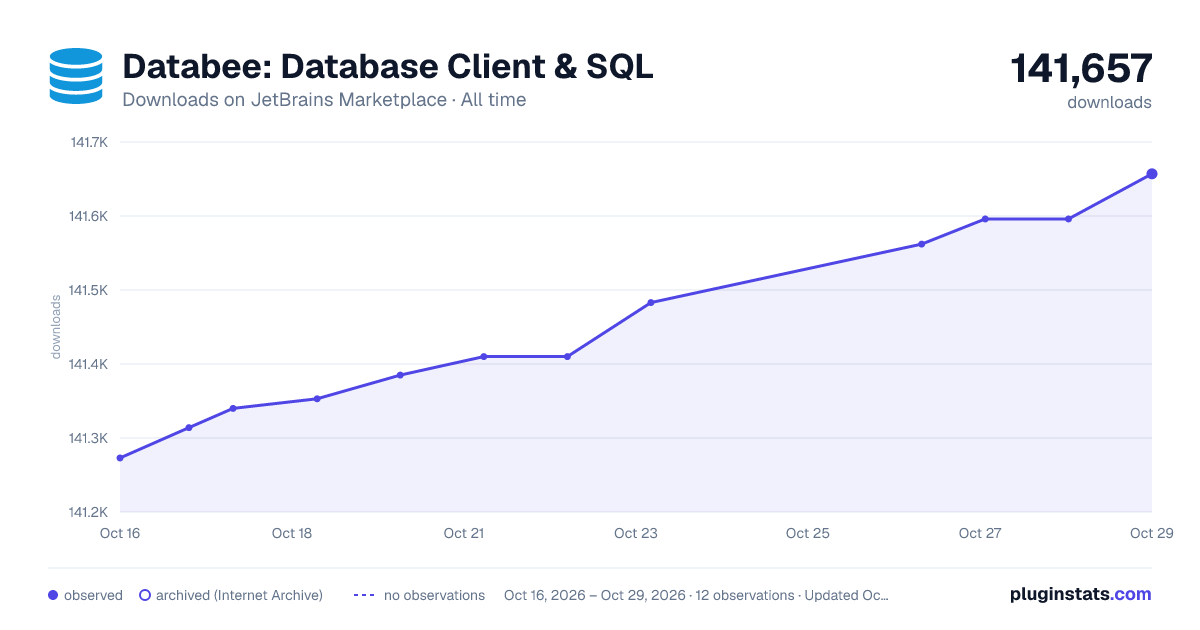
Databee: Database Client & SQL downloads statistics
By LeJiu (5 listings) · JetBrains Marketplace · Database
Databee is a database client that lives in your IDE: browse your schemas, write SQL the editor understands, run it, and edit the results in place. Works in IntelliJ...
Databee: Database Client & SQL has 141,385 recorded downloads on JetBrains Marketplace, ranking #775 of 2,502 tracked listings.
Rating: 3.00 / 5 from 2 ratings
About Databee: Database Client & SQL
Databee is a database client that lives in your IDE: browse your schemas, write SQL the editor understands, run it, and edit the results in place. Works in IntelliJ IDEA and other IntelliJ-based IDEs.
Databases: MySQL, MariaDB, TiDB, and OceanBase (MySQL mode); PostgreSQL, CockroachDB, and YugabyteDB; Oracle, Microsoft SQL Server, SQLite, and ClickHouse; MongoDB; Redis and Valkey.
SQL editor — every dialect has its own parser, so the editor reads what you wrote instead of guessing:
• Completion of tables, columns, aliases and CTEs from the schema you are connected to • Table and column names the connected data source does not have are marked in the editor, plus an inspection for checking a whole directory at once • DELETE / UPDATE without a WHERE is flagged while you type; TRUNCATE and DROP are confirmed before they run • Formatting, code folding, comment/uncomment, live templates, Oracle PL/SQL packages (.pkb / .pks) • SQL inside Java, Kotlin and XML string literals gets the same highlighting and completion, MyBatis mappers included • Ctrl+Enter runs the statement under the caret, and every top-level statement has a run icon in the gutter • The dialect is a project setting and can be overridden per file
Data
• Browse databases, schemas, tables, views, columns and indexes • Edit result-grid cells, insert and delete rows, then submit the DML; paging, sorting and filtering included • Create / alter / rename / drop / truncate, with the SQL shown before it is applied • Export a query or a table as CSV, Excel, JSON, or as INSERT / UPDATE statements; import CSV • Run a whole .sql file against the connection you pick
Connections
• JDBC drivers download from Maven in one click, or point at your own jars • SSH tunnels, SSL with custom CA and client certificates • Passwords live in the IDE password safe, never in the project files
MCP (IDE 2025.2+): dbtool_* tools for connections, metadata, query and execute, export/import and drivers — enable them in Settings → Tools → MCP Server. Passwords are never returned.
How to use: open the Databee window → add a data source → open a SQL file → pick the connection → Ctrl+Enter.
GitHub · Issues
Description from the JetBrains Marketplace listing.
- Database
README badge
Show your rank in a README or on your website. The badge updates automatically.
Charts
Images: 30d · 1y · all time · 1600×900 dark
Adoption over time
7/30/90-day growth
Ranking history
Ratings over time
Listing placement
Listing placement
Filled points are observed values; hollow points come from Internet Archive snapshots of the listing page. Dashed segments span periods with no observations — values between points are not interpolated.
Each band is one page of 20. Downloads on a linear scale. Placement is projected from downloads, so it can differ from the marketplace's own sort order. Hover a dot to see the listing.
Recent observations
Full history (5)Similar JetBrains Marketplace Database plugins
All 20 Databee: Database Client & SQL alternatives



Data source
Cumulative download counts come from the public JetBrains Marketplace API. JetBrains reports downloads, not active installs. Ratings are the mean of public votes.
Listing: https://plugins.jetbrains.com/plugin/19161-databee-database-client--sql. First seen Oct 16, 2026; last successful collection Oct 20, 2026. See the methodology.