 PluginStats
NextTask TODO Task Manager downloads statistics
By markbakosss · JetBrains Marketplace · Administration Tools
NextTask TODO Task Manager Plugin Source Code NextTask TODO Manager is the only task management plugin for JetBrains IDEs you will need. Allows you to track, organize...
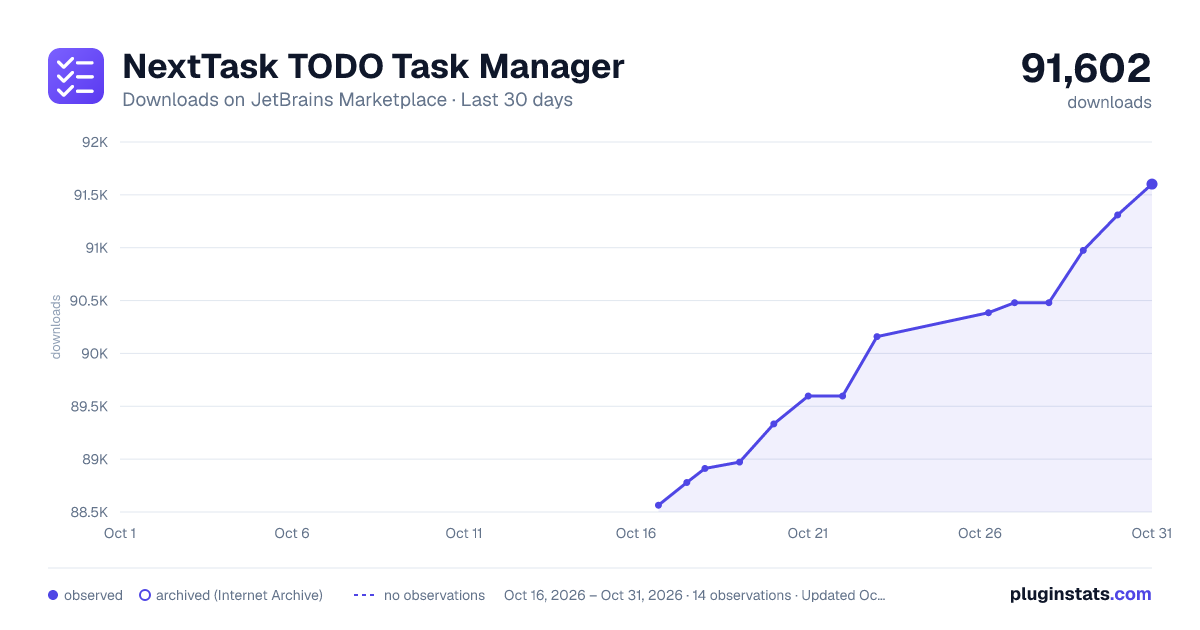
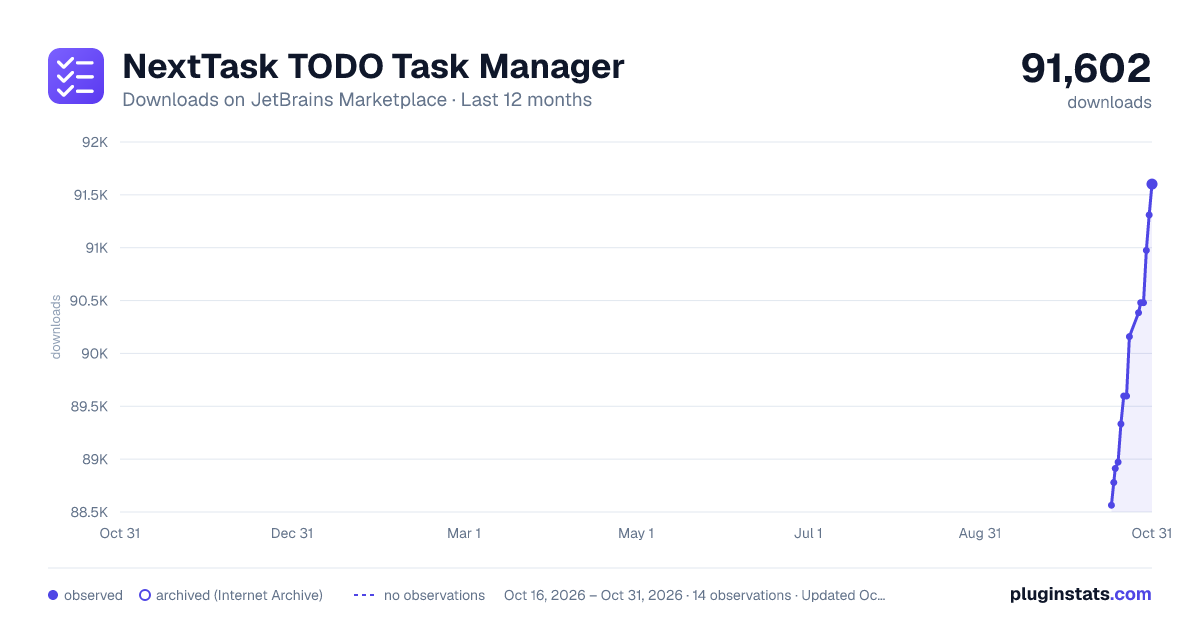
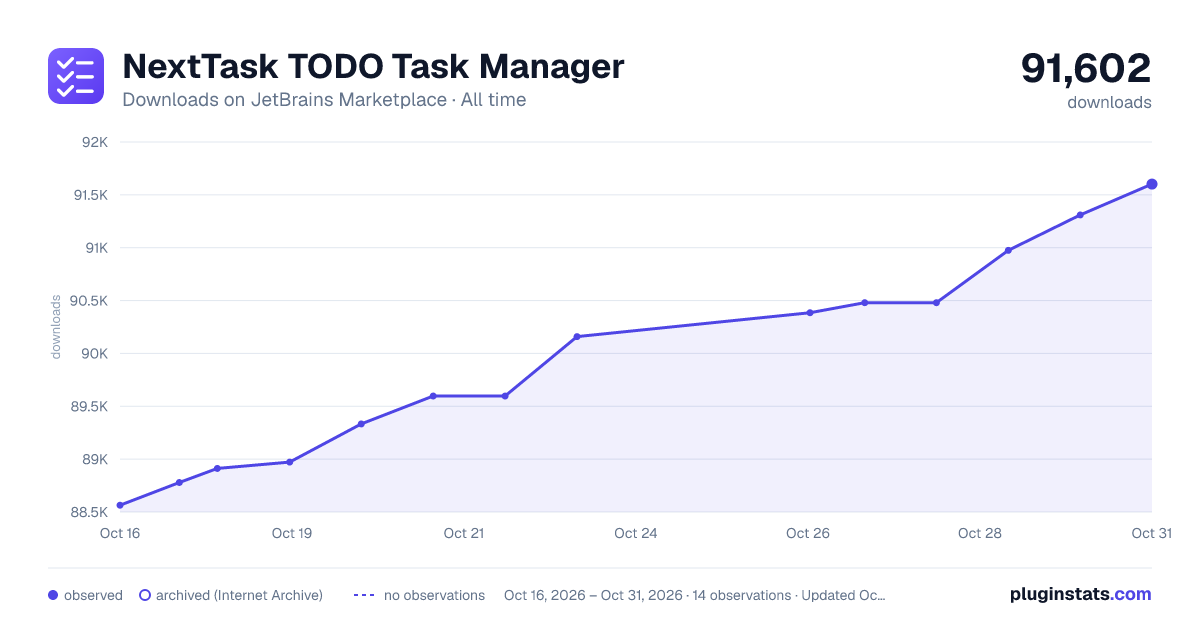
NextTask TODO Task Manager has 88,912 recorded downloads on JetBrains Marketplace.
It ranks #982 of 2,500 tracked JetBrains Marketplace listings by downloads.
It is rated 5.0 out of 5 from 1 ratings.
PluginStats has 3 daily observations since Oct 16, 2026; the latest is from Oct 18, 2026.
Rating: 5.00 / 5 from 1 ratings
About NextTask TODO Task Manager
NextTask TODO Task Manager Plugin
Source Code
NextTask TODO Manager is the only task management plugin for JetBrains IDEs you will need. Allows you to track, organize, and manage your development tasks directly within your favorite IDE. Whether you're handling bugs, planning new features, or organizing code refactoring tasks, this plugin offers a robust and intuitive interface designed to boost your productivity.
Features
• Multi-Language:
🇩🇪 🇬🇧 🇫🇷 🇭🇺 🇵🇱 🇸🇰 🇷🇸 🇳🇱 🇷🇺 🇵🇹 🇪🇸 🇮🇹
• Organizing Tasks:
Add tasks and organize them by tags (e.g.: Bug, UI, Functionality, etc...), classify them by priority and sort them (Low, Medium, High, Critical) and change status (TODO, In Progress, Done)
• User-Friendly Interface:
Enjoy a clean, tabbed UI or floating window that integrates seamlessly with your IDE, making it easy to navigate and manage tasks.
• Easy Editing:
Quickly add, edit or delete tasks.
• Exporting TODO comments:
Export all TODO comments as JSON or as a .txt file
• Sync easily with the NextTask website:
Sync your tasks to and from the official NextTask website
How to use?
• Install the plugin:
In your JetBrains IDE navigate to plugins (File -> Settings -> Plugins), find the extension and click install.
• Add the tool window:
(View -> Tool Windows -> TODO Manager), move and size the tool window however you prefer.
• Using the plugin: • Adding tasks: On the bottom, there is a button "Add New Task", on clicking it a pop-up window will appear where you can give the task a description, tags and Priority.
• Editing a task: Above the "Add New Task" button there is one for "Edit", or you can also double click the task you want to change. Another pop-up window will appear where you can change the details about the task.
• Changing status: Next to the "Edit" button, there is a "Change Status" button, or in the edit window, you can change the status of the selected task.
• Deleting a task: Select a task and click the "Delete" button to delete. • Changing tabs: On the top there are 3 different tabs for the 3 different statuses, each displaying their respective tasks.
• Converting TODO comments to tasks: • Click on the File that contains the TODO comments • Click on Add New Task • Click on the "Import from TODO Comments" button on the shown dialog • Search for the comment you want to import and select it
Description from the JetBrains Marketplace listing.
- Administration Tools
- Code Quality
- Code Tools
- Formatting
- Issue Trackers
- Productivity
- Refactoring
- Reporting
- Time Management
- User Interface
Where NextTask TODO Task Manager sits in the listing
Each band is one page of 20. Downloads on a log scale. Placement is projected from downloads, so it can differ from the marketplace's own sort order. Hover a dot to see the listing.
Charts
Images: 30d · 1y · all time · 1600×900 dark
Adoption over time
7/30/90-day growth
Ranking history
Filled points are observed values; hollow points come from Internet Archive snapshots of the listing page. Dashed segments span periods with no observations — values between points are not interpolated.
Recent observations
Full history (3)Similar JetBrains Marketplace Administration Tools plugins




Data source
Cumulative download counts come from the public JetBrains Marketplace API. JetBrains reports downloads, not active installs. Ratings are the mean of public votes.
Listing: https://plugins.jetbrains.com/plugin/26765-nexttask-todo-task-manager. First seen Oct 16, 2026; last successful collection Oct 18, 2026. See the methodology.