 PluginStats
AEM Tools downloads statistics
By Dmytro Primshyts · JetBrains Marketplace · Framework
Speed up Adobe Experience Manager (AEM) development with powerful IntelliJ IDEA integration. AEM Tools adds IDE support for the parts of AEM projects that are usually...
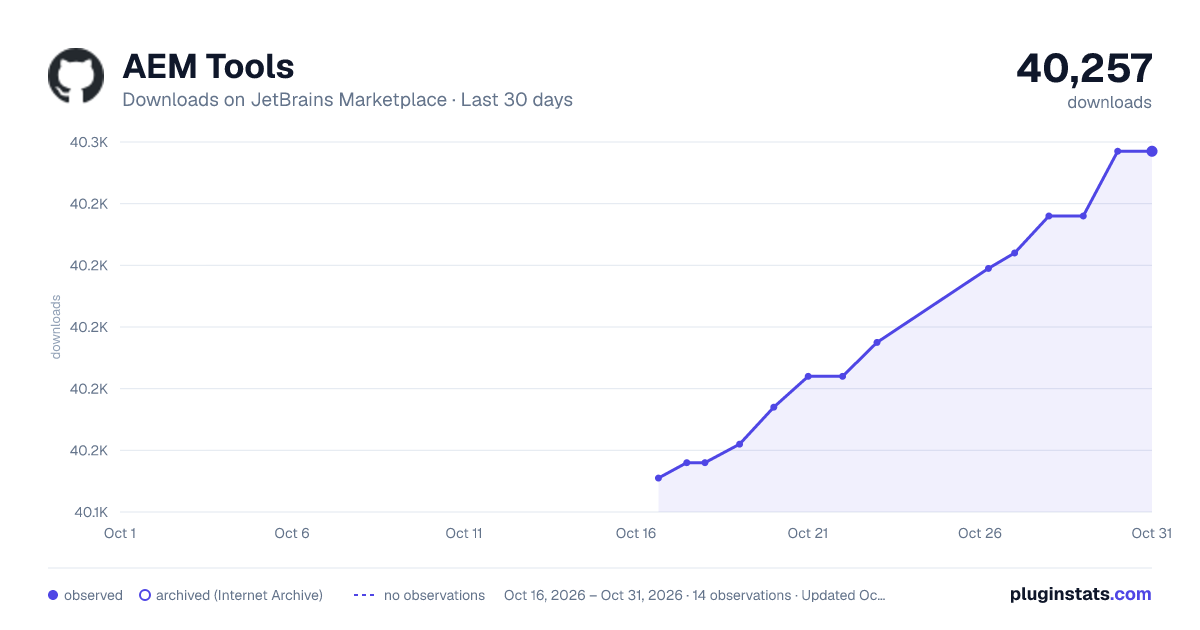
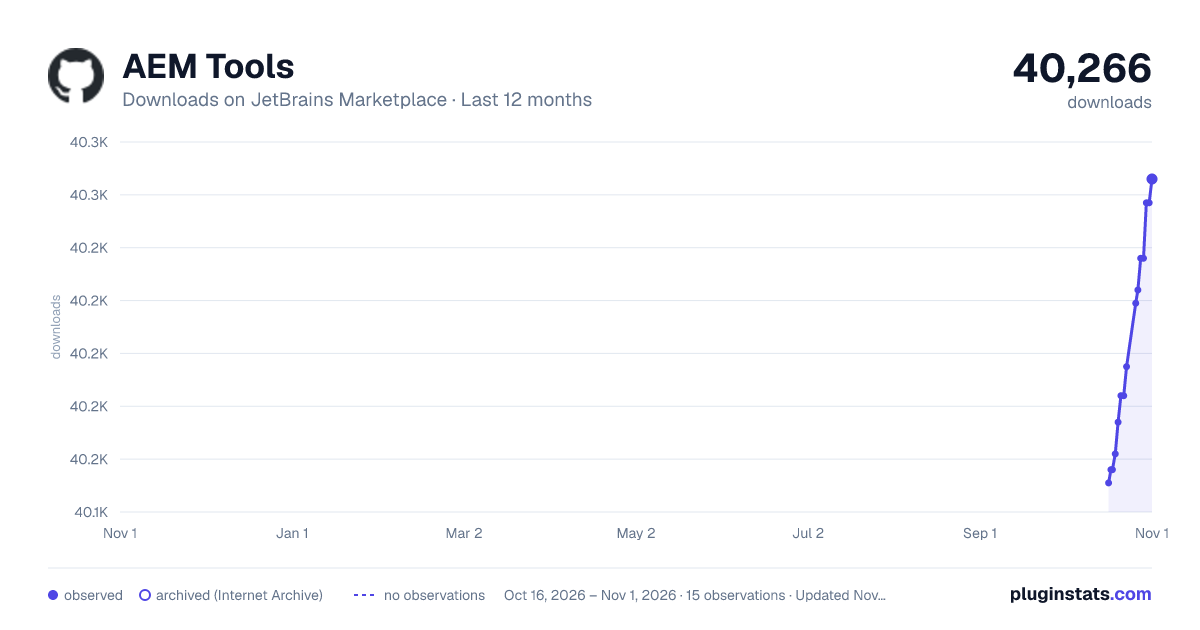
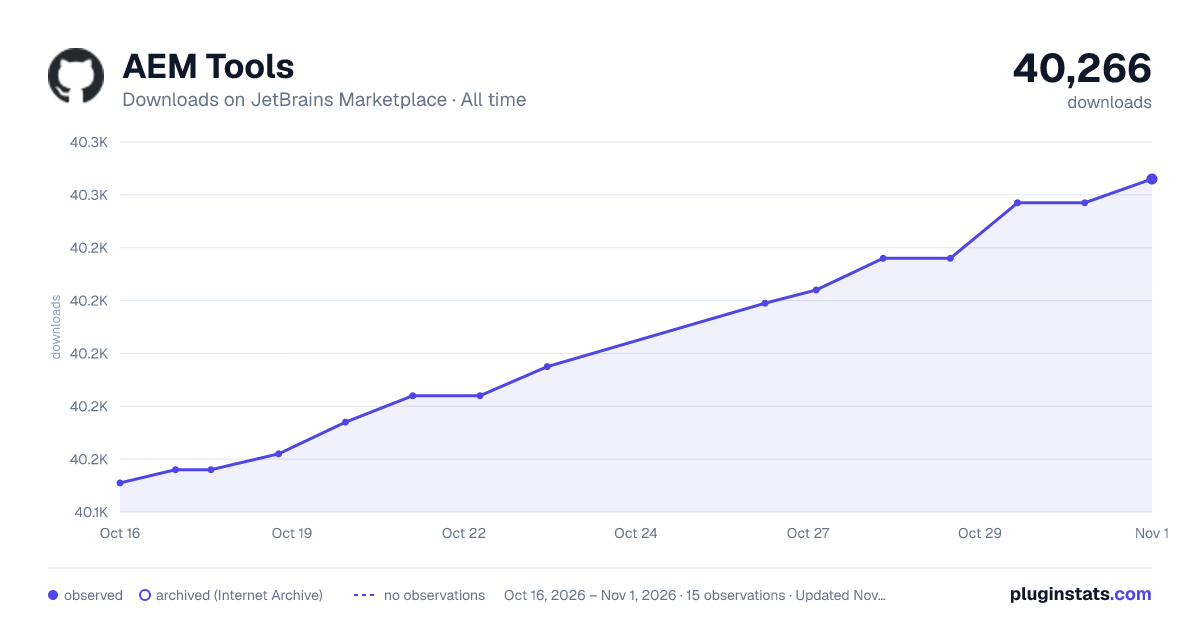
AEM Tools has 40,156 recorded downloads on JetBrains Marketplace.
It ranks #1463 of 2,500 tracked JetBrains Marketplace listings by downloads.
It is rated 5.0 out of 5 from 7 ratings.
PluginStats has 3 daily observations since Oct 16, 2026; the latest is from Oct 18, 2026.
Rating: 5.00 / 5 from 7 ratings
About AEM Tools
Speed up Adobe Experience Manager (AEM) development with powerful IntelliJ IDEA integration.
AEM Tools adds IDE support for the parts of AEM projects that are usually hard to work with as plain text: HTL, Expression Language, OSGi configurations, ClientLib declarations, and Jackrabbit FileVault XML. It brings completion, navigation, validation, quick documentation, and refactoring support closer to the files AEM developers edit every day.
Key Features
HTL and Expression Language
• Syntax highlighting, parsing, completion, and navigation for HTL and EL. • Refactoring and quick documentation support for common HTL workflows. • Sling Models and Java Use class resolution. • HTL version awareness for HTL 1.3 and 1.4 features. • Paired editing support inside EL expressions.
OSGi Configurations
• Resolution between OSGi configuration files and Felix or OSGi R6-R7 components. • Navigation from configuration properties to Java declarations. • Metadata validation for supported OSGi component annotations.
Jackrabbit FileVault XML
• Syntax highlighting and validation for AEM XML content files. • Classic UI dialog.xml completion based on xtype documentation. • Completion and highlighting for cq:Component, cq:editConfig, and related AEM content structures.
Client Libraries
• Completion for ClientLib category names in HTL and ClientLib declarations. • Completion and reference resolution for js.txt and css.txt entries. • Inline documentation for categories and client library templates.
Installation
AEM Tools is available from the JetBrains Marketplace.
• Open Settings | Plugins in IntelliJ IDEA. • Select Marketplace. • Search for AEM Tools. • Install the plugin and restart the IDE when prompted.
Compatibility
The current release supports IntelliJ IDEA 2024.3 through 2026.2 and matching IntelliJ Platform-based IDEs. See JetBrains' build number ranges when matching an IDE version to a platform build.
IDE Build RangeRecommended Version
243-263v1.1.0
243-261v1.0.10
243-252v1.0.7
223-243v1.0.6
222-243v1.0.5
203-222v0.9.4.1
Why Use AEM Tools?
• Stay in the IDE while working with HTL, dialogs, ClientLibs, OSGi configs, and FileVault content. • Catch common AEM markup and configuration mistakes earlier. • Navigate between AEM declarations instead of searching manually. • Use a free, open-source plugin built specifically for AEM projects.
Contributing
Issues and pull requests are welcome. For larger changes, open an issue first so the implementation can be discussed before work begins.
Description from the JetBrains Marketplace listing.
- Framework
Where AEM Tools sits in the listing
Each band is one page of 20. Downloads on a log scale. Placement is projected from downloads, so it can differ from the marketplace's own sort order. Hover a dot to see the listing.
Charts
Images: 30d · 1y · all time · 1600×900 dark
Adoption over time
7/30/90-day growth
Ranking history
Filled points are observed values; hollow points come from Internet Archive snapshots of the listing page. Dashed segments span periods with no observations — values between points are not interpolated.
Recent observations
Full history (3)Similar JetBrains Marketplace Framework plugins




Data source
Cumulative download counts come from the public JetBrains Marketplace API. JetBrains reports downloads, not active installs. Ratings are the mean of public votes.
Listing: https://plugins.jetbrains.com/plugin/9397-aem-tools. First seen Oct 16, 2026; last successful collection Oct 18, 2026. See the methodology.