 PluginStats
SpringBoot-Gen downloads statistics
By 繁星-赵老师 · JetBrains Marketplace · Framework
SpringBoot-Gen - IntelliJ plugin to help you quickly create SpringBoot applications Function As of now, the plugin provides the following functions. Use the...
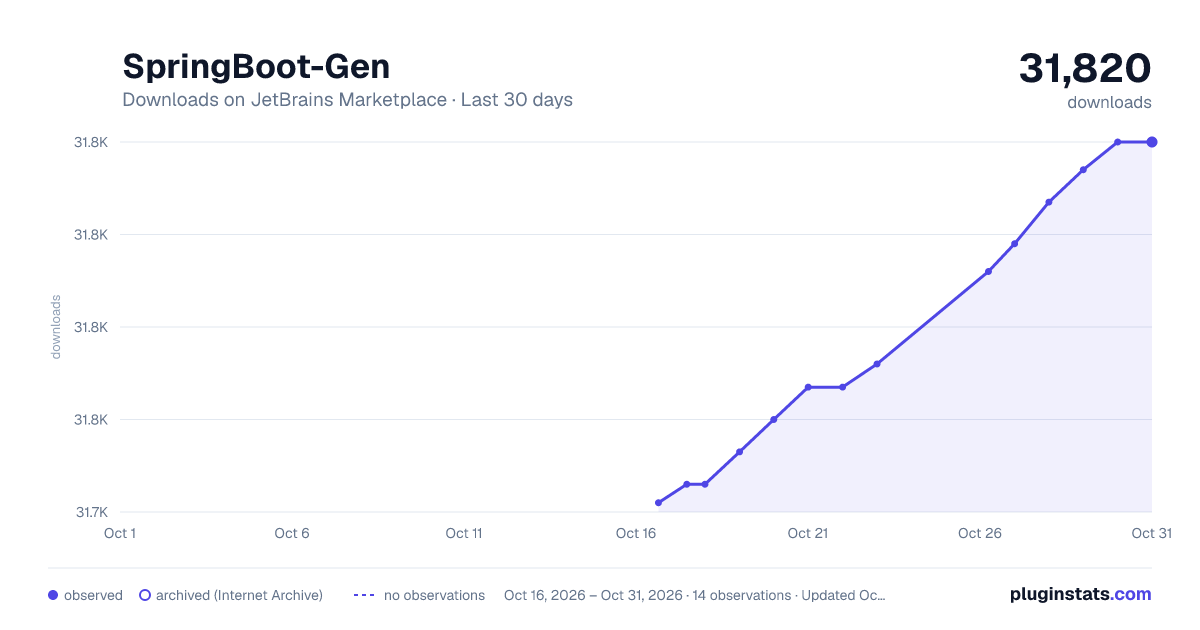
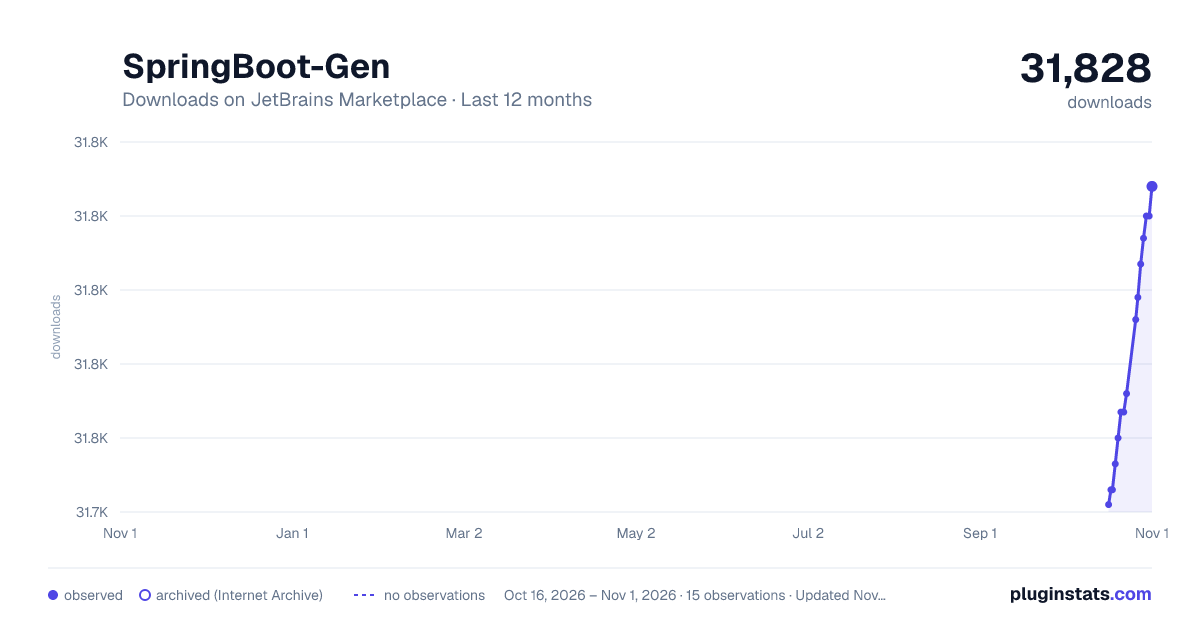
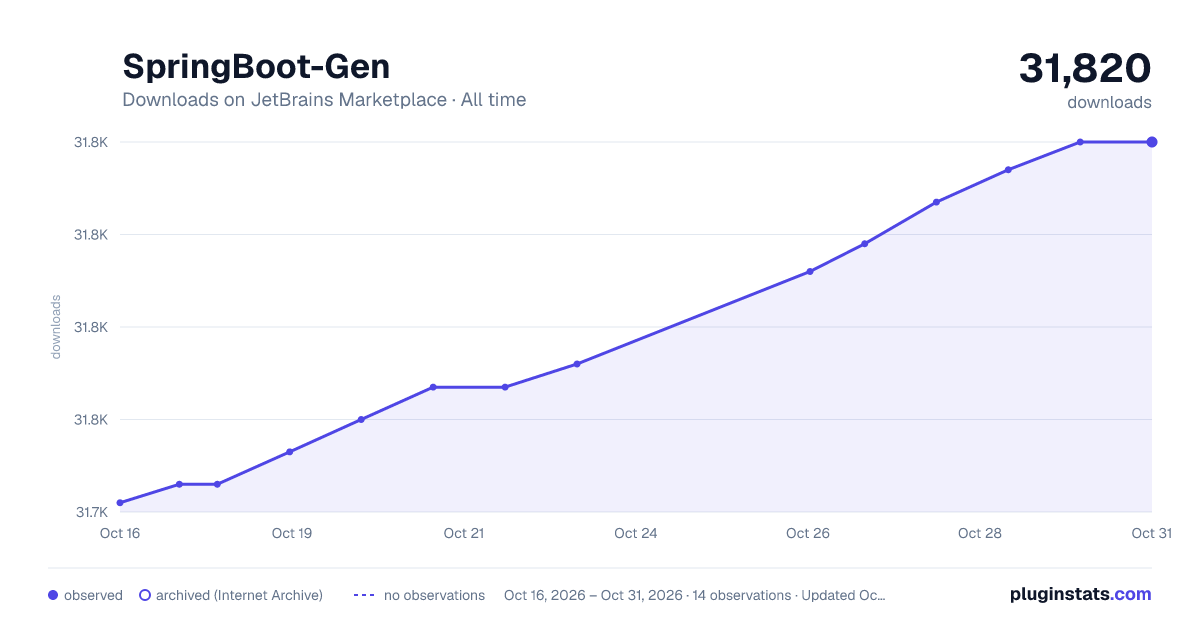
SpringBoot-Gen has 31,746 recorded downloads on JetBrains Marketplace.
It ranks #1669 of 2,500 tracked JetBrains Marketplace listings by downloads.
It is rated 4.5 out of 5 from 4 ratings.
PluginStats has 3 daily observations since Oct 16, 2026; the latest is from Oct 18, 2026.
Rating: 4.50 / 5 from 4 ratings
About SpringBoot-Gen
SpringBoot-Gen - IntelliJ plugin to help you quickly create SpringBoot applications
Function
As of now, the plugin provides the following functions.
• Use the File>New>Project>SpringBoot Gen and File>New>Module>SpringBoot Gen wizards to allow you to guide new projects and modules.
• Automatically configure the jar file based on whether it exists in the class path, and complete the configuration attributes in your yaml file.
If your class is annotated with @ ConfigurationProperties, the configuration properties in your yaml file will be automatically completed (if your build has been configured correctly).
• Support short form search and deep search elements, for example, sp.d will display spring. data and spring. datasource, and port will display server.port as a suggestion.
• Support for quick documentation of groups and attributes (not all groups and attributes have documentation, depending on whether the original author specified a document for any given element)。
Using
To help you have a clearer understanding of the functionality of this plugin:
Assuming that the automatic configuration JAR file for Spring Boot already exists in your classpath, this plugin will allow you to automatically complete attributes as suggestions in all. yml files.
Suggestion will appear immediately when you type/press CTRL+space.
In addition to the libraries in the classpath, plugins also allow you to include your own @ ConfigurationProperties as suggestions in all. yml files.
To achieve this, you need to follow the following steps:
Create a Java class in your project and use the @ ConfigurationProperties annotation to define custom properties.
Add this class to your project's dependencies (if it is not currently included).
Ensure that your IDE has correctly parsed and imported the class
To achieve this, you need to follow the following steps to ensure that your project/module works properly
Set to display Configuration Properties in the current module as a suggestion
• In "Settings", ensure that "Enable annotation processing" is checked under "Annotation processor" in "Build, execute, and deploy" compiler.
• Please add the following changes to your project:
对于Maven
<dependency> <groupId>org.springframework.boot</groupId> <artifactId>spring-boot-configuration-processor</artifactId> <optional>true</optional> </dependency>
对于Gradle
Add the following build configuration. You can use the propdeps plugin in an "optional" scope (as we do not need to include spring boot configuration processor as a dependency in the generated jar/war):
```gradle dependencies { optional "org.springframework.boot:spring-boot-configuration-processor" }
compileJava.dependsOn(processResources) ```
• (* * Optional * *) If IntelliJ generates build artifacts into the "output" directory instead of Gradle's default "build" directory, you may need to "File">"Settings">"Build, Execute, Deploy">"Build Tools">"Gradle">"Runner">"Delegate IDE Build/Run Operations to Gradle" and restart the IDE. This will ensure that the Gradle plugin generates metadata and IntelliJ points to it.
If you want to view the sample project, please check the samples directory, where the above settings have been completed. These examples allow the properties in @ ConfigurationProperties to be displayed as suggestions.
Important
After changing the custom @ ConfigurationProperties file, it is recommended to refresh only after you explicitly trigger the build using the keyboard (Ctrl+F9)/UI.
Behavior known in ambiguous situations
1 If two groups from different automatic configurations conflict with each other, the documents selected by that group are random and undefined.
2 If the group and attribute represent depth, the behavior of the plugin is undefined.
Installation (Easy Three Step)
To install the plugin, open your editor (IntelliJ) and click on:
• 'File>Settings>Plugins' and click on the' Browse repositories' button.
• Find 'SpringBoot Gen', right-click and select Download plugin.
• Finally, click the 'Apply' button and agree to restart your IDE to complete the installation!
Change Log
See here
证书
https://gitee.com/selton/spring-boot-gen/blob/master/README.md
Description from the JetBrains Marketplace listing.
- Framework
Where SpringBoot-Gen sits in the listing
Each band is one page of 20. Downloads on a log scale. Placement is projected from downloads, so it can differ from the marketplace's own sort order. Hover a dot to see the listing.
Charts
Images: 30d · 1y · all time · 1600×900 dark
Adoption over time
7/30/90-day growth
Ranking history
Filled points are observed values; hollow points come from Internet Archive snapshots of the listing page. Dashed segments span periods with no observations — values between points are not interpolated.
Recent observations
Full history (3)Similar JetBrains Marketplace Framework plugins




Data source
Cumulative download counts come from the public JetBrains Marketplace API. JetBrains reports downloads, not active installs. Ratings are the mean of public votes.
Listing: https://plugins.jetbrains.com/plugin/22664-springboot-gen. First seen Oct 16, 2026; last successful collection Oct 18, 2026. See the methodology.