 PluginStats
Mermaid Studio Core downloads statistics
By Tachi Labs (2 listings) · JetBrains Marketplace · AI
Mermaid Studio Core provides rich language support for authoring Mermaid diagrams in your JetBrains IDE - free error detection, syntax highlighting, live preview, and...
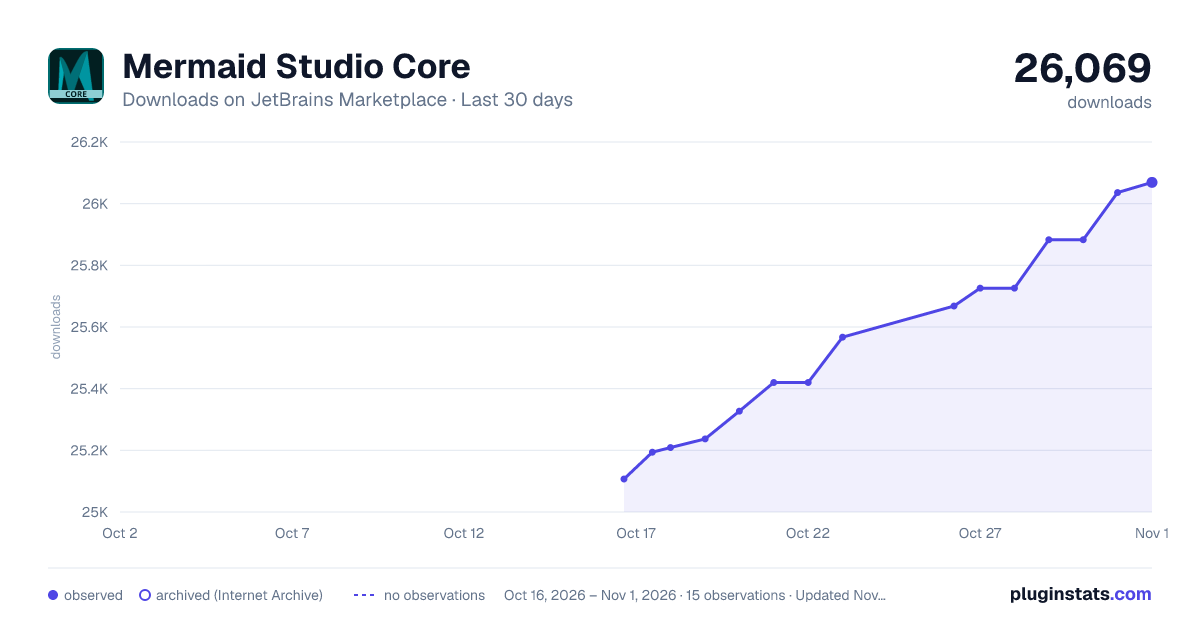
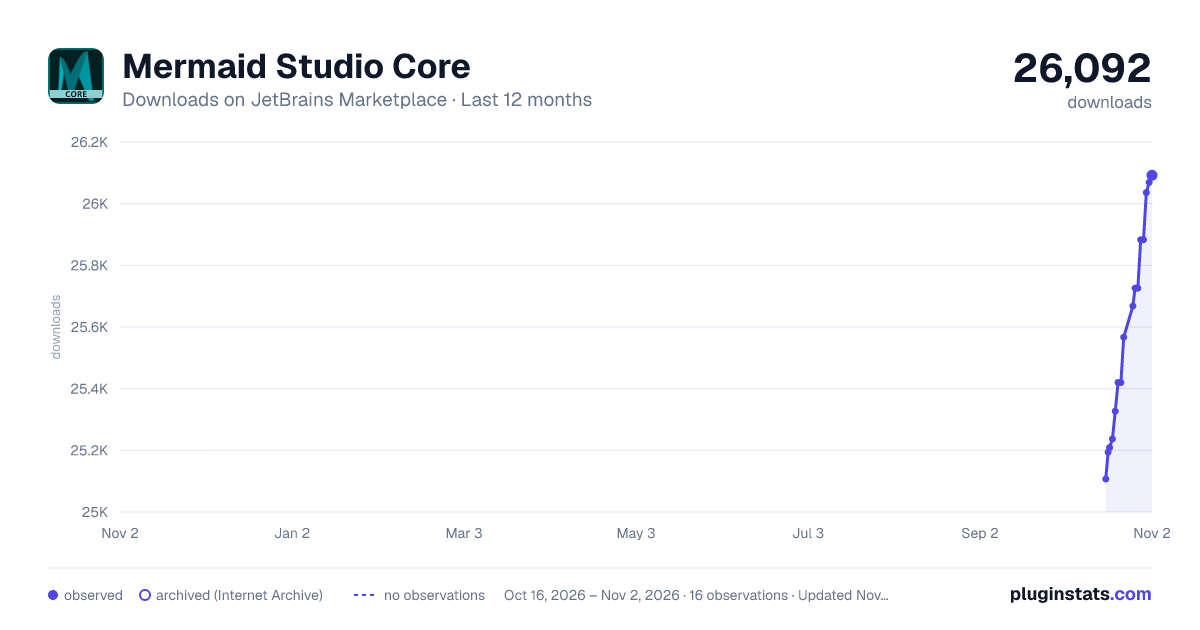
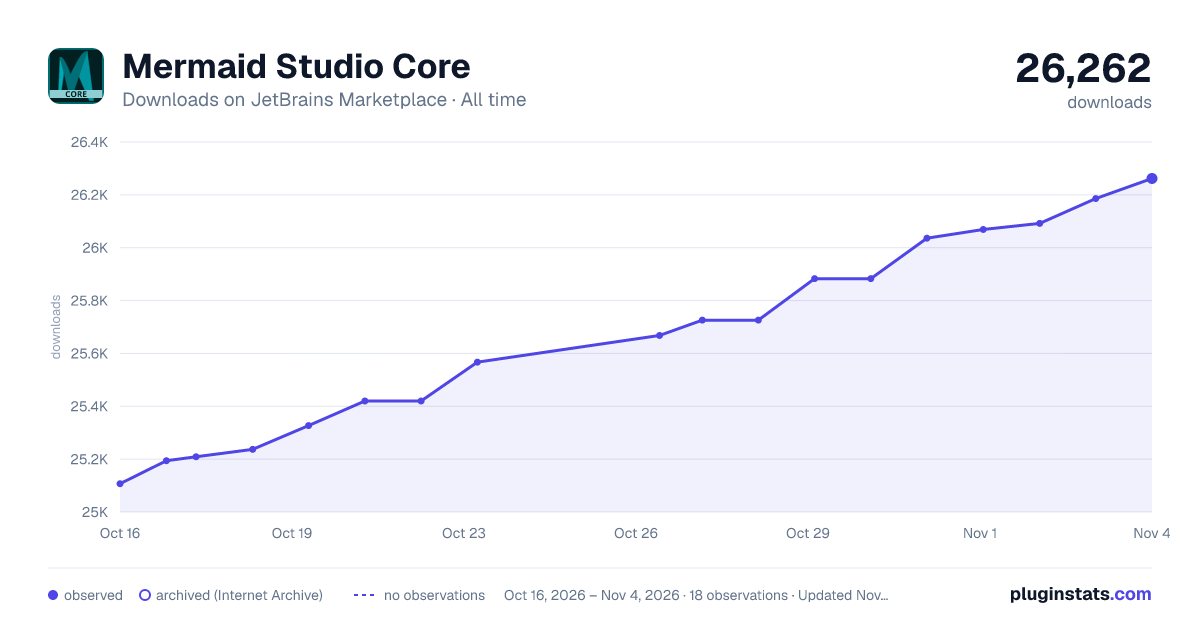
Mermaid Studio Core has 25,209 recorded downloads on JetBrains Marketplace.
It ranks #1931 of 2,500 tracked JetBrains Marketplace listings by downloads.
It is rated 5.0 out of 5 from 1 ratings.
PluginStats has 3 daily observations since Oct 16, 2026; the latest is from Oct 18, 2026.
Rating: 5.00 / 5 from 1 ratings
About Mermaid Studio Core
Mermaid Studio Core provides rich language support for authoring Mermaid diagrams in your JetBrains IDE - free error detection, syntax highlighting, live preview, and export for all native Mermaid.js diagram types. All features work fully offline.
Upgrade with a paid Mermaid Studio Core license to unlock every advanced feature for Flowchart, Sequence, Class, State, ER, Block, and Swimlane diagrams - including inspections, code completion, formatting, refactoring, the interactive editor, and MCP tools - plus your own custom themes and the theme generator for all diagram types except C4. A full Mermaid Studio license extends advanced features to all native Mermaid.js diagram types.
Supports Mermaid.js 12.0.0 with optional support for previous versions of Mermaid.js. See supported versions.
Remote development: Works in JetBrains remote development environments, excluding JetBrains Gateway.
Compatible with Android Studio starting with the Quail (2026.1) canary releases.
Free Features
Available for all native Mermaid.js diagram types:
• Basic Error Detection - Real-time parser-based syntax error highlighting as you type • Syntax & Semantic Highlighting - Rich, diagram-aware highlighting with theme-appropriate colors • Live Preview - Real-time rendering with zoom, pan, search, and background matching (auto-matches editor or diagram theme). Supports Mac trackpad gestures for pinch-to-zoom and two-finger panning • Appearance Controls - Set a light/dark diagram theme, look, and font from the preview Appearance dropdown • Bundled Custom Themes - Eight ready-made custom themes (Chalk, Iris, Islands, Moss, Neutral, Parchment, Slate, Terracotta), each with matched light and dark variants (all diagram types except C4) • Export - Save diagrams as PNG or SVG, or copy as PNG or SVG to the clipboard • Mermaid in Markdown - Full highlighting and live preview for diagrams in Markdown code fences • Go to Mermaid Source - Jump from a diagram image in Markdown (.svg / .png) back to its .mmd / .mermaid source via a gutter icon • Frontmatter Support - YAML schema validation and completion for diagram configuration • Icon Sets - Use bundled FontAwesome, AWS, Azure, and GCP icons in your diagrams • Code Folding - Collapse diagram sections to focus on what matters • Brace Matching - Highlights and auto-inserts matching brackets and delimiters • Color Gutter Icons & Picker - Inline color swatches in the gutter, with a click-to-edit color picker for every color value in your diagrams • User-Defined Live Templates - Add your own live templates scoped to Mermaid editor contexts (Settings > Editor > Live Templates) • Localization - UI elements, error messages, inspections, and inline documentation translated into German, Japanese, Korean, and Simplified Chinese (generated from English using a workflow that leverages multiple frontier language models)
Paid Features
A Core license unlocks all implemented features for the 7 core diagram types listed below. Each diagram type has a different set of features based on what makes sense for its syntax and structure - for example, refactoring applies to diagrams with named elements, and code vision applies to diagrams with definitions and references. New features are added regularly.
• Interactive Editor - Drag-and-drop flowchart creation plus visual editing for class diagrams (rename elements, set annotations, style classes and relationships), with a persistent style tool window that works in both standalone diagrams and Markdown code fences • Print & Vector PDF - Print diagrams with paper-size-aware scaling and configurable margins, or route through your OS print-to-PDF for lossless vector PDF export • MCP Tools - AI agents can generate and validate diagrams in Mermaid Studio's mermaid.js rendering environment • Enhanced Error Detection - Semantic validation that catches issues beyond syntax, such as naming conflicts, out-of-range indices, and unsupported values • Inspections & Quick Fixes - Catch logic issues that Mermaid itself can't pinpoint, like unresolved references, circular references, unused style classes, duplicate definitions, and invalid lifecycles, often with one-click fixes • Code Completion - Contextual suggestions for syntax, element references, and values • Live Templates - Bundled, customizable templates for common diagram constructs • Theme CSS Highlighting & Completions - CSS highlighting, validation, and contextual class-name completion inside frontmatter config.themeCSS: blocks, with completions sourced from your classDef names and the classes pulled from the rendered live preview (requires a paid JetBrains IDE with CSS support prior to 2026.1, or any JetBrains IDE from 2026.1 onward) • Automatic Formatting - Keep diagrams clean and consistent • Refactoring - Safely rename elements with automatic reference updates • Find Usages - Locate all references to any diagram element • Structure View - Navigate diagram elements in the structure tool window • Code Vision - Inline usage counts on definitions • Navigate from Preview - Click diagram elements to jump to their declaration in the source code • Diagram Sync - Automatically export diagrams as SVG or PNG files on save • Custom Icon Sets - Import additional icon sets from Iconify or local files • Custom Themes - Build your own themes in a visual editor with live preview, tune colors per diagram type, and import or export them as JSON to share across projects (available for all diagram types except C4) • Theme Generator - Create a complete light-and-dark theme from a handful of seed colors, or pull the seeds from an image such as a logo or screenshot, then apply it directly or refine it in the editor (available for all diagram types except C4)
MCP Tools
Mermaid Studio Core includes MCP (Model Context Protocol) tools that leverage its deep understanding of Mermaid diagrams for AI-assisted diagram generation and validation.…
Description from the JetBrains Marketplace listing.
- AI
- Code Editing
- Formatting
- Graphics
- Programming Language
Where Mermaid Studio Core sits in the listing
Each band is one page of 20. Downloads on a log scale. Placement is projected from downloads, so it can differ from the marketplace's own sort order. Hover a dot to see the listing.
Charts
Images: 30d · 1y · all time · 1600×900 dark
Adoption over time
7/30/90-day growth
Ranking history
Filled points are observed values; hollow points come from Internet Archive snapshots of the listing page. Dashed segments span periods with no observations — values between points are not interpolated.
Recent observations
Full history (3)Similar JetBrains Marketplace AI plugins




Data source
Cumulative download counts come from the public JetBrains Marketplace API. JetBrains reports downloads, not active installs. Ratings are the mean of public votes.
Listing: https://plugins.jetbrains.com/plugin/30883-mermaid-studio-core. First seen Oct 16, 2026; last successful collection Oct 18, 2026. See the methodology.