 PluginStats
Robot Runner downloads statistics
By Rey Pham · JetBrains Marketplace · Build
Run Configuration to run Robot Framework test suites Change log 0.6.0 Fixed Fix UI bug on 2023.3 IntelliJ version 0.5.0 Fixed Fix UI bug on new IntelliJ versions 0.4.6...
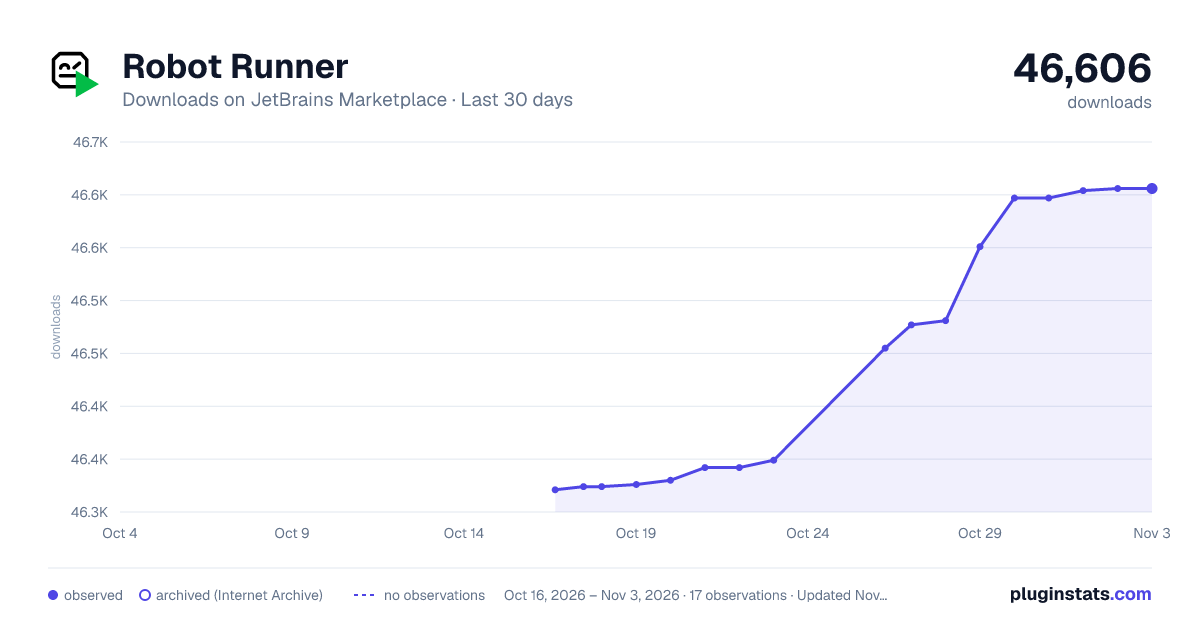
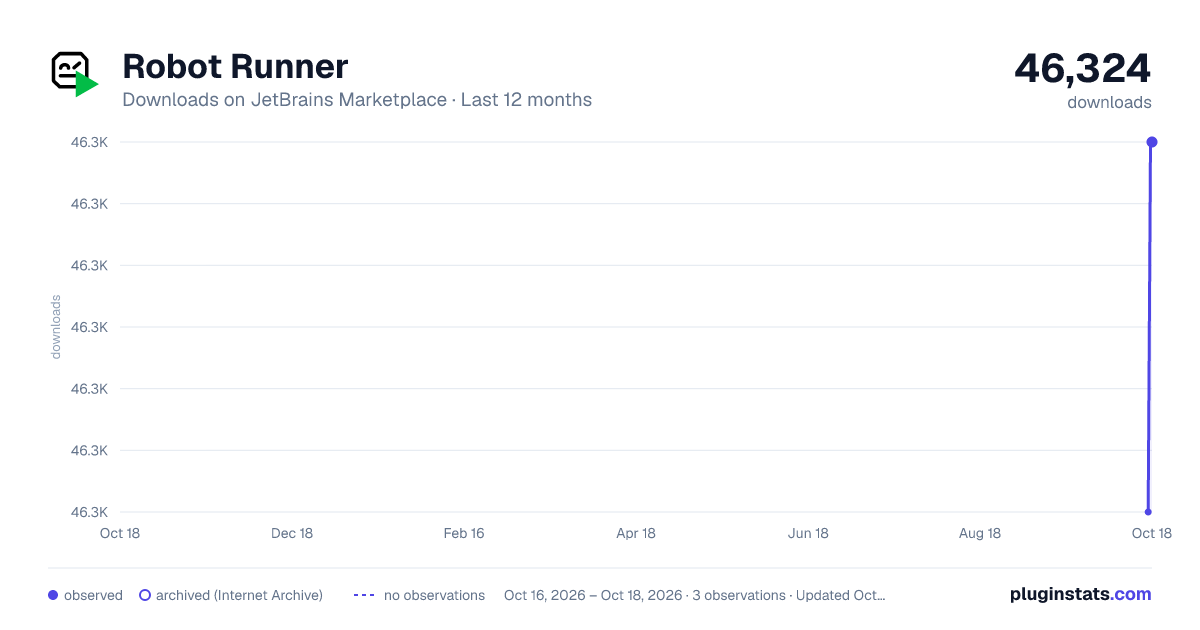
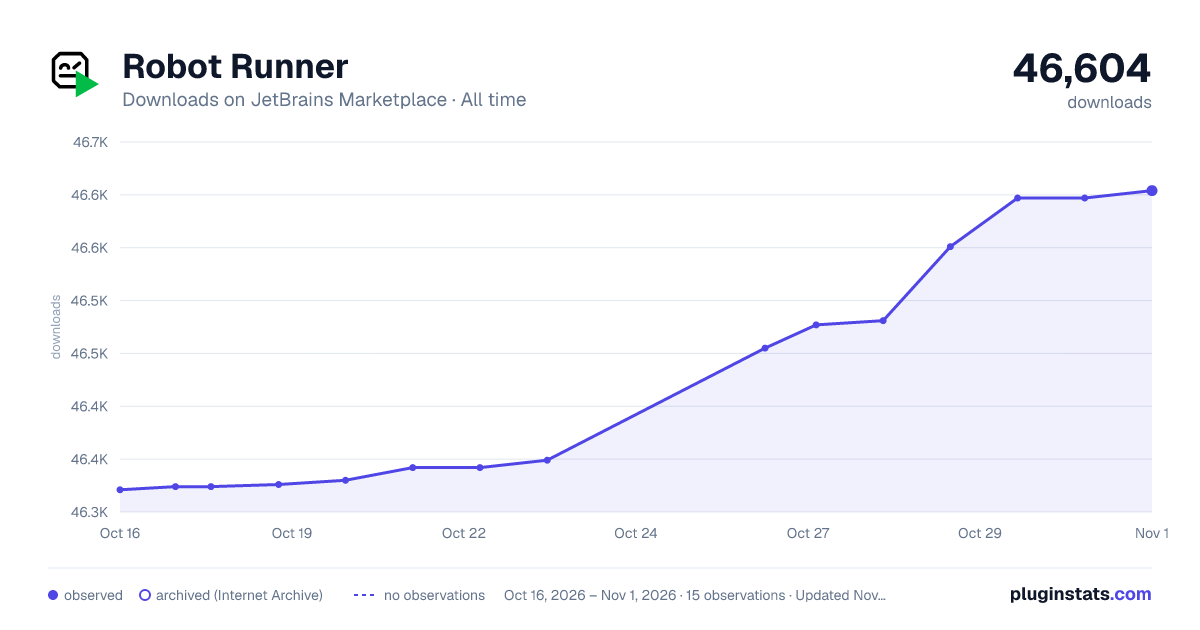
Robot Runner has 46,324 recorded downloads on JetBrains Marketplace.
It ranks #1353 of 2,500 tracked JetBrains Marketplace listings by downloads.
It is rated 4.3 out of 5 from 3 ratings.
PluginStats has 3 daily observations since Oct 16, 2026; the latest is from Oct 18, 2026.
Rating: 4.33 / 5 from 3 ratings
About Robot Runner
Run Configuration to run Robot Framework test suites
Change log
0.6.0
Fixed
• Fix UI bug on 2023.3 IntelliJ version
0.5.0
Fixed
• Fix UI bug on new IntelliJ versions
0.4.6
Fixed
• Bug cannot open file in Assigment table
0.4.5
Added
• Support End step keyword • Support step folding in robot script
0.4.4
Added
• Support nested Step keyword • Support new output format of Robot 6.0
0.4.3
Added
• Support grouping keywords by RobotStepLibrary.Step keyword
0.4.2
Added
• Gutter icon to run single testcase (support Intellibot #patched plugin)
0.4.1
Fixed
• Bug error when click run testcase icon
0.4.0
Added
• Gutter icon to run single testcase (support Intellibot plugin) • Execution option to run with pabot • Action to merge all output result files
How to
New Robot Run Configuration
• Open Edit Run Configurations dialog. • Click Add New Configuration button (plus icon at the top left panel). • Choose Robot Runner option. • Choose a Python interpreter from dropdown list (you must setup Python SDK beforehand). • Setup other options as you want. • Click Apply button.
Setup Configuration to use with "Run Robot ..." menu
• Open Settings/Preferences > Tools > Robot Runner Settings. • Tick checkbox at the column "Test Suite" / "Test Case" to select which configuration will be shown in "Run Robot ..." menu.
View Robot result
• Open Robot's output.xml file in IntelliJ • Choose the tab "Robot result"
View file in Argument/Assignment table
• In Value column of Argument/Assignment table, if a value is a file path, then an open file icon will be shown in left size of cell. • Click the open file icon to view file.
Show output view in run configuration tab
• Choose option "Show output view" in Run Configuration setting.
Description from the JetBrains Marketplace listing.
- Build
- Testing
Where Robot Runner sits in the listing
Each band is one page of 20. Downloads on a log scale. Placement is projected from downloads, so it can differ from the marketplace's own sort order. Hover a dot to see the listing.
Charts
Images: 30d · 1y · all time · 1600×900 dark
Adoption over time
7/30/90-day growth
Ranking history
Filled points are observed values; hollow points come from Internet Archive snapshots of the listing page. Dashed segments span periods with no observations — values between points are not interpolated.
Recent observations
Full history (3)Similar JetBrains Marketplace Build plugins




Data source
Cumulative download counts come from the public JetBrains Marketplace API. JetBrains reports downloads, not active installs. Ratings are the mean of public votes.
Listing: https://plugins.jetbrains.com/plugin/16424-robot-runner. First seen Oct 16, 2026; last successful collection Oct 18, 2026. See the methodology.