 PluginStats
iFlyCode downloads statistics
By iflycode · JetBrains Marketplace · Code Tools
iFlyCode iFlyCode is an intelligent programming assistant based on the Spark large model, designed to provide developers with efficient, accurate, and intelligent...
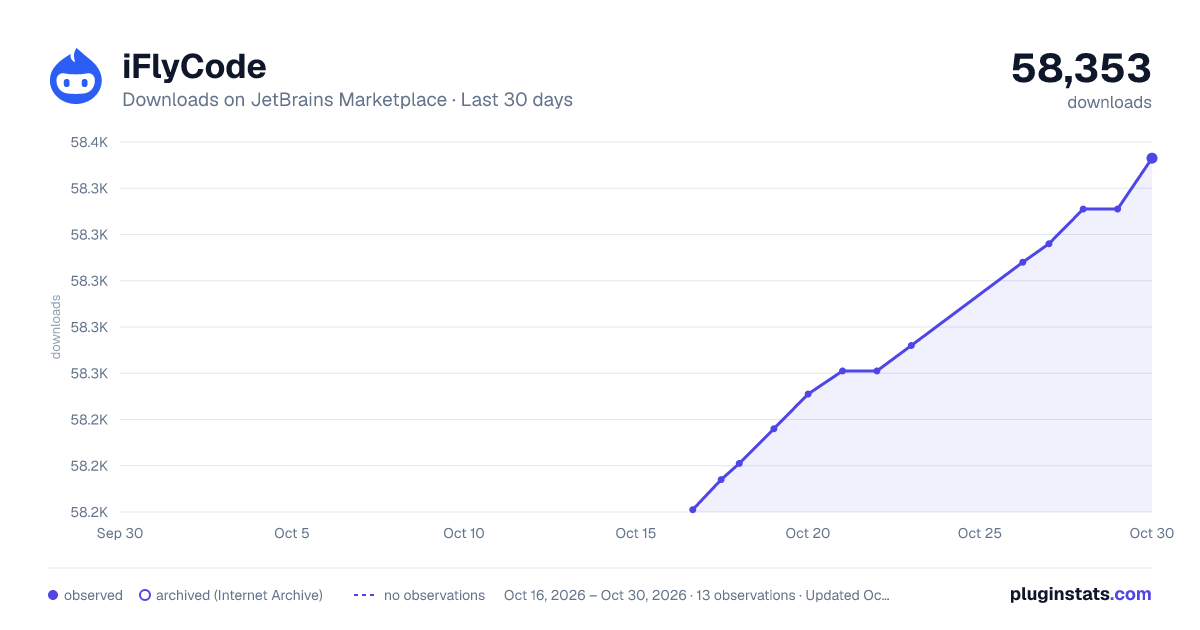
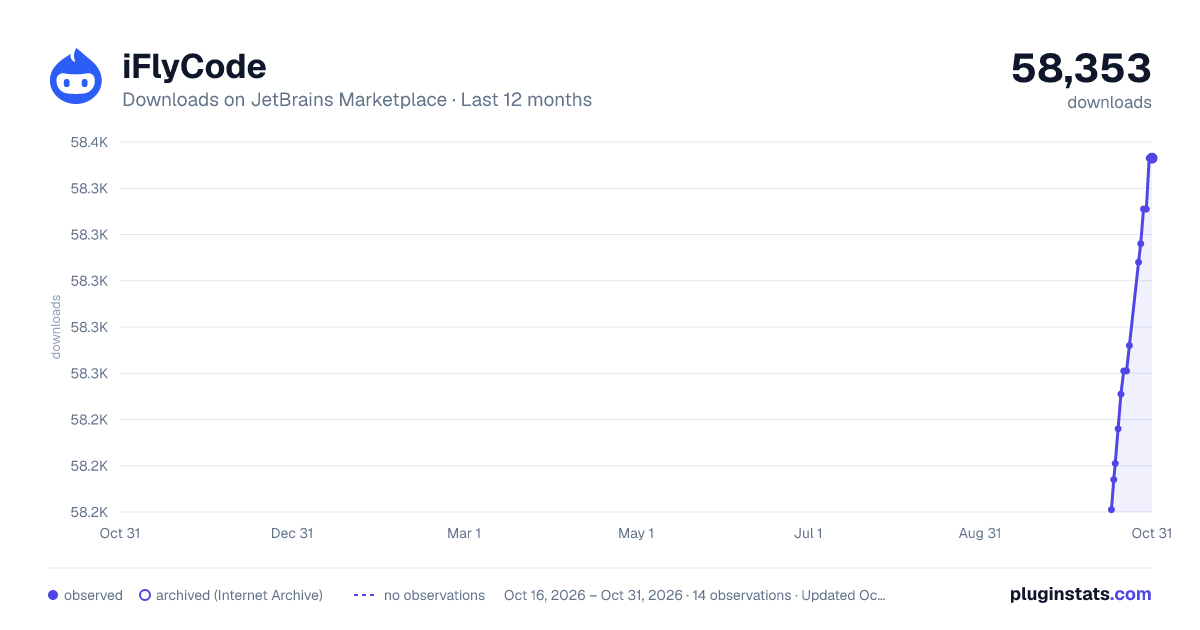
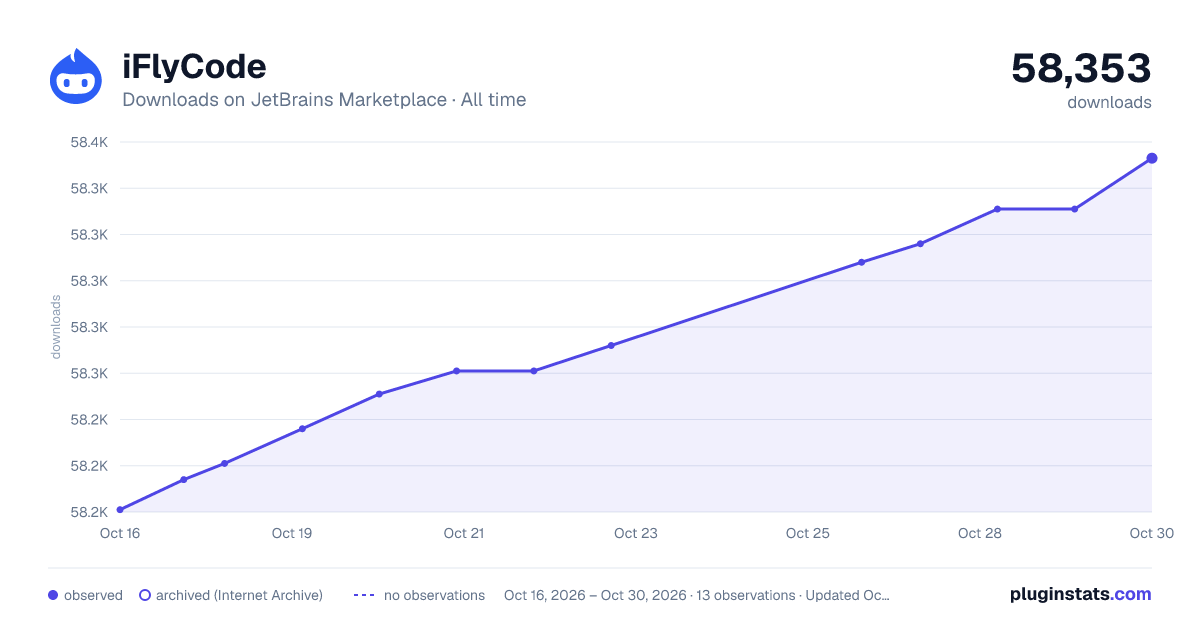
iFlyCode has 58,221 recorded downloads on JetBrains Marketplace.
It ranks #1207 of 2,500 tracked JetBrains Marketplace listings by downloads.
It is rated 4.7 out of 5 from 55 ratings.
PluginStats has 3 daily observations since Oct 16, 2026; the latest is from Oct 18, 2026.
Rating: 4.71 / 5 from 55 ratings
About iFlyCode
iFlyCode
iFlyCode is an intelligent programming assistant based on the Spark large model, designed to provide developers with efficient, accurate, and intelligent programming assistance.
iFlyCode是一款基于星火大模型的智能编程助手,旨在为开发者提供高效、准确和智能的编程帮助。
Environmental Requirements 环境要求
JetBrains IDE or Android Studio requires version 20.3 or above.
JetBrains IDE或Android Studio要求版本20.3及以上。
Language Support 语言支持
It supports multiple mainstream programming languages including Java, Python, JavaScript, C++, etc.
已支持Java、Python、JavaScript、C++等多种主流编程语言。
Shortcut Keys 快捷键说明
• Tab key: Accept recommended code
Tab键:接受推荐代码
• Esc key: Cancel recommended code
Esc键:取消推荐代码
• Alt+\ or Alt+C: Actively trigger code suggestions
Alt+\或Alt+C:主动触发代码提示
• ↑ or ↓ keys: Search for historical questions within the dialogue input box
↑或↓键:对话输入框内可以查找历史提问
• Shift+Enter key (configurable): Enter a new line in the dialogue input box
Shift+Enter键(可配置):对话输入框内输入换行
Support Capabilities 支持能力
• 1.Code Generation/Completion 代码生成/补齐
In the editor, generate code based on comments or function names.
For example, after writing comments,press Enter to trigger code suggestions,use the Tab key to accept suggestions, and Esc to reject them.
在编辑器内根据注释、函数名生成代码,以注释生成代码为例,编写完成注释后,回车触发代码建议,
使用Tab键采纳建议、Esc拒绝建议。
• Single-line mode: The single-line model only generates one line of code suggestions,with better recommendation effects and response speed.
单行模式:单行模型仅生成一行代码建议,推荐效果和响应速度更好
• Intelligent mode: Support real-time analysis of code context, intelligently generating single or multiple lines of code.
智能模式:支持实时分析代码的上下文,智能生成单行或多行代码
• 2.Function Comments 函数注释
Generate documentation comments for selected code functions, and by clicking to accept,directly place the comments on the function.
为选中代码方法生成函数注释,点击采纳可直接将注释置入函数上。
• 3.Inline Comments 行间注释
Provide explanations for single lines of code, to clarify the purpose or special circumstances of that line of code,suitable for brief explanations.
针对单行代码进行解释说明,用于解释该行代码的作用或特殊情况,适用于短小的解释。
• 4.Function splitting 函数拆分
Function splitting is primarily used to break down a larger function into multiple smaller, more manageable,and comprehensible short functions. This feature helps to enhance the readability, maintainability, and testability of the code.The feature will be provided when the function is greater than or equal to 20 lines and less than 12,000 characters.
用于将一个较大的函数分解成多个更小、更易于管理和理解的短函数。这个功能有助于提高代码的可读性、可维护性和可测试性。
当函数大于等于20行,且少于12000个字符时将提供该功能。
• 5.Code Explanation 代码解释
Support generating code explanations for selected code, describing the function and purpose of the code.
支持为选中的代码生成代码解释,描述代码的功能、用途。
• 6.Code optimization 代码优化
By conducting an in-depth analysis of the code and its context throughout the entire document,accurately identify spelling, grammatical, and logical errors in the code, and provide optimization suggestions.
通过深度分析全文件中的代码及其上下文,准确识别代码中的拼写、语法和逻辑错误,并提供优化建议。
• 7.Unit Testing 单元测试
Automatically create corresponding unit test codes for code methods and classes, supporting test framework selection.
为代码方法及代码类自动创建相应的单元测试代码,支持测试框架选择。
• 8.Code Search 代码搜索
Support users to import their own internal code repository.
Search related code based on natural language or code semantics, making it easier for developers to find and reuse code assets within the enterprise.
支持用户自行导入企业内部的代码仓库。
根据自然语言或代码的语义搜索相关代码,使研发人员能够更轻松地查找和复用企业内部的代码资产。
• 9.Code Review 代码评审
Support users importing their own corporate code repositories.
Commit Message is automatically generated for files selected for modification.
在已暂存的文件列表中右键,点击代码预评审按钮,对待提交的代码进行评审。
选中修改的文件自动生成提交信息Commit Message。
• 10.SQL Generation/Optimization SQL生成/优化
By configuring the SQL address, directly link to the specified database,
generate corresponding SQL through natural language or optimize the input SQL.
通过配置SQL地址,直接链接到指定的数据库,通过自然语言生成对应的SQL或对输入的SQL进行优化。
前往官网获取更多信息:
https://iflycode.xfyun.cn/
关注微信公众号获取更多福利活动:
Description from the JetBrains Marketplace listing.
- Code Tools
Where iFlyCode sits in the listing
Each band is one page of 20. Downloads on a log scale. Placement is projected from downloads, so it can differ from the marketplace's own sort order. Hover a dot to see the listing.
Charts
Images: 30d · 1y · all time · 1600×900 dark
Adoption over time
7/30/90-day growth
Ranking history
Filled points are observed values; hollow points come from Internet Archive snapshots of the listing page. Dashed segments span periods with no observations — values between points are not interpolated.
Recent observations
Full history (3)Similar JetBrains Marketplace Code Tools plugins




Data source
Cumulative download counts come from the public JetBrains Marketplace API. JetBrains reports downloads, not active installs. Ratings are the mean of public votes.
Listing: https://plugins.jetbrains.com/plugin/22683-iflycode. First seen Oct 16, 2026; last successful collection Oct 18, 2026. See the methodology.