 PluginStats
POJO to JSON downloads statistics
By Tony Wang · JetBrains Marketplace · Code Tools
POJO to JSON A simple plugin for converting POJO to JSON in IntelliJ IDEA Support any type you can think of in Java.Support Java17 and lastSupport Java14 Records...
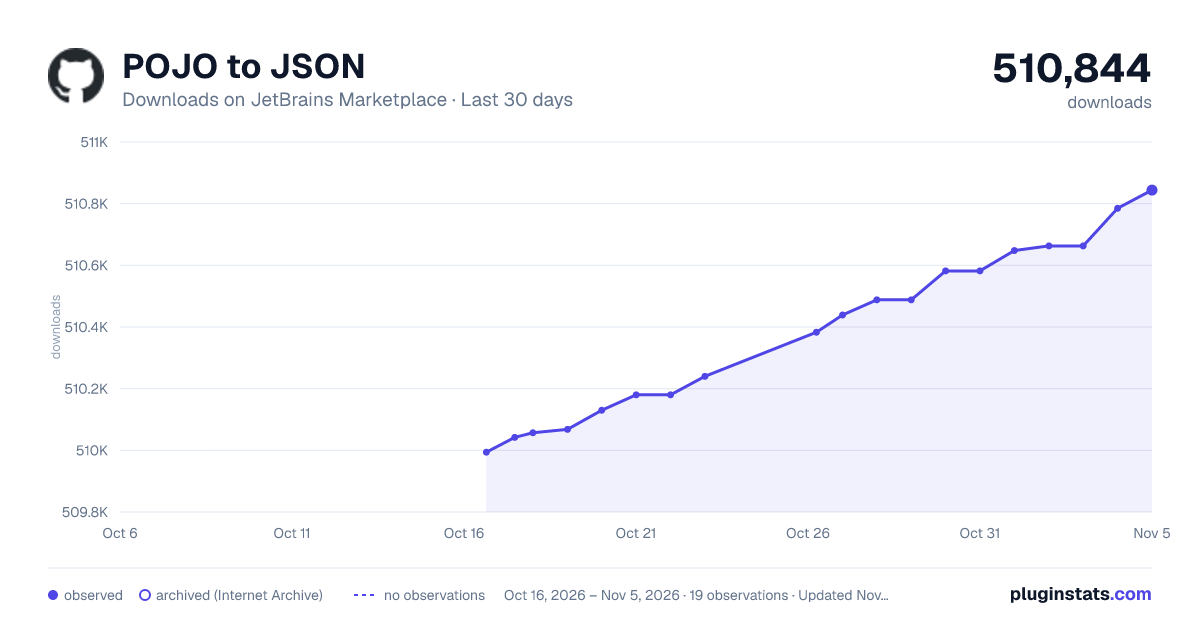
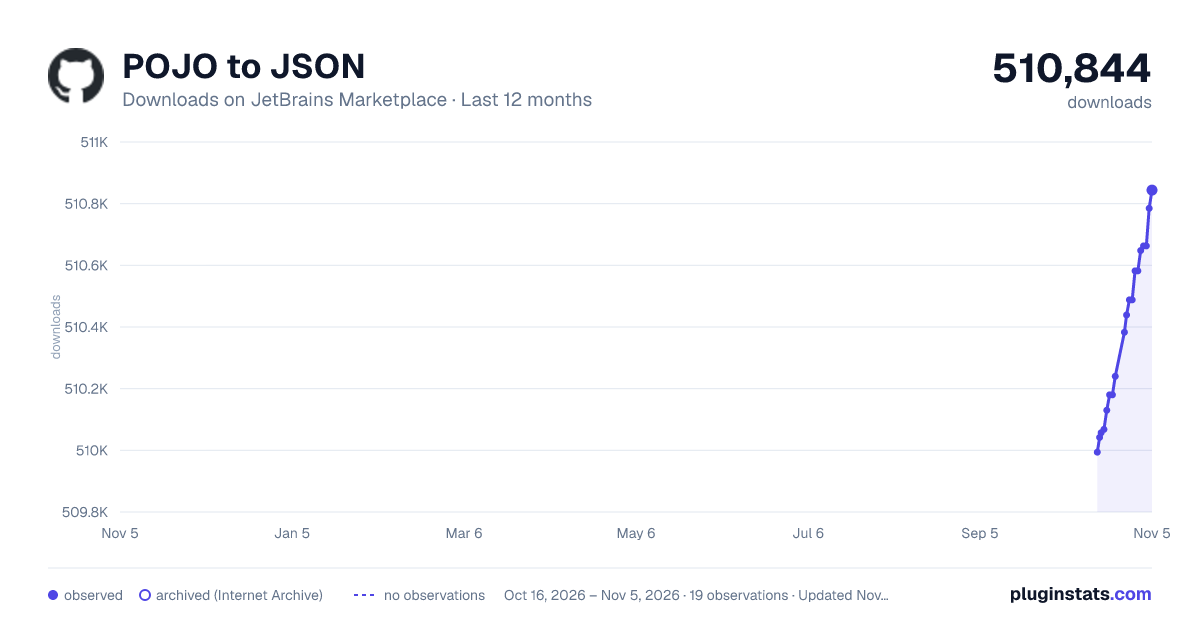
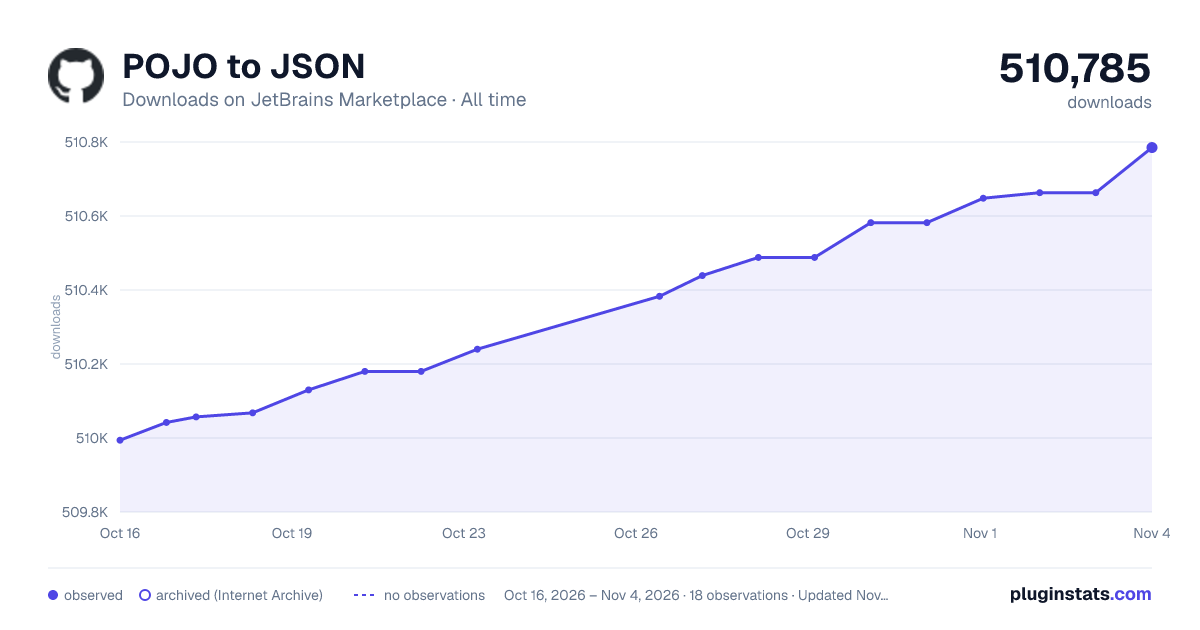
POJO to JSON has 510,057 recorded downloads on JetBrains Marketplace.
It ranks #419 of 2,500 tracked JetBrains Marketplace listings by downloads.
It is rated 4.7 out of 5 from 18 ratings.
PluginStats has 3 daily observations since Oct 16, 2026; the latest is from Oct 18, 2026.
Rating: 4.67 / 5 from 18 ratings
About POJO to JSON
POJO to JSON
A simple plugin for converting POJO to JSON in IntelliJ IDEA
• Support any type you can think of in Java. • Support Java17 and last • Support Java14 Records JEP-359 • Partial support Jackson and Fastjson annotations. • Support conversion • Inner Class • Global Variable • Local Variable • Constructor Parameter • Method Parameter
Support JVM platform languages
• Java - full support • Kotlin - full support
Usage
• Note that the position of the cursor can affect the result! • Open class file > Move cursor to Class/Variable/Parameter > Right click > Copy JSON > JSON result will copy to clipboard
• Open class file > Move cursor to Class/Variable/Parameter > Alt + Insert > Copy JSON > JSON result will copy to clipboard
• Project view select a class file > Right click > Copy JSON > JSON result will copy to clipboard
• Project view select multiple files > Right click > Copy JSON > JSON result will generate to files in the Scratches folder
Installation
• Install in IDEA: • Preferences(Settings) > Plugins > Marketplace > Search"POJO to JSON" > Install
• Manual Install: • [plugin] -> Preferences(Settings) > Plugins > ⚙️ > Install plugin from disk... -> Select the plugin package and install(No need to unzip)
Q&A
• Why always report errors when use it?
This class reference level exceeds maximum limit or has nested references!
When the program throws this warning there are only two possibilities.
• This class or parent class has nested references
eg:
public class A { private B b;
public class B { private A a; } }
{ "b":{ "a":{ "b":{ "a":{ ...... } } } } }
or
public class A { private A a; }
{ "a":{ "a":{ "a":{ "a":{ ...... } } } } }
• This class reference level > 200
eg:
public class A { private B _0;
public class B { private C _1;
public class C { private D _2;
public class D { // _3 ..... _201.. } } } }
{ "_0": { "_1": { "_2": { "......_201":{} } } } }
Perhaps both will happen for entity but this entity are not suitable for JSON.
So you can try to serialize your POJO using Jackson to see what happens.
If no exception, you can submit a bug to this repository issues with your target class :)
• But how to solve this problem?
You can try the following methods.
Support Annotations and Javadoc
• @JsonProperty and @JSONField
import com.alibaba.fastjson.annotation.JSONField; import com.fasterxml.jackson.annotation.JsonProperty;
public class User {
@JsonProperty("name") private String username;
@JSONField(name = "pass") private String password; }
paste result:
{ "name": "", "pass": "" }
• @JsonIgnore or Javadoc tags JsonIgnore
import com.fasterxml.jackson.annotation.JsonIgnore;
public class User {
@JsonIgnore private String username; private String password; }
or when there is no jackson library
public class JsonIgnoreDocTestPOJO {
/** * @JsonIgnore */ private String username; private String password; }
paste result:
{ "password": "" }
• @JsonIgnoreProperties or Javadoc tags JsonIgnoreProperties
import com.fasterxml.jackson.annotation.JsonIgnoreProperties;
import java.util.List;
public class User {
private String username; @JsonIgnoreProperties({"users", "aaa", "bbb"}) private List<Role> roles;
public class Role {
private String roleName; private List<User> users; } }
or when there is no jackson library
import java.util.List;
public class User {
private String username; /** * @JsonIgnoreProperties users, aaa, bbb */ private List<Role> roles;
public class Role {
private String roleName; private List<User> users; } }
paste result:
{ "username": "", "roles": [ { "roleName": "" } ] }
You may encounter this problem during use.
This class reference level exceeds maximum limit or has nested references!
The above method can solve the nested reference problem well.
• @JsonIgnoreType
import com.fasterxml.jackson.annotation.JsonIgnoreType;
import java.util.List;
public class User {
private String username; private List<Role> roles;
@JsonIgnoreType public class Role { private String roleName; private List<User> users; } }
paste result:
{ "username": "", "roles": [] }
JSON Keys Style Configuration
There are currently two ways to control the JSON keys output style. It can be used at the same time, but with different priorities.
• @JsonNaming (High priority)
import com.fasterxml.jackson.databind.PropertyNamingStrategies; import com.fasterxml.jackson.databind.annotation.JsonNaming; @JsonNaming(PropertyNamingStrategies.SnakeCaseStrategy.class) class SnakeCaseStrategyTestPOJO { private String firstName; } /* paste result: { "first_name" : "first_name_4123f1bb9e1b" } */
• Global JSON Keys Style Configuration (Low priority)
IntelliJ IDEA > File > Settings > Tools > POJO to JSON > Global JSON keys style
Enter the required expression directly in the input box and apply.
Expressionsrc {"testName":""}
Camel Case(Default)#{#field.getName()} or #{#field.getCamelCaseName()}{"testName":""}
Snake Case#{#field.getSnakeCaseName()}{"test_name":""}
Kebab Case#{#field.getKebabCaseName()}{"test-name":""}
Pascal Case#{#field.getPascalCaseName()}{"TestName":""}
Snake Case Upper#{#field.getSnakeCaseUpperName()}{"TEST_NAME":""}
Lower Case#{#field.getLowerCaseName()}{"testname":""}
Lower Dot Case#{#field.getLowerDotCaseName()}{"test.name":""}
Configure SpEL expression
What can [SpEL expression][spel-url] do?
• Configure meaningful test values. • Field-level control of convert results. • Customize any type you want to convert. • IntelliJ IDEA > File > Settings > Tools > POJO to JSON
Configuration
Default Configuration
• This is a default configuration. Normally no modification.…
Description from the JetBrains Marketplace listing.
- Code Tools
Where POJO to JSON sits in the listing
Each band is one page of 20. Downloads on a log scale. Placement is projected from downloads, so it can differ from the marketplace's own sort order. Hover a dot to see the listing.
Charts
Images: 30d · 1y · all time · 1600×900 dark
Adoption over time
7/30/90-day growth
Ranking history
Filled points are observed values; hollow points come from Internet Archive snapshots of the listing page. Dashed segments span periods with no observations — values between points are not interpolated.
Recent observations
Full history (3)Similar JetBrains Marketplace Code Tools plugins




Data source
Cumulative download counts come from the public JetBrains Marketplace API. JetBrains reports downloads, not active installs. Ratings are the mean of public votes.
Listing: https://plugins.jetbrains.com/plugin/12066-pojo-to-json. First seen Oct 16, 2026; last successful collection Oct 18, 2026. See the methodology.