 PluginStats
IDE Index MCP Server downloads statistics
By hechtcarmel (2 listings) · JetBrains Marketplace · AI
IDE Index MCP Server provides AI coding assistants with access to the IDE's powerful code intelligence features through the Model Context Protocol (MCP). Features...
IDE Index MCP Server has 122,641 recorded downloads on JetBrains Marketplace.
It ranks #822 of 2,500 tracked JetBrains Marketplace listings by downloads.
It is rated 5.0 out of 5 from 31 ratings.
PluginStats has 3 daily observations since Oct 16, 2026; the latest is from Oct 18, 2026.
Rating: 5.00 / 5 from 31 ratings
About IDE Index MCP Server
IDE Index MCP Server provides AI coding assistants with access to the IDE's powerful code intelligence features through the Model Context Protocol (MCP).
Features
Multi-Language Support Advanced tools work across multiple languages based on available plugins:
• Java & Kotlin - IntelliJ IDEA, Android Studio • Python - PyCharm (all editions), IntelliJ with Python plugin, including symbol-based definition/reference lookup • JavaScript & TypeScript - WebStorm, IntelliJ Ultimate, PhpStorm • Go - GoLand, IntelliJ IDEA Ultimate with Go plugin • PHP - PhpStorm, IntelliJ Ultimate with PHP plugin • Rust - RustRover, IntelliJ IDEA Ultimate with Rust plugin, CLion • Scala - IntelliJ IDEA with the Scala plugin (Scala 2 sources) • Markdown - heading outlines in file structure for IDEs with the bundled Markdown plugin
Universal Tools (All Supported JetBrains IDEs)
• Find References - Locate all usages of any symbol across the project • Go to Definition - Navigate to symbol declarations • Code Diagnostics - Access errors, warnings, and quick fixes • Index Status - Check if code intelligence is ready • Sync Files - Force sync VFS/PSI cache after external file changes • Reload Project - Refresh linked Maven/Gradle build models after dependency or build-file changes (disabled by default) • Import Modules - Import external Maven project directories as modules for cross-project code intelligence and refactoring (disabled by default) • Open Workspace - Scan a root directory for Maven projects, or provide an explicit list of Maven project paths, and open them all in one IntelliJ window with full cross-project code intelligence (disabled by default) • Build Project - Trigger IDE build with structured error/warning output (disabled by default) • Find Class - Fast class/interface search by name with camelCase matching • Find File - Fast file search by name using IDE's file index • Symbol Search - Find code symbols by name with IntelliJ Go to Symbol matching (disabled by default) • Search Text - Text search using IntelliJ Find in Files (substring and regex matching) • Read File - Read file content by path or qualified name, including library sources (disabled by default) • Open File - Open a file in the editor with optional navigation (disabled by default) • Get Active File - Get currently active editor file(s) with cursor position (disabled by default)
Extended Tools (Language-Aware) These tools activate based on installed language plugins:
• Type Hierarchy - Explore class inheritance chains • Call Hierarchy - Trace method/function call relationships • Find Implementations - Discover interface/abstract implementations • Find Super Methods - Navigate method override hierarchies • File Structure - View hierarchical file structure like IDE's Structure view, including PHP Structure View trees and Markdown heading outlines; shows start and end line for each element (disabled by default)
Refactoring Tools
• Rename Refactoring - Safe renaming with automatic related element renaming (getters/setters, overriding methods) - works across ALL languages, fully headless • Move File - Move files with IDE-aware reference and package updates when supported • Reformat Code - Reformat using project code style with import optimization (disabled by default) • Optimize Imports - Remove unused imports and organize imports without reformatting (disabled by default) • Edit Member - Replace an entire member declaration (signature + body) with new content (Java/Kotlin, disabled by default) • Insert Member - Insert a new member at a structural position (Java/Kotlin, disabled by default) • Replace Member - Replace method body or field initializer only, preserving the signature (Java/Kotlin, disabled by default) • Safe Delete - Remove code with usage checking (Java/Kotlin only) • Java to Kotlin Conversion - Convert Java to Kotlin using Intellij's built-in converter (Java only)
Project Lifecycle Management
When working across many projects simultaneously, idle ones consume memory unnecessarily and leave editors open for no reason. Lifecycle management sleeps and wakes projects based on window focus and MCP activity. It is opt-in — disabled by default; turn on "Enable lifecycle management" in Settings → Tools → Index MCP Server, after which no further configuration is required.
• Automatic sleep/wake - Projects move from active → background (Power Save on) → dormant (editor tabs closed, PSI cache freed) → closed (fully unloaded), and auto-reopen transparently on the next MCP call. Every MCP tool call restarts a project's idle countdown, and the tabs a dormant transition closed reopen when you return to the project window • ide_project_status - Combined snapshot of every open and managed project • ide_set_project_mode / ide_get_project_modes - Explicit mode control • ide_release_project - Unenroll a project from lifecycle management • ide_lifecycle_log - Timestamped event log with trigger reasons, for diagnosing unexpected behaviour. The ring buffer is always active; file output enables via Help → Diagnostic Tools → Debug Log Settings
Why Use This Plugin?
Unlike simple text-based code analysis, this plugin gives AI assistants access to:
• True semantic understanding through the IDE's AST and index • Cross-project reference resolution that works across files and modules • Multi-language support - automatically detects and uses language-specific handlers • Headless and remote development support - starts in regular IDE windows, JetBrains remote development sessions, and headless automation runs • Safe refactoring operations with automatic reference updates and undo support
Perfect for AI-assisted development workflows where accuracy and safety matter.
Security…
Description from the JetBrains Marketplace listing.
- AI
Where IDE Index MCP Server sits in the listing
Each band is one page of 20. Downloads on a log scale. Placement is projected from downloads, so it can differ from the marketplace's own sort order. Hover a dot to see the listing.
Charts
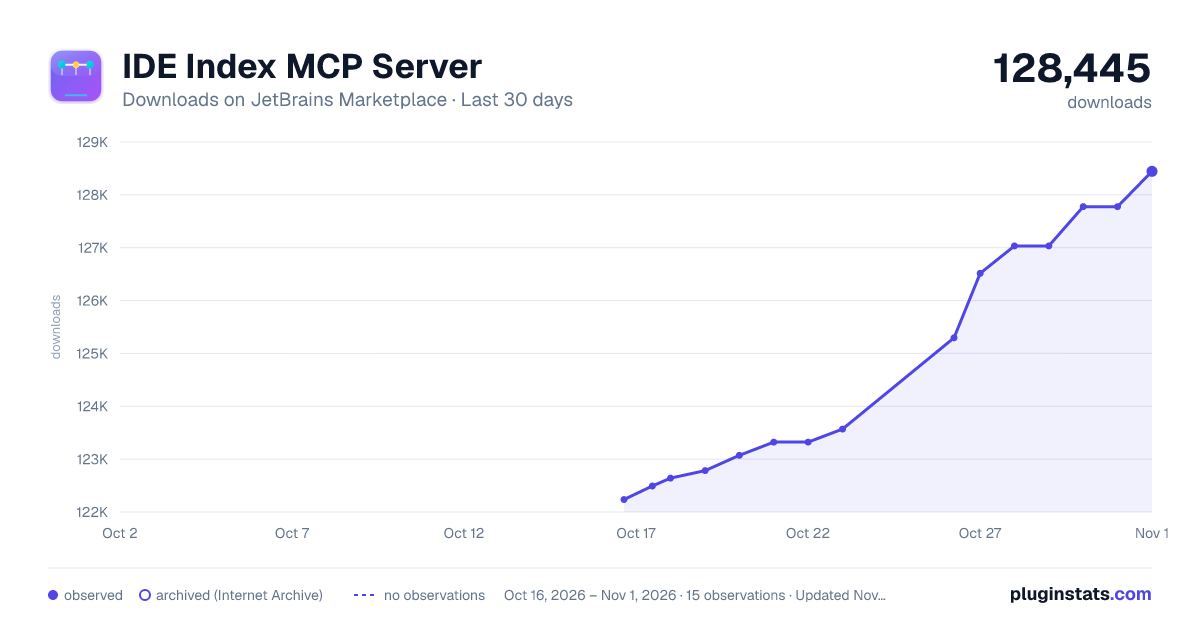
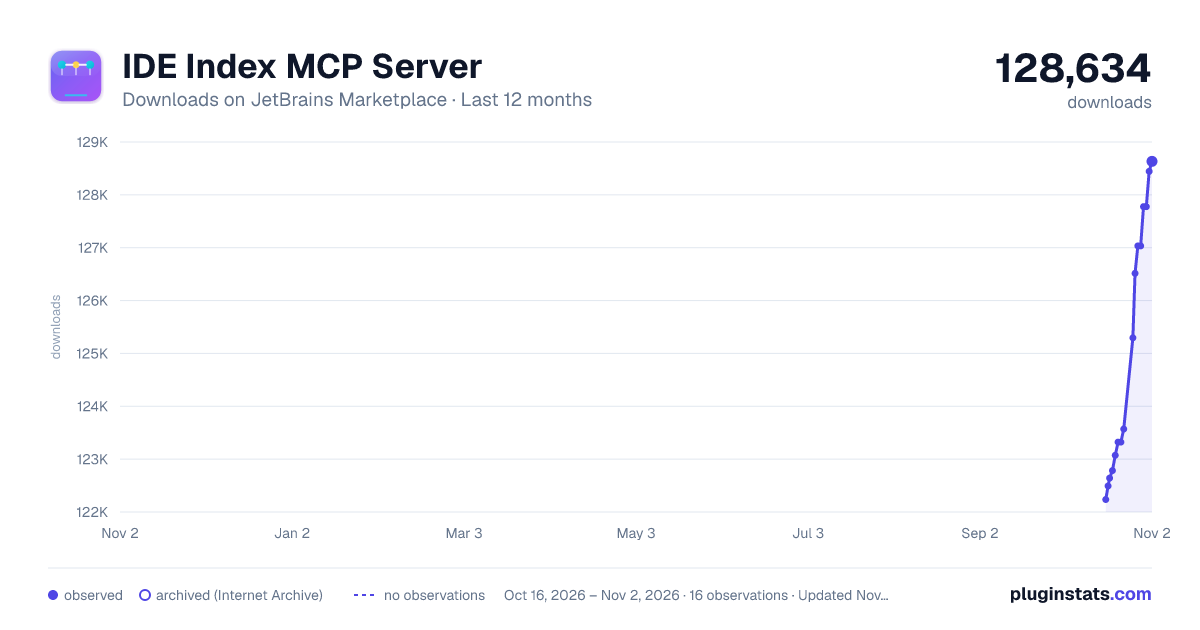
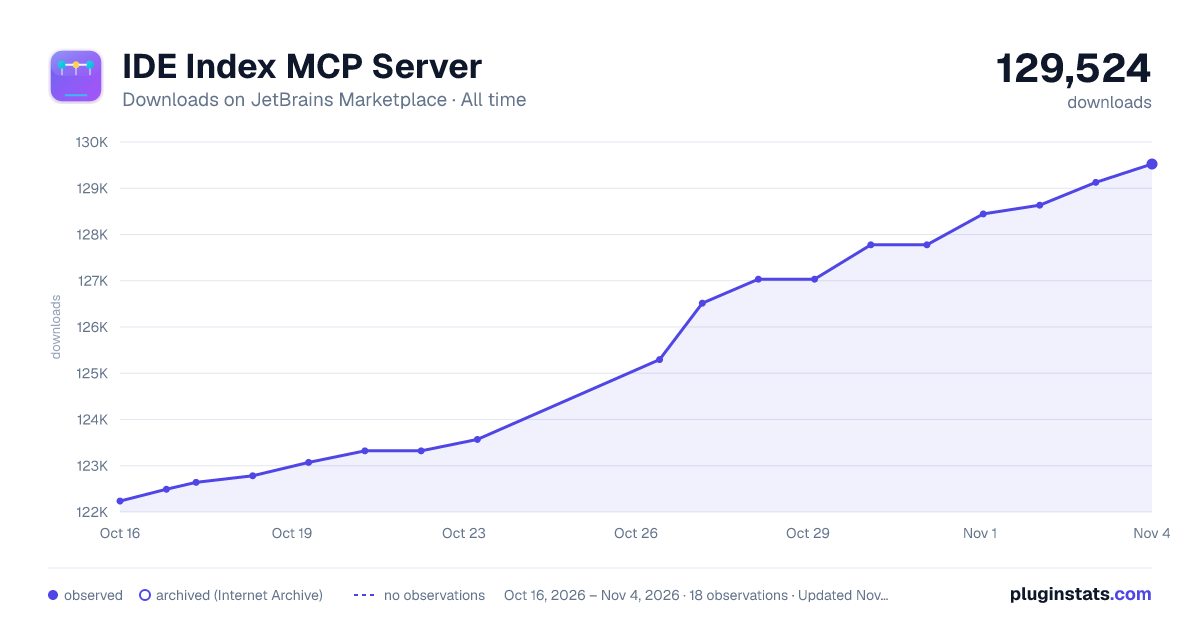
Images: 30d · 1y · all time · 1600×900 dark
Adoption over time
7/30/90-day growth
Ranking history
Filled points are observed values; hollow points come from Internet Archive snapshots of the listing page. Dashed segments span periods with no observations — values between points are not interpolated.
Recent observations
Full history (3)Similar JetBrains Marketplace AI plugins




Data source
Cumulative download counts come from the public JetBrains Marketplace API. JetBrains reports downloads, not active installs. Ratings are the mean of public votes.
Listing: https://plugins.jetbrains.com/plugin/29174-ide-index-mcp-server. First seen Oct 16, 2026; last successful collection Oct 18, 2026. See the methodology.