 PluginStats
Push To Display installs statistics
By PushToDisplay · GitHub Marketplace
Push content to boards on iOS and Android devices via HTTP, CLI, GitHub Action, or MCP with panel-targeted routing
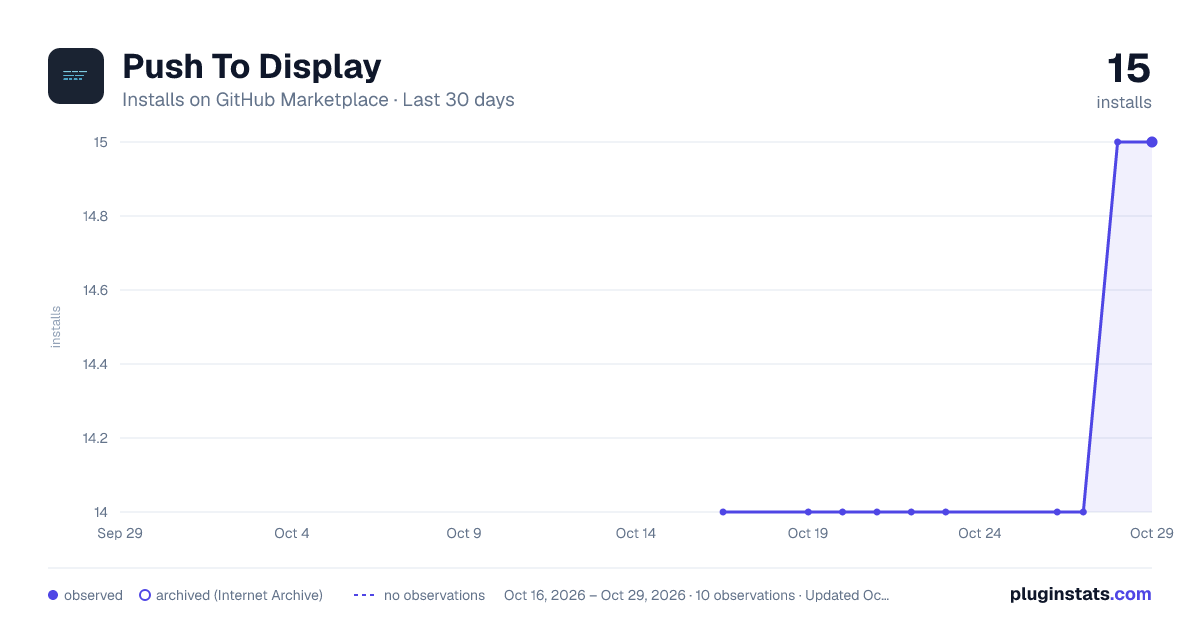
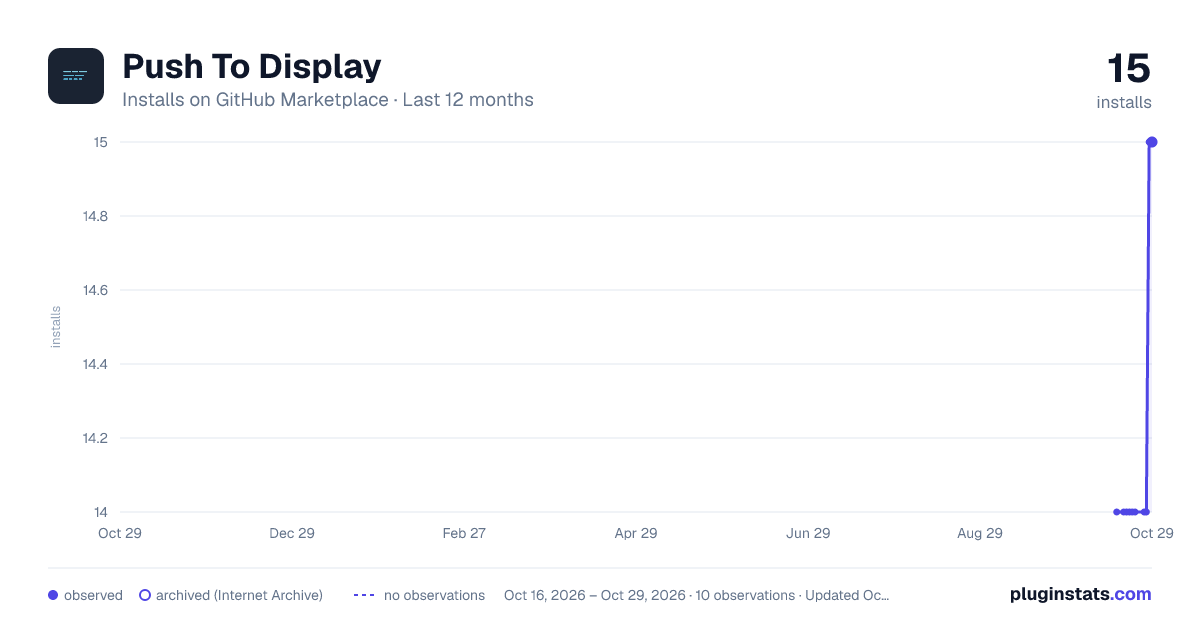
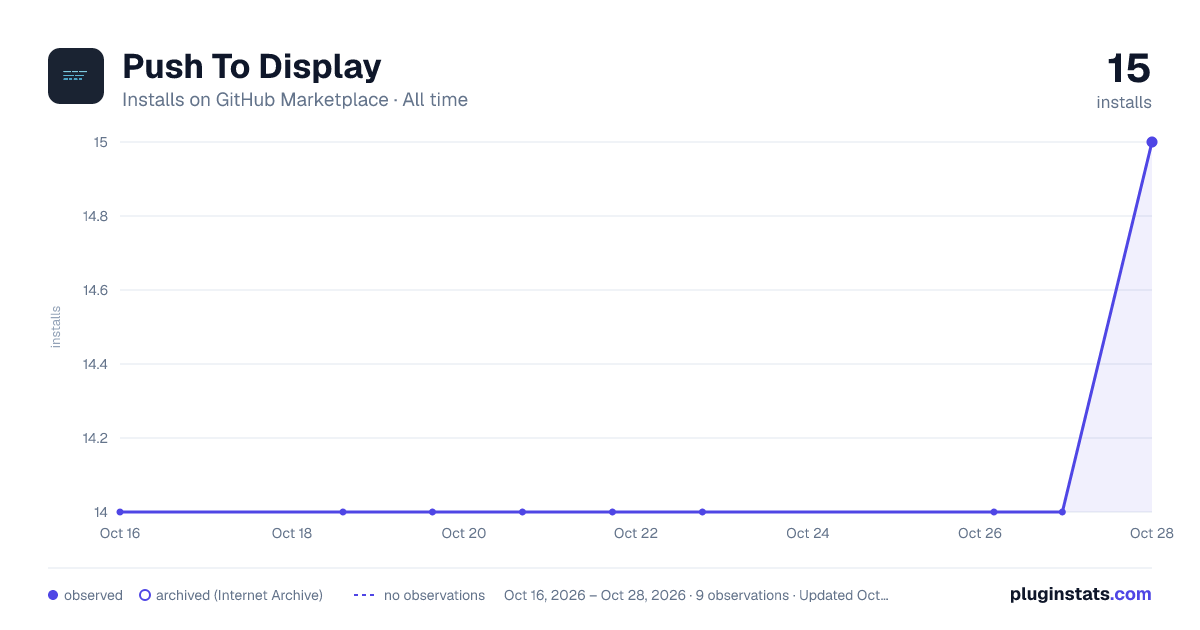
Push To Display has 14 recorded installs on GitHub Marketplace.
It ranks #962 of 1,410 tracked GitHub Marketplace listings by installs.
PluginStats has 2 daily observations since Oct 16, 2026; the latest is from Oct 19, 2026.
About Push To Display
Push To Display turns any iOS or android device into a programmable shared display board. Send structured content through MCP, HTTP API, CLI, or GitHub Action and see it rendered in real time with display-focused multi-panel layouts.
We support 4 preset layouts on devices.
• Full Screen — one message fills the entire display • Stacked (Top + Bottom) — two horizontal panels • Side by Side (Left + Right) — two vertical panels • 2x2 Grid — four panels for multi-stream visibility
Features
Panel-targeted routing
Updates can target specific panels (1–4) so one region updates without replacing the entire board.
Multiple integration channels
• HTTP API — one endpoint, structured payloads, instant delivery • CLI (pushtodisplay) — send from terminal, pipe scripts, manage boards • GitHub Action — push deployment status, build results, and alerts from CI/CD workflows • MCP Server — AI agents and coding agents (Claude Code, Cursor, Codex) can send updates and manage boards natively
Who it's for
• AI agent and coding agent operators — route agent outputs to visible boards • DevOps teams — CI/CD status walls, deployment dashboards • Operations — on-call room displays, queue boards • IT managers — shared awareness displays across offices • Manufacturing — shop-floor boards for line status and alerts • Healthcare — clinic guidance displays, queue flow, room readiness • Event teams — real-time signage fed by automation tools
Built for automation and AI agents
Push To Display is API-first and agentic-ready. Integrate with CI/CD pipelines, monitoring tools, or any system that can make HTTP requests. Use the CLI to pipe scripts and automate from the terminal. Connect AI agents — Claude Code, Cursor, Codex, or any MCP-compatible agent — through the built-in MCP server so they can send updates, manage boards, and route content to specific panels without custom glue code. Structured payloads support text blocks with display options including alignment, text size, weight, color, and background.
Getting started
Download the app and sign in. Start pushing content in minutes. Manage boards, API keys, and devices from the app or the web at https://pushtodisplay.com.
Full API documentation available at https://pushtodisplay.com/docs.
Description from the GitHub Marketplace listing.
- Mobile
- Monitoring
Where Push To Display sits in the listing
Each band is one page of 20. Installs on a log scale. Placement is projected from installs, so it can differ from the marketplace's own sort order. Hover a dot to see the listing.


Charts
Images: 30d · 1y · all time · 1600×900 dark

Adoption over time


7/30/90-day growth


Filled points are observed values; hollow points come from Internet Archive snapshots of the listing page. Dashed segments span periods with no observations — values between points are not interpolated.
Recent observations
Full history (2)Similar GitHub Marketplace plugins
Data source
Install counts (installations of each GitHub App across accounts and organizations) are read from public GitHub Marketplace listing pages. GitHub does not publish ratings. Category positions reflect GitHub's own popularity sort.
Listing: https://github.com/marketplace/push-to-display. First seen Oct 16, 2026; last successful collection Oct 19, 2026. See the methodology.