 PluginStats
Docker downloads statistics
By JetBrains s.r.o. (640 listings) · JetBrains Marketplace · Tools Integration
Imagine being able to package your entire application with all its code, libraries, and dependencies into a single, portable unit that runs consistently in any...
Docker has 32,649,528 recorded downloads on JetBrains Marketplace, ranking #10 of 2,502 tracked listings.
Rating: 3.53 / 5 from 55 ratings
About Docker
Imagine being able to package your entire application with all its code, libraries, and dependencies into a single, portable unit that runs consistently in any environment. That's the benefit offered by the Docker Plugin for your JetBrains IDE. The plugin also provides official support for Podman, giving you the flexibility to choose the container engine that best suits your needs.
What is Docker?
Docker is like a shipping container for your code. It wraps everything your application needs into a neat package called a "container" that works the same way on any computer. No more "but it works on my machine" problems!
What Can You Do With Our Docker Plugin?
• Build and Run Containers With a Click — Create and manage Docker Images and Containers right from your IDE—no command line needed! • See Everything in One Place — View all your containers, images, networks, and volumes in a clean, organized interface. • Create Multi-Container Apps Easily - Manage complex Docker Compose projects with powerful editing tools and visual feedback. • Smart Editing for Docker Files — Write Dockerfiles with syntax highlighting, code completion, and validation that catches mistakes before they cause problems. • Test in Containers, Debug Like Local - Run and debug your applications in containers that match your production environment, but with the convenience of local development. • Watch Your Containers in Action — Monitor logs, check performance, and connect to running containers with an integrated terminal. • Choose Your Container Engine — Work with Docker or Podman (an alternative container engine) based on your preference.
Why Use Containers?
• Consistent Environments — Your application runs the same way in development, testing, and production. • Faster Onboarding — New team members can start coding in minutes instead of spending days setting up their environment. • Isolated Testing — Test your changes in a container that won't affect your main system. • Easy Deployment — Package once, deploy anywhere—from your laptop to the cloud. • Reproducible Environment — Develop in a consistent, reproducible environment that matches your production setup. • Pre-configured Environments — Quickly onboard new team members with pre-configured development environments. • Isolation — Isolate project dependencies and tools without affecting your local machine.
Getting Started
To configure the Docker connection, open Settings | Build, Execution, Deployment | Docker.
Learn more in our comprehensive documentation.
Description from the JetBrains Marketplace listing.
- Tools Integration
README badge
Show your rank in a README or on your website. The badge updates automatically.
Charts
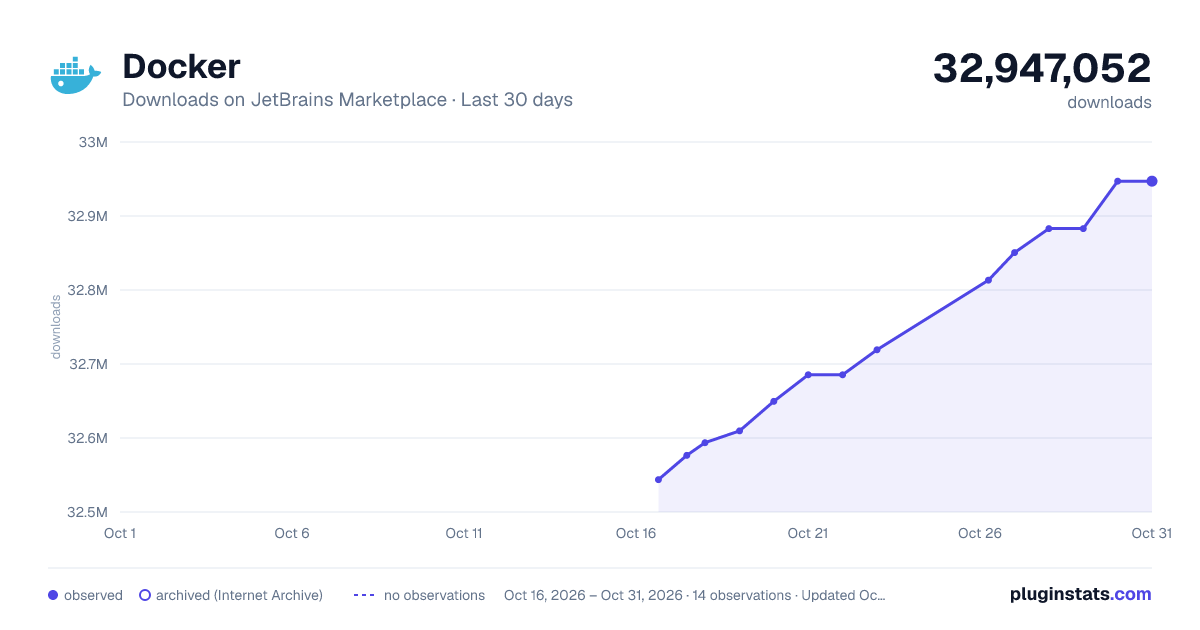
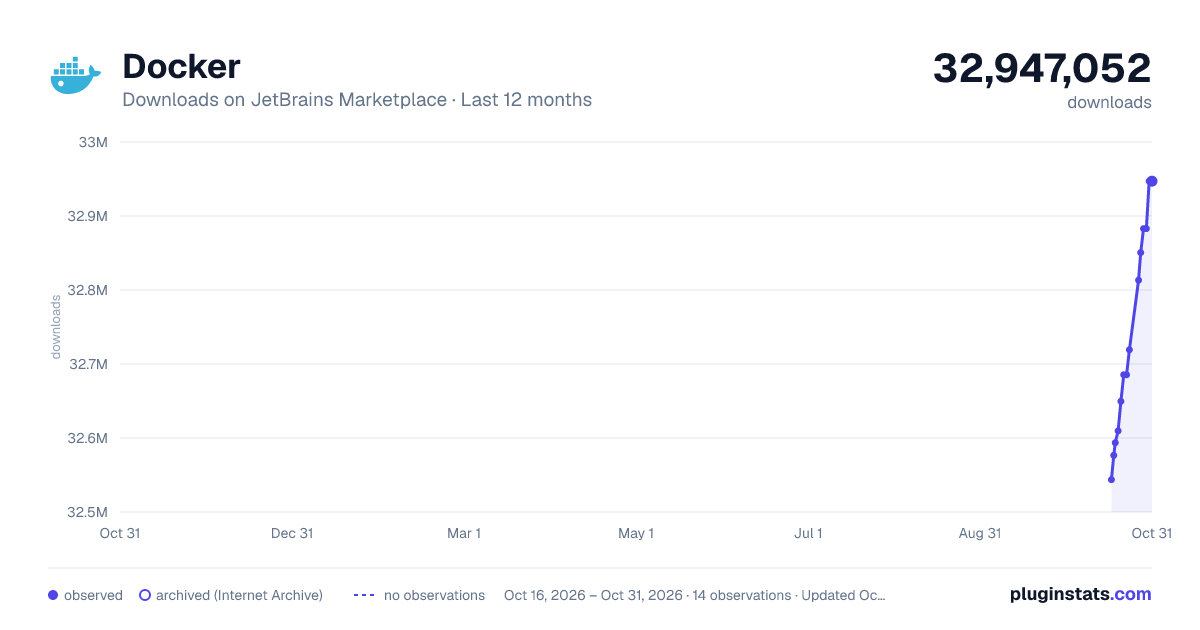
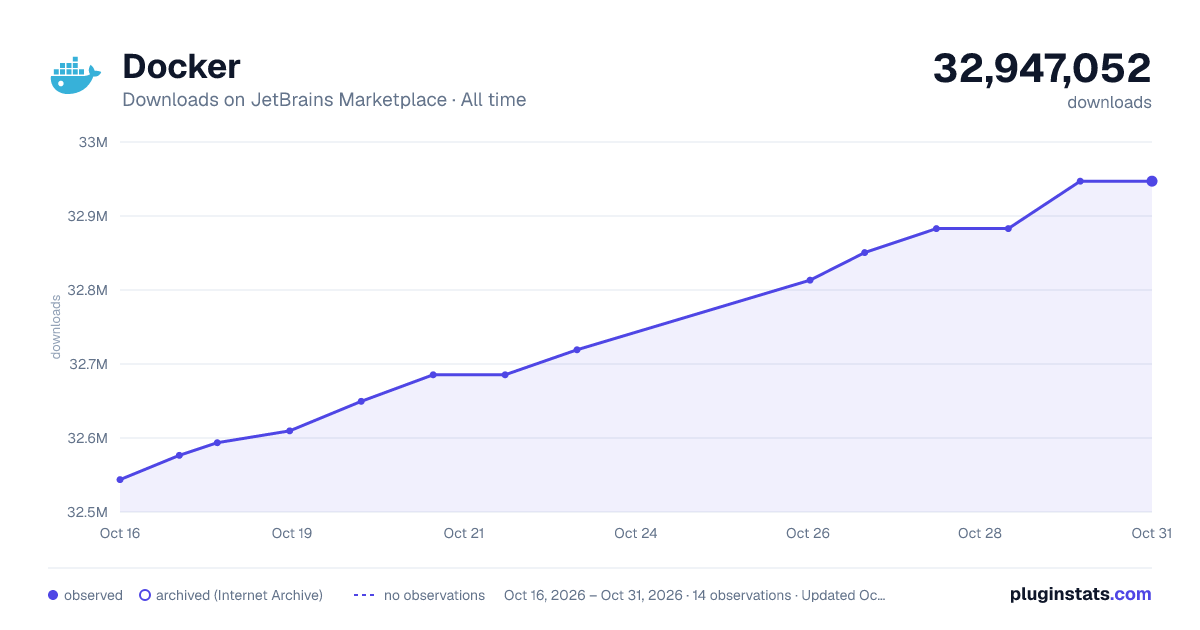
Images: 30d · 1y · all time · 1600×900 dark
Adoption over time
7/30/90-day growth
Ranking history
Ratings over time
Listing placement
Listing placement
Filled points are observed values; hollow points come from Internet Archive snapshots of the listing page. Dashed segments span periods with no observations — values between points are not interpolated.
Each band is one page of 20. Downloads on a linear scale. Placement is projected from downloads, so it can differ from the marketplace's own sort order. Hover a dot to see the listing.
Recent observations
Full history (5)Similar JetBrains Marketplace Tools Integration plugins
All 20 Docker alternatives



Docker on other marketplaces
Data source
Cumulative download counts come from the public JetBrains Marketplace API. JetBrains reports downloads, not active installs. Ratings are the mean of public votes.
Listing: https://plugins.jetbrains.com/plugin/7724-docker. First seen Oct 16, 2026; last successful collection Oct 20, 2026. See the methodology.