 PluginStats
Notebook downloads statistics
By LeeWyatt (2 listings) · JetBrains Marketplace · Code Tools
Notebook is a code-aware, local-first note-taking plugin for IntelliJ-based IDEs. Capture snippets while you code, organize them in a three-level hierarchy, and keep...
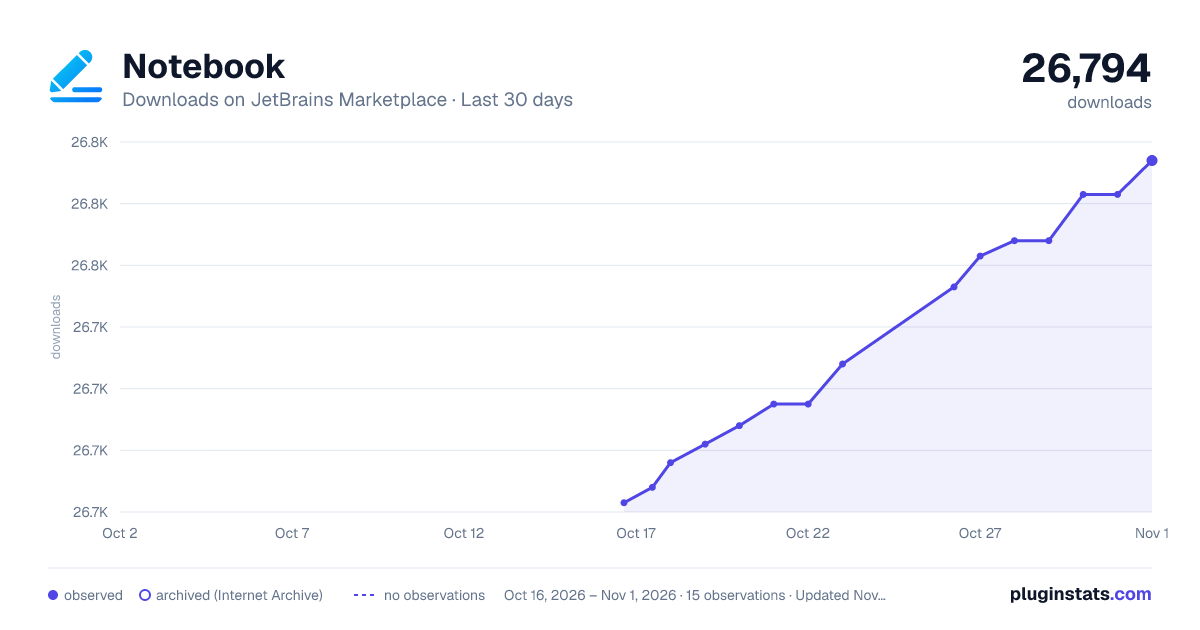
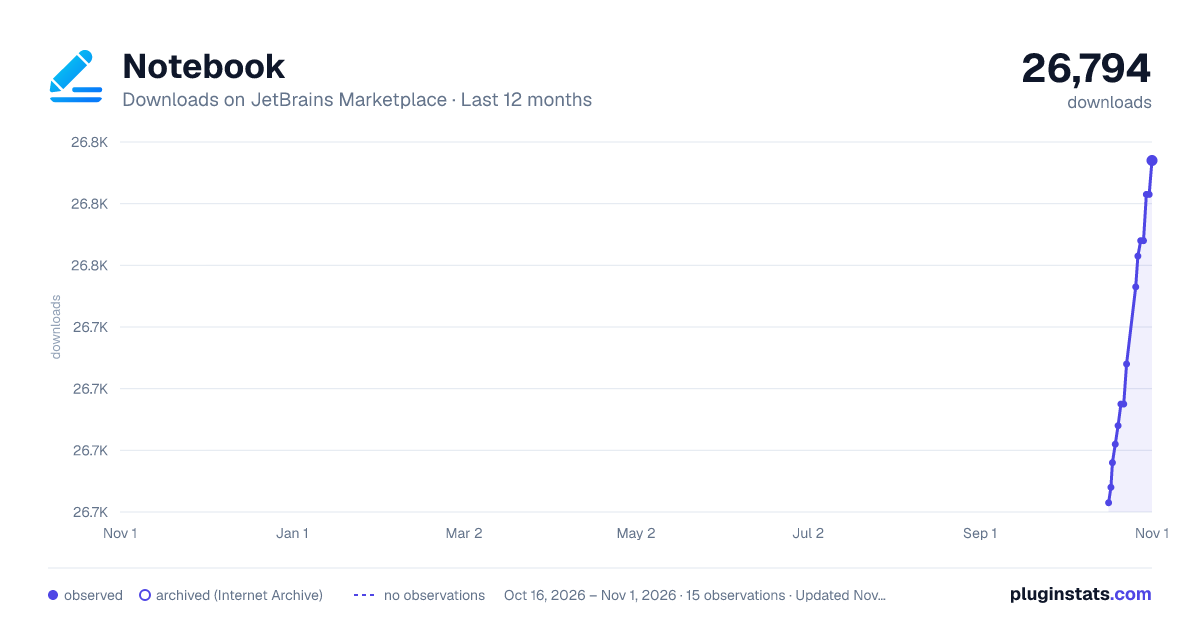
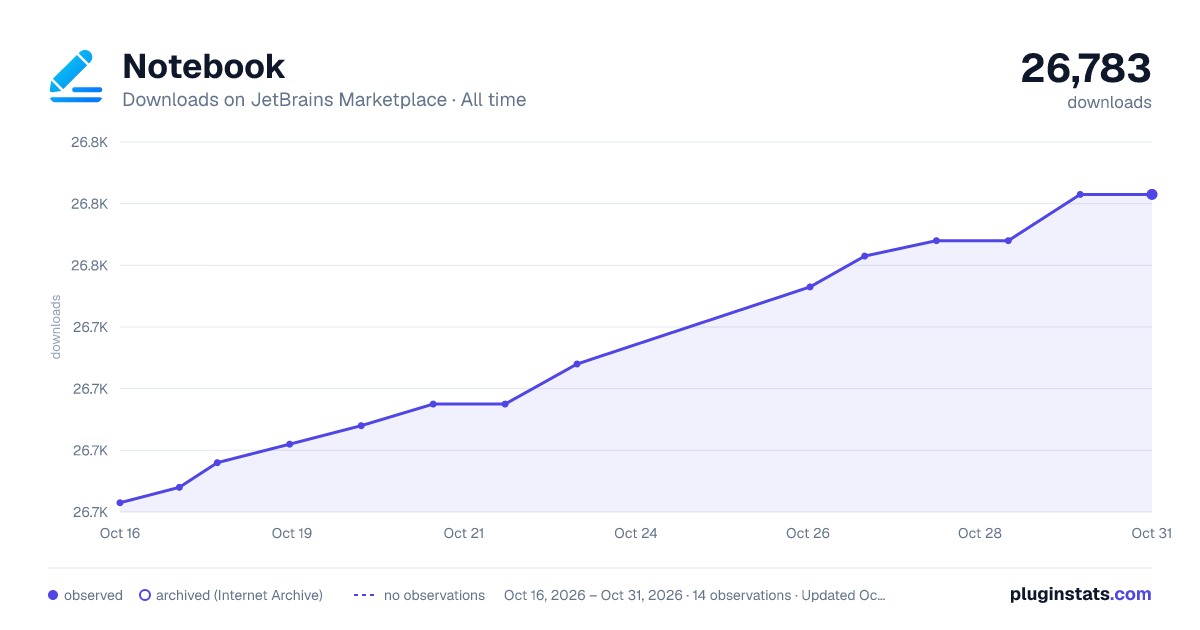
Notebook has 26,696 recorded downloads on JetBrains Marketplace.
It ranks #1871 of 2,500 tracked JetBrains Marketplace listings by downloads.
It is rated 4.9 out of 5 from 16 ratings.
PluginStats has 3 daily observations since Oct 16, 2026; the latest is from Oct 18, 2026.
Rating: 4.94 / 5 from 16 ratings
About Notebook
Notebook is a code-aware, local-first note-taking plugin for IntelliJ-based IDEs. Capture snippets while you code, organize them in a three-level hierarchy, and keep everything in a single SQLite file on your own machine — no cloud, no account, no telemetry.
Capture
• Right-click → Add to Notebook (Ctrl+\) — save selected code / text along with the source file path and selection range. • Right-click → Insert note into editor (Ctrl+Shift+\) — paste a saved note at the caret. • Alt+S — search notes by title, description, or full content.
Organize
• Three-level hierarchy: Notebook > Chapter > Note. Drag rows to reorder; drag a chapter onto another notebook to reparent, same for notes. • Attach images (JPG / PNG / GIF, up to 10 MB) with auto-generated thumbnails. • Layout dropdown switches between 1 / 2 / 3 / 4 column views — adapts to any screen size. • Column widths you set are remembered across IDE restarts.
Export & backup
• JSON export / import — full round-trip of every notebook, chapter, note, and image. • Markdown export — single-file Markdown per notebook, with a customizable Groovy template. • Markdown Tree export — every note becomes its own .md file in a portable folder tree. Drop it straight into Obsidian or Typora. • Automatic SQLite backup on plugin version upgrade (last 5 kept).
Configure
• File | Settings | Tools | Notebook — customize the Markdown export template, font, and thumbnail size.
Data directory: ~/.ideaNotebooksFile/. Shared across all IDE projects on the same machine.
Notebook 是一款为 IntelliJ 系 IDE 设计的代码感知 + 本地优先笔记插件。在编辑器里随手收藏代码片段,用三级目录组织,所有数据落在本机单个 SQLite 文件里 —— 无云端、无账号、无遥测。
收藏
• 右键 → 收藏到笔记本(Ctrl+\)—— 保存选中代码/文字,同时记录来源文件路径和选区偏移。 • 右键 → 插入笔记内容(Ctrl+Shift+\)—— 把已有的笔记内容粘贴到光标处。 • Alt+S —— 按标题、描述或正文全文检索笔记。
组织
• 三级目录:笔记本 > 章节 > 笔记。同级拖拽改顺序,拖到别的笔记本/章节改归属。 • 图片附件(JPG / PNG / GIF,最大 10 MB),自动生成缩略图。 • 布局下拉框一键切换 1 / 2 / 3 / 4 列视图,适应各种屏幕尺寸。 • 你拖拽调整过的列宽会被记住,下次打开恢复。
导出与备份
• JSON 导入/导出 —— 笔记本 + 章节 + 笔记 + 图片的完整 round-trip 备份。 • Markdown 导出 —— 按笔记本导出单文件 Markdown,Groovy 模板可自定义。 • Markdown 文件树导出 —— 每条笔记一个 .md,按目录结构组织,可直接拖进 Obsidian 或 Typora。 • 插件版本升级时自动备份 SQLite(保留最近 5 份)。
设置
• File | Settings | Tools | 笔记本 —— 自定义 Markdown 导出模板、字体、缩略图尺寸。
数据目录:~/.ideaNotebooksFile/,同一台机器所有 IDE 项目共用。
Bug 反馈 / 建议:QQ 群 715598051 · GitHub Issues
Thanks @Yii.Guxing, @albert flex, @因为许多.许多!, @来日方长, @tuhin47
Description from the JetBrains Marketplace listing.
- Code Tools
- Tools Integration
Where Notebook sits in the listing
Each band is one page of 20. Downloads on a log scale. Placement is projected from downloads, so it can differ from the marketplace's own sort order. Hover a dot to see the listing.
Charts
Images: 30d · 1y · all time · 1600×900 dark
Adoption over time
7/30/90-day growth
Ranking history
Filled points are observed values; hollow points come from Internet Archive snapshots of the listing page. Dashed segments span periods with no observations — values between points are not interpolated.
Recent observations
Full history (3)Similar JetBrains Marketplace Code Tools plugins




Data source
Cumulative download counts come from the public JetBrains Marketplace API. JetBrains reports downloads, not active installs. Ratings are the mean of public votes.
Listing: https://plugins.jetbrains.com/plugin/16998-notebook. First seen Oct 16, 2026; last successful collection Oct 18, 2026. See the methodology.