 PluginStats
CodeGeeX: AI Coding Assistant downloads statistics
By Zhipu.ai (2 listings) · JetBrains Marketplace · Cloud
CodeGeeX is an AI-based coding assistant. It is powered by a large-scale multilingual code generation model, lots of features including generates and completes code...
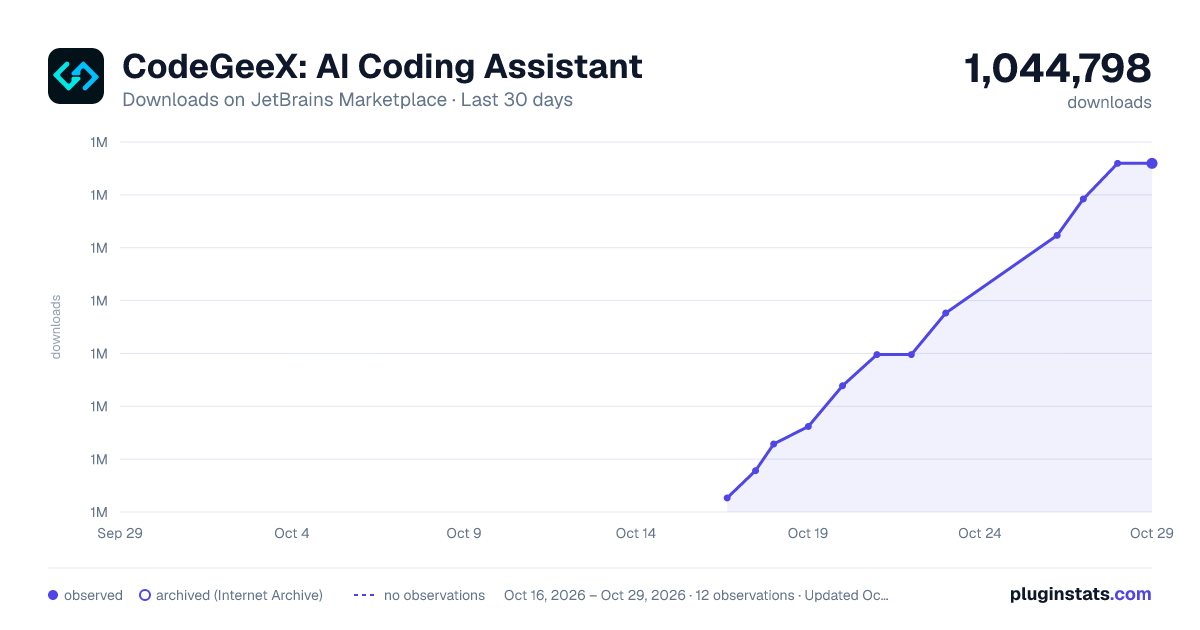
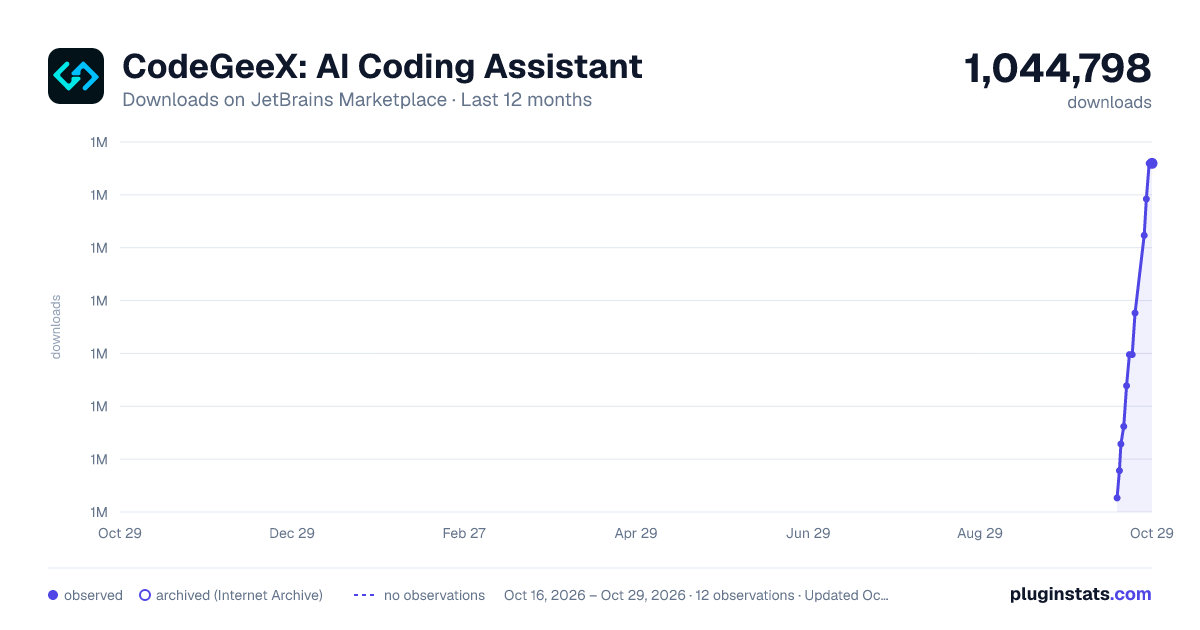
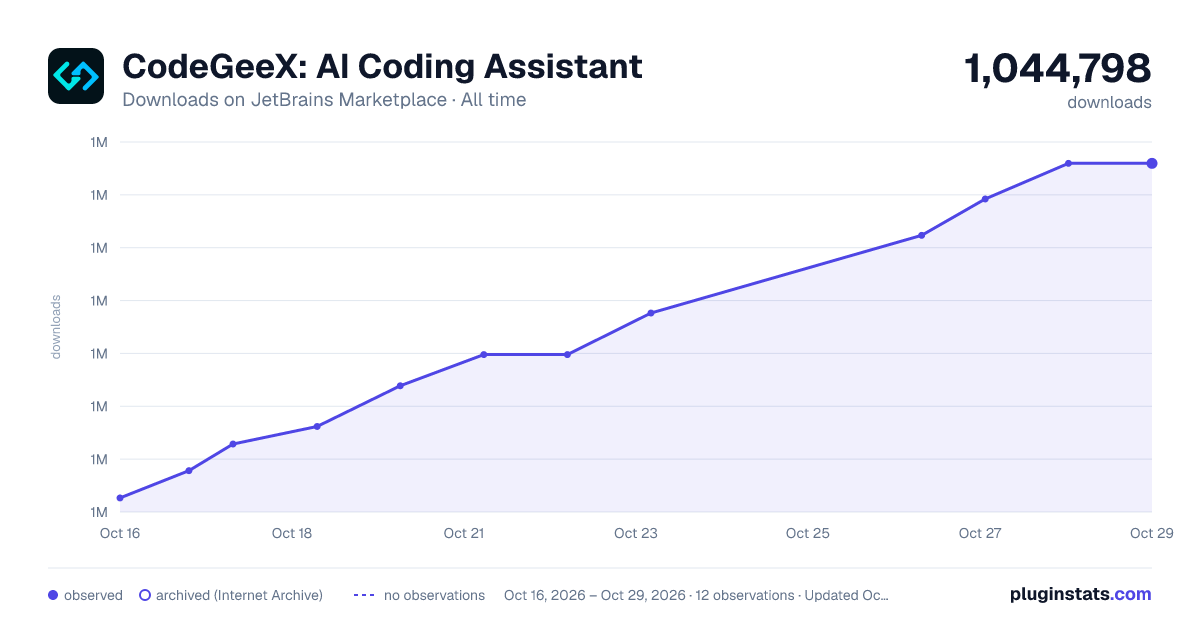
CodeGeeX: AI Coding Assistant has 1,042,309 recorded downloads on JetBrains Marketplace.
It ranks #276 of 2,501 tracked JetBrains Marketplace listings by downloads.
It is rated 3.7 out of 5 from 116 ratings.
PluginStats has 4 daily observations since Oct 16, 2026; the latest is from Oct 19, 2026.
Rating: 3.72 / 5 from 116 ratings
About CodeGeeX: AI Coding Assistant
CodeGeeX is an AI-based coding assistant. It is powered by a large-scale multilingual code generation model, lots of features including generates and completes code, automatically adds comments, translates code between different programming languages, provides intelligent answers to technical and code-related questions, code explanation, unit test generation, code review, bug fixing and so on.
中文介绍
What can you do with CodeGeeX?
Automated Code Generation
CodeGeeX provides autocomplete-style suggestions when you coding. You can receive suggestions with the “Tab” key, either by starting to write the code you want to use.
Convert comments to code
CodeGeeX can gengrate code by writing a natural language comment describing what you want the code to do. Especially for common algorithmic segments, function blocks, or method sections that can be described in a single sentence.
Automatically adding comments to code
CodeGeeX can automatically adds comments to code in both Chinese and English. Select the code in the editor, right-click your mouse. From the right-click menu, select "CodeGeeX", then click on the submenu "Add Comment" to generate the comment.
Create unit tests
An important use case of CodeGeeX is to take some of the drudgery out of writing unit tests. Select the code in the editor, right-click your mouse. From the right-click menu, select "CodeGeeX", then click on the submenu "unit tests" to generate the comment.
Ask CodeGeeX
Ask CodeGeeX supports model selection. You can choose between the Pro version model or the Lite version model.
Click on the CodeGeeX plugin icon to open the CodeGeeX sidebar. Then, click on the "Ask CodeGeeX" tab at the top of the sidebar to use.
You can also select code in the editor, right-click with your mouse, choose "CodeGeeX," and then select "Ask CodeGeeX" from the submenu to open the sidebar.
In the input box of the sidebar, use "/" to bring up preset commands.
CommandFeature
/explainExplain the code selected in the editor. If no code is selected, explain all the code.
/commentAdd line-by-line comments for the code selected in the editor. If no code is selected, add comments to all code.
/fixbugFix the errors in the code selected in the editor. If no code is selected, fix errors in all code.
/testsGenerate unit test code for the code selected in the editor. If no code is selected, generate unit tests for all code.
Inline Chat
InLine Chat is a feature that enables real-time conversations embedded within the code to accomplish programming tasks. You can trigger the InLine Chat feature using the shortcut "Command + i" (Mac) or "Ctrl+Alt+i" (Windows).
@Repo Q&A for open source code repositories. (RAG)
The @Repo feature allows users to ask questions about open-source code repositories.The enhanced search capability for open-source code repositories supports over 100+ popular repositories, and users can also submit their desired open-source projects for support.
Explain Code
Code explanation is one of the most favorite features for developers,and CodeGeeX has multiple entry points for convenient use during programming.
Select the code you need to explain in the editing box. At this time, the code will also appear in the AskCodeGeeX dialog box in the sidebar, and a blue hint will appear. Click it to get the explanation of the code. Use the preset command "/explain" in the input box, or interact in a natural language manner in the input box to get the code explanation; You can also select the code, click on the floating light bulb, and choose "Explain with CodeGeeX". Additionally, you can right-click with the mouse, select "CodeGeeX", and choose "Explain Code" from the submenu to use it.
Generate Candidate Questions
After users pose a question and receive a response, CodeGeeX continues to generate candidate questions for the next step. These recommended candidate questions are highly relevant to the user's initial query or are further predictions of related inquiries.
Code Review
Select any modified file and conduct a code change review. This allows for a clear view of the modified code sections and provides optimization suggestions from CodeGeeX.
Code Interpreter
Supports file processing, data analysis, chart generation, image processing,and more.
Supported languages, frameworks, and IDEs
CodeGeeX supports 100+ programming languages and development frameworks, compatible with various mainstream IDE platforms, including VSCode, Visual Studio, JetBrains IDEs, HBuilderX, DeepIn-IDE, and more.
Supported Languages
1FrontendVUE、JavaScript、TypeScript、HTML、CSS、React
2BackendC、C++、Java、Python、Go、PHP、Rust、SQL
3APP devObjectC、Kotlin、Swift、Uni-App、
4OthersPeal、Ruby、GraphQL、Cobol
Complete List of Supported:https://github.com/THUDM/CodeGeeX2/blob/main/evaluation/utils.py#L14
Get started now!Free!
CodeGeeX is available for free to all developers as a plugin product on your IDEs.
You can search for "CodeGeeX" in the VSCode, Visual Studio, JetBrains IDEs, HBuilderX, and Open VSX plugin markets.
Go to the Official WebSite For More Information
https://codegeex.cn/
Help & Feedback
Official Email:<codegeex@zhipuai.cn>
You can use Slack or Telegram or WeChat/微信群 to give us your feedback or get support. Furthermore, welcome to fill out the survey
Submit Feedback
使用手册:
💡 欢迎使用CodeGeeX!
CodeGeeX是什么?
CodeGeeX是智谱AI旗下一款基于大模型的智能编程助手,它可以实现代码的生成与补全,自动为代码添加注释,不同编程语言的代码间实现互译,针对技术和代码问题的智能问答,当然还包括代码解释,生成单元测试,实现代码审查,修复代码bug等非常丰富的功能。
你可以用CodeGeeX来做什么?
自动生成代码
在编码过程中,CodeGeeX可以根据上下文代码的内容,推理出接下来可能的代码输入。如果认为推理出的代码内容合适,使用快捷键Tab对生成的代码进行采纳,被采纳的代码即会高亮显示并留存在光标后;如果认为内容不合适,任意键可以取消推荐的内容,继续手动编码。
根据注释生成代码
CodeGeeX可以针对一段自然语言的注释内容,生成相关的代码片段 。特别是对于能够使用一句话描述清楚的、常见的算法片段、函数段、方法段等。
自动为代码添加注释
CodeGeeX可以轻松为代码添加中(英)文注释。 在编辑器中选中代码,点击鼠标右键。在右键菜单中点击“CodeGeeX” ,然后点击下一级菜单“生成注释”即可。
生成单元测试
CodeGeeX可以针对一段函数( 方法), 生成其对应的单元测试代码。 在编辑器中选中代码,点击鼠标右键。在右键菜单中点击“CodeGeeX” ,然后点击下一级菜单“生成单测”即可。也可以通过侧边栏的对话框,输入“/test”,生成其对应的单元测试代码。
智能问答
CodeGeeX的智能问答支持模型选择,你可以选择Pro版模型或者Lite版的模型…
Description from the JetBrains Marketplace listing.
- Cloud
- Code Editing
- Code Quality
- Code Tools
- Completion
- Education
- Miscellaneous
- Productivity
- Refactoring
- Search and Replace
Charts
Images: 30d · 1y · all time · 1600×900 dark
Adoption over time
7/30/90-day growth
Ranking history
Ratings over time
Listing placement
Listing placement
Listing placement
Filled points are observed values; hollow points come from Internet Archive snapshots of the listing page. Dashed segments span periods with no observations — values between points are not interpolated.
Each band is one page of 20. Downloads on a log scale. Placement is projected from downloads, so it can differ from the marketplace's own sort order. Hover a dot to see the listing.
Recent observations
Full history (4)Similar JetBrains Marketplace Cloud plugins
All 20 CodeGeeX: AI Coding Assistant alternatives




CodeGeeX: AI Coding Assistant on other marketplaces
Data source
Cumulative download counts come from the public JetBrains Marketplace API. JetBrains reports downloads, not active installs. Ratings are the mean of public votes.
Listing: https://plugins.jetbrains.com/plugin/20587-codegeex-ai-coding-assistant. First seen Oct 16, 2026; last successful collection Oct 19, 2026. See the methodology.