 PluginStats
Tailwind Fold downloads statistics
By Vladislav Ogorodnik (2 listings) · JetBrains Marketplace · Code Tools
Fold Tailwind CSS classes to read your component structure at a glance. Tailwind Fold collapses long class and className values in your editor. See the markup around...
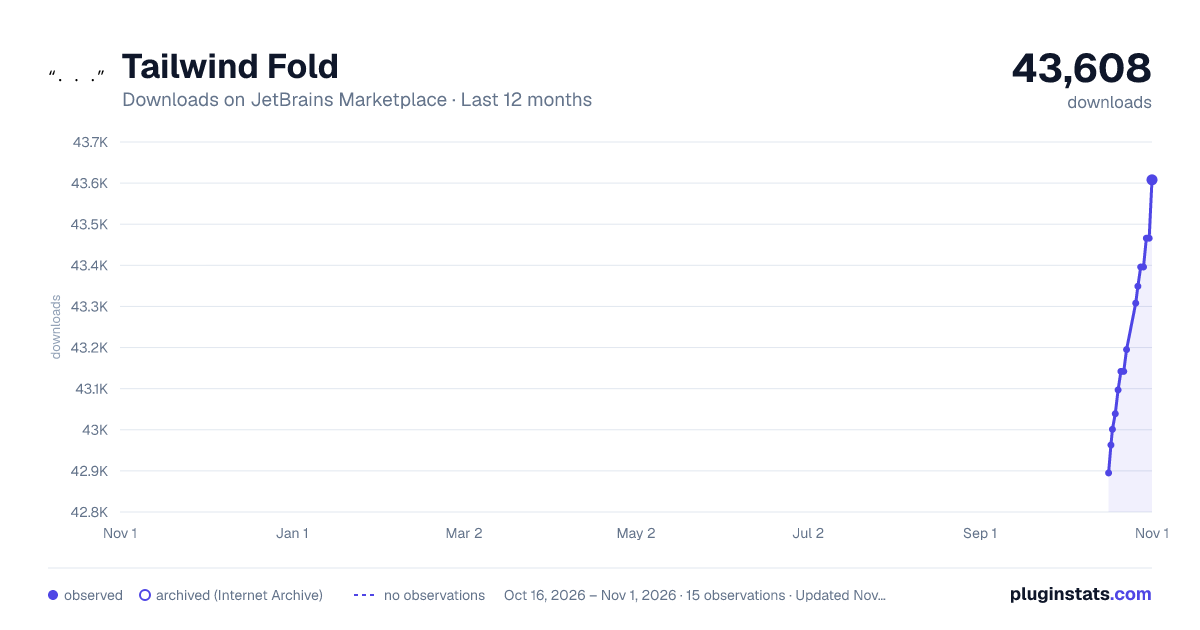
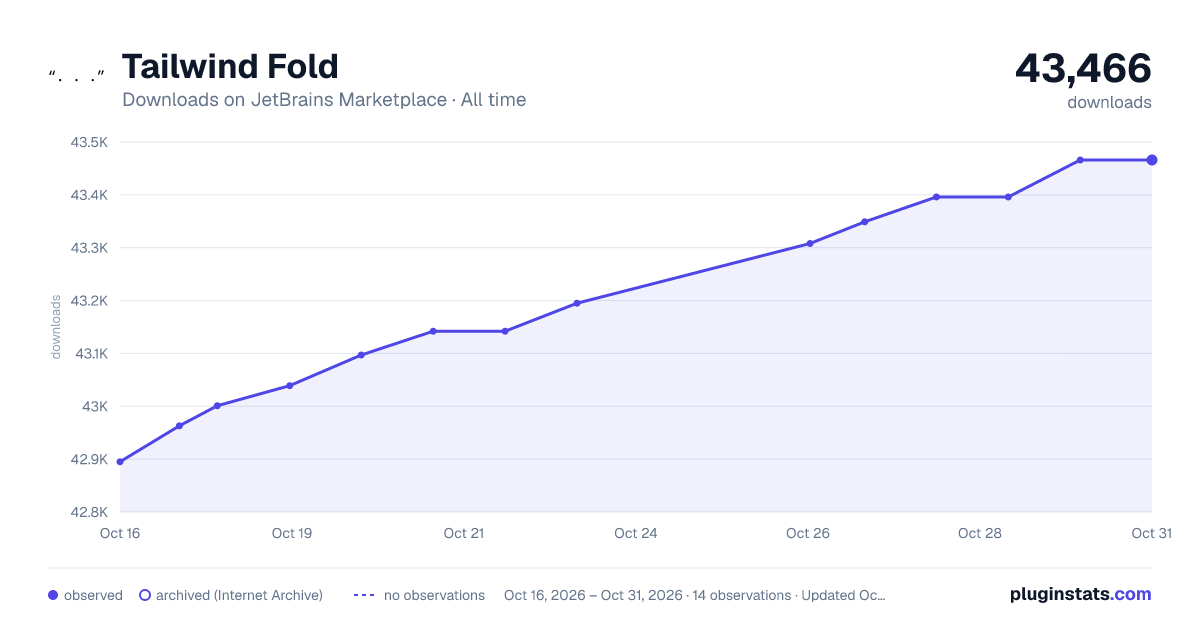
Tailwind Fold has 43,001 recorded downloads on JetBrains Marketplace.
It ranks #1421 of 2,500 tracked JetBrains Marketplace listings by downloads.
It is rated 4.3 out of 5 from 13 ratings.
PluginStats has 3 daily observations since Oct 16, 2026; the latest is from Oct 18, 2026.
Rating: 4.31 / 5 from 13 ratings
About Tailwind Fold
Fold Tailwind CSS classes to read your component structure at a glance.
Tailwind Fold collapses long class and className values in your editor. See the markup around them, then click a folded value to expand it when you need to edit. Folding changes only the editor view; your source code stays intact.
Free: class folding
• Fold class and className attribute values automatically. • Expand a folded value by clicking its placeholder, or use your IDE's code folding actions. • Toggle class folding and the default folding state with Tailwind Fold - Expand/Collapse All Classes.
Paid: customize your folding
• Choose which attributes to fold. Hide additional values such as style, title, and data-testid alongside your classes.
• Choose your placeholder. Replace the default ... with your own text. • Choose the default state. Open files with attribute values folded or expanded. • Control the current file. Use dedicated Fold All Attributes and Expand All Attributes actions without changing the default for other files.
View plans and upgrade. Already purchased? Open Tailwind Fold Settings and select Activate license.
Supported templates
HTML and XHTML, React JSX/TSX, Vue, Svelte, and Astro templates, and HTML templates in JavaScript/TypeScript. Language support depends on the corresponding language plugins being enabled in your IDE.
Getting started
• Install Tailwind Fold and open a supported template. Class attribute values fold automatically. • Click ... to expand an individual value. • Use Find Action and search for Tailwind Fold to toggle folding or find the paid actions. • Open Settings | Appearance & Behavior | Tailwind Fold Settings to preview paid settings, upgrade, or activate your license.
Assign your preferred shortcuts under Settings | Keymap by searching for Tailwind Fold. Default shortcuts depend on your keymap. The plugin's default bindings are Ctrl+Shift+P for toggling classes, Ctrl+Shift+F for folding attributes, and Ctrl+Shift+O for expanding attributes.
Need help? Contact support with your IDE version, framework, plugin version, and a small example.
Description from the JetBrains Marketplace listing.
- Code Tools
- Editor
- Formatting
- JavaScript
- Web
Where Tailwind Fold sits in the listing
Each band is one page of 20. Downloads on a log scale. Placement is projected from downloads, so it can differ from the marketplace's own sort order. Hover a dot to see the listing.
Charts
Images: 30d · 1y · all time · 1600×900 dark
Adoption over time
7/30/90-day growth
Ranking history
Filled points are observed values; hollow points come from Internet Archive snapshots of the listing page. Dashed segments span periods with no observations — values between points are not interpolated.
Recent observations
Full history (3)Similar JetBrains Marketplace Code Tools plugins





Data source
Cumulative download counts come from the public JetBrains Marketplace API. JetBrains reports downloads, not active installs. Ratings are the mean of public votes.
Listing: https://plugins.jetbrains.com/plugin/23937-tailwind-fold. First seen Oct 16, 2026; last successful collection Oct 18, 2026. See the methodology.