 PluginStats
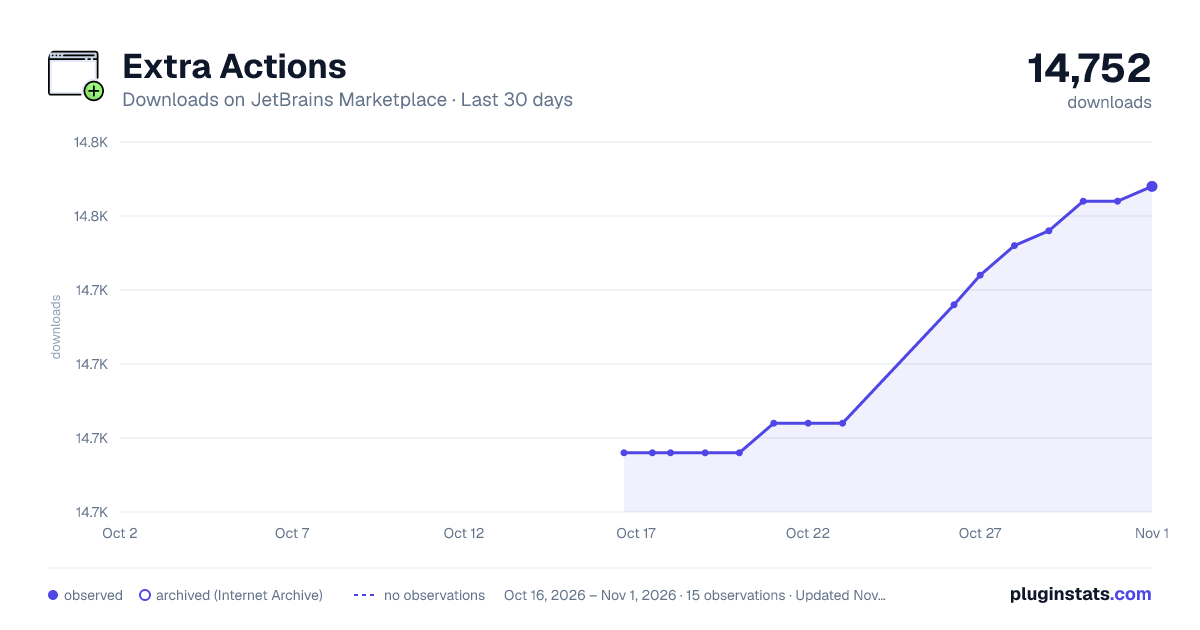
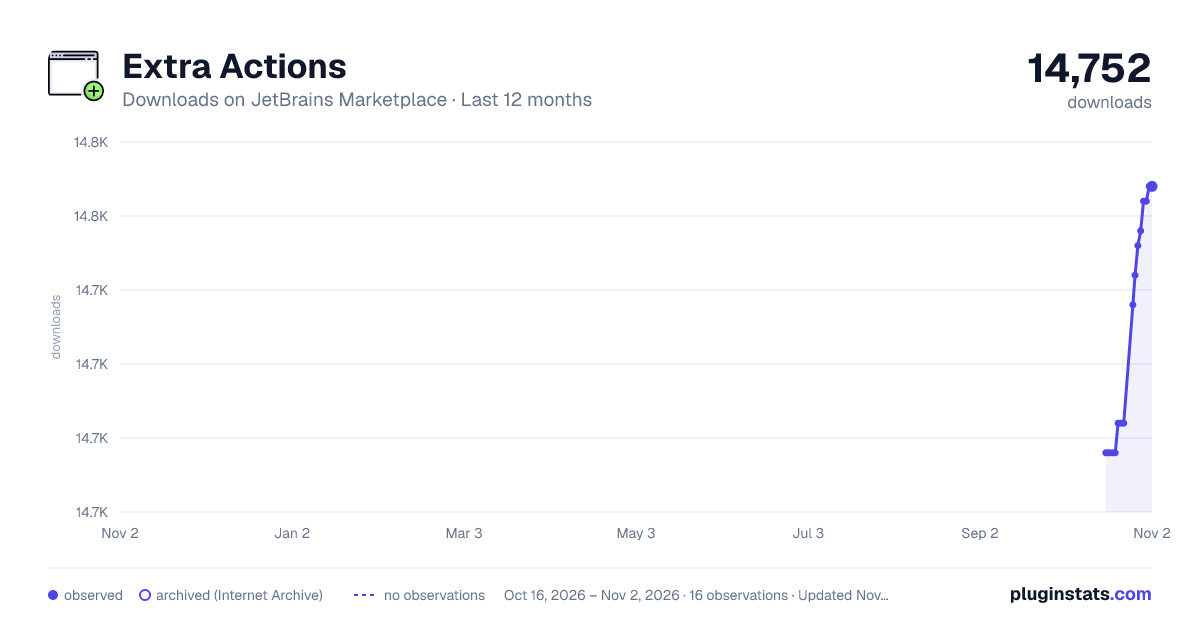
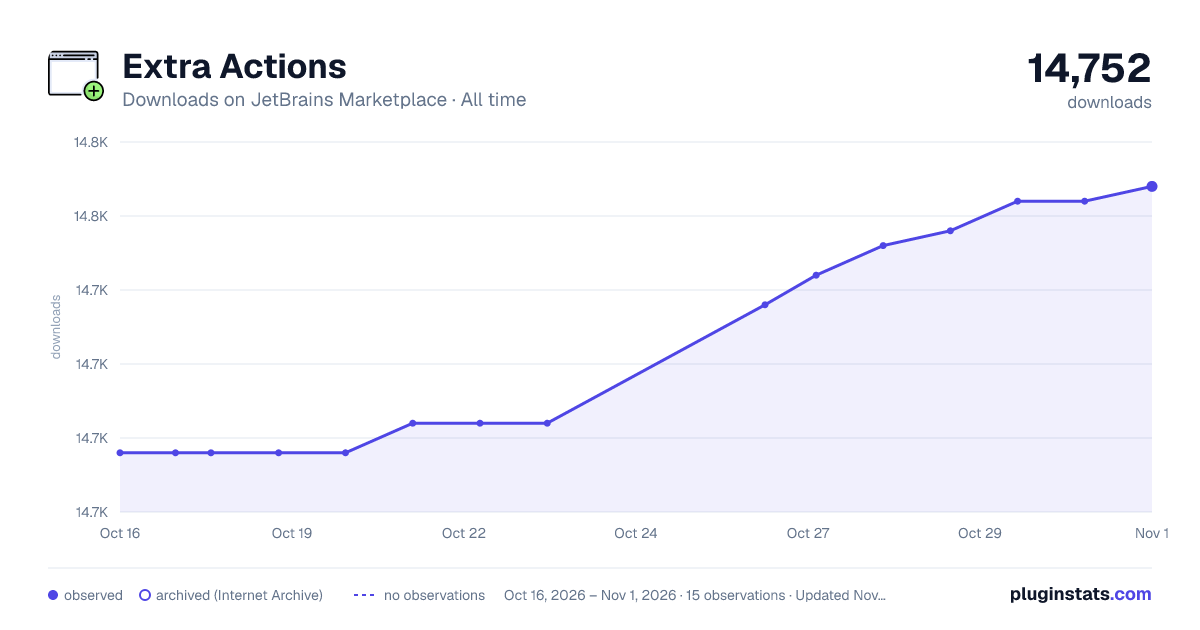
Extra Actions downloads statistics
By Daniel Kurečka · JetBrains Marketplace · Code Editing
GitHub | Issues | Donate Provides Additional Actions Note: no keyboard shortcuts are set by default to avoid conflicts. You can easily configure them by going to...
Extra Actions has 14,736 recorded downloads on JetBrains Marketplace, ranking #2482 of 2,502 tracked listings.
Rating: 5.00 / 5 from 3 ratings
About Extra Actions
GitHub | Issues | Donate
Provides Additional Actions
Note: no keyboard shortcuts are set by default to avoid conflicts. You can easily configure them by going to Settings | Keymap | Plugins | Extra Actions.
Split Selection into Lines
Adds a new caret at each line of the selection, it works the same way as in Sublime Text.
Recommended shortcut: Ctrl+Shift+L
Split Selection
Splits selection into multiple carets by custom character(s).
Recommended shortcut: Ctrl+Shift+Alt+L
Toggle Quotes
Switches between single and double quotes inside a string literal. It works in most languages and with multiple carets. For JavaScript/CoffeeScript, the "JavaScript Intention Power Pack" plugin must be enabled.
Recommended shortcut: Ctrl+'
Break Quotes
Splits a string literal at the caret position and adds concatenation operators with the caret between them. For example in JS:
var a = "Hello |world.";
will become
var a = "Hello " + | + "world.";.
It works in most languages and with multiple carets.
Recommended shortcut: Ctrl+.
Run This
This action is equivalent to right-clicking a file and selecting "Run". It bypasses any dialogs and immediately runs the current file/context.
Recommended shortcut: F5
Debug This
This action is equivalent to right-clicking a file and selecting "Debug". It bypasses any dialogs and immediately debugs the current file/context.
Recommended shortcut: Shift+F5
Select in Project
Shows the current file in the Project tool window.
Recommended shortcut: Ctrl+Shift+Y
Search Online
Searches the selection or the word at the caret via Google.
Recommended shortcut: Shift+F1
Move Caret to Next/Previous Paragraph
Moves the caret to the first empty line.
Recommended shortcut: Ctrl+Down/Up
Move Caret to Next/Previous Paragraph with Selection
Moves the caret to the first empty line while keeping the selection.
Recommended shortcut: Ctrl+Shift+Down/Up
Description from the JetBrains Marketplace listing.
- Code Editing
- Editor
README badge
Show your rank in a README or on your website. The badge updates automatically.
Charts
Images: 30d · 1y · all time · 1600×900 dark
Adoption over time
7/30/90-day growth
Ranking history
Ratings over time
Listing placement
Listing placement
Listing placement
Filled points are observed values; hollow points come from Internet Archive snapshots of the listing page. Dashed segments span periods with no observations — values between points are not interpolated.
Each band is one page of 20. Downloads on a linear scale. Placement is projected from downloads, so it can differ from the marketplace's own sort order. Hover a dot to see the listing.
Recent observations
Full history (6)Similar JetBrains Marketplace Code Editing plugins
All 20 Extra Actions alternatives



Data source
Cumulative download counts come from the public JetBrains Marketplace API. JetBrains reports downloads, not active installs. Ratings are the mean of public votes.
Listing: https://plugins.jetbrains.com/plugin/8213-extra-actions. First seen Oct 16, 2026; last successful collection Oct 21, 2026. See the methodology.