 PluginStats
Randomness downloads statistics
By Florine W. Dekker · JetBrains Marketplace · Code Tools
Insert random numbers, UUIDs, names, IP addresses, and much more using an IntelliJ action. To insert random data, press Alt + R (or ⌥R) to open the list of available...
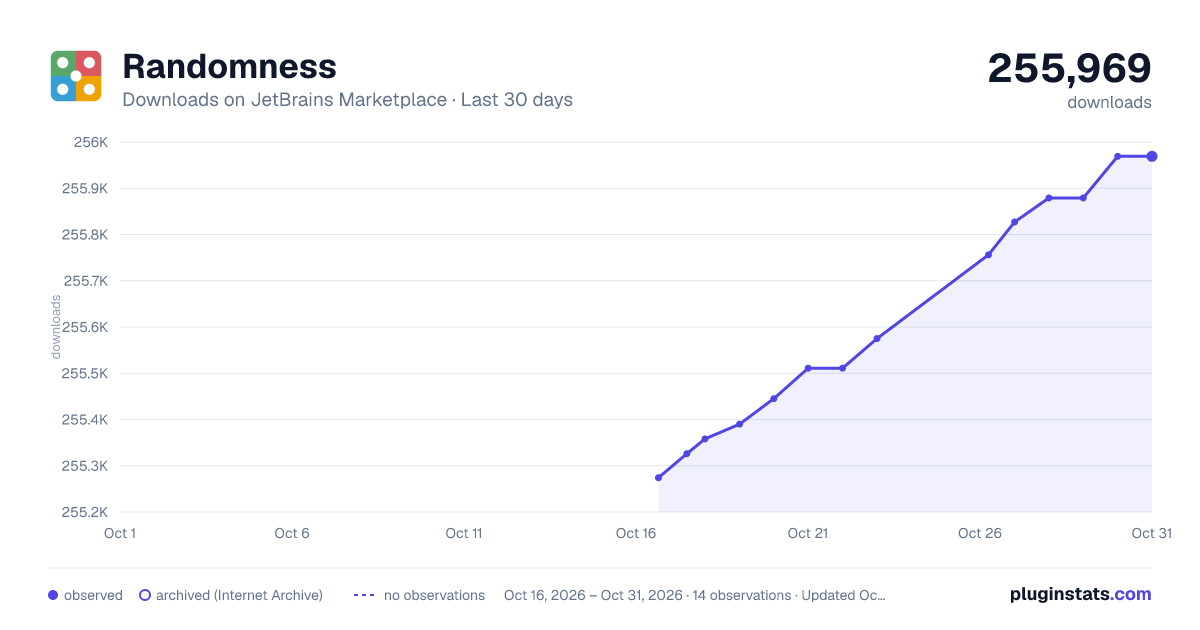
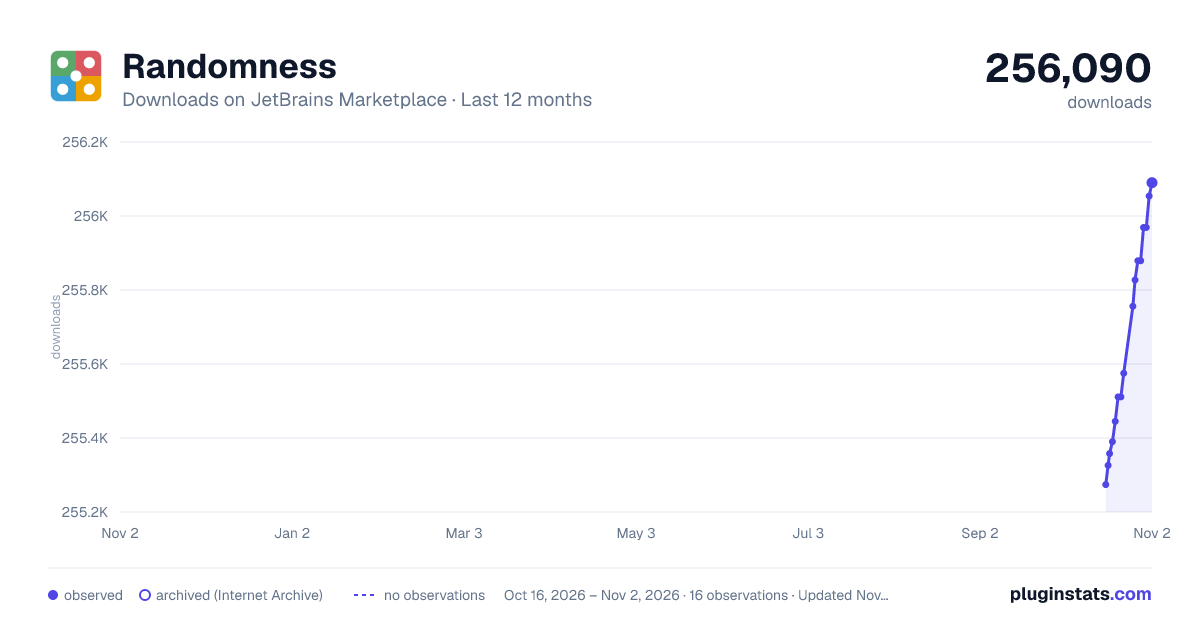
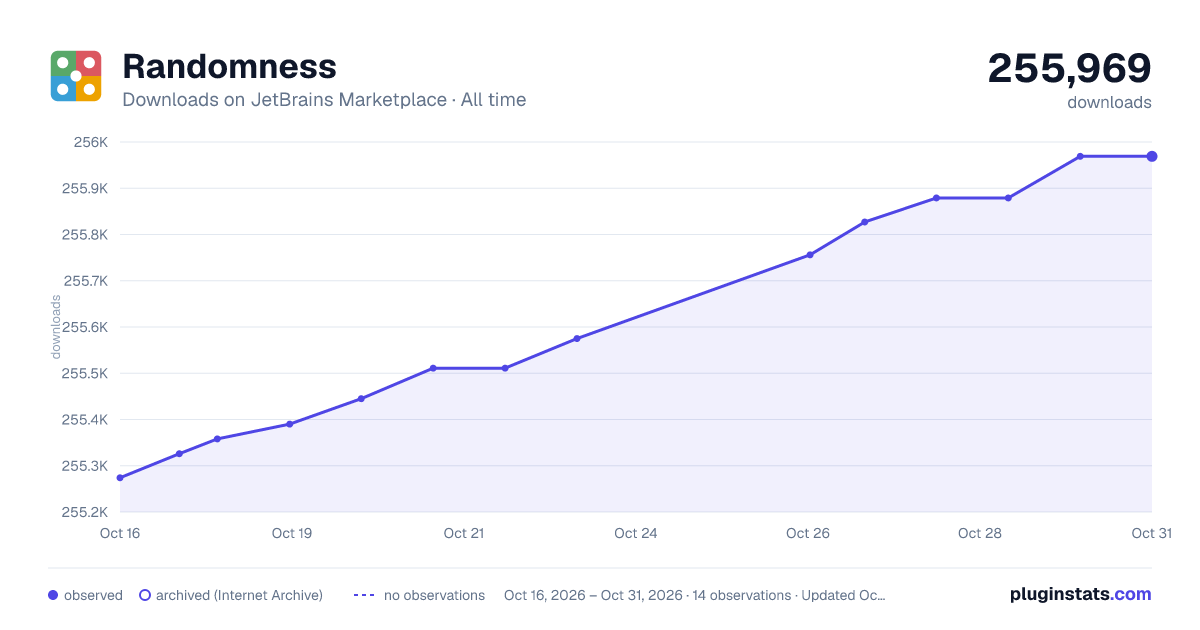
Randomness has 255,390 recorded downloads on JetBrains Marketplace.
It ranks #584 of 2,501 tracked JetBrains Marketplace listings by downloads.
It is rated 4.9 out of 5 from 15 ratings.
PluginStats has 4 daily observations since Oct 16, 2026; the latest is from Oct 19, 2026.
Rating: 4.93 / 5 from 15 ratings
About Randomness
Insert random numbers, UUIDs, names, IP addresses, and much more using an IntelliJ action.
To insert random data, press Alt + R (or ⌥R) to open the list of available templates and choose one that suits your task. By default, a different value is inserted at each caret.
🕸 Data Types
There are six basic data types that can be inserted and customised:
• Integers, such as 7,826,922, from a custom range, in any base from binary to hexatrigesimal. • Decimals, such as 8,816,573.10, using customisable separators. • Strings, such as "PaQDQqSBEH", with support for reverse regex. • Words, such as "Bridge", with predefined or custom word lists. • UUIDs, such as 0caa7b28-fe58-4ba6-a25a-9e5beaaf8f4b, with or without dashes. • Date-times, such as 2022-02-03 19:03, or any other format you want.
🧬 Templates
For complex kinds of data, you can use templates. A template is a list of data types that should be concatenated to create random data. Insert phone numbers, email addresses, URLs, IP addresses, or any custom data type you can think of. Of course, Randomness comes bundled with a multitude of predefined templates to help you out. To help you save time, you can also include templates inside other templates using references.
🗃️ Arrays
Need a lot of data? Insert an entire array of any template you want. For example, an array of integers might look like [978, 881, 118, 286, 288] or {0: "dog", 1: "giraffe", 2: "mouse"}. You can customise the brackets, delimiter, element format, and number of elements to your liking every time you insert an array, because no two arrays are the same.
⌨ Shortcuts
Instead of using up all your shortcuts, Randomness only uses the Alt + R (or ⌥R) shortcut by default. However, to streamline your workflow, you can assign shortcuts to any template under your IDE's Keymap settings.
💨 Fast insertion
The insertion popup (shown when you press Alt + R (or ⌥R) by default) is searchable: Just type something in the popup and relevant templates will be filtered out. Or use the hotkeys that are assigned to the first 10 templates in the list: Press any digit to directly insert the corresponding template. Reorder templates in the settings menu to change which template uses which hotkey.
👀 Previews
To help you decide what settings to choose, a preview of the template is shown while you're editing.
Description from the JetBrains Marketplace listing.
- Code Tools
- Editor
Where Randomness sits in the listing
Each band is one page of 20. Downloads on a log scale. Placement is projected from downloads, so it can differ from the marketplace's own sort order. Hover a dot to see the listing.
Charts
Images: 30d · 1y · all time · 1600×900 dark
Adoption over time
7/30/90-day growth
Ranking history
Filled points are observed values; hollow points come from Internet Archive snapshots of the listing page. Dashed segments span periods with no observations — values between points are not interpolated.
Recent observations
Full history (4)Similar JetBrains Marketplace Code Tools plugins




Data source
Cumulative download counts come from the public JetBrains Marketplace API. JetBrains reports downloads, not active installs. Ratings are the mean of public votes.
Listing: https://plugins.jetbrains.com/plugin/9836-randomness. First seen Oct 16, 2026; last successful collection Oct 19, 2026. See the methodology.