 PluginStats
ANSI Highlighter Premium downloads statistics
By Ahmed Layouni · JetBrains Marketplace · Debugging
ANSI Highlighter Premium enables the fast rendering of ANSI control-code sequences in log files, regardless their size, from within the text editor of all IntelliJ...
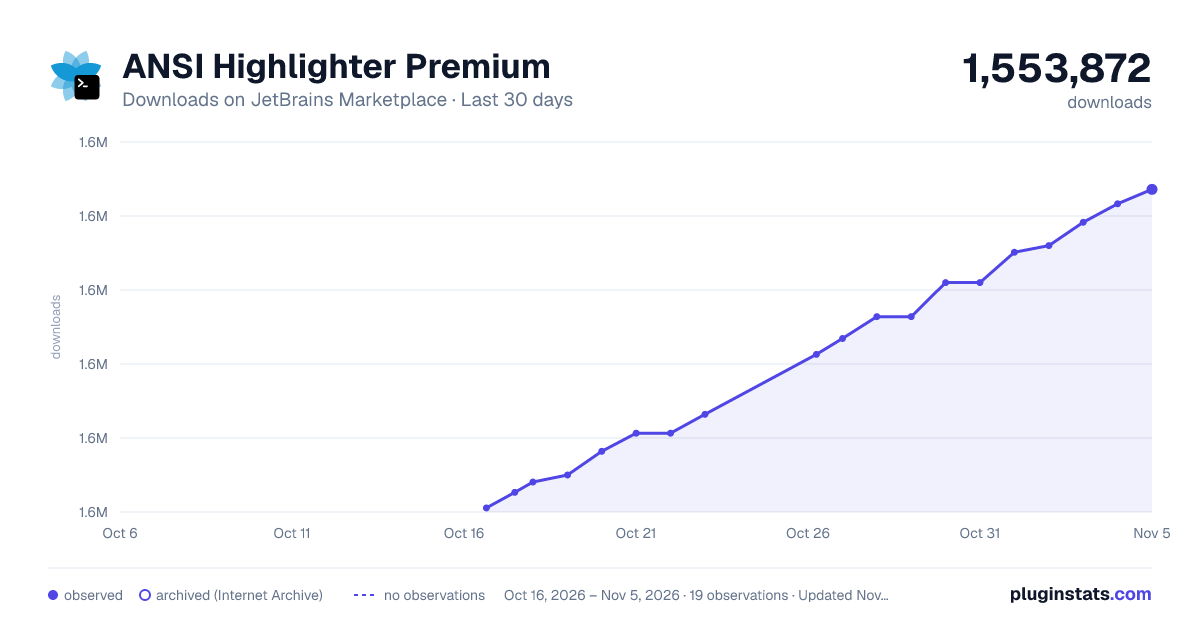
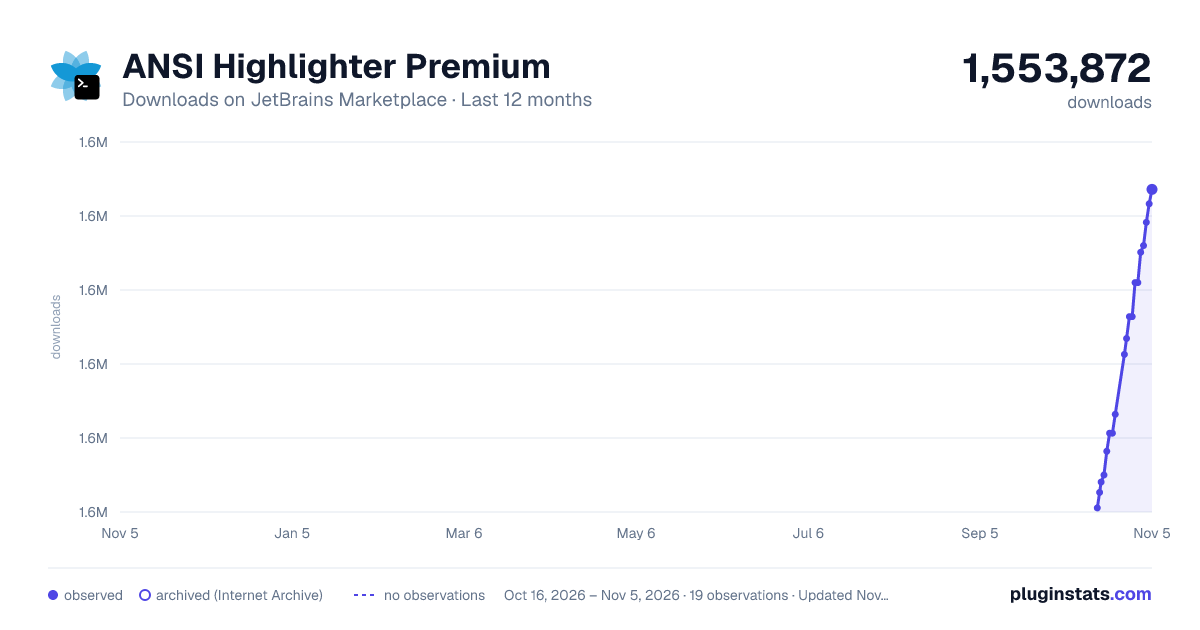
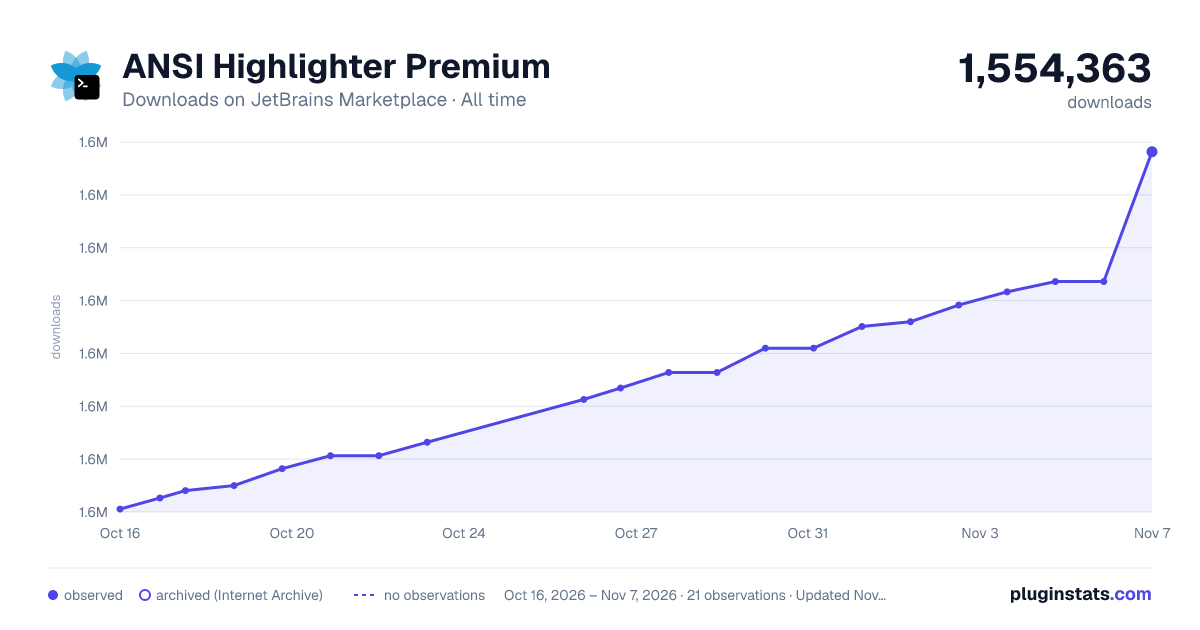
ANSI Highlighter Premium has 1,553,081 recorded downloads on JetBrains Marketplace.
It ranks #212 of 2,500 tracked JetBrains Marketplace listings by downloads.
It is rated 4.9 out of 5 from 35 ratings.
PluginStats has 3 daily observations since Oct 16, 2026; the latest is from Oct 18, 2026.
Rating: 4.91 / 5 from 35 ratings
About ANSI Highlighter Premium
ANSI Highlighter Premium enables the fast rendering of ANSI control-code sequences in log files, regardless their size, from within the text editor of all IntelliJ Platform-based products. The following features are available.
Customizable ANSI colors:
• Go to Settings | Editor | Colors Scheme | Console Colors • Expand 'ANSI Colors' • Customize foreground and background colors as needed • Press 'Apply' • Default foreground can be customized from Settings | Editor | Colors Scheme | Console Colors | Console | Standard Output | Foreground
Customizable 'ANSI Aware' file extensions:
• Go to Settings | Editor | File Types • Under 'Recognized File Types' select 'ANSI Aware' • Under 'File name patterns' add your custom 'ANSI Aware' file extensions, *.log is added by default • Press 'Apply'
Double display mode:
Use any of the following options to switch between ANSI Highlighter vs Plain modes:
• Click 'Show Plain Mode' from the banner on top of the editor • Switch between 'Plain' and 'ANSI Highlighter' tabs at the bottom • Right click on the editor and press 'Switch to Plain / ANSI Highlighter mode' • Alternatively place the caret on the editor and use the keyboard shortcut 'ctrl meta A' (customizable from Settings | Keymap | Plugins | ANSI Highlighter Premium)
Optional extended ANSI viewer:
• Enable/disable under Settings | Editor | ANSI Highlighter | Use the extended ANSI viewer for smaller files • Activates 'Paste as ANSI' and line numbers gutter within the IDE file size limit • The status bar shows the displayed line/column and selection size, plus the source file's line endings, encoding, and indentation settings. Click the position to go to a line. • The fast restricted ANSI viewer continues to be used when extended viewer is disabled, or file size exceeds IDE file size limit. • Keep the option disabled for continuously growing logs: substantial growth can cause memory overflow / IDE errors. • Disabled by default: user should be aware of growing files risk before they optin
Copy/Paste as ANSI:
• Select highlighted text in ANSI Highlighter mode and activate 'Copy as ANSI' from the context menu. • Use 'Paste as ANSI' to paste, save the target file and trigger ANSI code detection. • 'Paste as ANSI' under ANSI Highlight mode offers optional line breaks before and after the pasted text. • Shortcuts can be assigned under Settings | Keymap | Plugins | ANSI Highlighter Premium. • Copied fragment starts and ends with a reset. • ANSI Highlight mode restores trailing text styles after reset, plain mode doesn't. • 'Paste as ANSI' is available only within the IDE file size limit. • 'Paste as ANSI' is not available under ANSI Highlight mode when extended ANSI viewer is disabled. • Undo/Redo is supported under ANSI Highlight mode when extended ANSI viewer is enabled. • Normal Copy/Paste continues to copy/paste plain text.
Supported ANSI codes:
• Reset code (0) • Bold code (1) • Dim / faint code (2) • Italic code (3) • Single Underline code (4) • All text foreground color codes (30-37) • All text high intensity foreground color codes (90-97) • All text background color codes (40-47) • All text high intensity background color codes (100-107)
Hyperlinks:
• Clickable JVM stack trace locations • Clickable URL/URI links • Clickable absolute local file paths • Clickable file paths with line numbers when available
Soft Wrap:
• Go to Settings | Editor | General | Console • Toggle 'Use soft wraps in console' • To force soft wrap when line length is too large go to Settings | Advanced Settings • Customize 'Force soft wrap in documents with lines larger than...'
Issue tracker - Plugin website - About us
Description from the JetBrains Marketplace listing.
- Debugging
- Editor
- Editor Color Schemes
- Formatting
Where ANSI Highlighter Premium sits in the listing
Each band is one page of 20. Downloads on a log scale. Placement is projected from downloads, so it can differ from the marketplace's own sort order. Hover a dot to see the listing.
Charts
Images: 30d · 1y · all time · 1600×900 dark
Adoption over time
7/30/90-day growth
Ranking history
Filled points are observed values; hollow points come from Internet Archive snapshots of the listing page. Dashed segments span periods with no observations — values between points are not interpolated.
Recent observations
Full history (3)Similar JetBrains Marketplace Debugging plugins




Data source
Cumulative download counts come from the public JetBrains Marketplace API. JetBrains reports downloads, not active installs. Ratings are the mean of public votes.
Listing: https://plugins.jetbrains.com/plugin/9707-ansi-highlighter-premium. First seen Oct 16, 2026; last successful collection Oct 18, 2026. See the methodology.