 PluginStats
dprint downloads statistics
By dprint · JetBrains Marketplace · Formatting
This plugin adds support for dprint, a flexible and extensible code formatter (dprint.dev). Please report bugs and feature requests to our github. N.B. Currently only...
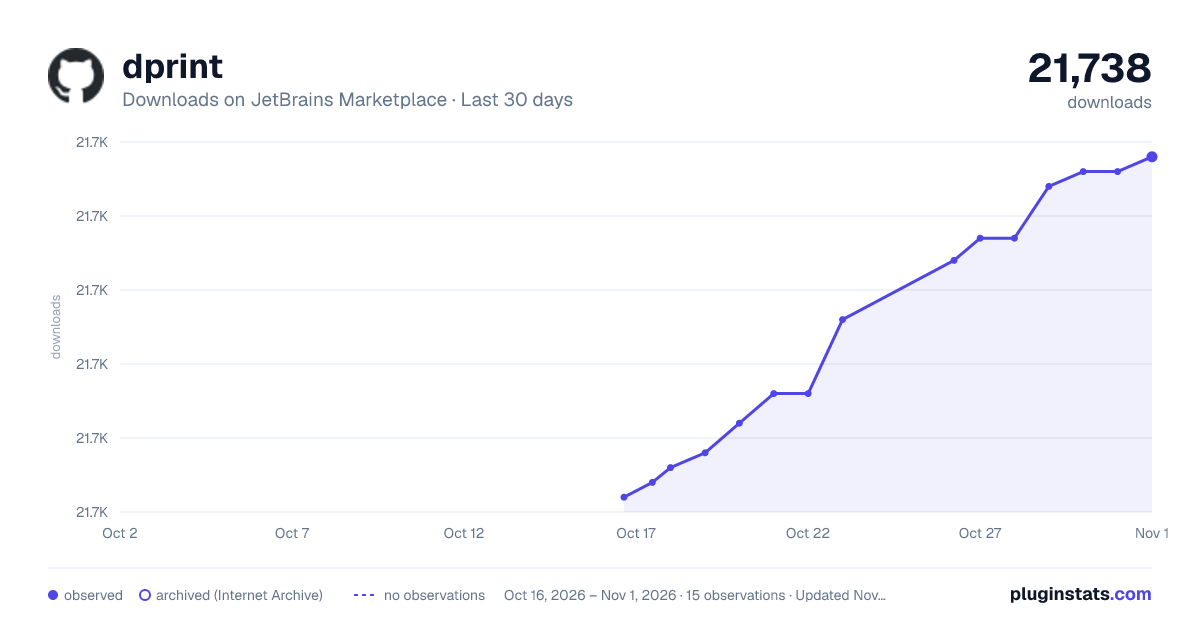
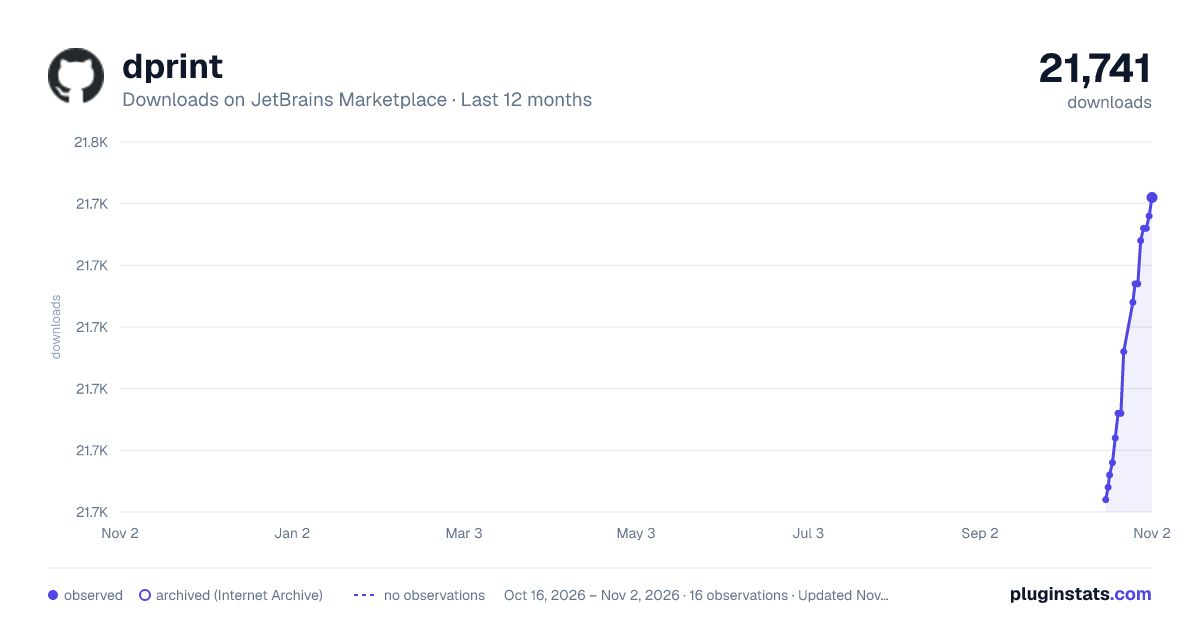
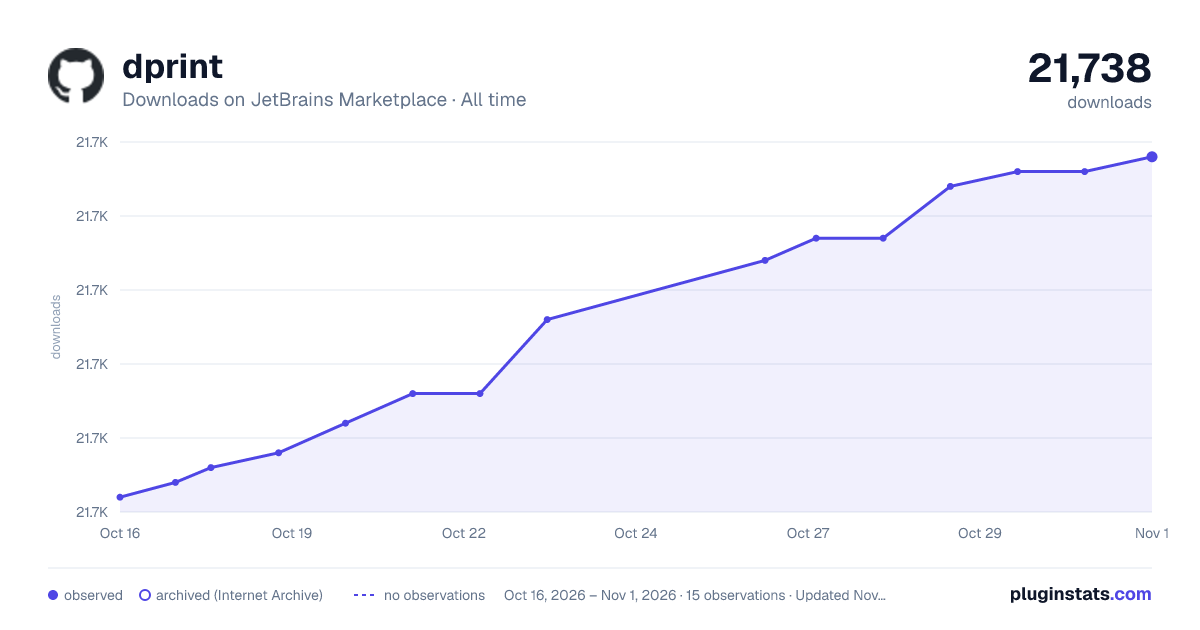
dprint has 21,696 recorded downloads on JetBrains Marketplace.
It ranks #2066 of 2,500 tracked JetBrains Marketplace listings by downloads.
It is rated 3.5 out of 5 from 2 ratings.
PluginStats has 3 daily observations since Oct 16, 2026; the latest is from Oct 18, 2026.
Rating: 3.50 / 5 from 2 ratings
About dprint
This plugin adds support for dprint, a flexible and extensible code formatter (dprint.dev). Please report bugs and feature requests to our github.
N.B. Currently only UTF-8 file formats are supported correctly.
To use this plugin:
• Install and configure dprint for your repository, dprint.dev/setup • Configure this plugin at Preferences -> Tools -> dprint. • Ensure Enable dprint is checked • To run dprint on save check Run dprint on save. • To enable overriding the default IntelliJ formatter check Default formatter override. If a file can be formatted via dprint, the default IntelliJ formatter will be overridden and dprint will be run in its place when using Option+Shift+Cmd+L on macOS or Alt+Shift+Ctrl+L on Windows and Linux.
• To enable verbose logging from the underlying dprint daemon process check Verbose daemon logging • If your dprint.json config file isn't at the base of your project, provide the absolute path to your config in the Config file path field, otherwise it will be detected automatically.
• If dprint isn't on your path or in node_modules, provide the absolute path to the dprint executable in the Executable path field, otherwise it will be detected automatically.
• Use the "Reformat with dprint" action by using the "Find Action" popup (Cmd/Ctrl+Shift+A). • Output from the plugin will be displayed in the dprint tool window. This includes config errors and any syntax errors that may be stopping your file from being formatted.
This plugin uses a long-running process known as the editor-service. If you change your dprint.json file outside of IntelliJ or dprint is not formatting as expected, run the Restart dprint action. If you need to reset all settings to defaults, use the Reset to Defaults button in Preferences -> Tools -> dprint. This will reset all configuration values and restart the editor service.
The plugin supports both dprint schema v4 and v5 and will automatically detect the appropriate version based on your dprint installation.
Please report any issues with this Intellij plugin to the github repository.
Description from the JetBrains Marketplace listing.
- Formatting
Where dprint sits in the listing
Each band is one page of 20. Downloads on a log scale. Placement is projected from downloads, so it can differ from the marketplace's own sort order. Hover a dot to see the listing.
Charts
Images: 30d · 1y · all time · 1600×900 dark
Adoption over time
7/30/90-day growth
Ranking history
Filled points are observed values; hollow points come from Internet Archive snapshots of the listing page. Dashed segments span periods with no observations — values between points are not interpolated.
Recent observations
Full history (3)Similar JetBrains Marketplace Formatting plugins




Data source
Cumulative download counts come from the public JetBrains Marketplace API. JetBrains reports downloads, not active installs. Ratings are the mean of public votes.
Listing: https://plugins.jetbrains.com/plugin/18192-dprint. First seen Oct 16, 2026; last successful collection Oct 18, 2026. See the methodology.