 PluginStats
Jetpack Compose UI Architecture Templates downloads statistics
By Roman Levinzon · JetBrains Marketplace · Android
Jetpack Compose UI Architecture Plugin provides a set of templates that to make the development of new Jetpack Compose features faster. Feels like something is missing...
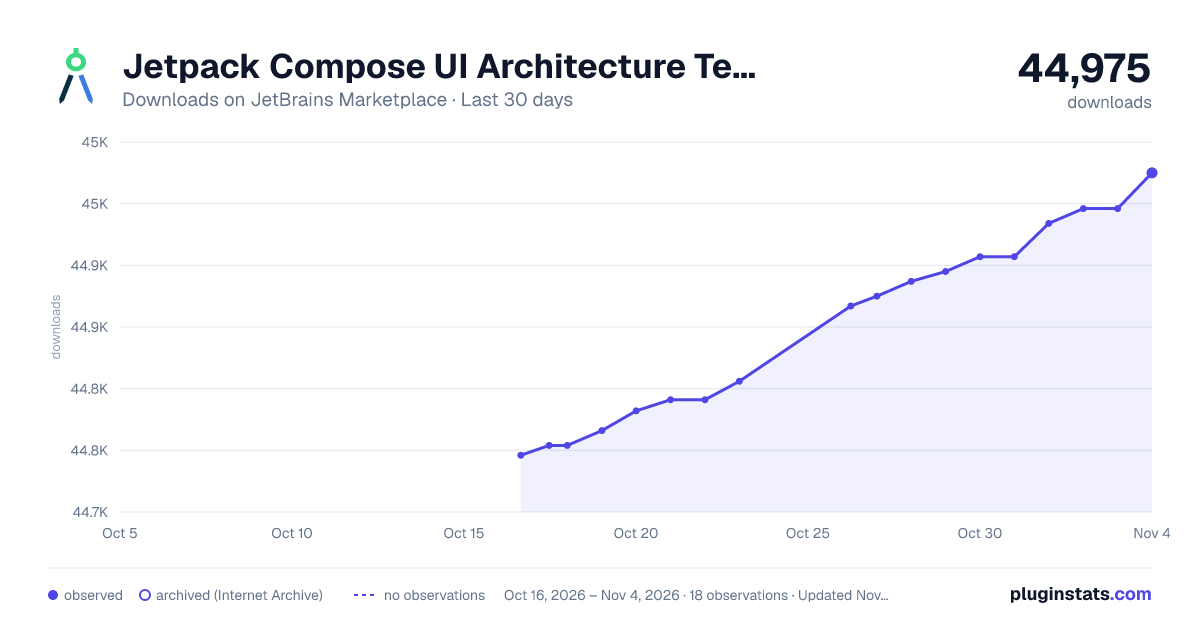
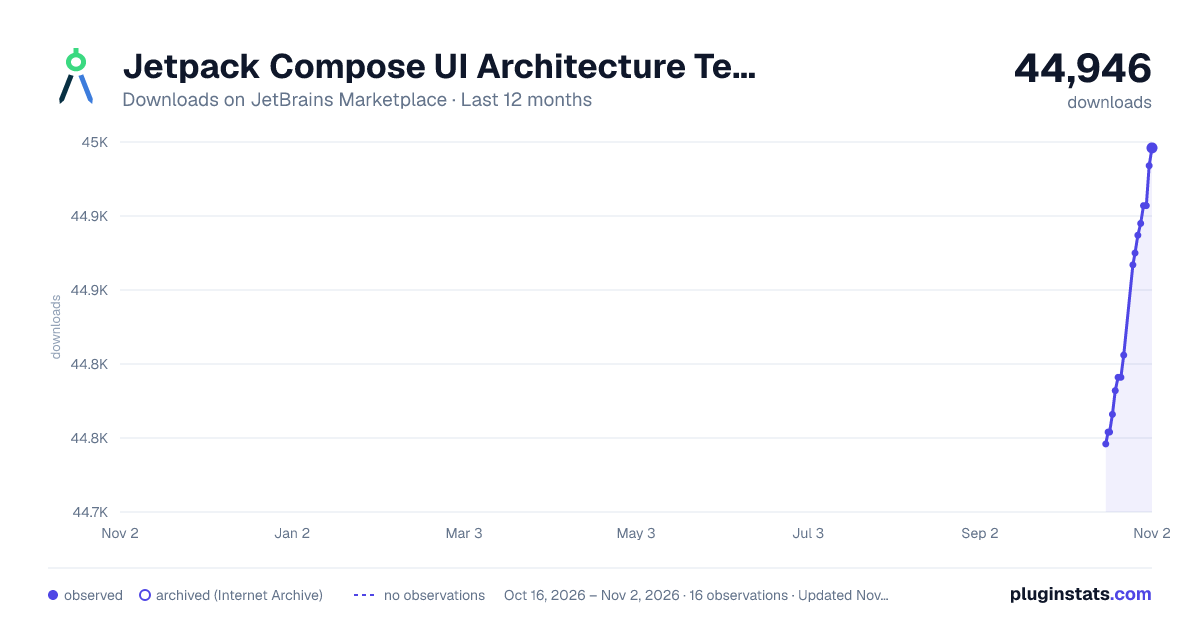
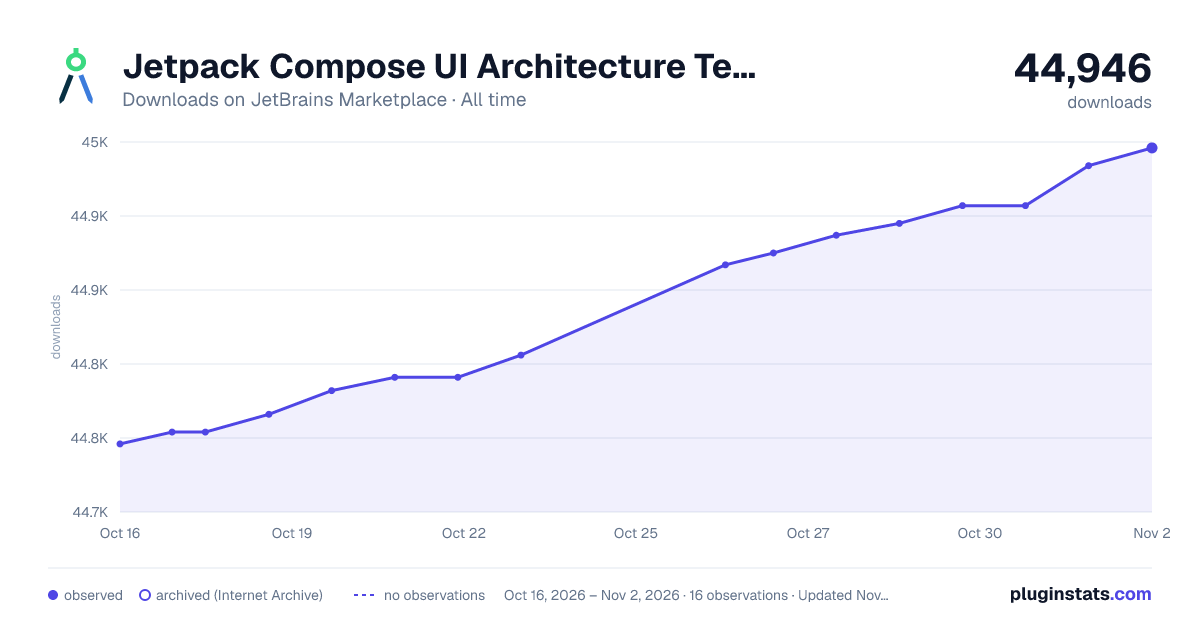
Jetpack Compose UI Architecture Templates has 44,754 recorded downloads on JetBrains Marketplace.
It ranks #1382 of 2,500 tracked JetBrains Marketplace listings by downloads.
It is rated 4.2 out of 5 from 5 ratings.
PluginStats has 3 daily observations since Oct 16, 2026; the latest is from Oct 18, 2026.
Rating: 4.20 / 5 from 5 ratings
About Jetpack Compose UI Architecture Templates
Jetpack Compose UI Architecture Plugin provides a set of templates that to make the development of new Jetpack Compose features faster.
Feels like something is missing or can be improved? Please submit a
• 🔧 Bug report • 🙋 Feature request
To learn more about the architecture and templates are based on it, you can check following sources
• Jetpack Compose UI Architecture Article - Introduction to all the components with the example and motivation behind it • Compose UI Architecture Docs - GitHub pages that's hosts more in-depth explanations, rules and examples.
New Feature Dialog
This dialog allows you to create several files related to Jetpack Compose UI Architecture. After you provide a name for your feature, plugin will generate following:
• [featname] - package (lowercased) (optional) • [FeatName]Contract - contains UIState, Actions emitted from the UI layer, PreviewParameterProvider (optional) and Destination for a Route (optional) • [FeatName]Screen - Complete UI structure with Scaffold, TopAppBar, and content Column. Uses Material or Material3 components based on your UI Library setting. If PreviewParameterProvider is enabled, it will be used to render the preview • [FeatName]Coordinator - Main State holder of the Screen, controls the screen UI logic and Interactions • [FeatName]Route - Main entry point, tied to Coordinator and delegates all the Actions to it, Emits Screen. Optionally can contain navigation code • [FeatName]ViewModel - Basic implementation of your ViewModel
Advanced Options Dialog
The dialog also provides several options to customize the generated code, can be accessed by using "More Options" button when creating new feature
• Preview Parameter Provider - If enabled, the plugin will generate a PreviewParameterProvider for you. This will allow you to provide different states to your preview • Navigation Type - Allows you to choose between Navigation Compose Typed and Compose Destinations to generate the navigation code in the Route/Contract file • ViewModel Injection - Allows you to configure DI for your ViewModel. Hilt and Koin are supported • Actions Type - Allows you to choose between Sealed Class and Data Class for the Actions in the Contract file
AI Integration
Starting with version 1.3.0 the plugin now has a dedicated settings page where you can configure the AI client. The plugin supports both Ollama AI and OpenAI. The New Feature Dialog now has a Prompt field. By using this prompt, your basic feature template will be enhanced with some methods and calls prefilled based on your use case. Here is a quick example of how it works:
Prerequisite:
• For Ollama: You need to have an Ollama model hosted somewhere. You can use the Ollama CLI to host the model on your local machine or use the Ollama cloud service. • For OpenAI: You need an API key from the OpenAI platform.
Configure AI Client
• Go to Settings/Preferences | Tools | Jetpack Compose UI Arch Plugin | AI Settings / Alternatively, you can use the search bar in the settings and type Jetpack Compose UI Arch Plugin or open this dialog from new Feature Dialog • Select your preferred AI client (Ollama or OpenAI) • For Ollama: • Specify the URL where your Ollama model is hosted • Specify the model name, the default model name is codegemma, this model is recommended • (Optional) Specify the timeout • For OpenAI: • Enter your API key (never leaves your IDE) • Specify the host URL (defaults to OpenAI's API) • Specify the model ID you want to use • (Optional) Specify the timeout • Click Apply and then Test Connection to verify the connection
Using AI in New Feature Dialog
To new feature dialog, you will see a new field called Prompt. Here you can specify a prompt for the AI model. The AI model will generate the feature template based on this prompt. By leaving the prompt empty, you will get the default feature template.
The prompt can be anything really, but the recommended way would to provide the short description and element you expect from your UI. For example, given you are creating a login screen you can type: username, password, loading state
UI Library Settings
Starting with version 1.6.0, you can now choose between Material and Material3 for all generated templates. This setting affects the components used in your generated screens, components, and live templates. The plugin automatically enables or disables the appropriate live template groups based on your selection, so you'll only see templates that match your chosen library.
To configure your UI Library preference:
• Go to Settings/Preferences | Tools | Jetpack Compose UI Arch Plugin | UI Settings • Select your preferred UI Library (Material or Material3) • Click Apply
The plugin remembers your preference and automatically configures everything when you start your IDE.
Live Templates
Along with the templates provided with the Dialogs, this plugin also provides several live templates. There are currently multiple groups of Live Templates available: Compose Foundation, UI Arch, and Material/Material3
Compose Foundation Live Templates
This set of templates contains most commonly used layouts and effects that can be used in any project
• col -> Create Composable Column with pre-defined Modifier and Arrangement • row-> Create Composable Row with pre-defined Modifier and Arrangement • box -> Create Composable Box with Modifier • laun -> Create Launched Effect with Unit Key • disp -> Create Disposable Effect with Unit Key and onDispose Prepared
Compose UI Arch Live Templates
Templates that help you build components following the UI Architecture pattern
• compon -> Creates new Compose UI Component with the Modifier as the parameter and a Preview • ppp -> Creates a new PreviewParameterProvider setup • coord -> Creates a new Coordinator class with remember function
Material/Material3 Live Templates…
Description from the JetBrains Marketplace listing.
- Android
- Code Tools
Where Jetpack Compose UI Architecture Templates sits in the listing
Each band is one page of 20. Downloads on a log scale. Placement is projected from downloads, so it can differ from the marketplace's own sort order. Hover a dot to see the listing.
Charts
Images: 30d · 1y · all time · 1600×900 dark
Adoption over time
7/30/90-day growth
Ranking history
Filled points are observed values; hollow points come from Internet Archive snapshots of the listing page. Dashed segments span periods with no observations — values between points are not interpolated.
Recent observations
Full history (3)Similar JetBrains Marketplace Android plugins




Data source
Cumulative download counts come from the public JetBrains Marketplace API. JetBrains reports downloads, not active installs. Ratings are the mean of public votes.
Listing: https://plugins.jetbrains.com/plugin/19034-jetpack-compose-ui-architecture-templates. First seen Oct 16, 2026; last successful collection Oct 18, 2026. See the methodology.