 PluginStats
codehelper.generator downloads statistics
By zhengjun du · JetBrains Marketplace · Code Tools
GitHub | Issues An Generator, generate code more easily and productive. GenAllSetter Features Auto gen all Setter method(method start with set) when you click...
codehelper.generator has 65,351 recorded downloads on JetBrains Marketplace, ranking #1146 of 2,502 tracked listings.
Rating: 5.00 / 5 from 1 ratings
About codehelper.generator
GitHub | Issues
An Generator, generate code more easily and productive.
GenAllSetter Features
• Auto gen all Setter method(method start with set) when you click GenAllSetter btn(support shortcut). • Auto gen all Setter method with default value when you click GenAllSetter btn twice.
GenAllSetter Usage
• Click main menu Tools-> Codehelper-> GenAllSetter button to generate the code
GenDaoCode Features
• Generate dao, service, sql and mybatis xml file according to pojo by one click. • Update sql, mybatis xml file elegantly when the pojo file updated by one click. • Provide insert, insertList, select, update and delete method. • You can generate for multi pojo by once click. • Recognize comment of pojo fields automatically and add as sql comment. • Support rich config by config file, and use default config for no config file. • Shortcut for generate. • Support java + MySQL and later will support more DB. • code at GitHub to learn more.
GenDaoCode Usages
• Click main menu Tools-> Codehelper-> GenDaoCode button to generate the code. • Method One: Click GenDaoCode, and then enter the Pojo name in prompt box, multiple Pojo separated by | , CodeHelper will generate code use default config.
• Method two: Add a codehelper.properties in you project directory. Click GenDaoCode and Codehelper Generator will generates code for you based on codehelper.properties file.
GenAllSetter 特性
• 在Java方法中, 根据 new 关键词, 为Java Bean 生成所有Setter方法。 • 按GenAllSetter键两次, 会为Setter方法生成默认值。 • 可在Intellij Idea中为GenAllSetter设置快捷键。 • 如何使用: • 将光标移动到 new 语句的下一行。 • 点击主菜单Tools-> Codehelper-> GenAllSetter, 或者按下GenAllSetter快捷键。
GenDaoCode 特性
• 根据Pojo 文件一键生成 Dao,Service,Xml,Sql文件。 • Pojo文件更新后一键更新对应的Sql和mybatis xml文件。 • 提供insert,insertList,update,select,delete五种方法。 • 能够批量生成多个Pojo的对应的文件。 • 自动将pojo的注释添加到对应的Sql文件的注释中。 • 丰富的配置,如果没有配置文件,则会使用默认配置。 • 可以在Intellij Idea中快捷键配置中配置快捷键。 • 目前支持MySQL + Java,后续会支持更多的DB。 • 如果喜欢我们的插件,非常感谢您的分享。
GenDaoCode 使用方法
• 主菜单Tools-> Codehelper-> GenDaoCode 按键便可生成代码。 • 方法一:点击GenDaoCode,然后根据提示框输入Pojo名字,多个Pojo以 | 分隔。 • Codehelper Generator会根据默认配置为您生成代码。 • 方法二:在工程目录下添加文件名为codehelper.properties的文件。 • 点击GenDaoCode,Codehelper Generator会根据您的配置文件为您生成代码 • 如何配置: https://github.com/zhengjunbase/codehelper.generator
联系作者 & 加入开发
• QQ群: 322824200
Description from the JetBrains Marketplace listing.
- Code Tools
README badge
Show your rank in a README or on your website. The badge updates automatically.
Charts
Images: 30d · 1y · all time · 1600×900 dark
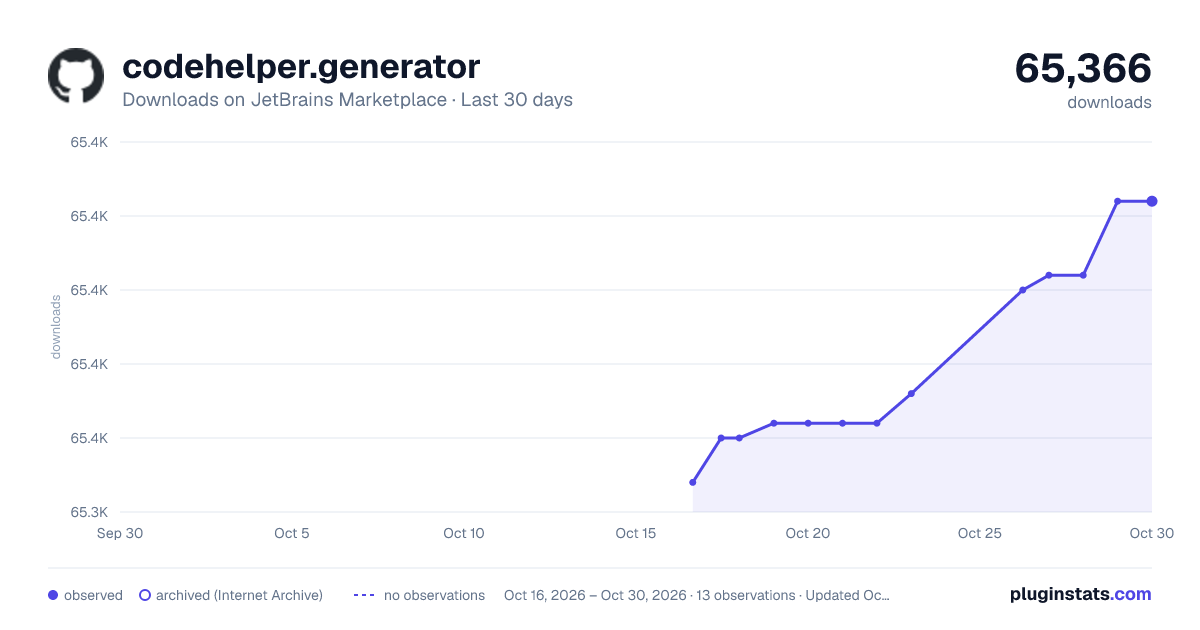
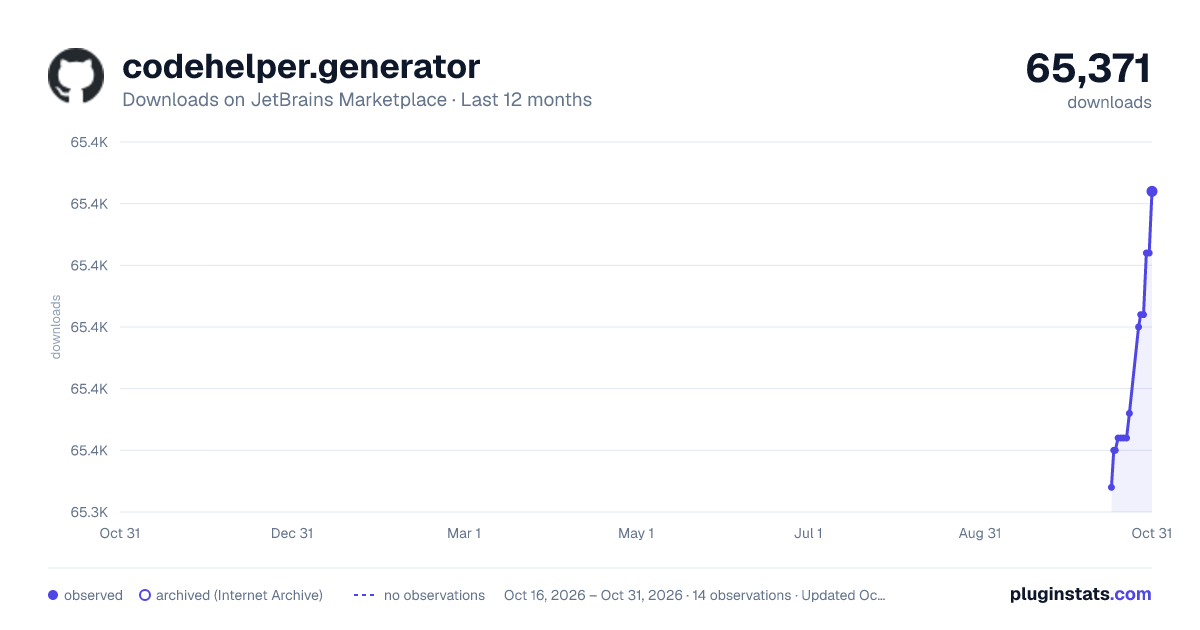
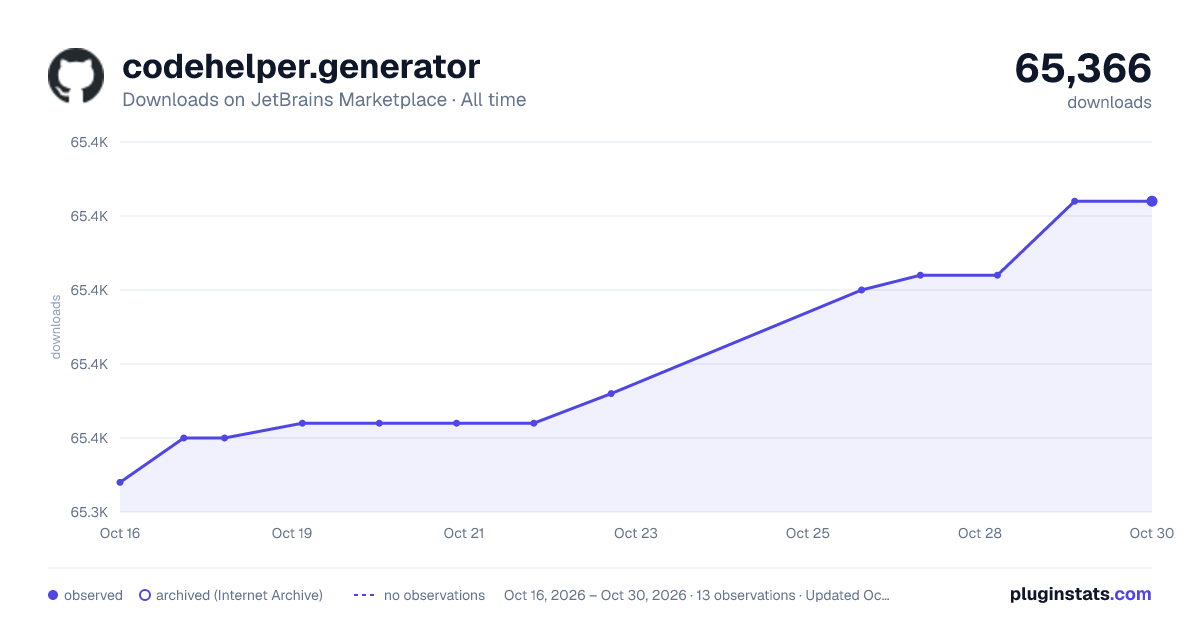
Adoption over time
7/30/90-day growth
Ranking history
Ratings over time
Listing placement
Listing placement
Filled points are observed values; hollow points come from Internet Archive snapshots of the listing page. Dashed segments span periods with no observations — values between points are not interpolated.
Each band is one page of 20. Downloads on a linear scale. Placement is projected from downloads, so it can differ from the marketplace's own sort order. Hover a dot to see the listing.
Recent observations
Full history (5)Similar JetBrains Marketplace Code Tools plugins
All 20 codehelper.generator alternatives



Data source
Cumulative download counts come from the public JetBrains Marketplace API. JetBrains reports downloads, not active installs. Ratings are the mean of public votes.
Listing: https://plugins.jetbrains.com/plugin/8640-codehelper-generator. First seen Oct 16, 2026; last successful collection Oct 20, 2026. See the methodology.