 PluginStats
amazon/amazon-keyspaces-toolkit pulls statistics
By amazon (81 listings) · Docker Hub · Databases & storage
Cassandra Query Language Shell (CQLSH) and common developer tooling configured for Amazon Keyspaces
amazon/amazon-keyspaces-toolkit has 3,408 recorded pulls on Docker Hub.
It ranks #1042 of 1,263 tracked Docker Hub listings by pulls.
PluginStats has 4 daily observations since Oct 16, 2026; the latest is from Oct 19, 2026.
About amazon/amazon-keyspaces-toolkit
Amazon Keyspaces (for Apache Cassandra) developer toolkit
This repository contains Cassandra Query Language Shell (CQLSH) and common Cassandra developer tooling preconfigured for Amazon Keyspaces. The toolkit is based on open-source Apache Cassandra tooling, but is optimized for Amazon Keyspaces and Amazon Web Services. Amazon Keyspaces (for Apache Cassandra) is a scalable, highly available, and managed Apache Cassandra–compatible database service. You don’t have to provision, patch, or manage servers, and you don’t have to install, maintain, or operate software. Amazon Keyspaces is serverless, so you pay for only the resources you use and the service can automatically scale tables up and down in response to application traffic.
The toolkit contains the cqlsh-expansion utility. The cqlsh-expansion supports the Amazon Keyspaces Sigv4 Authentication plugin. The SigV4AuthProvider plugin enables IAM users, roles, and federated identities to add authentication information to Amazon Keyspaces API requests using the AWS Signature Version 4 Process (SigV4).
What's included
This docker image extends the official AWS CLI version 2 Docker image allowing users to access cqlsh or the AWS CLI from the same container. Since Amazon Keyspaces requires SSL communication by default, the container also includes the Amazon Web Services Starfield digital certificate file and preconfigured cqlshrc file to get started quickly. Included are helpers collected from working with customers in the field to help with common administrative task like creating a table or capturing the average row size. For more on whats included and the source code visit the amazon-keyspaces-toolkit github repository.
Docker CLI usage
Tags
There are two sets of supported tags:
Latest - This corresponds to the latest released version of the Amazon Keyspaces toolkit.
- This corresponds to each released version of the Amazon Keyspaces toolkit. For example, to use version 0.7.8 of the toolkit, use the tag 0.7.8. These tags are immutable and pushed once upon release of a particular version of the toolkit. These versions will also have a fixed version of the AWS CLI base image. The Amazon Keyspaces toolkit can be executed from the Docker CLI with the following docker run command: The flag will provide an interactive session, the will remove the container after execution, and the flag is a cqlsh parameter that will print the version of the cqlsh process..
This command will print out the version of the cqlsh script executed in the container. Note that the cqlsh-expansion executable was not specified in the docker run command. This is because the entrypoint for the image is defined as the cqlsh-expansion executable. All parameters passed after the image will be passed to the cqlsh-expansion executable running in the container. For a list of cqlsh commands see the Apache Cassandra cqlsh documentation or by executing the command.
Support for Multiple Authentication models
The Amazon Keyspaces toolkit include the cqlsh-expansion script which extends the legacy cqlsh script to improve integration AWS IAM. You can access Amazon Keyspaces through IAM user or IAM roles. To authenticate using IAM roles you will want to use the custom authentication provider “SigV4AuthProvider”. For service specific credentials for IAM user, you will want to use the legacy “PlainTextAuthProvider” for user name and password.
Custom Authentication Provider
The cqlsh-expansion has an additional flag --auth-provider that allows for additional authentication providers. The cqlsh-expansion comes with SigV4AuthProvider for Amazon Keyspaces. The SigV4AuthProvider plugin enables IAM users, roles, and federated identities to add authentication information to Amazon Keyspaces API requests using the AWS Signature Version 4 Process (SigV4). To access the aws credentials for the container host you can mount the directory using the docker mount command.
PlainTextAuthProvider
PlainTextAuthProvider is the default authentication provider in cqlsh. This provider implements a Simple Authentication and Security Layer (SASL) requiring the user to provide a username and password on connection. You can use the PlainTextAuthProvider with Amazon Keyspaces by creating Identity Access Management (IAM) service-specific credentials. Service-specific credentials is specific to Amazon Keyspaces and enable IAM users to access the service. The credentials cannot be used to access other AWS services. They are associated with a specific IAM user and cannot be used by other IAM users. To learn more about service specific credentials and how to create them see the following documentation Generate Service Specific Credentials.
Drop-in replacement for cqlsh
Now, simplify the setup by assigning an alias (or DOSKEY for Windows) to the Docker command. The alias acts as a shortcut, enabling you to use the alias keyword instead of typing the entire command. You will use cqlsh as the alias keyword so that you can use the alias as a drop-in replacement for your existing Cassandra scripts.
The alias contains the parameter , which mounts the current directory of the host allowing access to local files. This is useful for importing and exporting data with COPY or using the cqlsh command to load external cqlsh scripts.
Now run the alias command by calling the alias name. The cqlsh alias will spin up a new container with the cqlsh-expansion process. You can pass standard cqlsh commands or start an interactive session. The command below will execute the version command returning the cqlsh version without having to specify the docker commands each time.
Visit the Amazon Keyspaces toolkit github repository for more examples, tooling, and best practices.
Description from the Docker Hub listing.
Where amazon/amazon-keyspaces-toolkit sits in the listing
Each band is one page of 20. Pulls on a log scale. Placement is projected from pulls, so it can differ from the marketplace's own sort order. Hover a dot to see the listing.


Charts
Images: 30d · 1y · all time · 1600×900 dark
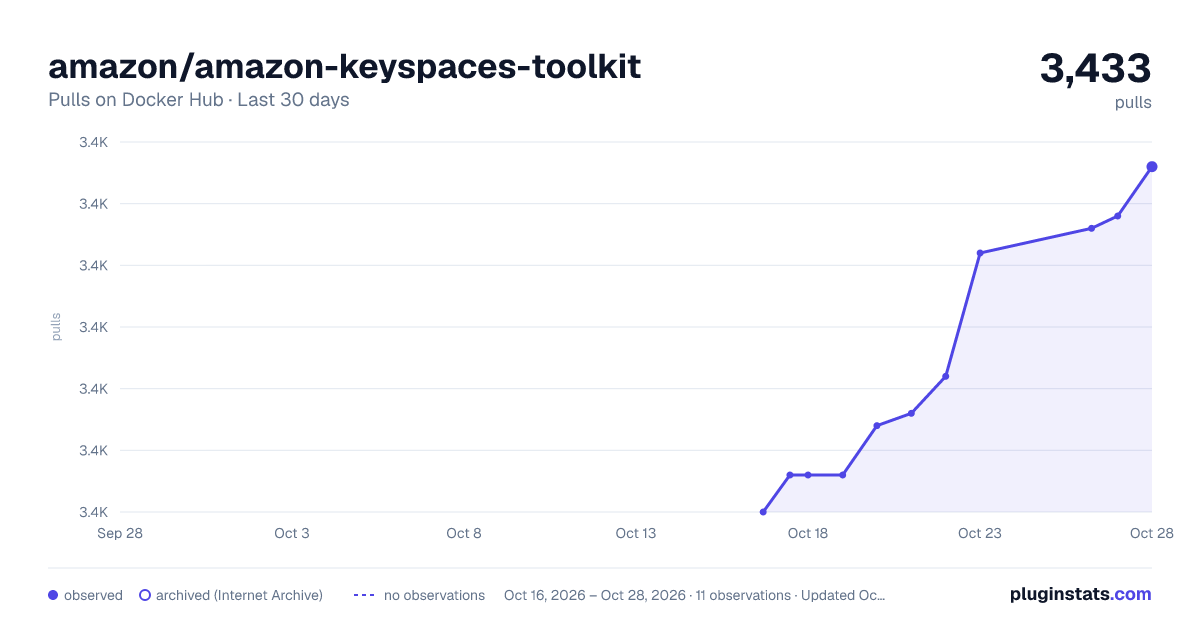
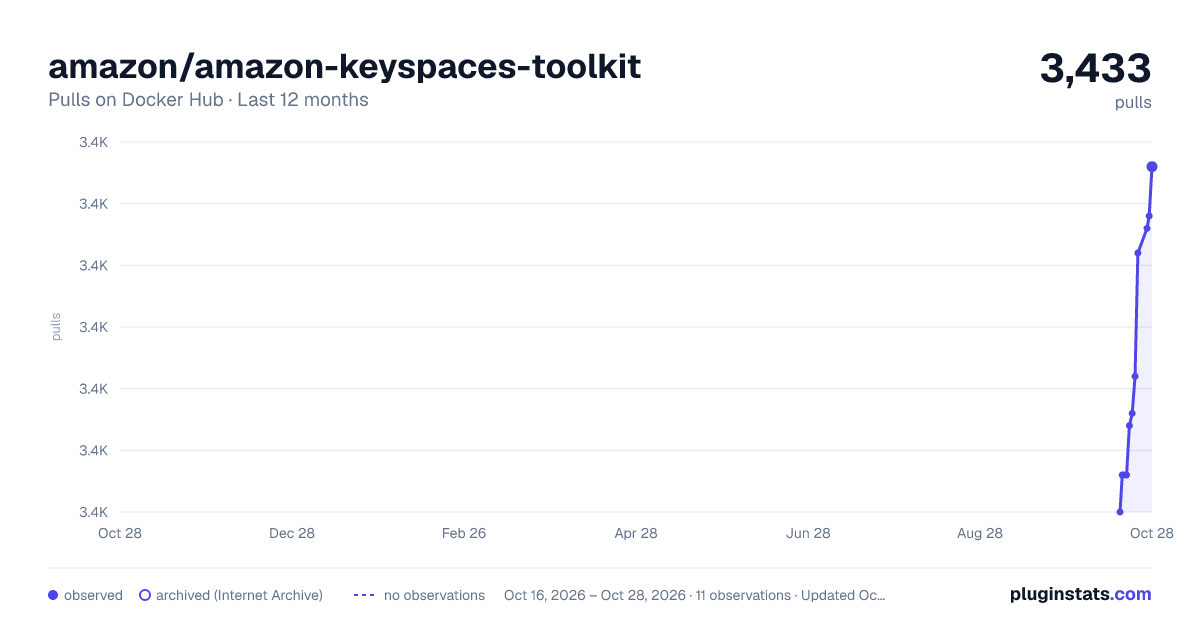
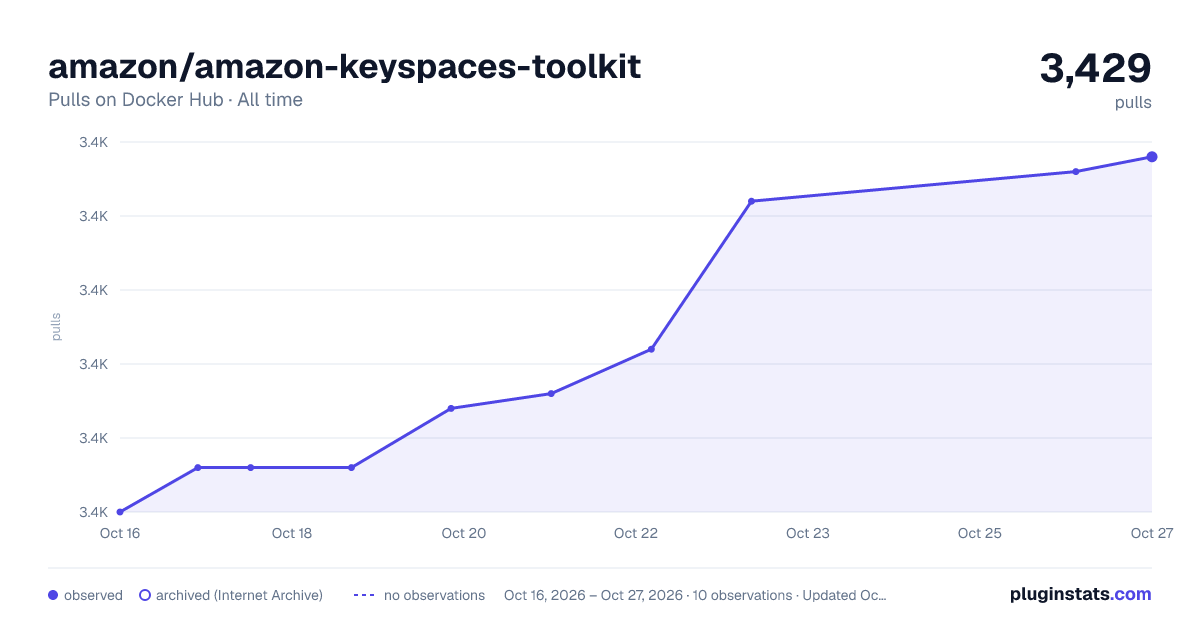

Adoption over time


7/30/90-day growth


Filled points are observed values; hollow points come from Internet Archive snapshots of the listing page. Dashed segments span periods with no observations — values between points are not interpolated.
Recent observations
Full history (4)Similar Docker Hub Databases & storage plugins
Data source
Cumulative pull counts and stars come from the public Docker Hub API. Pulls count image downloads (including automated CI pulls), not installs or users.
Listing: https://hub.docker.com/r/amazon/amazon-keyspaces-toolkit. First seen Oct 16, 2026; last successful collection Oct 19, 2026. See the methodology.