 PluginStats
cimg/postgres pulls statistics
By cimg (24 listings) · Docker Hub · Databases & storage
cimg/postgres has 834,691,872 recorded pulls on Docker Hub.
It ranks #13 of 1,263 tracked Docker Hub listings by pulls.
PluginStats has 4 daily observations since Oct 16, 2026; the latest is from Oct 19, 2026.
About cimg/postgres
CircleCI Convenience Images => PostgreSQL
A Continuous Integration focused PostgreSQL Docker image built to run on CircleCI
*This image is designed to supercede the legacy CircleCI PostgreSQL image, circleci/postgres.*
cimg/postgres is a Docker image created by CircleCI with continuous integration builds in mind.
Table of Contents
• Getting Started • How This Image Works • Development • Contributing • Additional Resources • License
Getting Started
This image can be used with the CircleCI docker executor as a secondary image. For example:
In the above example, the CircleCI Go Docker image is used for the primary container while the PostgreSQL image is used as a secondary. More specifically, the tag 13.2 is used meaning the version of PostgreSQL will be v13.2. You can now connect to a PostgreSQL instance from the primary image within the steps for this job.
How This Image Works
This image contains the PostgreSQL database and its complete toolchain.
Variants
Variant images typically contain the same base software, but with a few additional modifications.
PostGIS
The PostGIS variant is the same PostgreSQL image but with PostGIS (and its several dependencies) pre-installed. The PostGIS variant can be used by appending -postgis to the end of an existing cimg/postgres tag.
RAM
The legacy version of this image, circleci/postgres had a RAM variant. This is no longer the case. We're determining how much of a performance increase does this variant actually give before we decide to bring it back. If you used the legacy PostgreSQL image and you have data on the ram vs non-ram variant build times, please open a GitHub Issue and let us know.
Tagging Scheme
This image has the following tagging scheme:
- The version of PostgreSQL to use.
Development
Images can be built and run locally with this repository. This has the following requirements:
• local machine of Linux (Ubuntu tested) or macOS • modern version of Bash (v4+) • modern version of Docker Engine (v19.03+)
Cloning For Community Users (no write access to this repository)
Fork this repository on GitHub. When you get your clone URL, you'll want to add --recurse-submodules to the clone command in order to populate the Git submodule contained in this repo. It would look something like this:
If you missed this step and already cloned, you can just run git submodule update --recursive to populate the submodule. Then you can optionally add this repo as an upstream to your own:
Cloning For Maintainers ( you have write access to this repository)
Clone the project with the following command so that you populate the submodule:
Generating Dockerfiles
Dockerfiles can be generated for a specific PostgreSQL version using the gen-dockerfiles.sh script. For example, to generate the Dockerfile for v13.2, you would run the following from the root of the repo:
The generated Dockerfile will be located at ./13.2/Dockefile. To build this image locally and try it out, you can run the following:
Building the Dockerfiles
To build the Docker images locally as this repository does, you'll want to run the build-images.sh script:
This would need to be run after generating the Dockerfiles first. When releasing proper images for CircleCI, this script is run from a CircleCI pipeline and not locally.
Publishing Official Images (for Maintainers only)
The individual scripts (above) can be used to create the correct files for an image, and then added to a new git branch, committed, etc. A release script is included to make this process easier. To make a proper release for this image, let's use the fake PostgreSQL version of v9.99, you would run the following from the repo root:
This will automatically create a new Git branch, generate the Dockerfile(s), stage the changes, commit them, and push them to GitHub. The commit message will end with the string [release]. This string is used by CircleCI to know when to push images to Docker Hub. All that would need to be done after that is:
• wait for build to pass on CircleCI • review the PR • merge the PR
The main branch build will then publish a release.
Incorporating Changes
How changes are incorporated into this image depends on where they come from.
build scripts - Changes within the ./shared submodule happen in its own repository. For those changes to affect this image, the submodule needs to be updated. Typically like this:
parent image - By design, when changes happen to a parent image, they don't appear in existing PostgreSQL images. This is to aid in "determinism" and prevent breaking customer builds. New Go images will automatically pick up the changes.
If you *really* want to publish changes from a parent image into the PostgreSQL image, you have to build a specific image version as if it was a new image. This will create a new Dockerfile and once published, a new image.
PostgreSQL specific changes - Editing the Dockerfile.template file in this repo will modify the PostgreSQL image specifically. Don't forget that to see any of these changes locally, the gen-dockerfiles.sh script will need to be run again (see above).
Contributing
We encourage issues and pull requests against this repository. In order to value your time, here are some things to consider:
1. We won't include just anything in this image. In order for us to add a tool within the PostgreSQL image, it has to be something that is maintained and useful to a large number of PostgreSQL users. Every tool added makes the image larger and slower for all users so being thorough on what goes in the image will benefit everyone. 1. PRs are welcome. If you have a PR that will potentially take a large amount of time to make, it will be better to open an issue to discuss it first to make sure it's something worth investing the time in. 1. Issues should be used to report bugs or request additional/removal of tools in this image. For help with images, please visit CircleCI Discuss.
Additional Resources…
Description from the Docker Hub listing.
Charts
Images: 30d · 1y · all time · 1600×900 dark
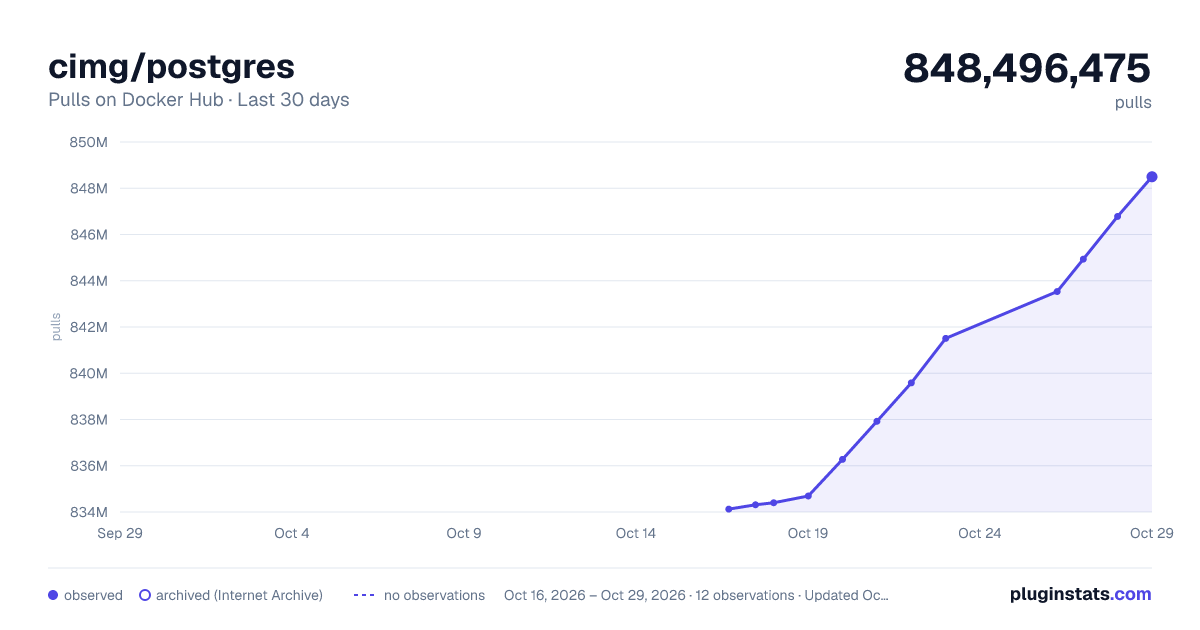
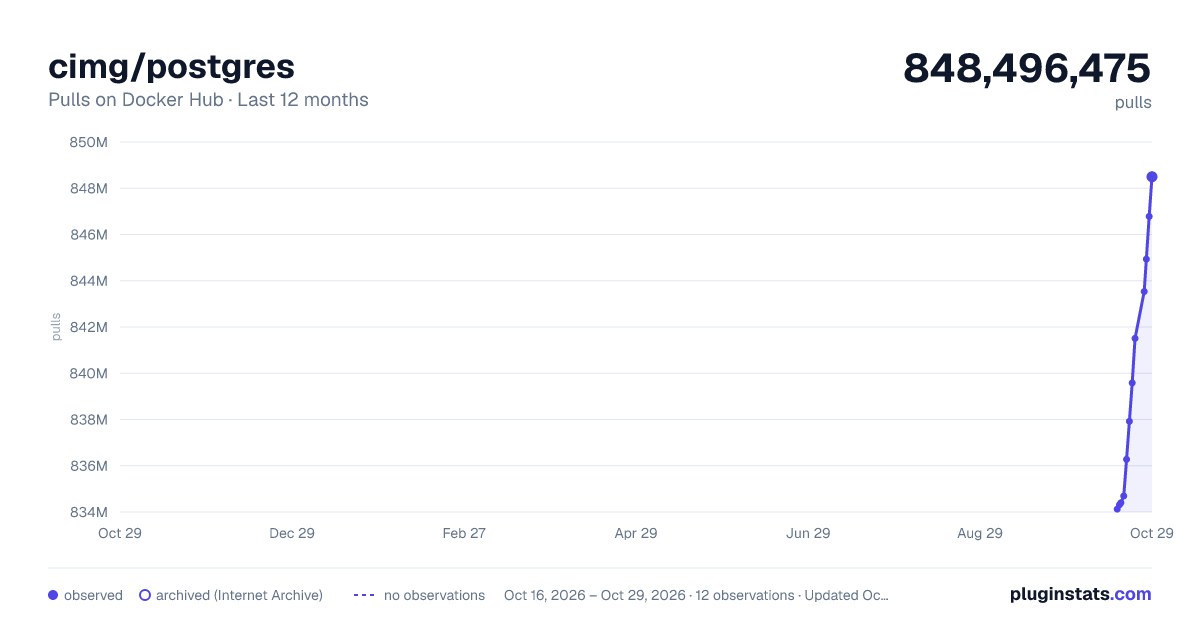
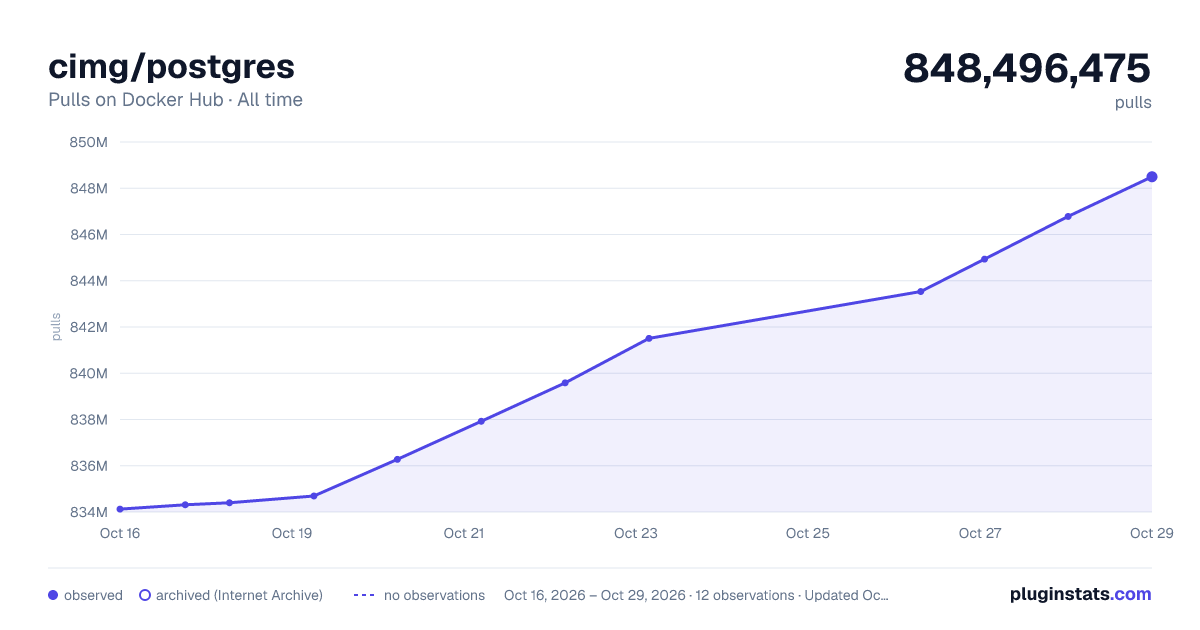

Adoption over time


7/30/90-day growth


Listing placement


Listing placement


Listing placement


Filled points are observed values; hollow points come from Internet Archive snapshots of the listing page. Dashed segments span periods with no observations — values between points are not interpolated.
Each band is one page of 20. Pulls on a log scale. Placement is projected from pulls, so it can differ from the marketplace's own sort order. Hover a dot to see the listing.
Recent observations
Full history (4)Similar Docker Hub Databases & storage plugins
All 20 cimg/postgres alternativesData source
Cumulative pull counts and stars come from the public Docker Hub API. Pulls count image downloads (including automated CI pulls), not installs or users.
Listing: https://hub.docker.com/r/cimg/postgres. First seen Oct 16, 2026; last successful collection Oct 19, 2026. See the methodology.