 PluginStats
linuxserver/pixapop pulls statistics
By linuxserver (100 listings) · Docker Hub
linuxserver/pixapop has 27,898 recorded pulls on Docker Hub.
It ranks #631 of 1,263 tracked Docker Hub listings by pulls.
PluginStats has 4 daily observations since Oct 16, 2026; the latest is from Oct 19, 2026.
About linuxserver/pixapop
The LinuxServer.io team brings you another container release featuring:
• regular and timely application updates • easy user mappings (PGID, PUID) • custom base image with s6 overlay • weekly base OS updates with common layers across the entire LinuxServer.io ecosystem to minimise space usage, down time and bandwidth • regular security updates
Find us at:
• Blog - all the things you can do with our containers including How-To guides, opinions and much more! • Discord - realtime support / chat with the community and the team. • Discourse - post on our community forum. • Fleet - an online web interface which displays all of our maintained images. • GitHub - view the source for all of our repositories. • Open Collective - please consider helping us by either donating or contributing to our budget
DEPRECATION NOTICE
This image is deprecated. We will not offer support for this image and it will not be updated.
linuxserver/pixapop
Pixapop is an open-source single page application to view your photos in the easiest way possible.
Supported Architectures
We utilise the docker manifest for multi-platform awareness. More information is available from docker here and our announcement here.
Simply pulling lscr.io/linuxserver/pixapop:latest should retrieve the correct image for your arch, but you can also pull specific arch images via tags.
The architectures supported by this image are:
| Architecture | Available | Tag |
| x86-64 | ✅ | amd64-\ | | arm64 | ✅ | arm64v8-\ | | armhf| ✅ | arm32v7-\ |
Application Setup
Any photos included in /photos will be presented as galleries split by month. Config settings are persistent and stored into /config.
Usage
Here are some example snippets to help you get started creating a container.
docker-compose (recommended, click here for more info)
docker cli (click here for more info)
Parameters
Container images are configured using parameters passed at runtime (such as those above). These parameters are separated by a colon and indicate : respectively. For example, -p 8080:80 would expose port 80 from inside the container to be accessible from the host's IP on port 8080 outside the container.
| Parameter | Function |
| -p 80 | WebUI | | -e PUID=1000 | for UserID - see below for explanation | | -e PGID=1000 | for GroupID - see below for explanation | | -e TZ=Europe/London | Specify a timezone to use EG Europe/London. | | -e APP_USERNAME=admin | Specify a username to enable authentication. | | -e APP_PASSWORD=admin | Specify a password to enable authentication. | | -v /config | Stores config and logs for nginx base. | | -v /photos | Your local folder of photos. |
Environment variables from files (Docker secrets)
You can set any environment variable from a file by using a special prepend FILE__.
As an example:
Will set the environment variable PASSWORD based on the contents of the /run/secrets/mysecretpassword file.
Umask for running applications
For all of our images we provide the ability to override the default umask settings for services started within the containers using the optional -e UMASK=022 setting. Keep in mind umask is not chmod it subtracts from permissions based on it's value it does not add. Please read up here before asking for support.
User / Group Identifiers
When using volumes (-v flags) permissions issues can arise between the host OS and the container, we avoid this issue by allowing you to specify the user PUID and group PGID.
Ensure any volume directories on the host are owned by the same user you specify and any permissions issues will vanish like magic.
In this instance PUID=1000 and PGID=1000, to find yours use id user as below:
Docker Mods
We publish various Docker Mods to enable additional functionality within the containers. The list of Mods available for this image (if any) as well as universal mods that can be applied to any one of our images can be accessed via the dynamic badges above.
Support Info
• Shell access whilst the container is running: docker exec -it pixapop /bin/bash • To monitor the logs of the container in realtime: docker logs -f pixapop • container version number • docker inspect -f '{{ index .Config.Labels "build_version" }}' pixapop • image version number • docker inspect -f '{{ index .Config.Labels "build_version" }}' lscr.io/linuxserver/pixapop:latest
Updating Info
Most of our images are static, versioned, and require an image update and container recreation to update the app inside. With some exceptions (ie. nextcloud, plex), we do not recommend or support updating apps inside the container. Please consult the Application Setup section above to see if it is recommended for the image.
Below are the instructions for updating containers:
Via Docker Compose
• Update all images: docker-compose pull • or update a single image: docker-compose pull pixapop • Let compose update all containers as necessary: docker-compose up -d • or update a single container: docker-compose up -d pixapop • You can also remove the old dangling images: docker image prune
Via Docker Run
• Update the image: docker pull lscr.io/linuxserver/pixapop:latest • Stop the running container: docker stop pixapop • Delete the container: docker rm pixapop • Recreate a new container with the same docker run parameters as instructed above (if mapped correctly to a host folder, your /config folder and settings will be preserved) • You can also remove the old dangling images: docker image prune
Via Watchtower auto-updater (only use if you don't remember the original parameters)
• Pull the latest image at its tag and replace it with the same env variables in one run: • You can also remove the old dangling images: docker image prune…
Description from the Docker Hub listing.
Where linuxserver/pixapop sits in the listing
Each band is one page of 20. Pulls on a log scale. Placement is projected from pulls, so it can differ from the marketplace's own sort order. Hover a dot to see the listing.


Charts
Images: 30d · 1y · all time · 1600×900 dark
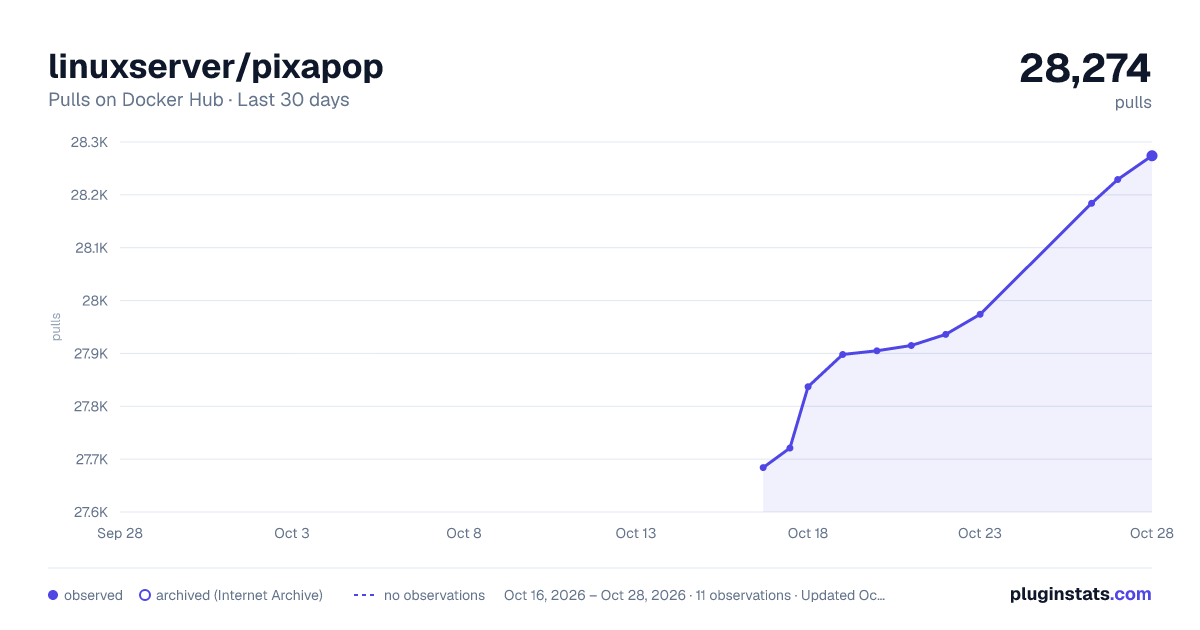
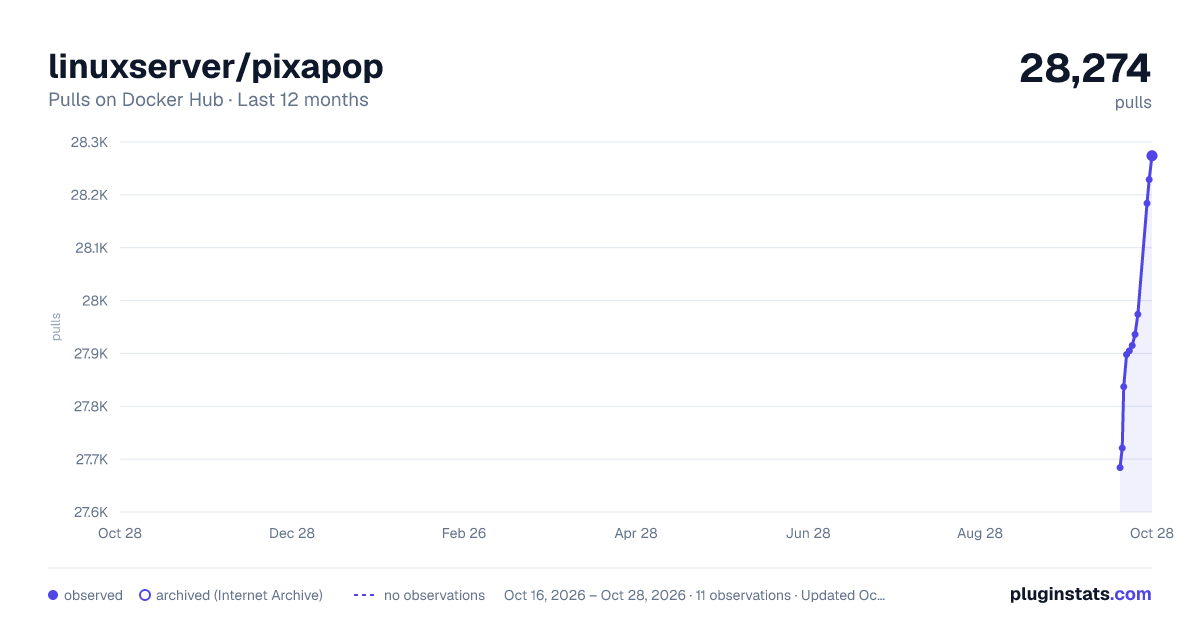
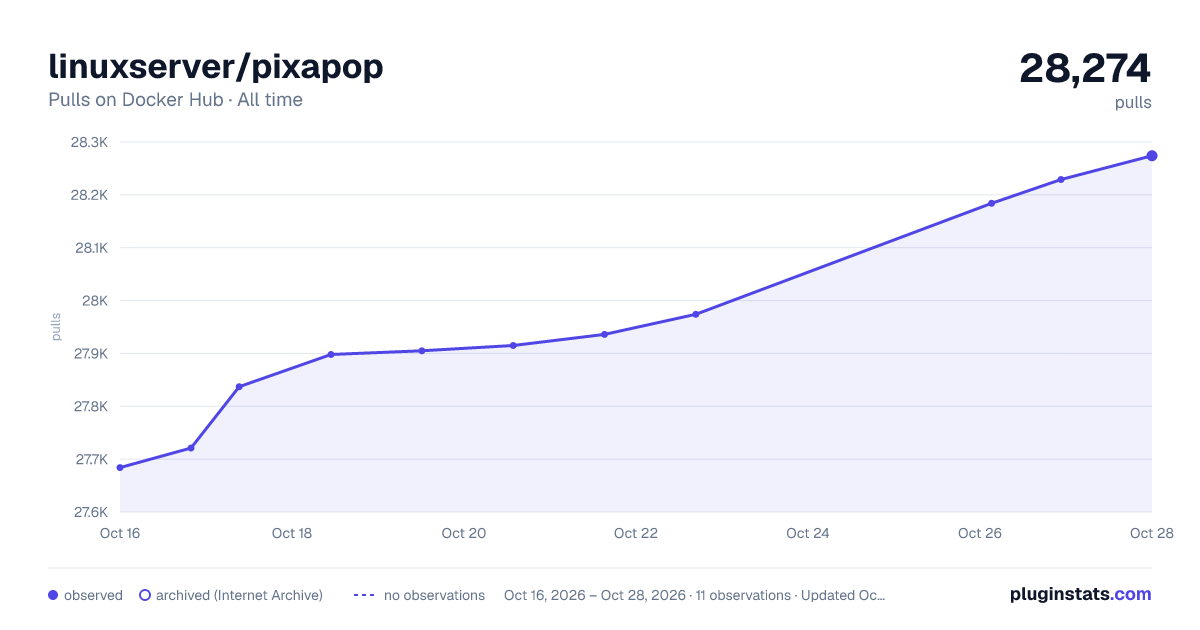

Adoption over time


7/30/90-day growth


Filled points are observed values; hollow points come from Internet Archive snapshots of the listing page. Dashed segments span periods with no observations — values between points are not interpolated.
Recent observations
Full history (4)Similar Docker Hub plugins
Data source
Cumulative pull counts and stars come from the public Docker Hub API. Pulls count image downloads (including automated CI pulls), not installs or users.
Listing: https://hub.docker.com/r/linuxserver/pixapop. First seen Oct 16, 2026; last successful collection Oct 19, 2026. See the methodology.