 PluginStats
linuxserver/freetube pulls statistics
By linuxserver (100 listings) · Docker Hub
linuxserver/freetube has 57,279 recorded pulls on Docker Hub.
It ranks #490 of 1,263 tracked Docker Hub listings by pulls.
PluginStats has 3 daily observations since Oct 16, 2026; the latest is from Oct 18, 2026.
About linuxserver/freetube
The LinuxServer.io team brings you another container release featuring:
• regular and timely application updates • easy user mappings (PGID, PUID) • custom base image with s6 overlay • weekly base OS updates with common layers across the entire LinuxServer.io ecosystem to minimise space usage, down time and bandwidth • regular security updates
Find us at:
• Blog - all the things you can do with our containers including How-To guides, opinions and much more! • Discord - realtime support / chat with the community and the team. • Discourse - post on our community forum. • Fleet - an online web interface which displays all of our maintained images. • GitHub - view the source for all of our repositories. • Open Collective - please consider helping us by either donating or contributing to our budget
DEPRECATION NOTICE
This image is deprecated. We will not offer support for this image and it will not be updated.
We do not know an alternative to this image, but upstream does not want it built anymore.
linuxserver/freetube
FreeTube is a feature-rich and user-friendly YouTube client with a focus on privacy.
Supported Architectures
We utilise the docker manifest for multi-platform awareness. More information is available from docker here and our announcement here.
Simply pulling lscr.io/linuxserver/freetube:latest should retrieve the correct image for your arch, but you can also pull specific arch images via tags.
The architectures supported by this image are:
| Architecture | Available | Tag |
| x86-64 | ✅ | amd64-\ | | arm64 | ✅ | arm64v8-\ | | armhf | ❌ | |
Application Setup
The application can be accessed at:
• http://yourhost:3000/ • https://yourhost:3001/
Modern GUI desktop apps have issues with the latest Docker and syscall compatibility, you can use Docker with the --security-opt seccomp=unconfined setting to allow these syscalls on hosts with older Kernels or libseccomp
Security
[!WARNING] Do not put this on the Internet if you do not know what you are doing.
By default this container has no authentication and the optional environment variables CUSTOM_USER and PASSWORD to enable basic http auth via the embedded NGINX server should only be used to locally secure the container from unwanted access on a local network. If exposing this to the Internet we recommend putting it behind a reverse proxy, such as SWAG, and ensuring a secure authentication solution is in place. From the web interface a terminal can be launched and it is configured for passwordless sudo, so anyone with access to it can install and run whatever they want along with probing your local network.
Options in all KasmVNC based GUI containers
This container is based on Docker Baseimage KasmVNC which means there are additional environment variables and run configurations to enable or disable specific functionality.
Optional environment variables
| Variable | Description |
| CUSTOM_PORT | Internal port the container listens on for http if it needs to be swapped from the default 3000. | | CUSTOM_HTTPS_PORT | Internal port the container listens on for https if it needs to be swapped from the default 3001. | | CUSTOM_USER | HTTP Basic auth username, abc is default. | | PASSWORD | HTTP Basic auth password, abc is default. If unset there will be no auth | | SUBFOLDER | Subfolder for the application if running a subfolder reverse proxy, need both slashes IE /subfolder/ | | TITLE | The page title displayed on the web browser, default "KasmVNC Client". | | FM_HOME | This is the home directory (landing) for the file manager, default "/config". | | START_DOCKER | If set to false a container with privilege will not automatically start the DinD Docker setup. | | DRINODE | If mounting in /dev/dri for DRI3 GPU Acceleration allows you to specify the device to use IE /dev/dri/renderD128 | | DISABLE_IPV6 | If set to true or any value this will disable IPv6 | | LC_ALL | Set the Language for the container to run as IE fr_FR.UTF-8 ar_AE.UTF-8 | | NO_DECOR | If set the application will run without window borders in openbox for use as a PWA. | | NO_FULL | Do not autmatically fullscreen applications when using openbox. |
Optional run configurations
| Variable | Description |
| --privileged | Will start a Docker in Docker (DinD) setup inside the container to use docker in an isolated environment. For increased performance mount the Docker directory inside the container to the host IE -v /home/user/docker-data:/var/lib/docker. | | -v /var/run/docker.sock:/var/run/docker.sock | Mount in the host level Docker socket to either interact with it via CLI or use Docker enabled applications. | | --device /dev/dri:/dev/dri | Mount a GPU into the container, this can be used in conjunction with the DRINODE environment variable to leverage a host video card for GPU accelerated applications. Only Open Source drivers are supported IE (Intel,AMDGPU,Radeon,ATI,Nouveau) |
Language Support - Internationalization
The environment variable LC_ALL can be used to start this container in a different language than English simply pass for example to launch the Desktop session in French LC_ALL=fr_FR.UTF-8. Some languages like Chinese, Japanese, or Korean will be missing fonts needed to render properly known as cjk fonts, but others may exist and not be installed inside the container depending on what underlying distribution you are running. We only ensure fonts for Latin characters are present. Fonts can be installed with a mod on startup.
To install cjk fonts on startup as an example pass the environment variables (Alpine base):
The web interface has the option for "IME Input Mode" in Settings which will allow non english characters to be used from a non en_US keyboard on the client. Once enabled it will perform the same as a local Linux installation set to your locale.
DRI3 GPU Acceleration (KasmVNC interface)
For accelerated apps or games, render devices can be mounted into the container and leveraged by applications using:…
Description from the Docker Hub listing.
Where linuxserver/freetube sits in the listing
Each band is one page of 20. Pulls on a log scale. Placement is projected from pulls, so it can differ from the marketplace's own sort order. Hover a dot to see the listing.


Charts
Images: 30d · 1y · all time · 1600×900 dark
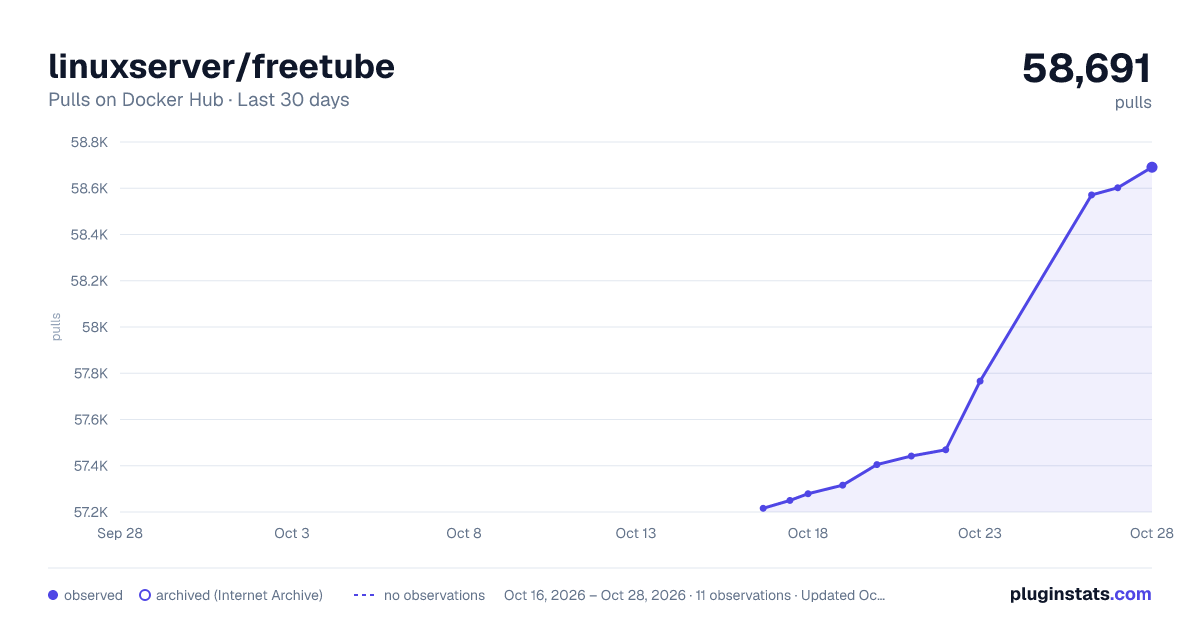
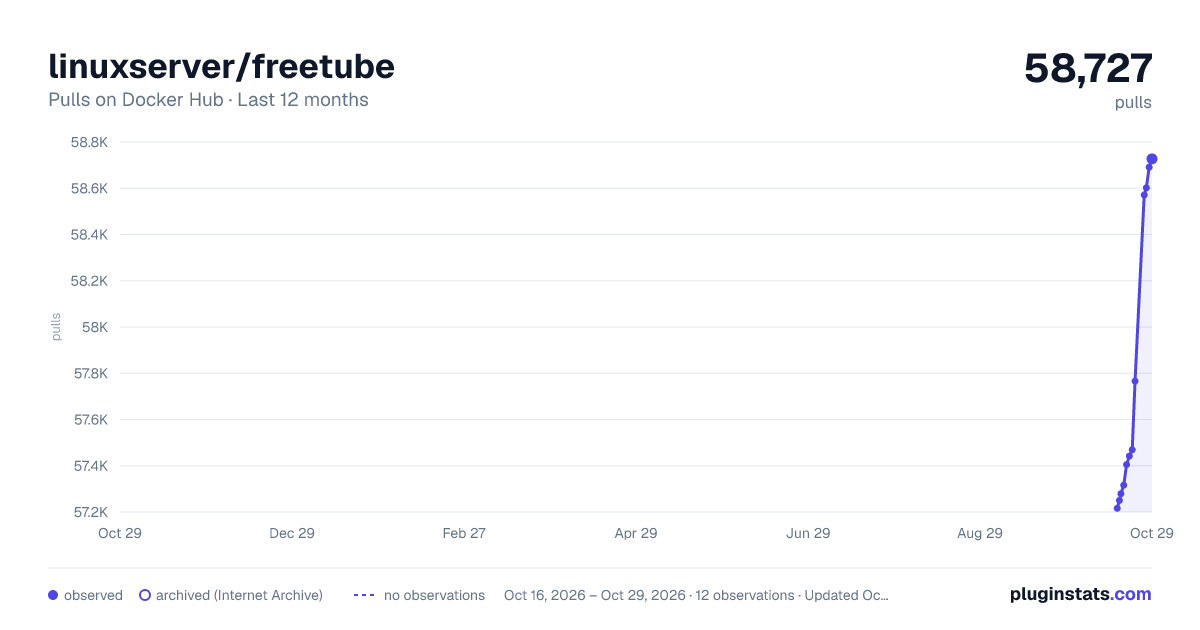
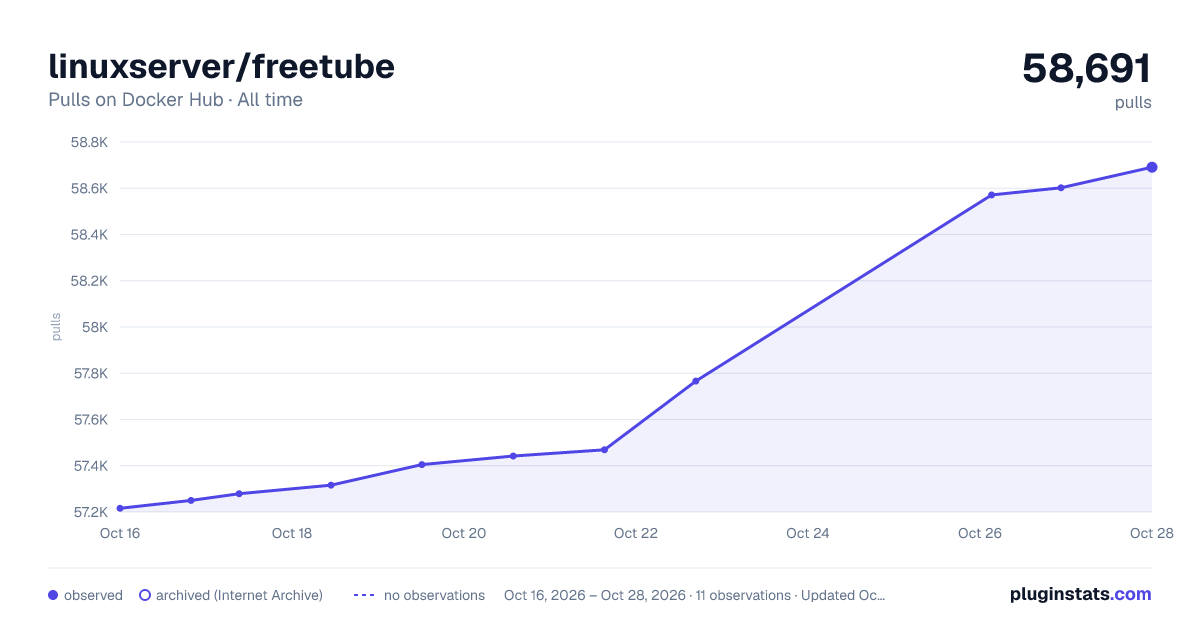

Adoption over time


7/30/90-day growth


Filled points are observed values; hollow points come from Internet Archive snapshots of the listing page. Dashed segments span periods with no observations — values between points are not interpolated.
Recent observations
Full history (3)Similar Docker Hub plugins
Data source
Cumulative pull counts and stars come from the public Docker Hub API. Pulls count image downloads (including automated CI pulls), not installs or users.
Listing: https://hub.docker.com/r/linuxserver/freetube. First seen Oct 16, 2026; last successful collection Oct 18, 2026. See the methodology.