 PluginStats
monica pulls statistics
Docker Hub · Content management system
Monica – the Personal Relationship Manager.
monica has 14,031,103 recorded pulls on Docker Hub.
It ranks #120 of 1,263 tracked Docker Hub listings by pulls.
PluginStats has 4 daily observations since Oct 16, 2026; the latest is from Oct 19, 2026.
About monica
Quick reference
• Maintained by: Monica Team • Where to get help: the Docker Community Slack, Server Fault, Unix & Linux, or Stack Overflow
Supported tags and respective Dockerfile links
• 4.1.2-apache, 4.1-apache, 4-apache, apache, 4.1.2, 4.1, 4, latest • 4.1.2-fpm-alpine, 4.1-fpm-alpine, 4-fpm-alpine, fpm-alpine • 4.1.2-fpm, 4.1-fpm, 4-fpm, fpm • 5.0.0-beta.5-apache, 5.0.0-beta-apache, 5.0-apache • 5.0.0-beta.5-fpm-alpine, 5.0.0-beta-fpm-alpine, 5.0-fpm-alpine • 5.0.0-beta.5-fpm, 5.0.0-beta-fpm, 5.0-fpm
Quick reference (cont.)
• Where to file issues: https://github.com/monicahq/docker/issues • Supported architectures: (more info) amd64, arm32v5, arm32v6, arm32v7, arm64v8, i386, ppc64le, riscv64, s390x • Published image artifact details: repo-info repo's repos/monica/ directory (history) (image metadata, transfer size, etc) • Image updates: official-images repo's library/monica label official-images repo's library/monica file (history) • Source of this description: docs repo's monica/ directory (history)
What is Monica?
Monica is a great open source personal relationship management system to organize the interactions with your loved ones.
How to use this image
There are two versions of the image you may choose from.
The apache tag contains a full Monica installation with an apache webserver. This points to the default latest tag too.
The fpm tag contains a fastCGI-Process that serves the web pages. This image should be combined with a webserver used as a proxy, like apache or nginx.
Using the apache image
This image contains a webserver that exposes port 80. Run the container with:
Using the fpm image
This image serves a fastCGI server that exposes port 9000. You may need an additional web server that can proxy requests to the fpm port 9000 of the container. Run this container with:
Using an external database
You'll need to setup an external database. Monica currently support MySQL/MariaDB database. You can also link a database container, e. g. --link my-mysql:db, and then use db as the database host on setup. More info is in the Docker Compose section.
Persistent data storage
To have a persistent storage for your datas, you may want to create volumes for your db, and for monica you will have to save the /var/www/html/storage directory.
Run a container with this named volume:
Run commands inside the container
Like every Laravel application, the php artisan command is very usefull for Monica. To run a command inside the container, run
Or for Docker Compose:
where monica is the name of the service in your compose.yaml file.
Configuration using environment variables
The Monica image will use environment variables to setup the application. See Monica documentation for common used variables you should setup.
Running the image with Docker Compose
See some examples of Docker Compose possibilities in the example section.
Apache version
This version will use the apache image and add a mysql container. The volumes are set to keep your data persistent. This setup provides no ssl encryption and is intended to run behind a proxy.
Make sure to pass in values for APP_KEY variable before you run this setup.
1. Create a compose.yaml file
2. Set a value for APP_KEY variable before you run this setup. It should be a random 32-character string. You can for instance copy and paste the output of echo -n 'base64:'; openssl rand -base64 32:
3. Run
Wait until all migrations are done and then access Monica at http://localhost:8080/ from your host system. If this looks ok, add your first user account.
4. Run this command once:
FPM version
When using FPM image, you will need another container with a webserver to proxy http requests. In this example we use nginx with a basic container to do this.
1. Download nginx.conf and Dockerfile file for nginx image. An example can be found on the example section
The web container image should be pre-build before each deploy with: docker compose build.
2. Create a compose.yaml file
3. Set a value for APP_KEY variable before you run this setup. It should be a random 32-character string. You can for instance copy and paste the output of echo -n 'base64:'; openssl rand -base64 32:
4. Run
Wait until all migrations are done and then access Monica at http://localhost:8080/ from your host system. If this looks ok, add your first user account.
5. Run this command once:
Make Monica available from the internet
To expose your Monica instance for the internet, it's important to set environment variable APP_ENV=production. In this case https mode will be mandatory.
Using a proxy webserver on the host
One way to expose your Monica instance is to use a proxy webserver from your host with SSL capabilities. This is possible with a reverse proxy.
Using a proxy webserver container
See some examples of Docker Compose possibilities in the example section to show how to a proxy webserver with ssl capabilities.
Image Variants
The monica images come in many flavors, each designed for a specific use case.
monica:
This is the defacto image. If you are unsure about what your needs are, you probably want to use this one. It is designed to be used both as a throw away container (mount your source code and start the container to start your app), as well as the base to build other images off of.
monica:-alpine
This image is based on the popular Alpine Linux project, available in the alpine official image. Alpine Linux is much smaller than most distribution base images (~5MB), and thus leads to much slimmer images in general.
This variant is useful when final image size being as small as possible is your primary concern. The main caveat to note is that it does use musl libc instead of glibc and friends, so software will often run into issues depending on the depth of their libc requirements/assumptions. See this Hacker News comment thread for more discussion of the issues that might arise and some pro/con comparisons of using Alpine-based images.…
Description from the Docker Hub listing.
Where monica sits in the listing
Each band is one page of 20. Pulls on a log scale. Placement is projected from pulls, so it can differ from the marketplace's own sort order. Hover a dot to see the listing.


Charts
Images: 30d · 1y · all time · 1600×900 dark
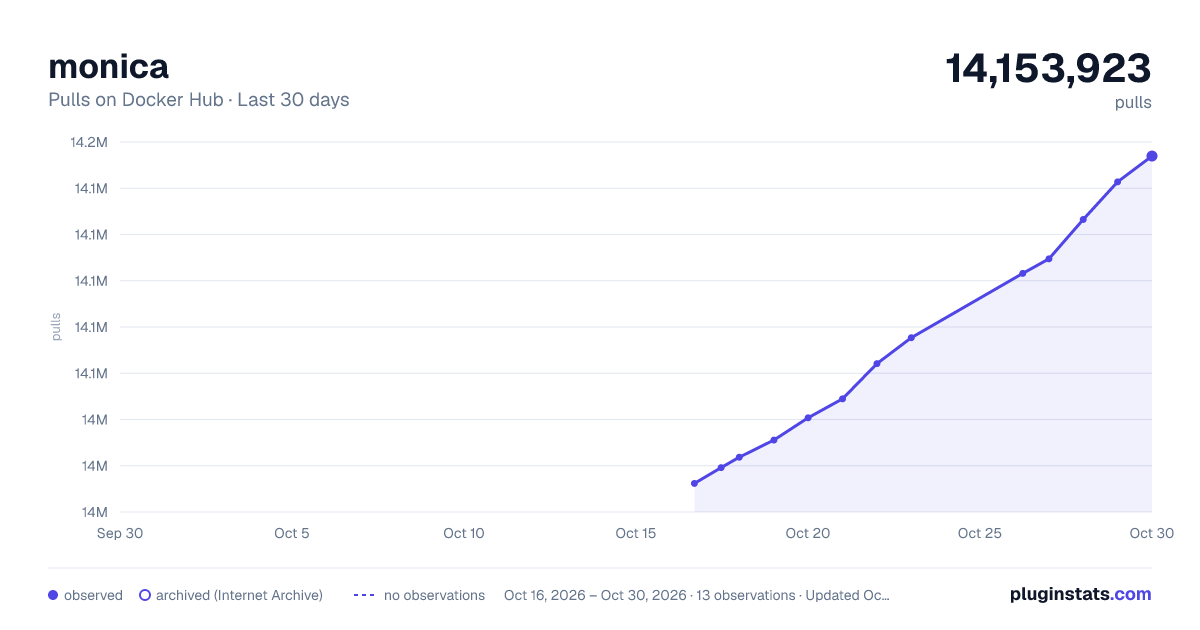
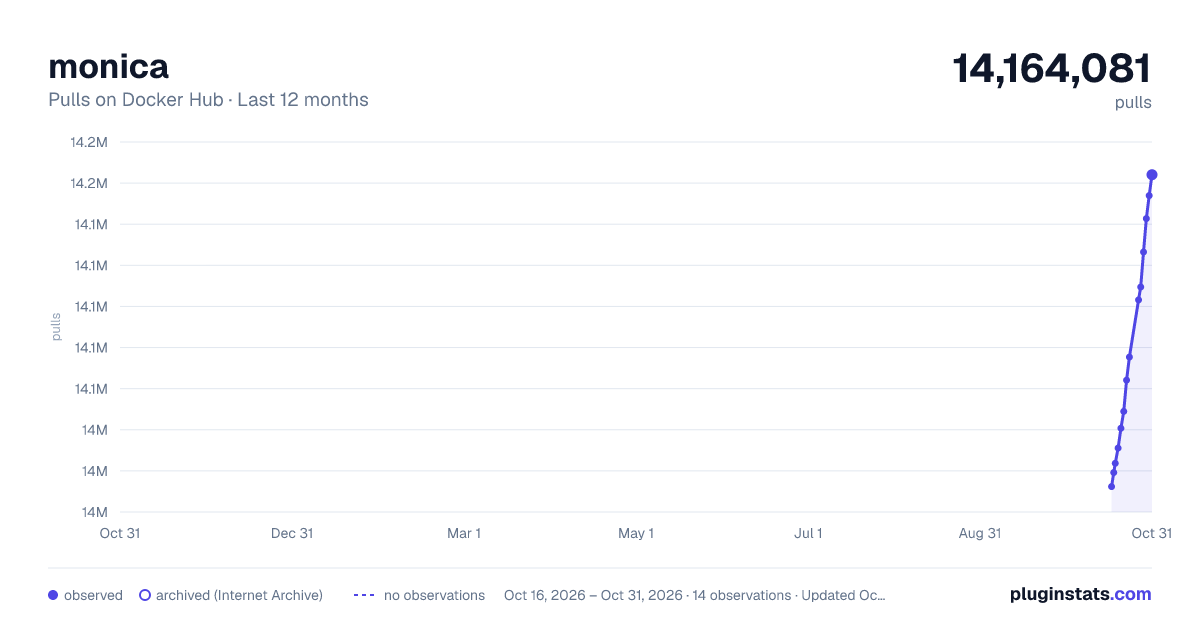
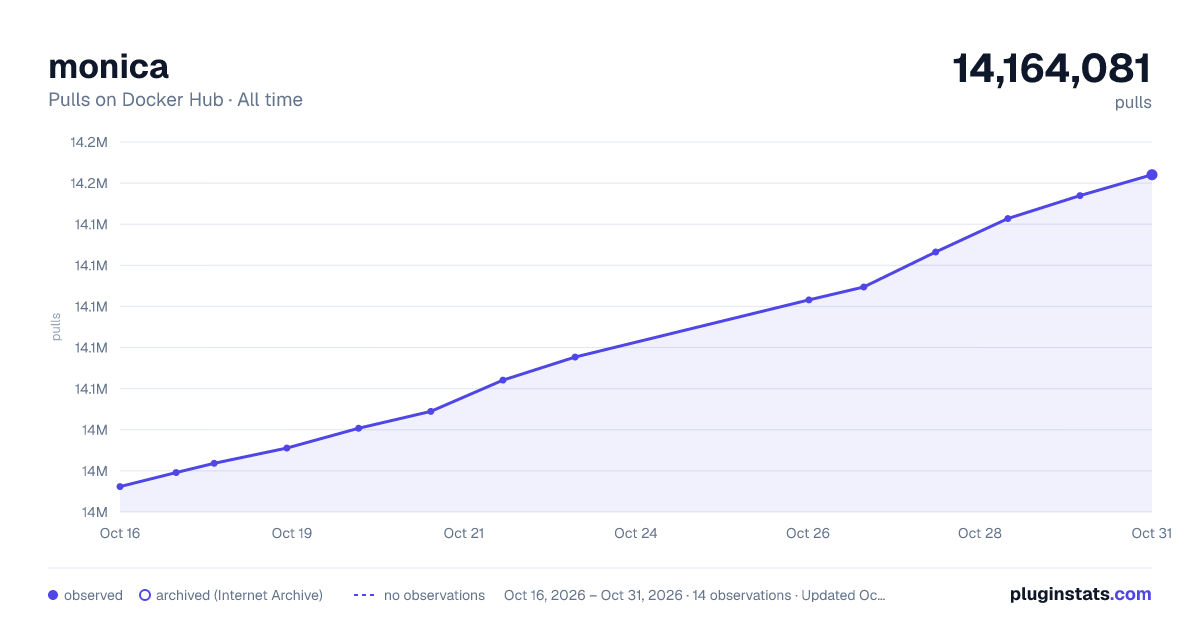

Adoption over time


7/30/90-day growth


Filled points are observed values; hollow points come from Internet Archive snapshots of the listing page. Dashed segments span periods with no observations — values between points are not interpolated.
Recent observations
Full history (4)Similar Docker Hub Content management system plugins
Data source
Cumulative pull counts and stars come from the public Docker Hub API. Pulls count image downloads (including automated CI pulls), not installs or users.
Listing: https://hub.docker.com/_/monica. First seen Oct 16, 2026; last successful collection Oct 19, 2026. See the methodology.