 PluginStats
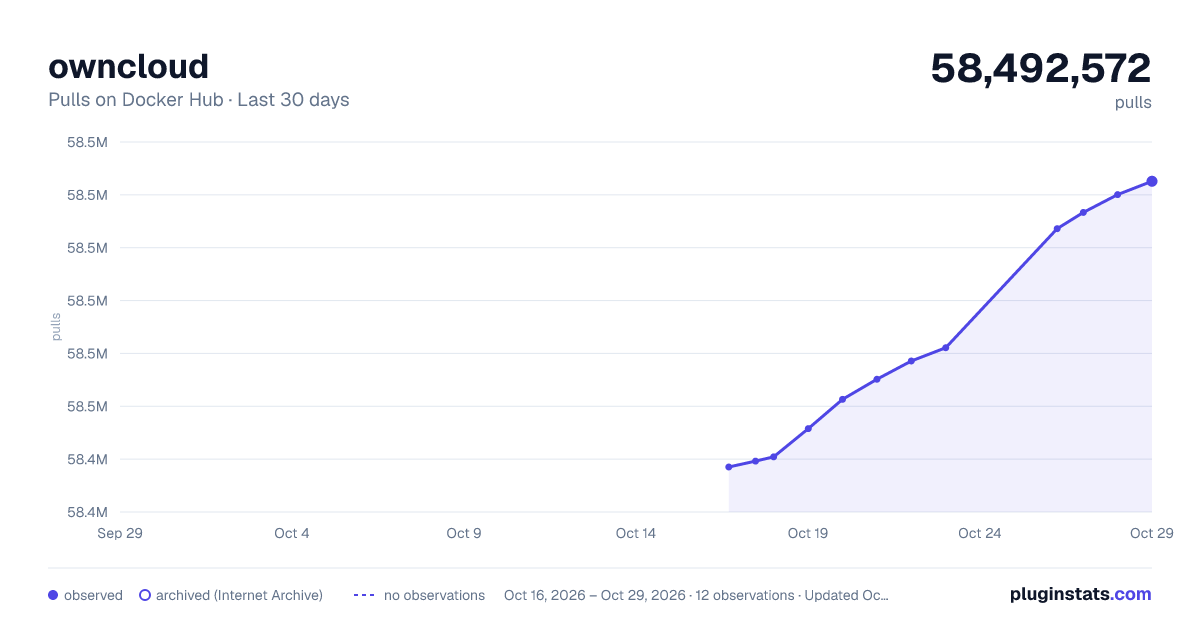
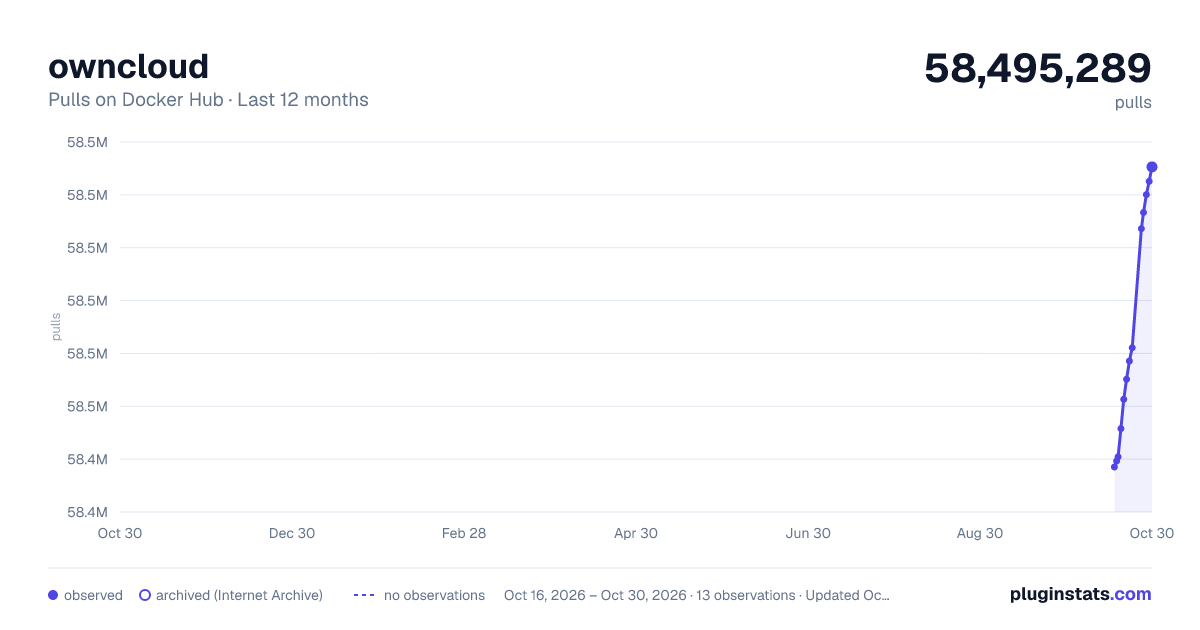
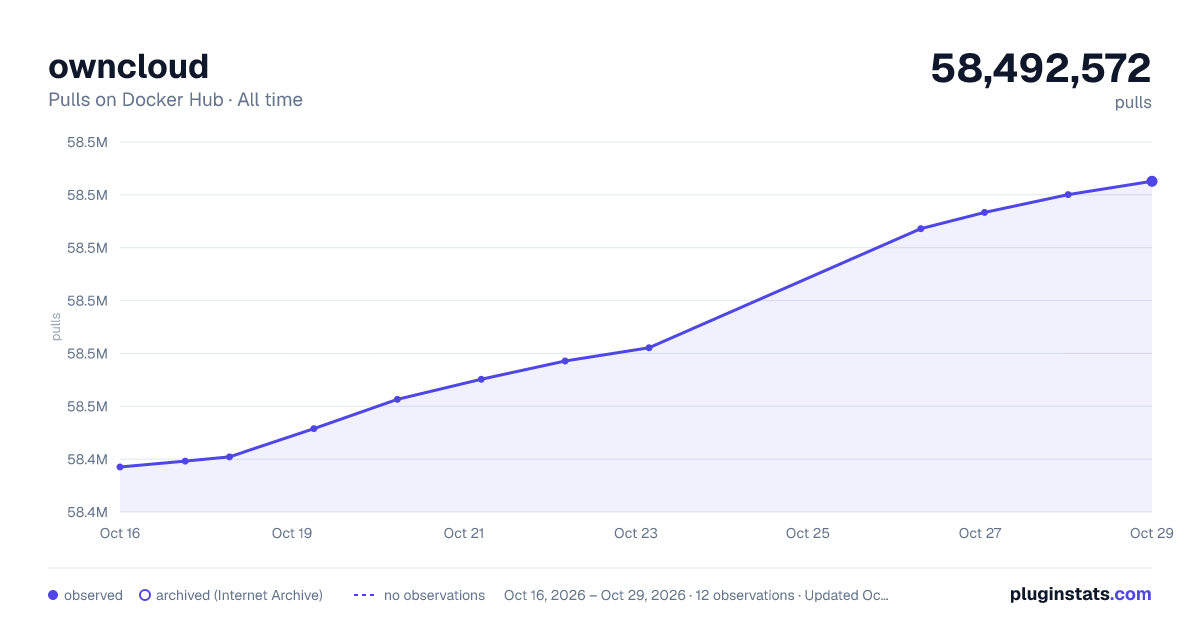
owncloud has 58,440,432 recorded pulls on Docker Hub.
It ranks #56 of 1,263 tracked Docker Hub listings by pulls.
PluginStats has 3 daily observations since Oct 16, 2026; the latest is from Oct 18, 2026.
About owncloud
DEPRECATION NOTICE
This image has been deprecated in favor of the official owncloud/server image provided, maintained, and supported by ownCloud upstream. The images found here will receive no further updates after 2018-12-31 (Dec 31, 2018). Please adjust your usage accordingly.
Supported tags and respective Dockerfile links
• 10.0.10-apache, 10.0-apache, 10-apache, apache, 10.0.10, 10.0, 10, latest (*10.0/apache/Dockerfile*) • 10.0.10-fpm, 10.0-fpm, 10-fpm, fpm (*10.0/fpm/Dockerfile*) • 9.1.8-apache, 9.1-apache, 9-apache, 9.1.8, 9.1, 9 (*9.1/apache/Dockerfile*) • 9.1.8-fpm, 9.1-fpm, 9-fpm (*9.1/fpm/Dockerfile*)
Quick reference
• Where to get help: the Docker Community Forums, the Docker Community Slack, or Stack Overflow • Where to file issues: https://github.com/docker-library/owncloud/issues • Maintained by: the Docker Community • Supported architectures: (more info) amd64, arm32v5, arm32v7, arm64v8, i386, ppc64le, s390x • Published image artifact details: repo-info repo's repos/owncloud/ directory (history) (image metadata, transfer size, etc) • Image updates: official-images PRs with label library/owncloud official-images repo's library/owncloud file (history) • Source of this description: docs repo's owncloud/ directory (history) • Supported Docker versions: the latest release (down to 1.6 on a best-effort basis)
What is ownCloud?
ownCloud is a self-hosted file sync and share server. It provides access to your data through a web interface, sync clients or WebDAV while providing a platform to view, sync and share across devices easily—all under your control. ownCloud’s open architecture is extensible via a simple but powerful API for applications and plugins and it works with any storage.
owncloud.org
How to use this image
Start ownCloud
Starting the ownCloud 8.1 instance listening on port 80 is as easy as the following:
Then go to http://localhost/ and go through the wizard. By default this container uses SQLite for data storage, but the wizard should allow for connecting to an existing database. Additionally, tags for 6.0, 7.0, or 8.0 are available.
For a MySQL database you can link an database container, e.g. --link my-mysql:mysql, and then use mysql as the database host on setup.
Persistent data
All data beyond what lives in the database (file uploads, etc) is stored within the default volume /var/www/html. With this volume, ownCloud will only be updated when the file version.php is not present.
• -v /:/var/www/html
For fine grained data persistence, you can use 3 volumes, as shown below.
• -v //apps:/var/www/html/apps installed / modified apps • -v //config:/var/www/html/config local configuration • -v //data:/var/www/html/data the actual data of your ownCloud
Caveat
When using the 6.0 image, you need to map the host port to the container port that apache listens on when going through the installation wizard. By default, this is port 80.
Using occ
The occ tool from upstream is simplest to use via docker exec, similar to the example provided there:
... via docker stack deploy or docker-compose
Example stack.yml for owncloud:
Run docker stack deploy -c stack.yml owncloud (or docker-compose -f stack.yml up), wait for it to initialize completely, and visit http://swarm-ip:8080/, http://localhost:8080/, or http://host-ip:8080 (as appropriate).
Running as an arbitrary user
See the "Running as an arbitrary user" section of the php image documentation.
License
View license information for the software contained in this image.
As with all Docker images, these likely also contain other software which may be under other licenses (such as Bash, etc from the base distribution, along with any direct or indirect dependencies of the primary software being contained).
Some additional license information which was able to be auto-detected might be found in the repo-info repository's owncloud/ directory.
As for any pre-built image usage, it is the image user's responsibility to ensure that any use of this image complies with any relevant licenses for all software contained within.
Description from the Docker Hub listing.
Where owncloud sits in the listing
Each band is one page of 20. Pulls on a log scale. Placement is projected from pulls, so it can differ from the marketplace's own sort order. Hover a dot to see the listing.


Charts
Images: 30d · 1y · all time · 1600×900 dark

Adoption over time


7/30/90-day growth


Filled points are observed values; hollow points come from Internet Archive snapshots of the listing page. Dashed segments span periods with no observations — values between points are not interpolated.
Recent observations
Full history (3)Similar Docker Hub plugins
Data source
Cumulative pull counts and stars come from the public Docker Hub API. Pulls count image downloads (including automated CI pulls), not installs or users.
Listing: https://hub.docker.com/_/owncloud. First seen Oct 16, 2026; last successful collection Oct 18, 2026. See the methodology.