 PluginStats
php-zendserver pulls statistics
Docker Hub · Languages & frameworks
DEPRECATED; Zend Server - the integrated PHP application platform for mobile and web apps.
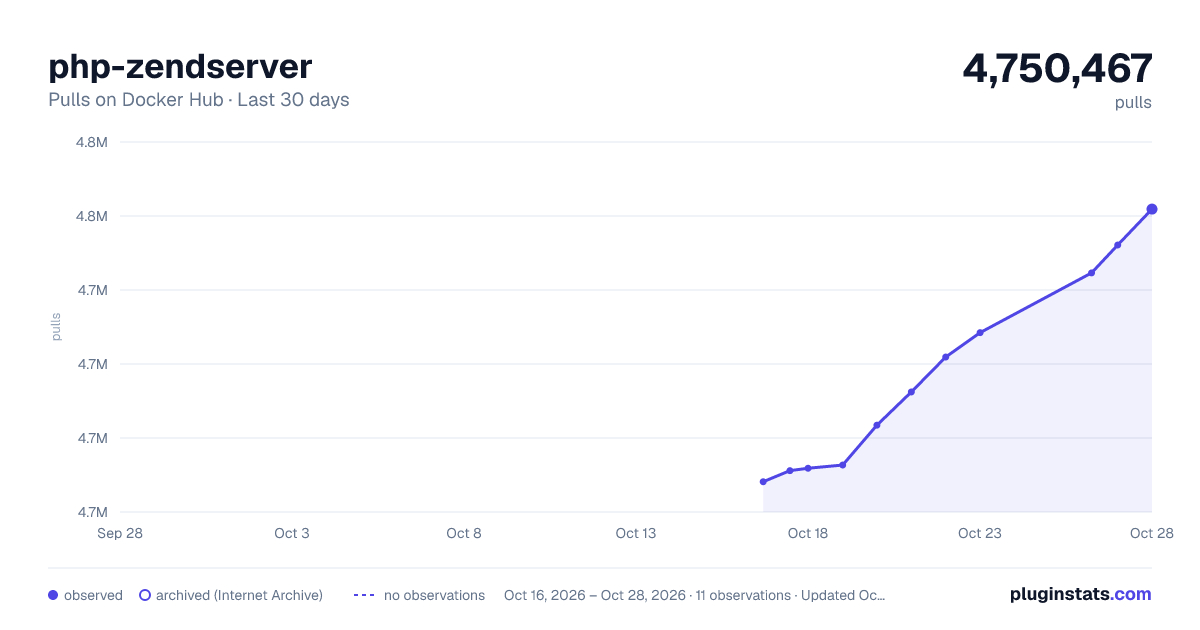
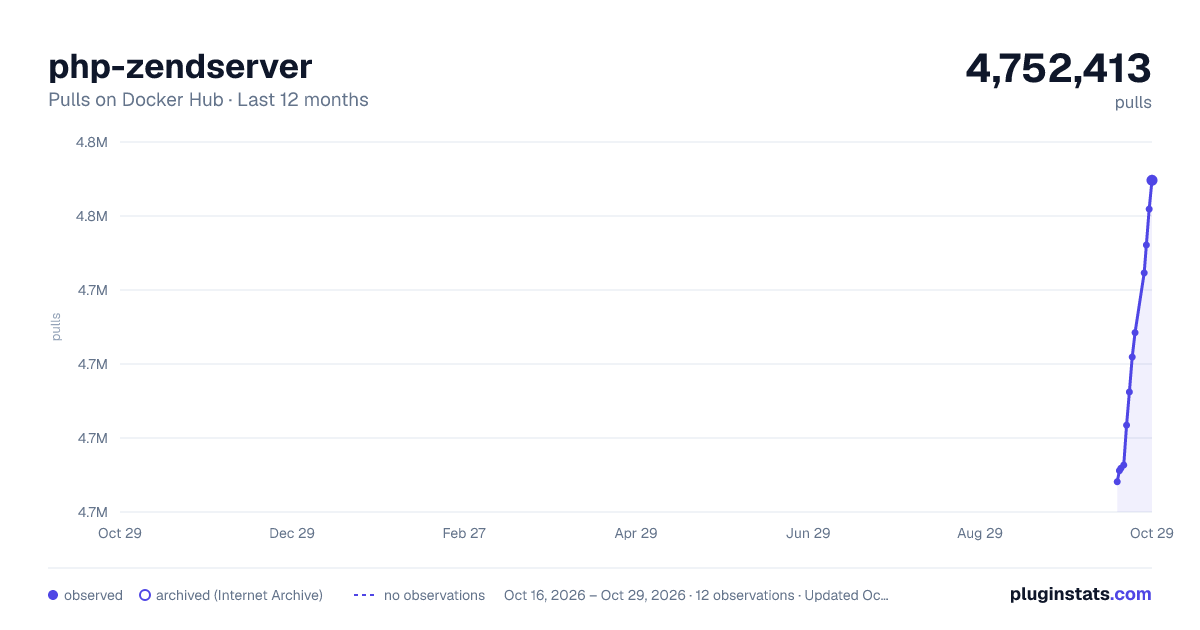
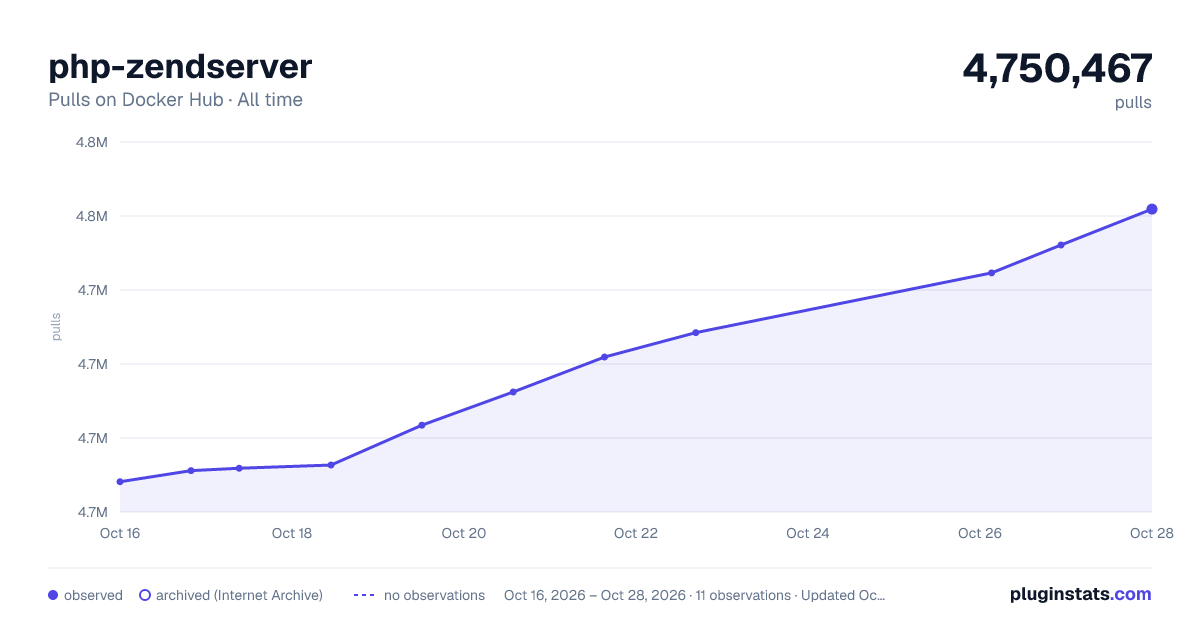
php-zendserver has 4,732,956 recorded pulls on Docker Hub.
It ranks #176 of 1,263 tracked Docker Hub listings by pulls.
PluginStats has 3 daily observations since Oct 16, 2026; the latest is from Oct 18, 2026.
About php-zendserver
DEPRECATION NOTICE
This image is not actively maintained (and has not been for years). It is highly recommended for users to seek out alternatives.
Quick reference
• Maintained by: Perforce Software, Inc. • Where to get help: the Docker Community Slack, Server Fault, Unix & Linux, or Stack Overflow
Supported tags and respective Dockerfile links
No supported tags
Quick reference (cont.)
• Where to file issues: Zend Support Center • Supported architectures: (more info) No supported architectures • Published image artifact details: repo-info repo's repos/php-zendserver/ directory (history) (image metadata, transfer size, etc) • Image updates: official-images repo's library/php-zendserver label official-images repo's library/php-zendserver file (history) • Source of this description: docs repo's php-zendserver/ directory (history)
What is Zend Server?
Zend Server is the integrated application platform for PHP mobile and web apps. Zend Server provides you with a highly available PHP production environment which includes, amongst other features, a highly reliable PHP stack, application monitoring, troubleshooting, and the all-new Z-Ray.
Boost your Development with Z-Ray
Using Zend Server Z-Ray is akin to wearing X-Ray goggles, effortlessly giving developers deep insight into how their code is running as they are developing it – all without having to change any of their habits or workflow. With Z-Ray, developers can immediately understand the impact of their code changes, enabling them to both improve quality and solve issues long before their code reaches production. In addition to the obvious benefits of this 'Left Shifting' – better performance, fewer production issues and faster recovery times – using Z-Ray is also downright fun!
Powering Continuous Delivery
Zend Server is the platform that enables Continuous Delivery, which provides consistency, automation and collaboration capabilities throughout the application delivery cycle. Patterns are available to integrate Zend Server with: Chef, Jenkins, Nagios, Vmware, Puppet.
Additional Resources
• http://www.zend.com/ • http://support.roguewave.com/ • http://files.zend.com/help/Zend-Server/zend-server.htm#faqs.htm • http://files.zend.com/help/Zend-Server/zend-server.htm#getting\_started.htm
PHP-ZendServer
This is a cluster-enabled version of a Dockerized Zend Server container. With Zend Server on Docker, you'll get your PHP applications up and running on a highly available PHP production environment which includes, amongst other features, a highly reliable PHP stack, application monitoring, troubleshooting, and the new and innovative new technology - Z-Ray. Z-Ray gives developers unprecedented visibility into their code by tracking and displaying in a toolbar live and detailed info on how the various elements constructing their page are performing.
For development purposes we provide you with a time limited trial license. For production use you must provide a valid Zend Server license using the instructions below in the Usage section.
Usage
Launching the Container from Docker-Hub
Zend Server is shared on [Docker-Hub] as php-zendserver.
Single instance
To start a single Zend Server instance, execute:
$ docker run php-zendserver
• You can specify the PHP and Zend Server version by adding ':' or ':<ZS-version>-php<version>' to the 'docker run' command.
for example: $docker run php-zendserver:8.5-php5.6
Availible versions:
• Zend Server 8 • Zend Server 9 (With PHP 7 GA)(Default version) • Zend Server 2019 with multi PHP Version Support (7.1, 7.2 & 7.3)
Cluster
To start a Zend Server cluster, execute the following command for each cluster node:
$ docker run -e MYSQL_HOSTNAME= -e MYSQL_PORT=3306 -e MYSQL_USERNAME= -e MYSQL_PASSWORD= -e MYSQL_DBNAME=zend php-zendserver
Bring your own license
To use your own Zend Server license: $ docker run php-zendserver -e ZEND_LICENSE_KEY= -e ZEND_LICENSE_ORDER=
Launching the Container from Dockerfile
From a local folder containing this repo's clone, execute the following command to generate the image. The image-id will be outputted:
$ docker build .
Single instance from custom image
To start a single Zend Server instance, execute:
$ docker run
Cluster from custom image
To start a Zend Server cluster, execute the following command on each cluster node:
$ docker run -e MYSQL_HOSTNAME= -e MYSQL_PORT=3306 -e MYSQL_USERNAME= -e MYSQL_PASSWORD= -e MYSQL_DBNAME=zend
Accessing Zend server
Once started, the container will output the information required to access the PHP application and the Zend Server UI, including an automatically generated admin password.
Port forwarding (For remote access)
To access the container remotely, port forwarding must be configured, either manually or using docker. For example, this command redirects port 80 to port 88, and port 10081 (Zend Server UI port) to port 10088:
$ docker run -p 88:80 -p 10088:10081 php-zendserver
For clustered instances:
To start a Zend Server cluster you must provide a Mysql compatible database:
$ docker run -p 88:80 -p 10088:10081 -e MYSQL_HOSTNAME= -e MYSQL_PORT=3306 -e MYSQL_USERNAME= -e MYSQL_PASSWORD= -e MYSQL_DBNAME=zend
Please note, when running multiple instances only one instance can be bound to a port. If you are running a cluster, either assign a port redirect to one node only, or assign a different port to each container.
Adding application files
Application files can be automatically pulled from a Git repo by setting the GIT_URL env var to the repo's URL. Alternatively, if building an image from Dockerfile, place the app files in the "app/" folder.
The files will be copied to the containers /var/www/html folder and defined in Zend Server as the default app. An example index.html file is included. this feature is available in Zend Server 8 and above.
Env variables
Env variables are passed in the run command with the "-e" switch.
Optional env-variables:…
Description from the Docker Hub listing.
Where php-zendserver sits in the listing
Each band is one page of 20. Pulls on a log scale. Placement is projected from pulls, so it can differ from the marketplace's own sort order. Hover a dot to see the listing.


Charts
Images: 30d · 1y · all time · 1600×900 dark

Adoption over time


7/30/90-day growth


Filled points are observed values; hollow points come from Internet Archive snapshots of the listing page. Dashed segments span periods with no observations — values between points are not interpolated.
Recent observations
Full history (3)Similar Docker Hub Languages & frameworks plugins
Data source
Cumulative pull counts and stars come from the public Docker Hub API. Pulls count image downloads (including automated CI pulls), not installs or users.
Listing: https://hub.docker.com/_/php-zendserver. First seen Oct 16, 2026; last successful collection Oct 18, 2026. See the methodology.