 PluginStats
hashicorp/vault-website pulls statistics
By hashicorp (104 listings) · Docker Hub · Content management system
Container for running the vault documentation website using nodejs. Maintained by #team-mktg-webdev
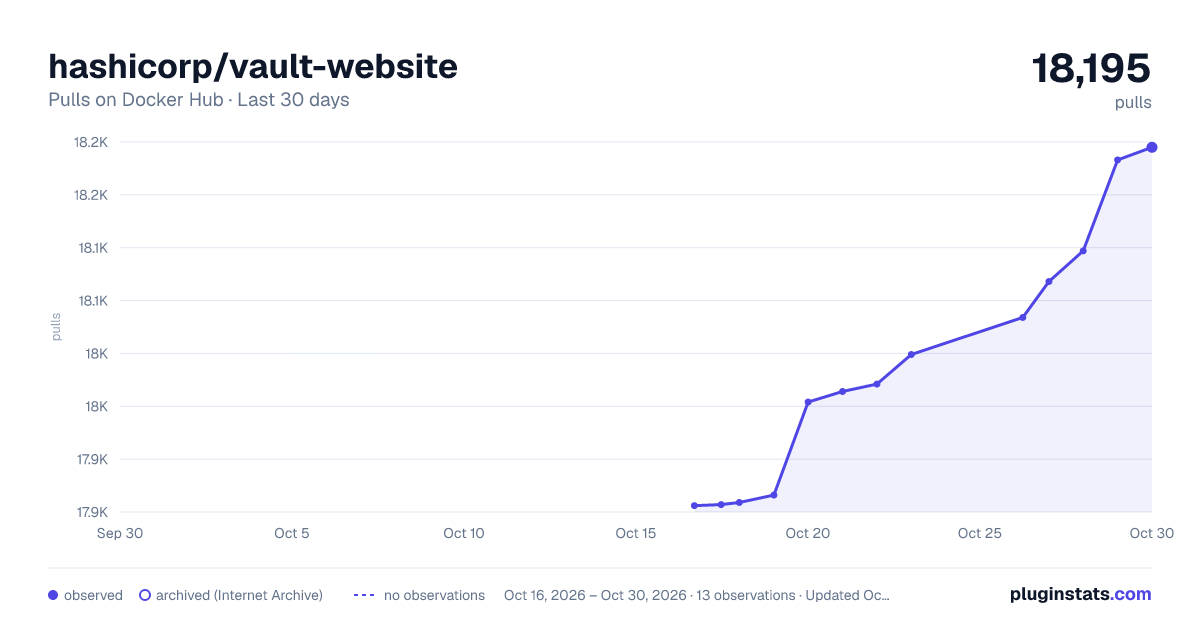
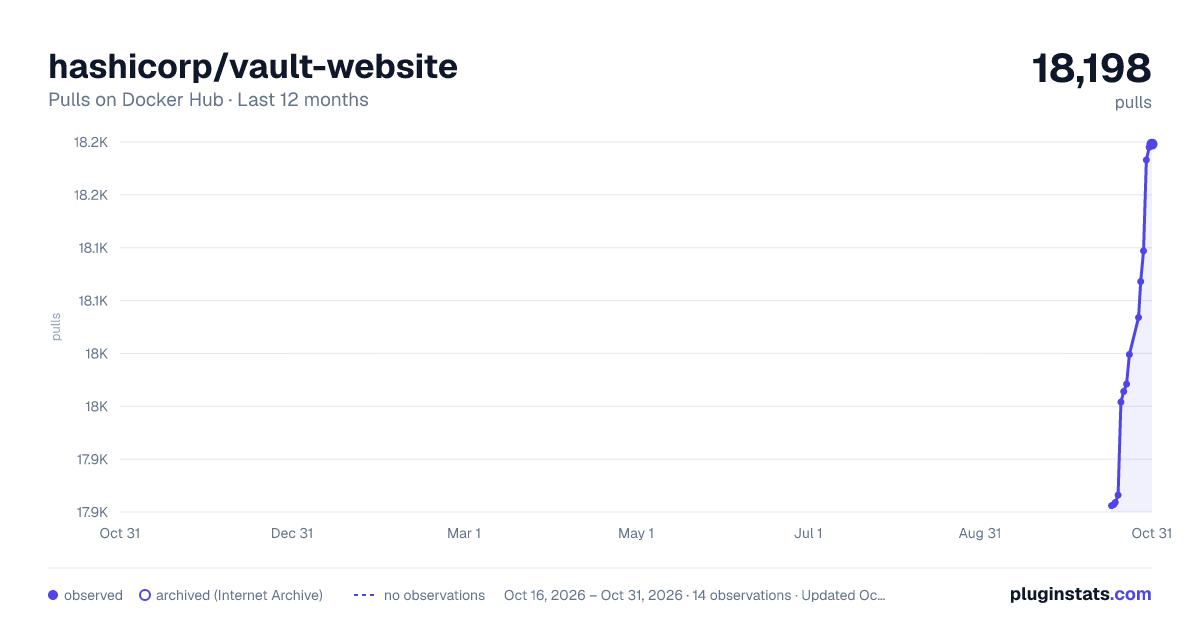
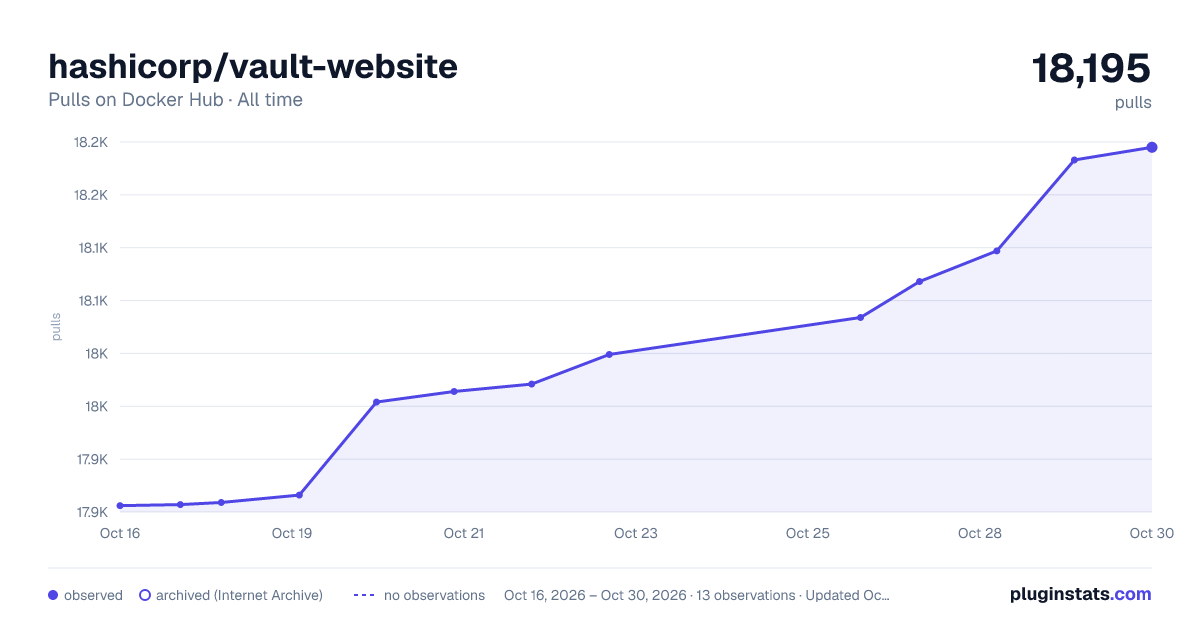
hashicorp/vault-website has 17,866 recorded pulls on Docker Hub.
It ranks #714 of 1,263 tracked Docker Hub listings by pulls.
PluginStats has 4 daily observations since Oct 16, 2026; the latest is from Oct 19, 2026.
About hashicorp/vault-website
Vault Website
This docker image is built to locally run the Vault Website. This is a NextJS project, which builds a static site from these source files.
Contributions Welcome!
If you find a typo or you feel like you can improve the HTML, CSS, or JavaScript, we welcome contributions. Feel free to open issues or pull requests like any normal GitHub project, and we'll merge it in 🚀
Running the Site Locally
The website can be run locally through node.js or Docker. If you choose to run through Docker, everything will be a little bit slower due to the additional overhead, so for frequent contributors it may be worth it to use node. Also if you are a vim user, it's also worth noting that vim's swapfile usage can cause issues for the live reload functionality. In order to avoid these issues, make sure you have run :set backupcopy=yes within vim.
With Docker
Running the site locally is simple. Provided you have Docker installed, clone this repo, run make, and then visit http://localhost:3000.
The docker image is pre-built with all the website dependencies installed, which is what makes it so quick and simple, but also means if you need to change dependencies and test the changes within Docker, you'll need a new image. If this is something you need to do, you can run make build-image to generate a local Docker image with updated dependencies, then make website-local to use that image and preview.
With Node
If your local development environment has a supported version (v10.0.0+) of node installed you can run:
• npm install • npm start
and then visit http://localhost:3000.
If you pull down new code from github, you should run npm install again. Otherwise, there's no need to re-run npm install each time the site is run, you can just run npm start to get it going.
Editing Content
Documentation content is written in Markdown and you'll find all files listed under the /pages directory.
To create a new page with Markdown, create a file ending in .mdx in the pages/ directory. The path in the pages directory will be the URL route. For example, pages/hello/world.mdx will be served from the /hello/world URL.
This file can be standard Markdown and also supports YAML frontmatter. YAML frontmatter is optional, there are defaults for all keys.
The significant keys in the YAML frontmatter are:
• title (string) - This is the title of the page that will be set in the HTML title. • description (string) - This is a description of the page that will be set in the HTML description.
⚠️Since api is a reserved directory within NextJS, all /api/** pages are listed under the /pages/api-docs path.
Editing Sidebars
The structure of the sidebars are controlled by files in the /data directory.
• Edit this file to change the docs sidebar • Edit this file to change the api docs sidebar
To nest sidebar items, you'll want to add a new category key/value accompanied by the appropriate embedded content values.
• category values will be directory names within the pages directory • content values will be file names within their appropriately nested directory.
Creating New Pages
There is currently a small bug with new page creation - if you create a new page and link it up via subnav data while the server is running, it will report an error saying the page was not found. This can be resolved by restarting the server.
Deployment
This website is hosted on Netlify and configured to automatically deploy anytime you push code to the stable-website branch. Any time a pull request is submitted that changes files within the website folder, a deployment preview will appear in the github checks which can be used to validate the way docs changes will look live. Deployments from stable-website will look and behave the same way as deployment previews.
Description from the Docker Hub listing.
Where hashicorp/vault-website sits in the listing
Each band is one page of 20. Pulls on a log scale. Placement is projected from pulls, so it can differ from the marketplace's own sort order. Hover a dot to see the listing.


Charts
Images: 30d · 1y · all time · 1600×900 dark

Adoption over time


7/30/90-day growth


Filled points are observed values; hollow points come from Internet Archive snapshots of the listing page. Dashed segments span periods with no observations — values between points are not interpolated.
Recent observations
Full history (4)Similar Docker Hub Content management system plugins
Data source
Cumulative pull counts and stars come from the public Docker Hub API. Pulls count image downloads (including automated CI pulls), not installs or users.
Listing: https://hub.docker.com/r/hashicorp/vault-website. First seen Oct 16, 2026; last successful collection Oct 19, 2026. See the methodology.