 PluginStats
spiped pulls statistics
Spiped is a utility for creating symmetrically encrypted and authenticated pipes between sockets.
spiped has 3,306,251 recorded pulls on Docker Hub.
It ranks #193 of 1,263 tracked Docker Hub listings by pulls.
PluginStats has 3 daily observations since Oct 16, 2026; the latest is from Oct 18, 2026.
About spiped
Quick reference
• Maintained by: Tim Düsterhus (of the Docker Community), with Colin's support (from spiped upstream) • Where to get help: the Docker Community Slack, Server Fault, Unix & Linux, or Stack Overflow
Supported tags and respective Dockerfile links
• 1.6.4, 1.6, 1, latest • 1.6.4-alpine, 1.6-alpine, 1-alpine, alpine
Quick reference (cont.)
• Where to file issues: https://github.com/TimWolla/docker-spiped/issues • Supported architectures: (more info) amd64, arm32v5, arm32v6, arm32v7, arm64v8, i386, ppc64le, riscv64, s390x • Published image artifact details: repo-info repo's repos/spiped/ directory (history) (image metadata, transfer size, etc) • Image updates: official-images repo's library/spiped label official-images repo's library/spiped file (history) • Source of this description: docs repo's spiped/ directory (history)
spiped
What is spiped?
Spiped (pronounced "ess-pipe-dee") is a utility for creating symmetrically encrypted and authenticated pipes between socket addresses, so that one may connect to one address (e.g., a UNIX socket on localhost) and transparently have a connection established to another address (e.g., a UNIX socket on a different system). This is similar to ssh -L functionality, but does not use SSH and requires a pre-shared symmetric key.
tarsnap.com/spiped.html
How to use this image
This image automatically takes the key from the /spiped/key file (-k) and runs spiped in foreground (-F). Other than that it takes the same options *spiped* itself does. You can list the available flags by running the image without arguments:
For example running spiped to take encrypted connections on port 8025 and forward them to port 25 on localhost would look like this:
Usually you would combine this image with another linked container. The following example would take encrypted connections on port 9200 and forward them to port 9200 in the container with the name elasticsearch:
If you don't need any to bind to a privileged port you can pass --user spiped to make *spiped* run as an unprivileged user:
Generating a key
You can save a new keyfile named spiped-keyfile to the folder /path/to/keyfile/ by running:
Afterwards transmit spiped-keyfile securely to another host (e.g. by using scp).
Image Variants
The spiped images come in many flavors, each designed for a specific use case.
spiped:
This is the defacto image. If you are unsure about what your needs are, you probably want to use this one. It is designed to be used both as a throw away container (mount your source code and start the container to start your app), as well as the base to build other images off of.
spiped:-alpine
This image is based on the popular Alpine Linux project, available in the alpine official image. Alpine Linux is much smaller than most distribution base images (~5MB), and thus leads to much slimmer images in general.
This variant is useful when final image size being as small as possible is your primary concern. The main caveat to note is that it does use musl libc instead of glibc and friends, so software will often run into issues depending on the depth of their libc requirements/assumptions. See this Hacker News comment thread for more discussion of the issues that might arise and some pro/con comparisons of using Alpine-based images.
To minimize image size, it's uncommon for additional related tools (such as git or bash) to be included in Alpine-based images. Using this image as a base, add the things you need in your own Dockerfile (see the alpine image description for examples of how to install packages if you are unfamiliar).
License
View license information for the software contained in this image.
As with all Docker images, these likely also contain other software which may be under other licenses (such as Bash, etc from the base distribution, along with any direct or indirect dependencies of the primary software being contained).
Some additional license information which was able to be auto-detected might be found in the repo-info repository's spiped/ directory.
As for any pre-built image usage, it is the image user's responsibility to ensure that any use of this image complies with any relevant licenses for all software contained within.
Description from the Docker Hub listing.
Where spiped sits in the listing
Each band is one page of 20. Pulls on a log scale. Placement is projected from pulls, so it can differ from the marketplace's own sort order. Hover a dot to see the listing.


Charts
Images: 30d · 1y · all time · 1600×900 dark
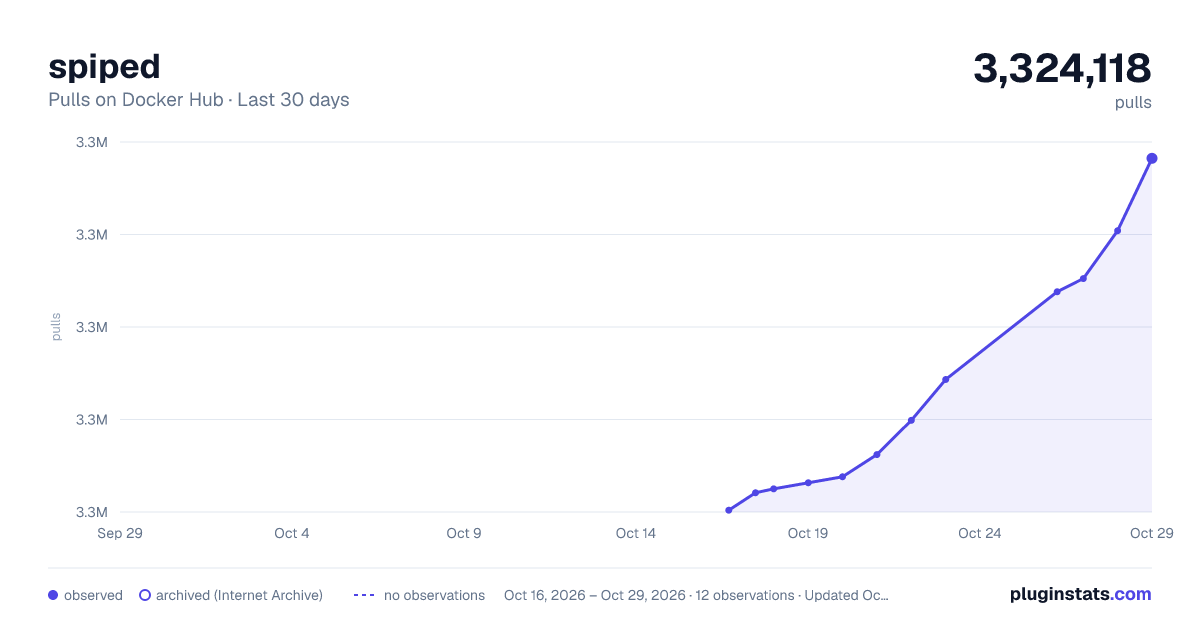
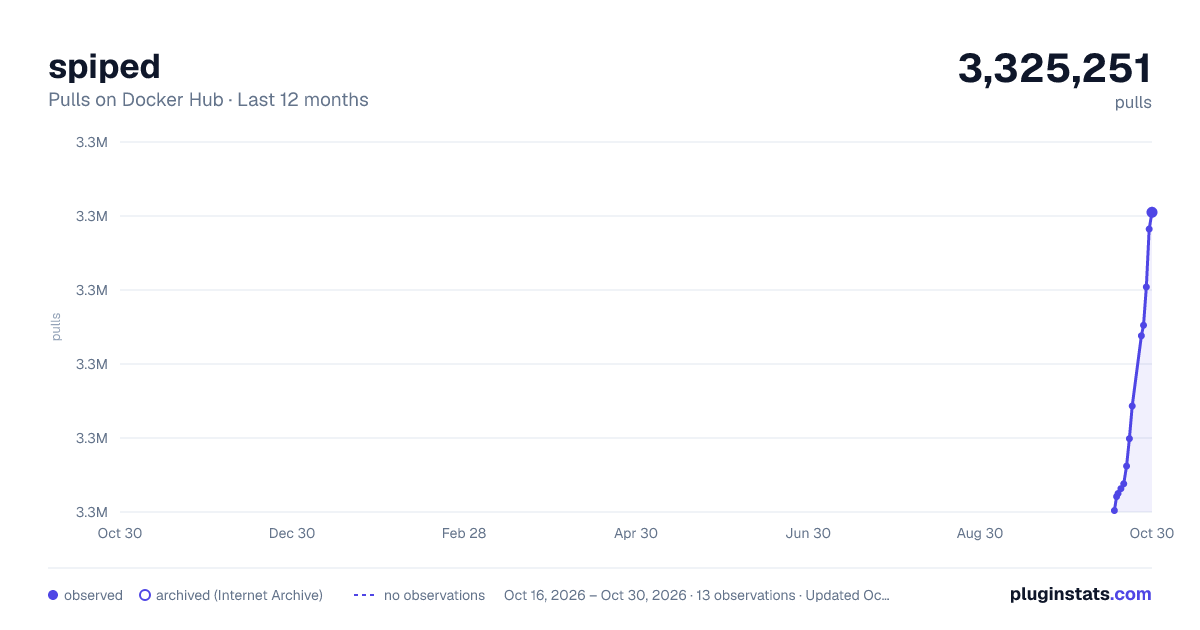
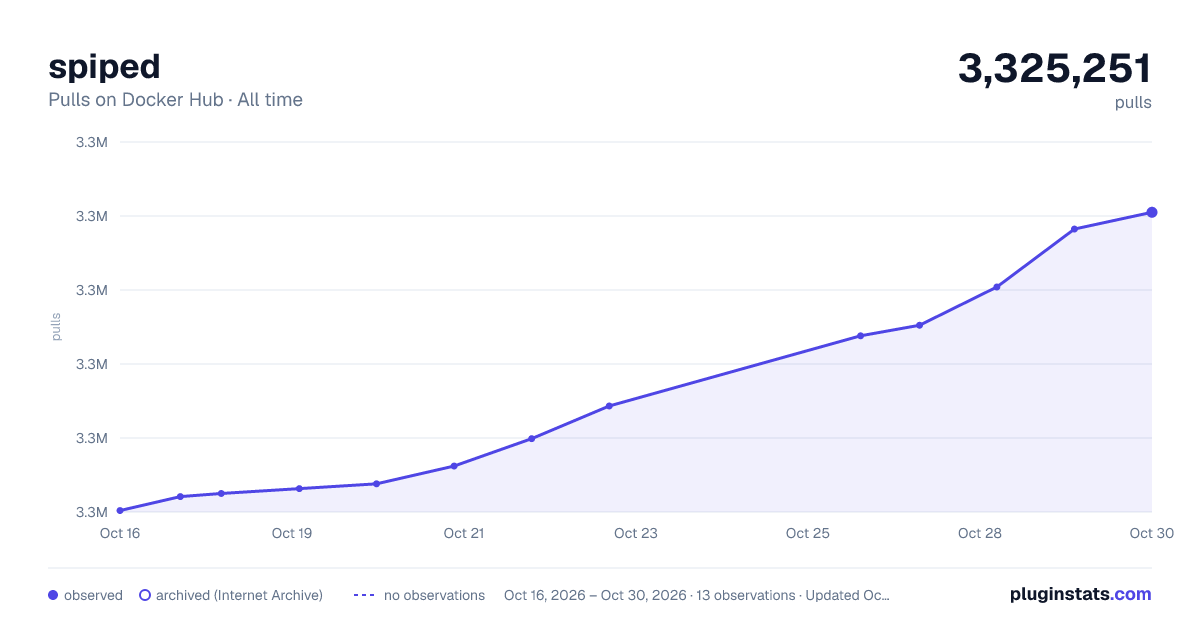

Adoption over time


7/30/90-day growth


Filled points are observed values; hollow points come from Internet Archive snapshots of the listing page. Dashed segments span periods with no observations — values between points are not interpolated.
Recent observations
Full history (3)Similar Docker Hub Security plugins
Data source
Cumulative pull counts and stars come from the public Docker Hub API. Pulls count image downloads (including automated CI pulls), not installs or users.
Listing: https://hub.docker.com/_/spiped. First seen Oct 16, 2026; last successful collection Oct 18, 2026. See the methodology.