 PluginStats
mcp/doit pulls statistics
By mcp (100 listings) · Docker Hub · Machine learning & AI
DoiT official MCP Server
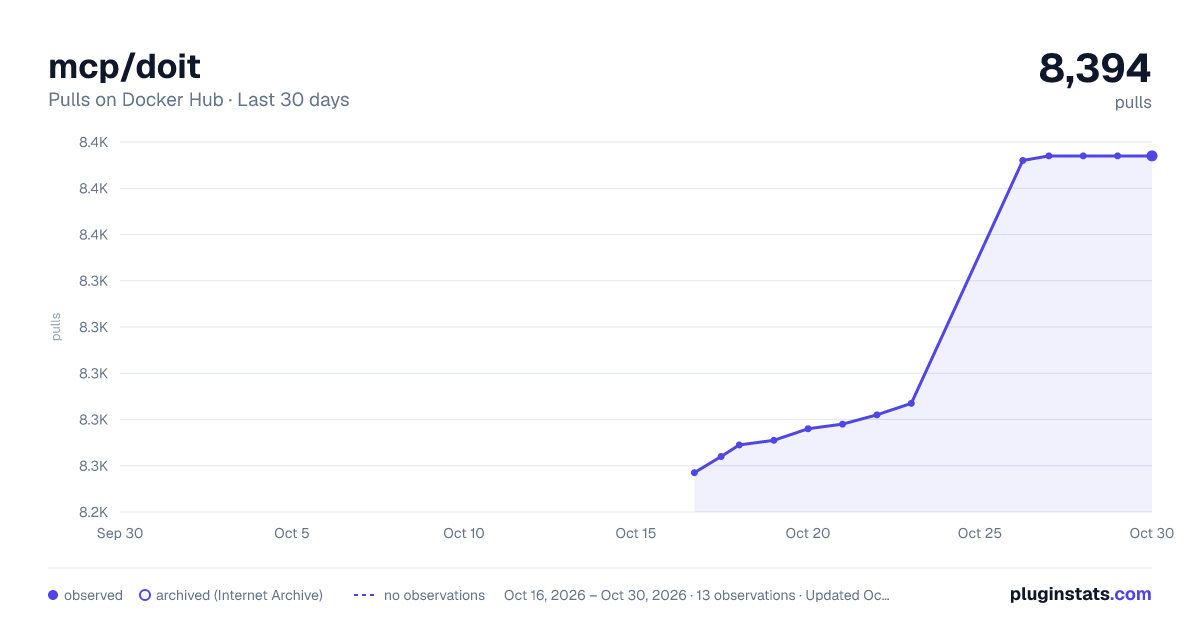
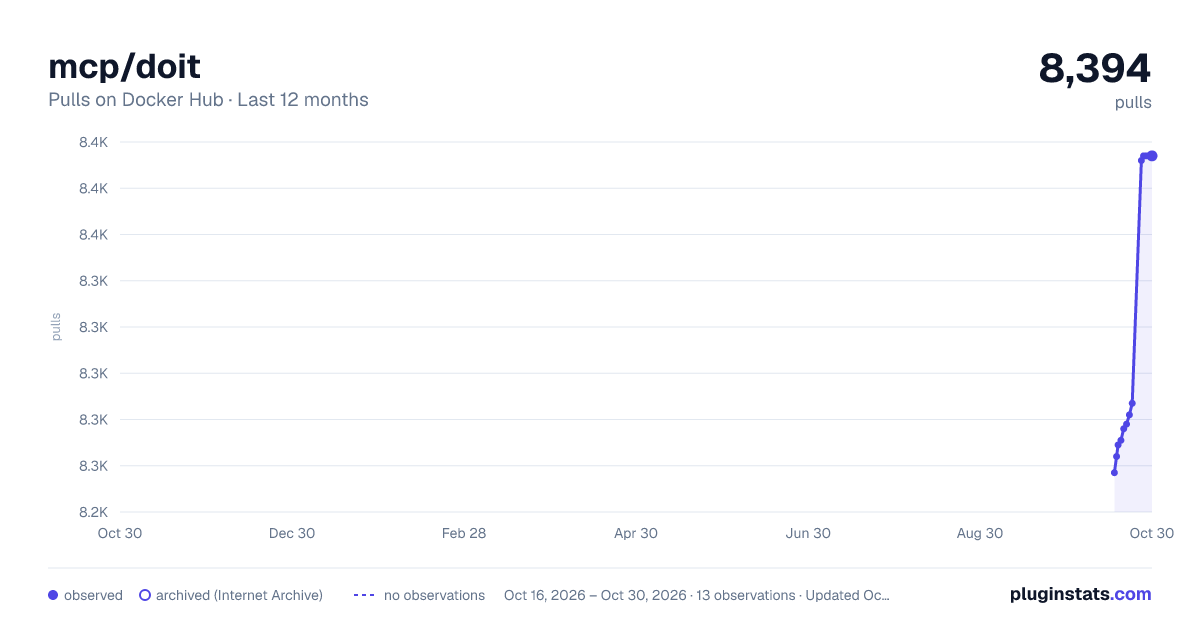
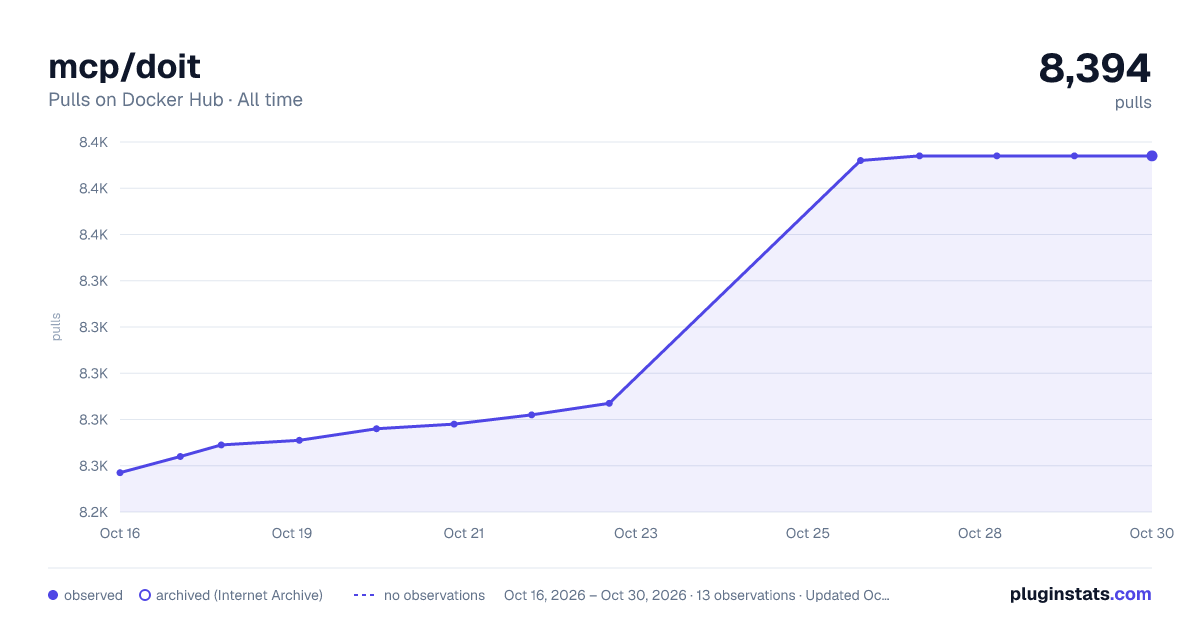
mcp/doit has 8,269 recorded pulls on Docker Hub.
It ranks #950 of 1,263 tracked Docker Hub listings by pulls.
PluginStats has 3 daily observations since Oct 16, 2026; the latest is from Oct 18, 2026.
About mcp/doit
DoiT MCP Server
DoiT official MCP Server.
What is an MCP Server?
Characteristics
Attribute|Details| |-|-| Image Source|Official Image Docker Image|mcp/doit Author|doitintl Repository|https://github.com/doitintl/doit-mcp-server Dockerfile|https://github.com/doitintl/doit-mcp-server/blob/main/Dockerfile Docker Image built by|Docker Inc. Docker Scout Health Score| Verify Signature|COSIGN_REPOSITORY=mcp/signatures cosign verify mcp/doit --key https://raw.githubusercontent.com/docker/keyring/refs/heads/main/public/mcp/latest.pub Licence|MIT License
Available Tools
Tools provided by this Server|Short Description -|- get_anomalies|List anomalies detected in cloud costs| get_anomaly|Get a specific anomaly by ID| get_cloud_incident|Get a specific cloud incident by ID| get_cloud_incidents|Get cloud incidents| get_dimension|Get a specific Cloud Analytics dimension by type and ID| get_report_results|Get the results of a specific report by ID| list_dimensions|Lists Cloud Analytics dimensions that your account has access to.| list_reports|Lists Cloud Analytics reports that your account has access to| run_query|Runs a report query with the specified configuration without persisting it.| validate_user|Validates the current API user and returns domain and email information|
Tools Details
Tool: get_anomalies
List anomalies detected in cloud costs Parameters|Type|Description -|-|- filter|string *optional*|Filter string in format 'key:value|key:value'. Multiple values for same key are treated as OR, different keys as AND. pageToken|string *optional*|Token for pagination. Use this to get the next page of results.
Tool: get_anomaly
Get a specific anomaly by ID Parameters|Type|Description -|-|- id|string|anomaly ID
Tool: get_cloud_incident
Get a specific cloud incident by ID Parameters|Type|Description -|-|- id|string|incident ID
Tool: get_cloud_incidents
Get cloud incidents Parameters|Type|Description -|-|- filter|string *optional*|Filter string in format 'key:value|key:value'. Multiple values for same key are treated as OR, different keys as AND. Example: 'platform:google-cloud|status:active' or 'platform:google-cloud|platform:amazon-web-services' pageToken|string *optional*|Token for pagination. Use this to get the next page of results. platform|string *optional*|platform name
Tool: get_dimension
Get a specific Cloud Analytics dimension by type and ID Parameters|Type|Description -|-|- id|string|Dimension id type|string|Dimension type
Tool: get_report_results
Get the results of a specific report by ID Parameters|Type|Description -|-|- id|string|The ID of the report to retrieve results for
Tool: list_dimensions
Lists Cloud Analytics dimensions that your account has access to. Use this tool to get the dimensions that you can use in the run_query tool. Use filter to narrow down the results. Parameters|Type|Description -|-|- filter|string *optional*|Filter string (optional) in format 'key:value|key:value'. Multiple values for same key are treated as OR, different keys as AND. The fields eligible for filtering are: type, label, key. use the filter parameter only if you know the exact value of the key, otherwise the filter should be empty. pageToken|string *optional*|Token for pagination. Use this to get the next page of results.
Tool: list_reports
Lists Cloud Analytics reports that your account has access to Parameters|Type|Description -|-|- filter|string *optional*|Filter string in format 'key:value|key:value'. Multiple values for same key are treated as OR, different keys as AND. Possible filter keys: reportName, owner, type, updateTime, use the filter property only if you know for sure the value is a valid filter key, do not guess it. pageToken|string *optional*|Token for pagination. Use this to get the next page of results.
Tool: run_query
Runs a report query with the specified configuration without persisting it. Fields that are not populated will use their default values if needed. Use the dimension tool before running the query to get the list of dimensions and their types. If possible, use timeRange instead of customTimeRange when no specific dates are given. Example for cost report: { "config": { "dataSource": "billing", "metric": {"type": "basic", "value": "cost"}, "timeRange": {"mode": "last", "amount": 1, "unit": "month", "includeCurrent": true}, "group": [{"id": "service_description", "type": "fixed", "limit": {"metric": {"type": "basic", "value": "cost"}, "sort": "desc", "value": 10}}] } } Parameters|Type|Description -|-|- config|object|The configuration for the query, including dimensions, metrics, filters, etc.
Tool: validate_user
Validates the current API user and returns domain and email information
Use this MCP Server
Why is it safer to run MCP Servers with Docker?
Description from the Docker Hub listing.
Where mcp/doit sits in the listing
Each band is one page of 20. Pulls on a log scale. Placement is projected from pulls, so it can differ from the marketplace's own sort order. Hover a dot to see the listing.


Charts
Images: 30d · 1y · all time · 1600×900 dark

Adoption over time


7/30/90-day growth


Filled points are observed values; hollow points come from Internet Archive snapshots of the listing page. Dashed segments span periods with no observations — values between points are not interpolated.
Recent observations
Full history (3)Similar Docker Hub Machine learning & AI plugins
Data source
Cumulative pull counts and stars come from the public Docker Hub API. Pulls count image downloads (including automated CI pulls), not installs or users.
Listing: https://hub.docker.com/r/mcp/doit. First seen Oct 16, 2026; last successful collection Oct 18, 2026. See the methodology.