 PluginStats
atlassian/convert-helm-values pulls statistics
By atlassian (66 listings) · Docker Hub
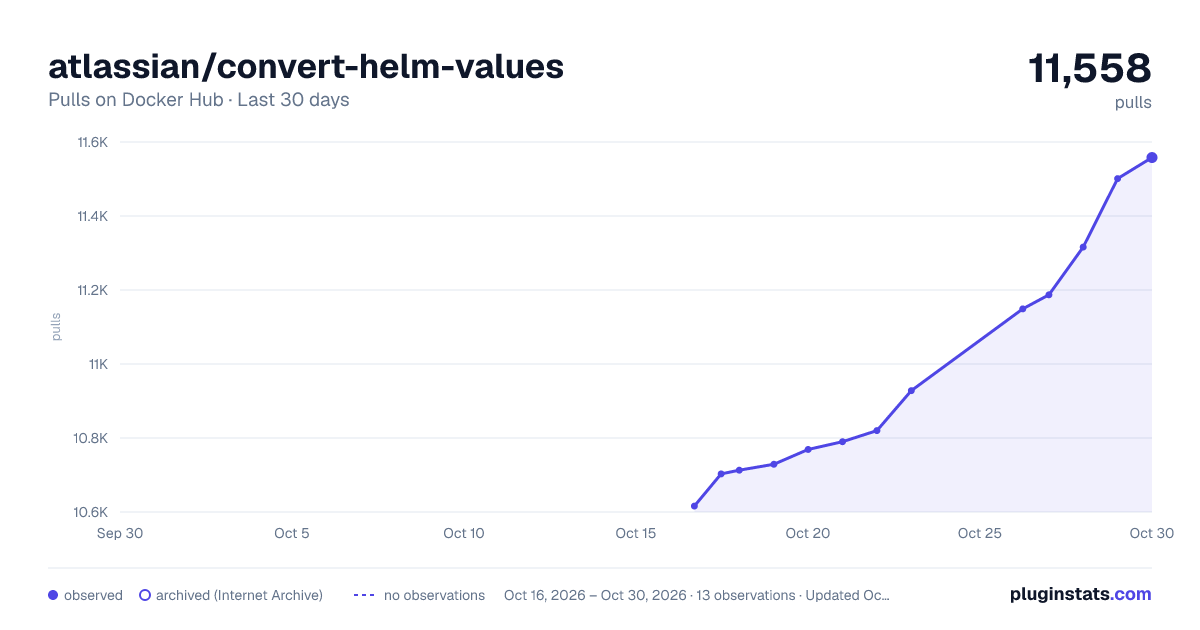
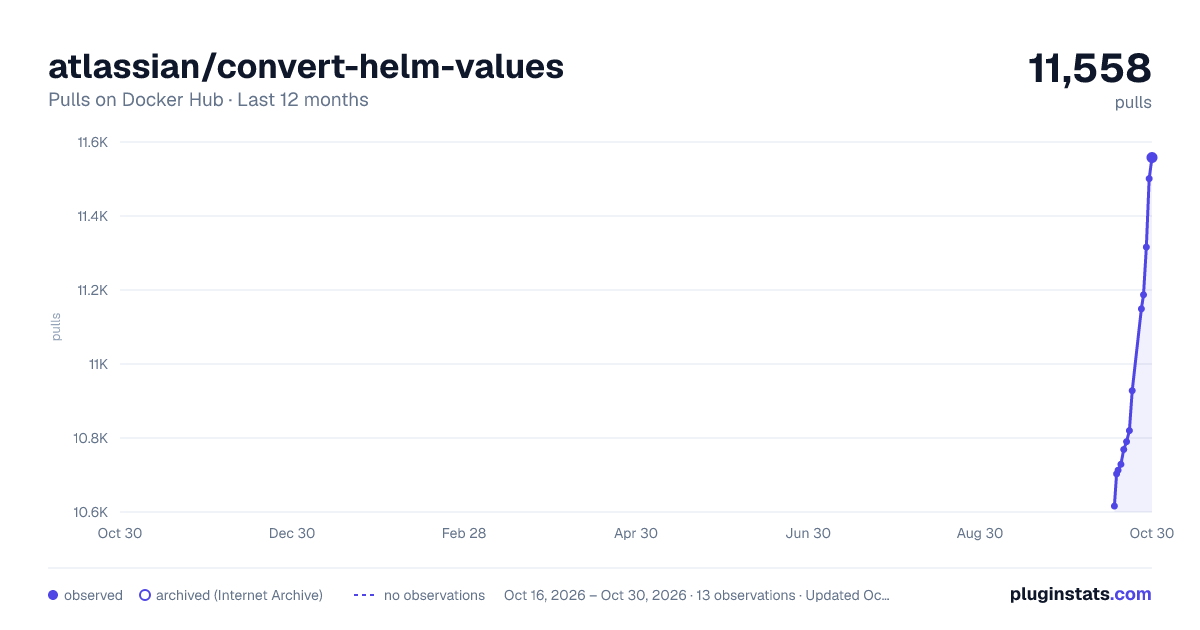
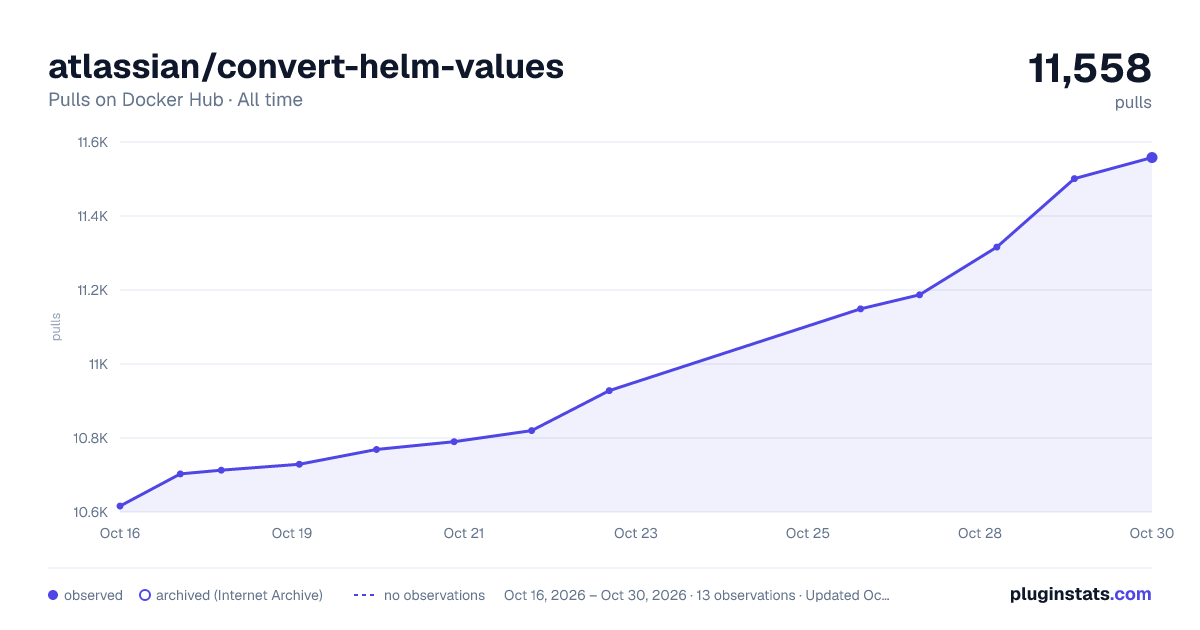
atlassian/convert-helm-values has 10,713 recorded pulls on Docker Hub.
It ranks #902 of 1,263 tracked Docker Hub listings by pulls.
PluginStats has 3 daily observations since Oct 16, 2026; the latest is from Oct 18, 2026.
About atlassian/convert-helm-values
Convert Helm Values
For Atlassian Internal Use Only
This pipe converts archetype descriptor or a service descriptor to KITT Helm values.
Configuration File
The CONFIG variable should contain the conversion configuration in YAML format. The configuration can include the following fields:
• kushi: [required] all available arguments for kushi migrate command, you need figure out by run atlas kushi migrate --help locally • archetype-descriptor: [required] the path to the archetype descriptor file • output-dir: [required] the output directory for the Helm charts • ... other kushi arguments as needed • values-overrides: [optional] refer to values-overrides Schema, a list of values overrides to be applied to the Helm charts • values-removals: [optional] refer to values-removals Schema, a list of values fields to be removed from Helm values • archetype-removals: [optional] [monolith only] a list of archetype fields to be removed when converting SD to Archetype descriptor • archetype-overrides: [optional] [monolith only] archetype fields to be overridden when converting SD to Archetype descriptor
values-overrides Schema
• file: [required] the path to the values overrides file, relative to kushi.output-dir e.g. values.yaml, stg-east/values.yaml • values: [required] a map of values to be overridden in the Helm charts, e.g. {"image.tag": "latest"}
values-removals Schema
• file: [required] the path to the values removals file, relative to kushi.output-dir e.g. values.yaml, stg-east/values.yaml • values: [required] a list of values fields to be removed from the Helm charts.
Examples,
`
Example
For the above example, for values.yaml, it will completely remove the kitt-application.secrets.vault field, and for stg-east/values.yaml, it will remove the kitt-application.secrets.vault.static.shard-purpose field. In addition, it will remove the kitt-application.listFields.a field from the list.
Please be noted,
• If the value is a list, it will remove any item in the list that matches the value. • To remove the field completely, the value has to be an empty string, empty object or empty list, otherwise it will not be removed.
Pipe
Workflow
1. The pipe reads the CONFIG variable, which contains the conversion configuration. 2. If the SERVICE_DESCRIPTOR variable is provided, it will convert the service descriptor to an archetype descriptor. 3. The pipe will then call atlas kushi migrate command to convert the archetype descriptor to Helm charts. 4. Then the pipe read config overrides from the configuration file and apply them to the Helm values. 5. If GIT_ENABLED is set to true, it will commit the changes to the git repository. 6. If PULL_REQUEST_ENABLED is set to true, it will create a pull request with the changes.
Variables
| Variable | Required | Default | Description |
| CONFIG | Yes | | The conversion config. | | SERVICE_DESCRIPTOR | No | | The service descriptor file path. This only applies to monolith, as we need to convert SD to archetype descriptor first. | | DEBUG_MODE | No | "false" | Enable debug logging mode. | | ARTIFACTORY_USERNAME | Yes | | Username for Artifactory authentication. Use artifactory-sidekick exported env var. | | ARTIFACTORY_PASSWORD | Yes | | Password for Artifactory authentication. Use artifactory-sidekick exported env var. | | GIT_ENABLED | No | "false" | Enable git operations for committing changes. If there is no changes, nothing will be committed. | | GIT_EMAIL | No | | Email address for git commits. | | GIT_USERNAME | No | "x-token-auth" | Username for git authentication. | | GIT_PASSWORD | No | | Password or access token for git authentication. | | GIT_PROJECT | No | "atlassian" | Git project/organization name. | | COMMIT_MESSAGE | No | "noissue: Convert Helm values" | Commit message for changes. | | PULL_REQUEST_ENABLED | No | "false" | Enable automatic pull request creation. | | PULL_REQUEST_PREFIX | No | "NOISSUE: convert archetype descriptor to helm values" | Prefix for pull request titles. | | PULL_REQUEST_BRANCH_PREFIX | No | "NOISSEUE/convert-helm-values" | Prefix for pull request branch names. | | PULL_REQUEST_DESTINATION_BRANCH | No | | Target branch for pull requests. If not provided, repo default branch will be used. |
Artifactory Authentication
The artifactory credentials are expected and will be used to log into Helm repository to generate Helm charts.
This can be obtained by using the atlassian/artifactory-sidekick:v1 pipe, the pipe will export the following environment variables:
• ARTIFACTORY_USERNAME • ARTIFACTORY_PASSWORD
Bitbucket Access Token
To use Bitbucket for git operations, you need to provide a repository access token with the required permissions. This can be set in the GIT_PASSWORD variable.
1. Go to Repository settings in Bitbucket. 2. Navigate to Access tokens in the left sidebar. 3. Click on Create access token, the token name will be the Bot name, so choose a meaningful name. 4. Set the expiration date as needed, maximum 1 year. 5. Create an access token with the following permissions: • Repositories: Read, Write • Pull requests: Read, Write • Pipeline: Read 6. Copy the generated token and set it in the GIT_PASSWORD variable. 7. Copy the generate email as GIT_EMAIL variable. 8. Copy the username (which will be x-token-auth) as GIT_USERNAME variable.
Please be noted that the username is always x-token-auth for Bitbucket, therefore you could rely on the default value for GIT_USERNAME.
Once you have obtained the access token, you can set it in the GIT_PASSWORD pipeline variable.
1. Go to Repository settings in Bitbucket. 2. Navigate to Repository variables in the left sidebar. 3. Add a new variable with the name GIT_PASSWORD and paste the access token (secret). 4. Add a new variable with the name GIT_EMAIL and paste the email address you used to create the access token.
Bitbucket Pipeline Setup
In your bitbucket-pipelines.yml file, you can use the pipe as follows:
Description from the Docker Hub listing.
Where atlassian/convert-helm-values sits in the listing
Each band is one page of 20. Pulls on a log scale. Placement is projected from pulls, so it can differ from the marketplace's own sort order. Hover a dot to see the listing.


Charts
Images: 30d · 1y · all time · 1600×900 dark

Adoption over time


7/30/90-day growth


Filled points are observed values; hollow points come from Internet Archive snapshots of the listing page. Dashed segments span periods with no observations — values between points are not interpolated.
Recent observations
Full history (3)Similar Docker Hub plugins
Data source
Cumulative pull counts and stars come from the public Docker Hub API. Pulls count image downloads (including automated CI pulls), not installs or users.
Listing: https://hub.docker.com/r/atlassian/convert-helm-values. First seen Oct 16, 2026; last successful collection Oct 18, 2026. See the methodology.