 PluginStats
bitnami/node-min pulls statistics
By bitnami (100 listings) · Docker Hub
Bitnami Secure Image for node-min
bitnami/node-min has 15,896 recorded pulls on Docker Hub.
It ranks #758 of 1,263 tracked Docker Hub listings by pulls.
PluginStats has 3 daily observations since Oct 16, 2026; the latest is from Oct 18, 2026.
About bitnami/node-min
Bitnami Secure Image for Node.js minimal
Node.js is a runtime built on V8 JavaScript engine. Its event-driven, non-blocking I/O supports fast, scalable, and data-intensive server apps. This ultra-lightweight option is ideal for security-focused and resource-constrained environments.
Overview of Node.js minimal Trademarks: This software listing is packaged by Bitnami. The respective trademarks mentioned in the offering are owned by the respective companies, and use of them does not imply any affiliation or endorsement.
Refer to our documentation to get started with the minimal container.
TL;DR
Note: You need to substitute the REGISTRY_NAME placeholder with a reference to your container registry.
Choosing between the _Standard_ and _Minimal_ image
This asset is available in two flavors: _Standard_ and _Minimal_; designed to address different use cases and operational needs.
Standard images
The standard images are full-featured, production-ready containers built on top of secure base operating systems. They include:
• The complete runtime and commonly used system tools. • A familiar Linux environment (shell, package manager, debugging utilities). • Full compatibility with most CI/CD pipelines and existing workloads.
Recommended for:
• Development and testing environments. • Workloads requiring package installation or debugging tools. • Applications that depend on system utilities or shared libraries.
Minimal images
The minimal images are optimized, distroless-style containers derived from a stripped-down base. They only ship what’s strictly necessary to run the application; no shell, package manager, or extra libraries. They provide:
• Smaller size: Faster pull and startup times. • Reduced attack surface: Fewer components and potential vulnerabilities. • Simpler maintenance: Fewer dependencies to patch or update.
Recommended for:
• Production environments prioritizing performance and security. • Regulated or security-sensitive workloads • Containers built via multi-stage builds (e.g., Golang static binaries).
Supported tags and respective Dockerfile links
Learn more about the Bitnami tagging policy and the difference between rolling tags and immutable tags in our documentation page.
Get this image
The Bitnami Node.js minimal Docker image is only available to Bitnami Secure Images customers.
Entering the REPL
By default, running this image will drop you into the Node.js minimal REPL, where you can interactively test and try things out in Node.js minimal.
Further Reading:
• nodejs.org/api/repl.html
Configuration
The following section describes how to run commands
Running your Node.js minimal script
The default work directory for the Node.js minimal image is /app. You can mount a folder from your host here that includes your Node.js minimal script, and run it normally using the node command.
Running a Node.js minimal app with npm dependencies
If your Node.js minimal app has a package.json defining your app's dependencies and start script, you need to install the dependencies before running your app.
The process require using a full node image to run npm install, then the application including its modules can be mounted to be executed using the bitnami/node-min image.
Accessing a Node.js minimal app running a web server
By default the image exposes the port 3000 of the container. You can use this port for your Node.js minimal application server.
Below is an example of an express.js app listening to remote connections on port 3000:
To access your web server from your host machine you can ask Docker to map a random port on your host to port 3000 inside the container.
Run docker port to determine the random port Docker assigned.
You can also specify the port you want forwarded from your host to the container.
Access your web server in the browser by navigating to http://localhost:8080.
Connecting to other containers
If you want to connect to your Node.js minimal web server inside another container, you can use docker networking to create a network and attach all the containers to that network.
Serving your Node.js minimal app through an nginx frontend
We may want to make our Node.js minimal web server only accessible via an nginx web server. Doing so will allow us to setup more complex configuration, serve static assets using nginx, load balance to different Node.js minimal instances, etc.
Step 1: Create a network
Step 2: Create a virtual host
Let's create an nginx virtual host to reverse proxy to our Node.js minimal container.
Notice we've substituted the link alias name myapp, we will use the same name when creating the container.
Copy the virtual host above, saving the file somewhere on your host. We will mount it as a volume in our nginx container.
Step 3: Run the Node.js minimal image with a specific name
Step 4: Run the nginx image
FIPS configuration in Bitnami Secure Images
The Bitnami Node.js minimal Docker image from the Bitnami Secure Images catalog includes extra features and settings to configure the container with FIPS capabilities. You can configure the next environment variables:
• OPENSSL_FIPS: whether OpenSSL runs in FIPS mode or not. yes (default), no.
License
Copyright © 2026 Broadcom. The term "Broadcom" refers to Broadcom Inc. and/or its subsidiaries.
Licensed under the Apache License, Version 2.0 (the "License"); you may not use this file except in compliance with the License. You may obtain a copy of the License at
Unless required by applicable law or agreed to in writing, software distributed under the License is distributed on an "AS IS" BASIS, WITHOUT WARRANTIES OR CONDITIONS OF ANY KIND, either express or implied. See the License for the specific language governing permissions and limitations under the License.
Description from the Docker Hub listing.
Where bitnami/node-min sits in the listing
Each band is one page of 20. Pulls on a log scale. Placement is projected from pulls, so it can differ from the marketplace's own sort order. Hover a dot to see the listing.


Charts
Images: 30d · 1y · all time · 1600×900 dark
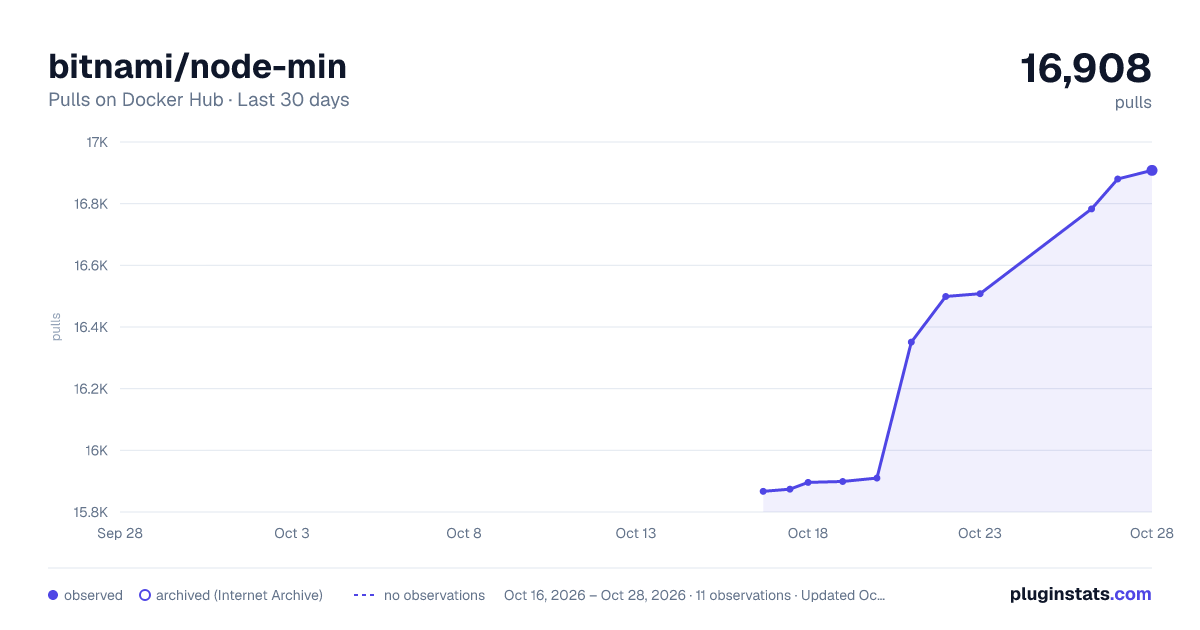
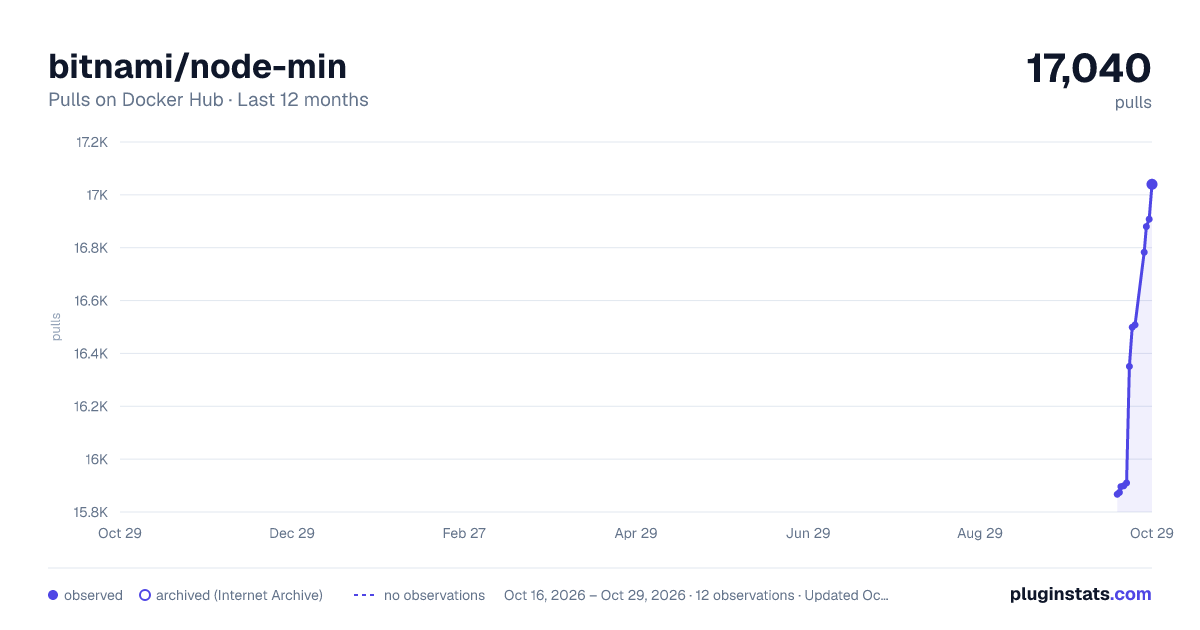
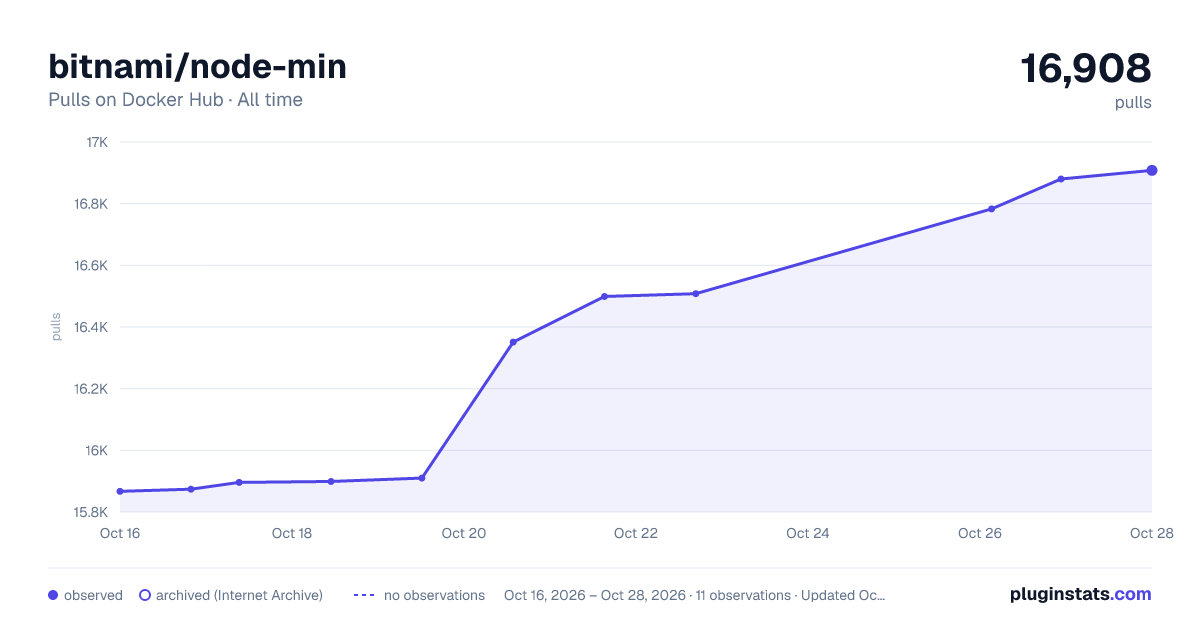

Adoption over time


7/30/90-day growth


Filled points are observed values; hollow points come from Internet Archive snapshots of the listing page. Dashed segments span periods with no observations — values between points are not interpolated.
Recent observations
Full history (3)Similar Docker Hub plugins
Data source
Cumulative pull counts and stars come from the public Docker Hub API. Pulls count image downloads (including automated CI pulls), not installs or users.
Listing: https://hub.docker.com/r/bitnami/node-min. First seen Oct 16, 2026; last successful collection Oct 18, 2026. See the methodology.