 PluginStats
varnish pulls statistics
Varnish is an HTTP accelerator designed for content-heavy dynamic web sites as well as APIs.
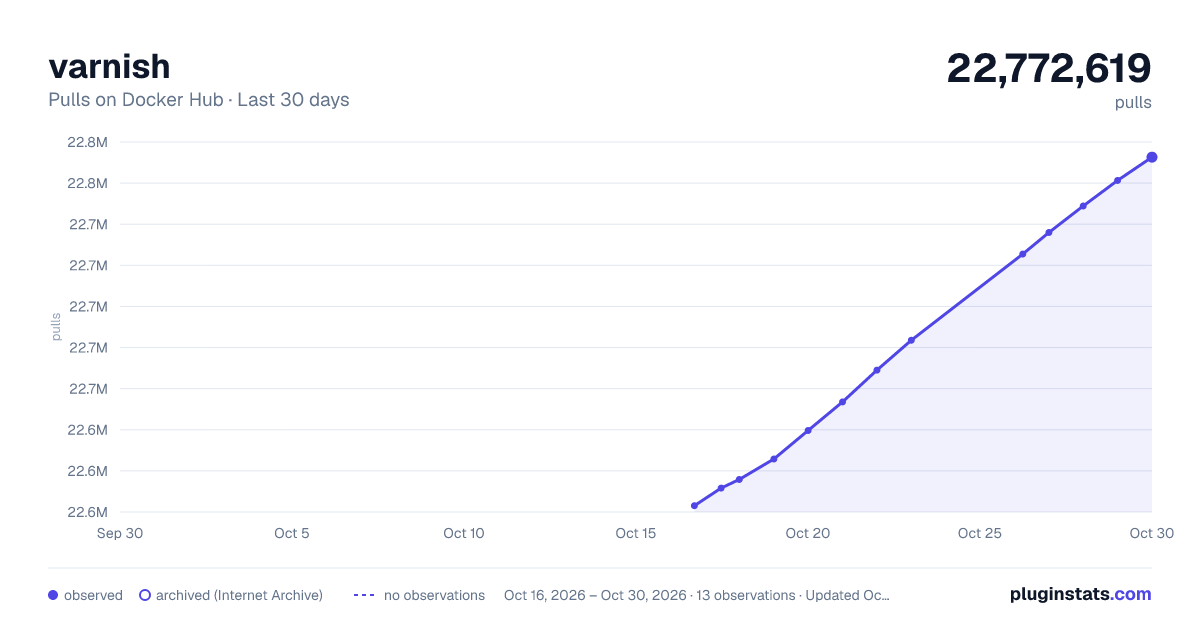
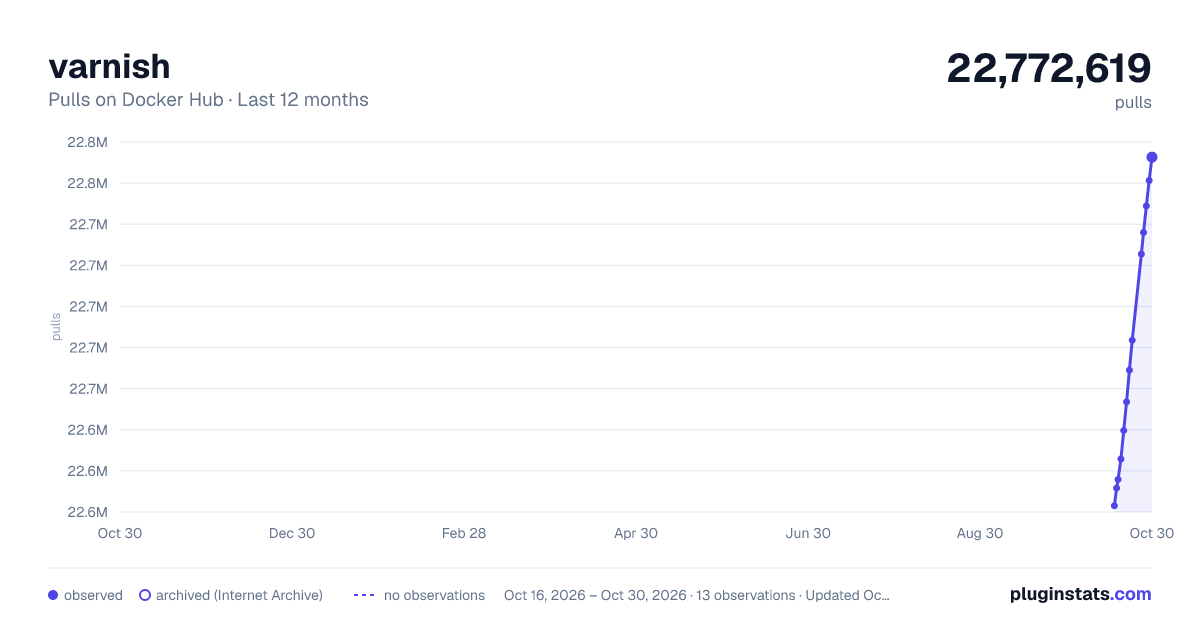
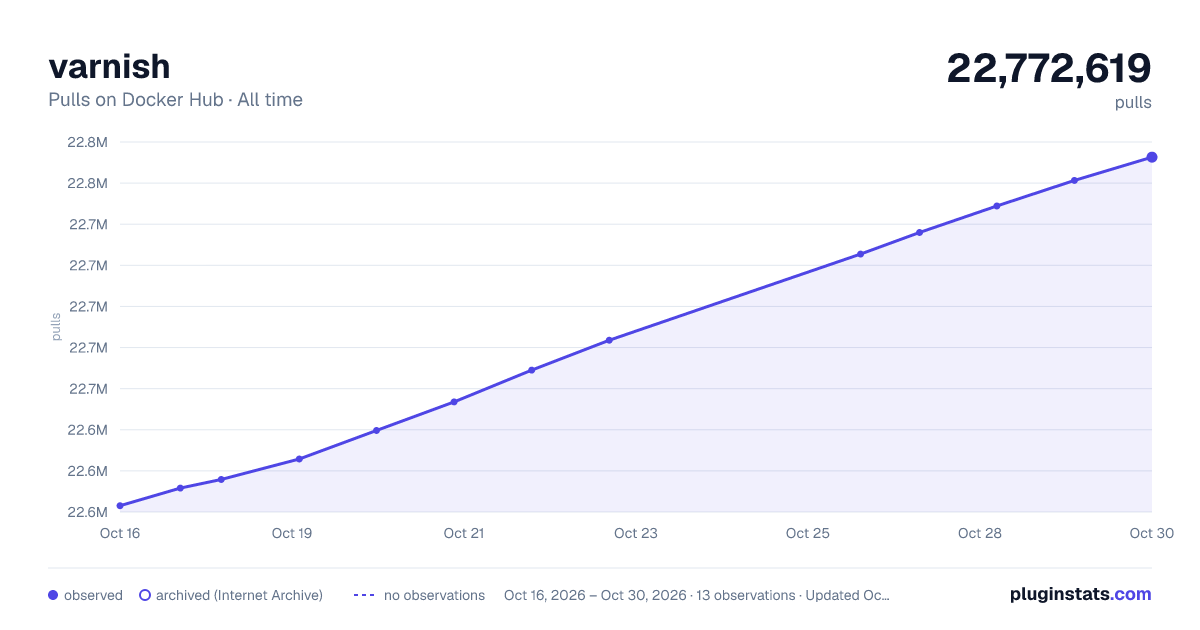
varnish has 22,615,825 recorded pulls on Docker Hub.
It ranks #97 of 1,263 tracked Docker Hub listings by pulls.
PluginStats has 3 daily observations since Oct 16, 2026; the latest is from Oct 18, 2026.
About varnish
Quick reference
• Maintained by: the Varnish Docker Community • Where to get help: the Docker Community Slack, Server Fault, Unix & Linux, or Stack Overflow
Supported tags and respective Dockerfile links
• fresh, latest, 9.1.0-2, 9.1.0, 9.1, 9 • old, 9.0.4-5, 9.0.4, 9.0 • stable, 6.0.18-1, 6.0.18, 6.0, 6
Quick reference (cont.)
• Where to file issues: https://github.com/varnish/docker-varnish/issues • Supported architectures: (more info) amd64, arm64v8 • Published image artifact details: repo-info repo's repos/varnish/ directory (history) (image metadata, transfer size, etc) • Image updates: official-images repo's library/varnish label official-images repo's library/varnish file (history) • Source of this description: docs repo's varnish/ directory (history)
What is Varnish?
Varnish is an HTTP accelerator designed for content-heavy dynamic web sites as well as APIs. In contrast to other web accelerators, such as Squid, which began life as a client-side cache, or Apache and nginx, which are primarily origin servers, Varnish was designed as an HTTP accelerator. Varnish is focused exclusively on HTTP, unlike other proxy servers that often support FTP, SMTP and other network protocols.
wikipedia.org/wiki/Varnish_(software))
How to use this image.
You can then visit http://localhost:8080 with your browser and be greeted by the default landing page.
Note: while the --ulimit and --tmpfs options aren't necessary, they are greatly recommended. More details are available at the end of this page.
Basic usage
Simple cache
The default Varnish configuration will read the VARNISH_BACKEND_HOST environment variable which should be an HTTP or HTTPS URL, for example:
By default, Varnish is extremely careful regarding what it can and cannot cache by looking at the client request and at the backend response.
Notably, Varnish will not cache if:
• the request is not a GET or HEAD • the request contains an Authorization or Cookie header • the response status is not cacheable (i.e., not a 2xx or 4xx response) • the response contains a Set-Cookie header • the response contains headers indicating it is uncacheable
These rules can, of course, be overridden by providing your own VCL file, as explained in the next section.
Custom caching logic
If you already have a VCL file, you can directly mount it as /etc/varnish/default.vcl:
Alternatively, a simple Dockerfile can be used to generate a new image that includes the necessary default.vcl:
Place this file in the same directory as your default.vcl, run docker build -t my-varnish ., then start your container:
Reloading the configuration
The images all ship with varnishreload which allows you to easily update the running configuration without restarting the container (and therefore losing your cache). At its most basic, you just need this:
Note that varnishreload also supports reloading other files (it doesn't have to be default.vcl), labels (-l), and garbage collection of old labels (-m), among others. To learn more, run
File server
Using the included vmod-fileserver, Varnish can be used as a file server. Just mount the directory you want to expose into the /var/www/html directory and set the VARNISH_FILESERVER variable to true:
Note: Varnish will reply with an empty 200 when trying to access folders instead of individual files.
Environment variables
Backend address (VARNISH_BACKEND_HOST)
Set the backend address and protocol as explained above. This only works with the provided VCL, i.e. if you don't mount an /etc/varnish/default.vcl file, and if you don't set VARNISH_VCL_FILE
File server mode (VARNISH_FILESERVER)
Also only valid with the default VCL. If VARNISH_BACKEND_HOST is unset and VARNISH_FILESERVER is set, Varnish will act as a server, using /var/www/html as its source.
Cache size (VARNISH_SIZE)
By default, the containers will use a cache size of 100MB, which is usually a bit too small, but you can quickly set it through the VARNISH_SIZE environment variable:
Listening ports (VARNISH_HTTP_PORT/VARNISH_PROXY_PORT)
Varnish will listen to HTTP traffic on port 80, and this can be overridden by setting the environment variable VARNISH_HTTP_PORT. Similarly, the variable VARNISH_PROXY_PORT (defaulting to 8443) dictates the listening port for the PROXY protocol used notably to interact with hitch (which, coincidentally, uses 8443 as a default too!).
VCL file (VARNISH_VCL_FILE)
The default Varnish configuration file is /etc/varnish/default.vcl, but this can be overridden with the VARNISH_VCL_FILE environment variable. This is useful if you want a single image that can be deployed with different configurations baked in it.
Extra arguments
Additionally, you can add arguments to docker run after varnish, if the first argument starts with a -, the whole list will be appended to the default command:
If your first argument after varnish doesn't start with -, it will be interpreted as a command to override the default one:
This can notably be used to extract logs using varnishncsa or varnishlog, running varnishstat -1 to extract metrics, and of course reloading the VCL with varnishreload.
Vmods
The docker image is built with a collection of "VCL modules" or "vmods" that extend Varnish capability.
We've already covered vmod-fileserver (file backend) and vmod-reqwest (dynamic backends), but more are available and can be used in your custom VCL with import . Please refer to the documentation of each vmod for more information.
The full list can be found on the varnish/pkg-varnish-cache repository on github.
ulimit and tmpfs notes
Varnish uses memory-mapped files to log and store metrics for performance reasons. Those files are constantly written to, and to get the most out of your system, you should:
• mount the working directory as tmpfs to make sure disk I/O isn't a bottleneck; that's what the --tmpfs switch does • allow Varnish to lock those memory-mapped files so they aren't paged out by the kernel; hence the --ulimit switch…
Description from the Docker Hub listing.
Where varnish sits in the listing
Each band is one page of 20. Pulls on a log scale. Placement is projected from pulls, so it can differ from the marketplace's own sort order. Hover a dot to see the listing.


Charts
Images: 30d · 1y · all time · 1600×900 dark

Adoption over time


7/30/90-day growth


Filled points are observed values; hollow points come from Internet Archive snapshots of the listing page. Dashed segments span periods with no observations — values between points are not interpolated.
Recent observations
Full history (3)Similar Docker Hub Web servers plugins
Data source
Cumulative pull counts and stars come from the public Docker Hub API. Pulls count image downloads (including automated CI pulls), not installs or users.
Listing: https://hub.docker.com/_/varnish. First seen Oct 16, 2026; last successful collection Oct 18, 2026. See the methodology.