 PluginStats
hashicorp/learn-website pulls statistics
By hashicorp (104 listings) · Docker Hub · Content management system
a docker image for building learn.hashicorp.com
hashicorp/learn-website has 42,187 recorded pulls on Docker Hub.
It ranks #549 of 1,263 tracked Docker Hub listings by pulls.
PluginStats has 4 daily observations since Oct 16, 2026; the latest is from Oct 19, 2026.
About hashicorp/learn-website
HashiCorp Learn
The HashiCorp learning platform, found at https://learn.hashicorp.com
Table of Contents
• Local Development • Terminology • Deployment • Working with Markdown • Markdown • Markdown style guide • Authoring pages • Adding to a curriculum • Using Components • Pages • Sharing topics across tracks • Notes for Windows users • Optional Visual Diff Testing with Percy
Local Development
You can work on the website locally with hot-reloading content and styles. There are two options for local development:
• Node.js: If you have node.js installed, you can get started initially by installing dependencies using npm install, then run the site in local development mode using the command npm run dev. This is much faster both to startup and reload, and recommended for core developers and/or frequent contributors. You can run npm run build to generate the files for the static site without starting the local server. For troubleshooting, you can run npm run static on your local machine to recreate the error locally. • Docker: You can run this website with only Docker, if you do not have node.js installed on your machine. You must however have Docker for Mac, Windows, etc. installed. The benefit is that you ONLY need Docker, and no other dependencies. The downside is that this approach is a bit slower. The bootup time will be a minute or two, but after that you will get hot-reloading and development will be fast. Simply running, make will pull down a pre-built Docker image and run the website within the image, exposing it at port 3000. If you make a change to the node dependencies at all, you'll need to regenerate the image using make build-image then run the website using the locally built container with make website-local.
In either scenario, you can visit the local website at http://localhost:3000. When you modify content, the website should automatically reload, you do not have to stop and restart the development environment.
NOTE: When you navigate between pages for the first time in local dev mode, the styling will not appear. Reloading the page will resolve this issue. We are aware this is not an ideal experience and it will be resolved as a part of this asana ticket: https://app.asana.com/0/1109567977155474/1123572242688266
Understanding Terminology
This project specifically is organized using a set of terminology that it's important to understand in order to be able to work with the project. We'll go through each of these terms below in order to make them clear.
• Topic: An individual page containing a single learn guide. For example, /consul/getting-started/install. • Track: A collection of topics in a group. Tracks do not have their own view, but are visually grouped together on curriculum pages. For example, consul's "getting started" guides. • Curriculum: All of the tracks and topics for one specific product. For example, /consul.
In the filesystem, you can find curriculum-level content under pages/{product}, track-level content under pages/{product}/{trackName}. Tracks can be multiple levels deep, and anything past the first level is part of the name of the track. So for example, pages/consul/advanced/advanced-operations/autopilot.mdx would be broken down as such:
This is a bit confusing when you look at the data/{product}.yml file. You will see that the "curriculum" level is cleanly separate, each curriculum has its own data file. The "tracks" level is where things get a little difficult. It is clear that each track is an item under tracks, but beyond that things become a bit mixed up when looking at level, id, and the id on the topics array. We may take another look at this in the future, but for now, go with you gut when it comes to organizing data in that file, but when it comes to the filesystem, follow the guide above.
Deployment
At the moment, this website is configured to deploy through netlify, directly on the master branch. It can be seen at https://learn-platform-upgrade.netlify.com. If you need access to the netlify instance for any reason, please reach out the the web platform team.
Creating Content
There are a few different types of content that can be created, but the majority of contributions to content will be via markdown files in the pages/ directory.
Working with Markdown
Markdown Style Guide
Learn content should follow the HashiCorp Engineering Markdown Style Guide. Refer to this guide for information on inline styles and best practices.
Authoring Pages
To create a new page with Markdown, create a file ending in .mdx in the pages/ directory. The files should have only one extension: .mdx. Any additional extensions will cause errors, and are not necessary. The path in the pages directory will be the direct URL route. For example, pages/hello/world.mdx will be served from the /hello/world URL.
NOTE: If you are running the local dev watcher and add a new page, you will see an error that looks like "Error: Unable to find page: '{name of your page}'". If you restart the watcher (ctrl+c, npm run dev again), your new page will be present. We're aware this is not ideal and are working on a solution, which can be tracked in this asana task: https://app.asana.com/0/1126463990065400/1128564052830051
This file can be standard Markdown and also supports YAML frontmatter. The required keys in the YAML frontmatter are:…
Description from the Docker Hub listing.
Where hashicorp/learn-website sits in the listing
Each band is one page of 20. Pulls on a log scale. Placement is projected from pulls, so it can differ from the marketplace's own sort order. Hover a dot to see the listing.


Charts
Images: 30d · 1y · all time · 1600×900 dark
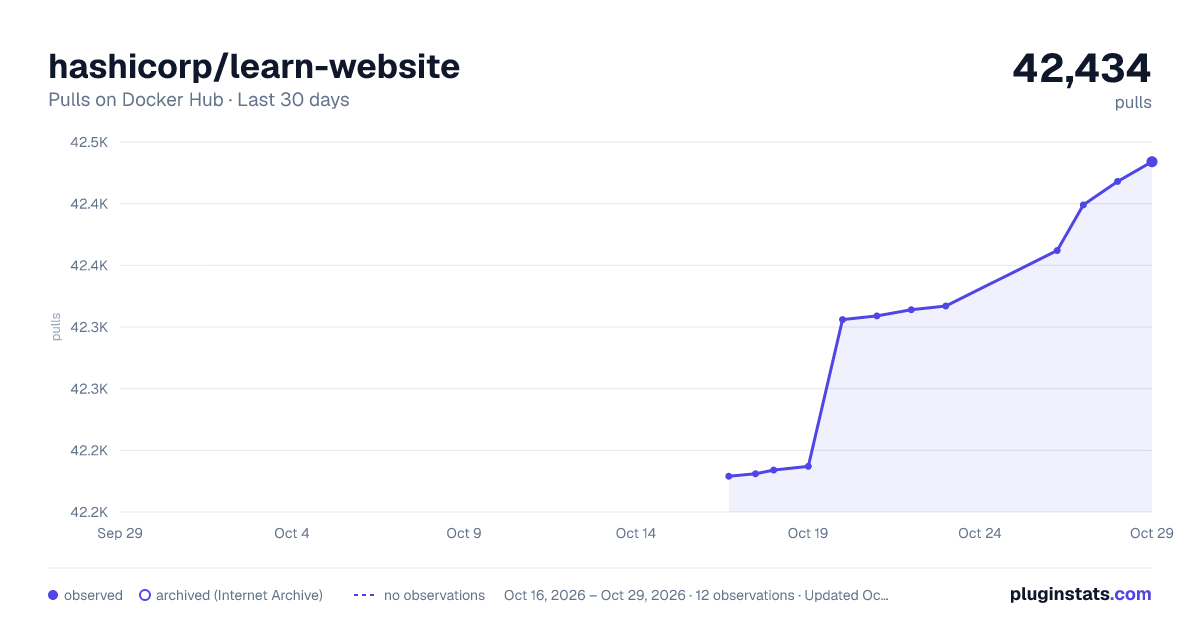
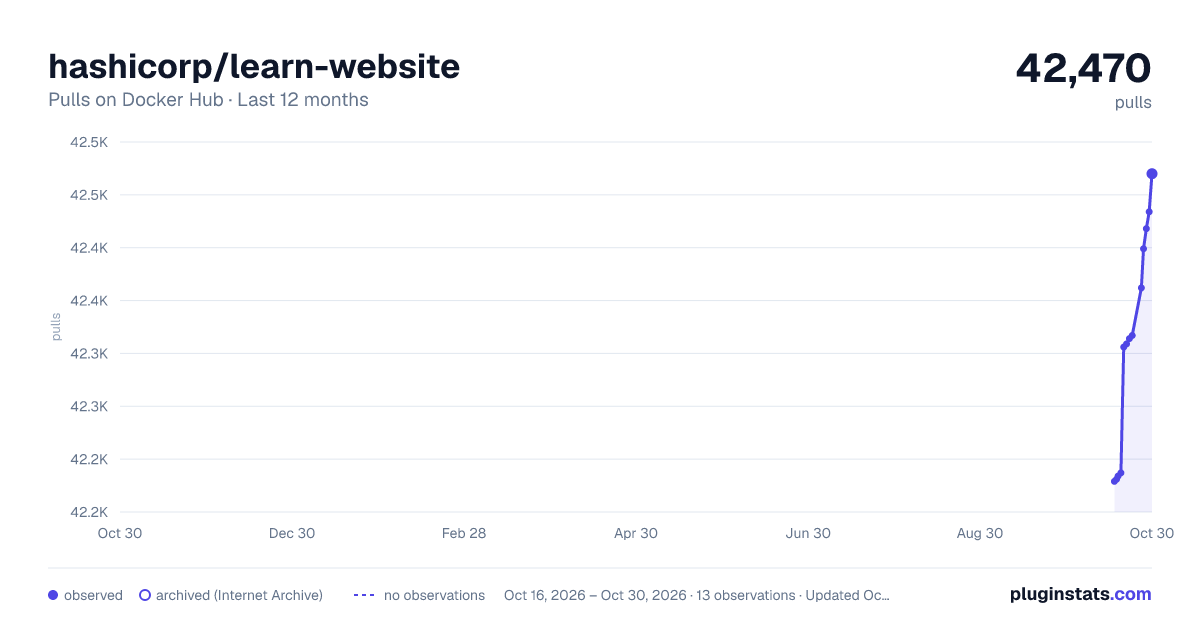
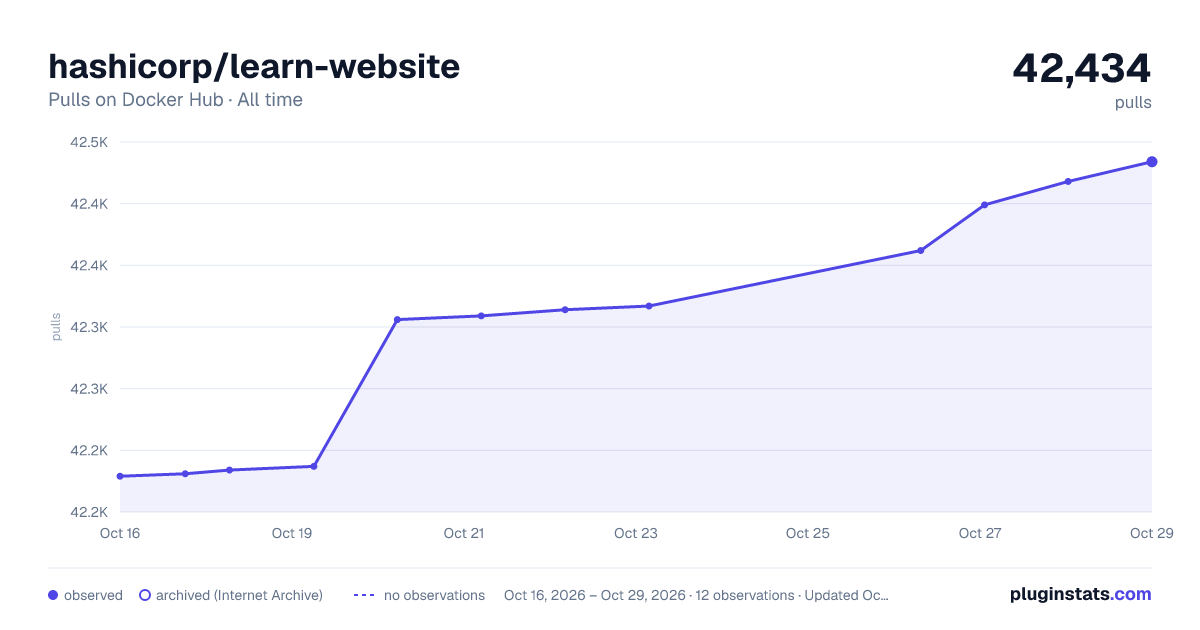

Adoption over time


7/30/90-day growth


Filled points are observed values; hollow points come from Internet Archive snapshots of the listing page. Dashed segments span periods with no observations — values between points are not interpolated.
Recent observations
Full history (4)Similar Docker Hub Content management system plugins
Data source
Cumulative pull counts and stars come from the public Docker Hub API. Pulls count image downloads (including automated CI pulls), not installs or users.
Listing: https://hub.docker.com/r/hashicorp/learn-website. First seen Oct 16, 2026; last successful collection Oct 19, 2026. See the methodology.