 PluginStats
bonita pulls statistics
Docker Hub · Languages & frameworks
Bonita is an open-source business process management and workflow suite
bonita has 14,301,858 recorded pulls on Docker Hub.
It ranks #118 of 1,263 tracked Docker Hub listings by pulls.
PluginStats has 4 daily observations since Oct 16, 2026; the latest is from Oct 19, 2026.
About bonita
Quick reference
• Maintained by: Bonitasoft Community • Where to get help: Bonita official documentation, StackOverflow, Bonitasoft Community forum
Supported tags and respective Dockerfile links
• 2026.2-u0, 2026.2, 11.1.0, 11.1, latest
Quick reference (cont.)
• Where to file issues: Jira • Supported architectures: (more info) amd64 • Published image artifact details: repo-info repo's repos/bonita/ directory (history) (image metadata, transfer size, etc) • Image updates: official-images repo's library/bonita label official-images repo's library/bonita file (history) • Source of this description: docs repo's bonita/ directory (history)
What is Bonita?
Bonita is an open-source business process management and workflow suite created in 2001. It was started in France National Institute for Research in Computer Science, and then had incubated several years inside the French computer science company Groupe Bull. Since 2009, the development of Bonita is supported by a company dedicated to this activity: Bonitasoft.
wikipedia.org/wiki/Bonita_BPM
How to use this image
Quick start
This will start a container running Bonita runtime: a Tomcat bundle with Bonita Engine + Bonita Portal. With no environment variables specified, it's as if you have launched the bundle on your host using startup.{sh|bat} (with security hardening on REST and HTTP APIs, cf Security part). Bonita uses a H2 database here.
You can access the Bonita Portal on http://localhost:8080/bonita and login using the default credentials: install / install
Link Bonita to a database
The H2 database allows the Bonita container to work out of the box, but it is not recommended outside a development environment.
As PostgreSQL is the recommended database for qualification and production environments, follow one of these next sections to configure your Bonita container to run on PostgreSQL database. You can work with either a PostgreSQL Container, or PostgreSQL as an installed service.
PostgreSQL Container
From Bonita 2022.1 onwards, the Bonita docker image does not include configuration scripts to automatically create databases and users anymore.
Therefore, the PostgreSQL container needs to be configured to work with Bonita before starting the Bonita container. The configuration of a PostgreSQL database to work with Bonita is described in details in the database configuration page. + Alternatively, Bonita provides a preconfigured PostgreSQL image on docker-hub. + You can run the image with the following command:
This image is built from the following GitHub repository, which can be further adapted/customized to suit your needs.
... via docker compose
Example compose.yaml for bonita:
Run docker compose up, wait for it to initialize completely, and visit http://localhost:8080 or http://host-ip:8080 (as appropriate).
• Replace with the one used in the licence generation command • leave double $$ untouched
PostgreSQL as an installed service
If you don't want to run your database in a docker container, the following env.txt file needs to be configured and provided to the docker run command:
Start Bonita with custom security credentials
Now you can access the Bonita Runtime on localhost:8080/bonita and login using: tech_user / secret
Where data are stored
Bonita uses tomcat that writes file to a working directory and a temp directory.
It can be a good practice to mount the following folders into volumes
• /opt/bonita/server/temp • /opt/bonita/server/work
Environment variables
When you start the bonita image, you can adjust the configuration of the Bonita instance by passing one or more environment variables on the docker run command line.
PLATFORM_LOGIN
This optional environment variable is used in conjunction with PLATFORM_PASSWORD to define the username for the platform administrator. If it is not specified, the default username platformAdmin will be used.
PLATFORM_PASSWORD
This environment variable is recommended for you to use the Bonita image. It sets the platform administrator password for Bonita. If it is not specified, the default password platform will be used.
BONITA_RUNTIME_ADMIN_USERNAME
This optional environment variable is used in conjunction with BONITA_RUNTIME_ADMIN_PASSWORD to define the username for the tenant administrator. If it is not specified, the default username install will be used.
BONITA_RUNTIME_ADMIN_PASSWORD
This environment variable is recommended for you to use the Bonita image. It sets the tenant administrator password for Bonita. If it is not specified, the default password install will be used.
MONITORING_USERNAME
This optional environment variable is used in conjunction with MONITORING_PASSWORD to define the access to endpoints protected with BASIC Auth access: it is used for the JMX remote access. If it is not specified, the default monitoring username monitoring will be used.
MONITORING_PASSWORD
This optional environment variable is used in conjunction with MONITORING_USERNAME to define the access to endpoints protected with BASIC Auth access: it is used for the JMX remote access. If it is not specified, the default monitoring password mon1tor1ng_adm1n will be used.
HTTP_API
This optional environment variable is used to enable/disable the Bonita HTTP API. The default value is false, which will deactivate the HTTP API. From Bonita 2022.1, HTTP API is protected with Basic access authentication. See the following 2 parameters to configure Basic access authentication.
HTTP_API_USERNAME
This optional environment variable is used to configure the HTTP API Basic access authentication username. The default value is http-api.
HTTP_API_PASSWORD
This optional environment variable is used to configure the HTTP API Basic access authentication password. There is no default value, and providing a value is mandatory if HTTP_API=true.
JMX_REMOTE_ACCESS…
Description from the Docker Hub listing.
Where bonita sits in the listing
Each band is one page of 20. Pulls on a log scale. Placement is projected from pulls, so it can differ from the marketplace's own sort order. Hover a dot to see the listing.


Charts
Images: 30d · 1y · all time · 1600×900 dark
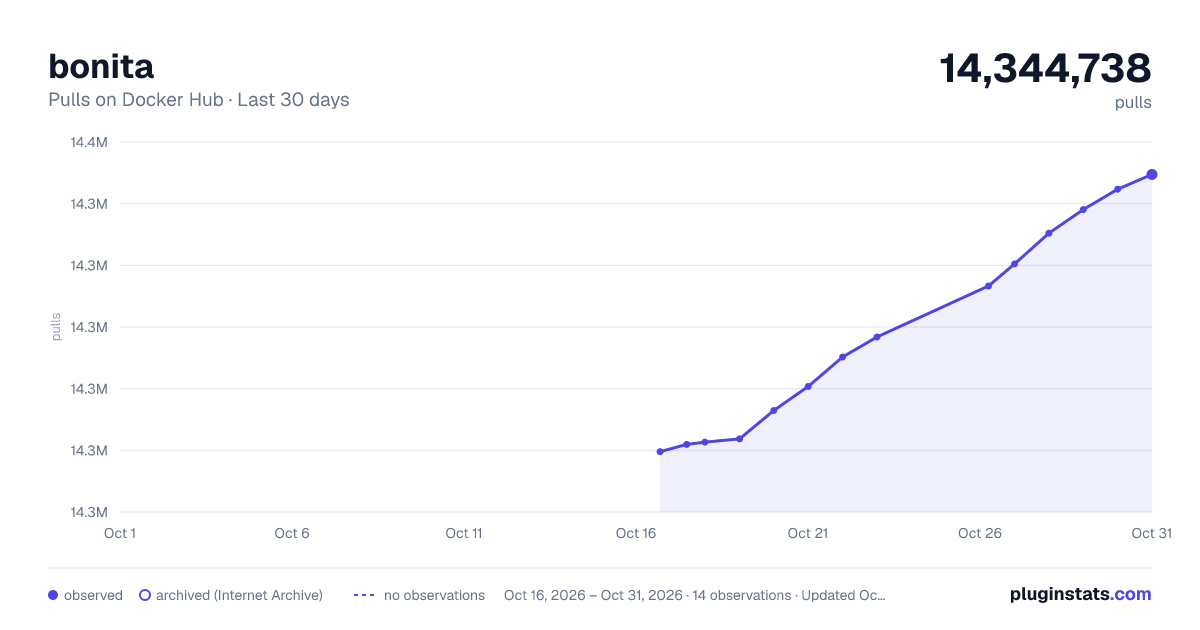
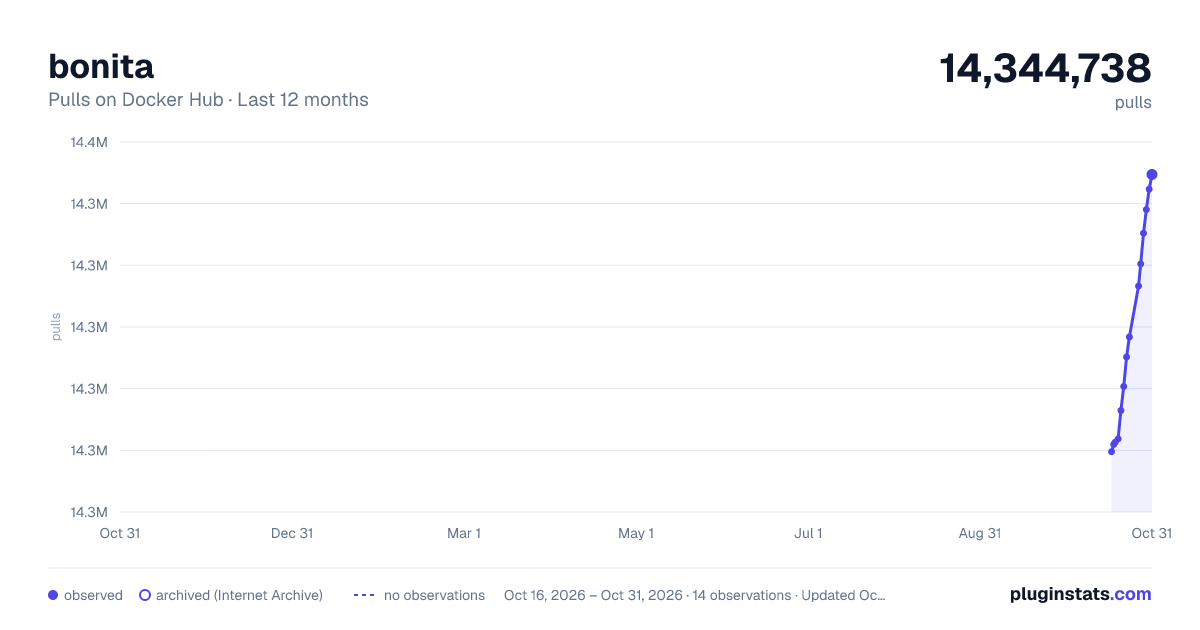
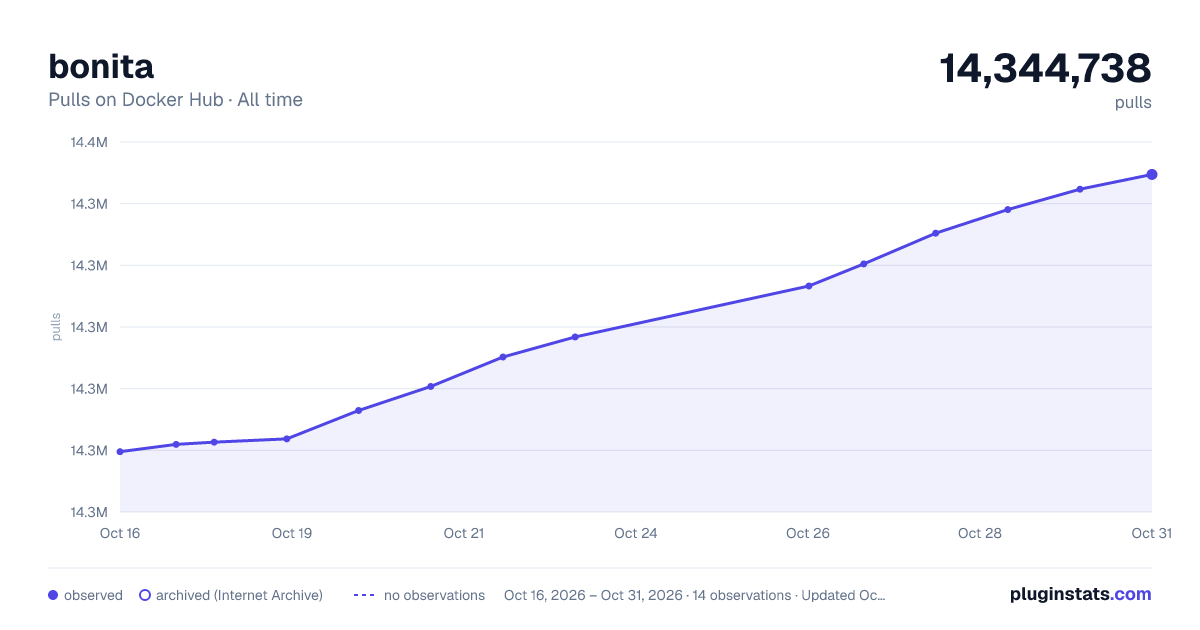

Adoption over time


7/30/90-day growth


Filled points are observed values; hollow points come from Internet Archive snapshots of the listing page. Dashed segments span periods with no observations — values between points are not interpolated.
Recent observations
Full history (4)Similar Docker Hub Languages & frameworks plugins
Data source
Cumulative pull counts and stars come from the public Docker Hub API. Pulls count image downloads (including automated CI pulls), not installs or users.
Listing: https://hub.docker.com/_/bonita. First seen Oct 16, 2026; last successful collection Oct 19, 2026. See the methodology.