 PluginStats
plone pulls statistics
Docker Hub · Content management system
DEPRECATED. Plone is a free and open source content management system built on top of Zope.
plone has 8,265,985 recorded pulls on Docker Hub, ranking #147 of 1,263 tracked listings.
About plone
⚠️ DEPRECATION NOTICE ⚠️
• Plone 4.x is no longer supported. • Plone 5.x is no longer supported. • It is strongly recommended to migrate to the latest available Plone version. See https://plone.org/download/release-schedule for details.
Beginning with Plone 6.x, the frontend and backend run in separate Docker images. There's also a a ZEO server Docker image. All Plone 6.0 and later images are supported by the Plone Foundation and are maintained by community volunteers.
• Plone Backend • Plone Frontend • ZEO Server
For Docker image usage, see Plone 6 Documentation.
Quick reference
• Maintained by: Plone Community • Where to get help: the Docker Community Slack, Server Fault, Unix & Linux, or Stack Overflow
Supported tags and respective Dockerfile links
No supported tags
Quick reference (cont.)
• Where to file issues: https://github.com/plone/plone.docker/issues • Supported architectures: (more info) No supported architectures • Published image artifact details: repo-info repo's repos/plone/ directory (history) (image metadata, transfer size, etc) • Image updates: official-images repo's library/plone label official-images repo's library/plone file (history) • Source of this description: docs repo's plone/ directory (history)
What is Plone?
Plone is a free and open source content management system built on top of the Zope application server.
Features
• Enable add-ons via environment variables. • Choose between Debian or Alpine based images. • Built-in RelStorage support, configurable via environment variables (requires Plone 5.2.4+). • Built-in LDAP/AD support via pas.plugins.ldap (requires Plone 5.2.4+).
Usage
Start a single Plone instance
This will download and start the latest Plone 5 container, based on Debian.
This image includes EXPOSE 8080 (the Plone port), so standard container linking will make it automatically available to the linked containers. Now you can add a Plone Site at http://localhost:8080. The default Zope user and password are admin/admin.
Start Plone within a ZEO cluster
A ZEO cluster is best suited for production setups. You will need a load balancer.
Start ZEO server in the background.
Start two Plone clients, also in the background.
Start Plone in debug mode
You can also start Plone in debug mode (fg) by running the following command.
Add-ons
You can enable Plone add-ons via the ADDONS environment variable.
For more information on how to extend this image with your own custom settings, adding more add-ons, building it, or mounting volumes, please refer to the Plone 5 documentation.
Supported environment variables
The Plone image uses several environment variables.
Basic usage
• ADDONS - Customize Plone via Plone add-ons using this environment variable. • SITE - Add a Plone instance with this ID to Data.fs on first run. If not provided, you'll have to manually add a Plone site via the web UI. • ZEO_ADDRESS - This environment variable allows you to run the Plone image as a ZEO client. • VERSIONS - Use specific versions of Plone add-on or Python libraries.
Run Plone and install two add-ons (eea.facetednavigation and collective.easyform).
To use specific add-on versions, change the environment variable arguments as shown.
To use Plone REST API, start the Plone Docker image, then issue a command to curl.
Advanced usage
For advanced usage, the images support the following environment variables.
Plone
• PLONE_ADDONS, ADDONS - Customize Plone via Plone add-ons using these environment variables. • PLONE_SITE, SITE - Add a Plone instance with this ID to Data.fs on first run. If not provided, you'll have to manually add a Plone site via the web UI. • PLONE_VERSIONS, VERSIONS - Use specific versions of Plone add-on or Python libraries. • PLONE_PROFILES, PROFILES - GenericSetup profiles to include when the SITE environment is provided. • PLONE_ZCML, ZCML - Include custom Plone add-on ZCML files (formerly BUILDOUT_ZCML). • PLONE_DEVELOP, DEVELOP - Develop new or existing Plone add-ons (formerly BUILDOUT_DEVELOP).
ZEO
• ZEO_ADDRESS - This environment variable allows you to run the Plone image as a ZEO client. • ZEO_READ_ONLY - Run Plone as a read-only ZEO client. Defaults to off. • ZEO_CLIENT_READ_ONLY_FALLBACK - A flag indicating whether a read-only remote storage should be acceptable as a fallback when no writable storages are available. Defaults to false. • ZEO_SHARED_BLOB_DIR - Set this to on if the ZEO server and the instance have access to the same directory. Defaults to off. • ZEO_STORAGE - Set the storage number of the ZEO storage. Defaults to 1. • ZEO_CLIENT_CACHE_SIZE - Set the size of the ZEO client cache. Defaults to 128MB. • ZEO_PACK_KEEP_OLD - Can be set to false to disable the creation of *.fs.old files before the pack is run. Defaults to true. • HEALTH_CHECK_TIMEOUT - Time in seconds to wait until health check starts. Defaults to 1 second. • HEALTH_CHECK_INTERVAL - Interval in seconds to check that the Zope application is still healthy. Defaults to 1 second.
CORS…
Description from the Docker Hub listing.
README badge
Show your rank in a README or on your website. The badge updates automatically.
Charts
Images: 30d · 1y · all time · 1600×900 dark
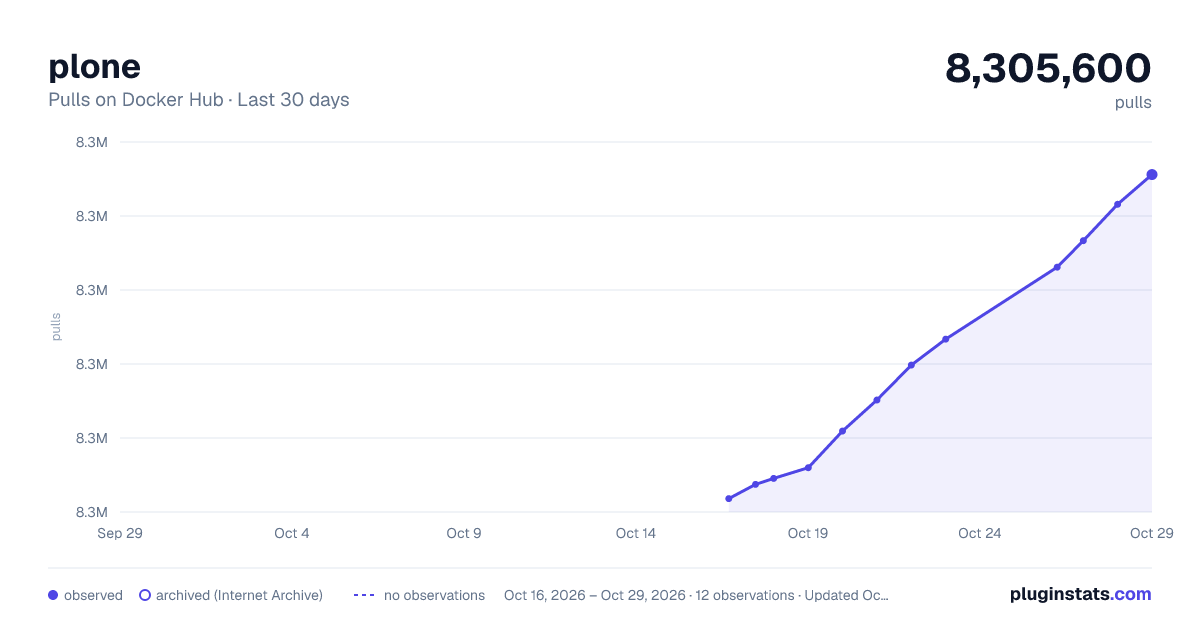
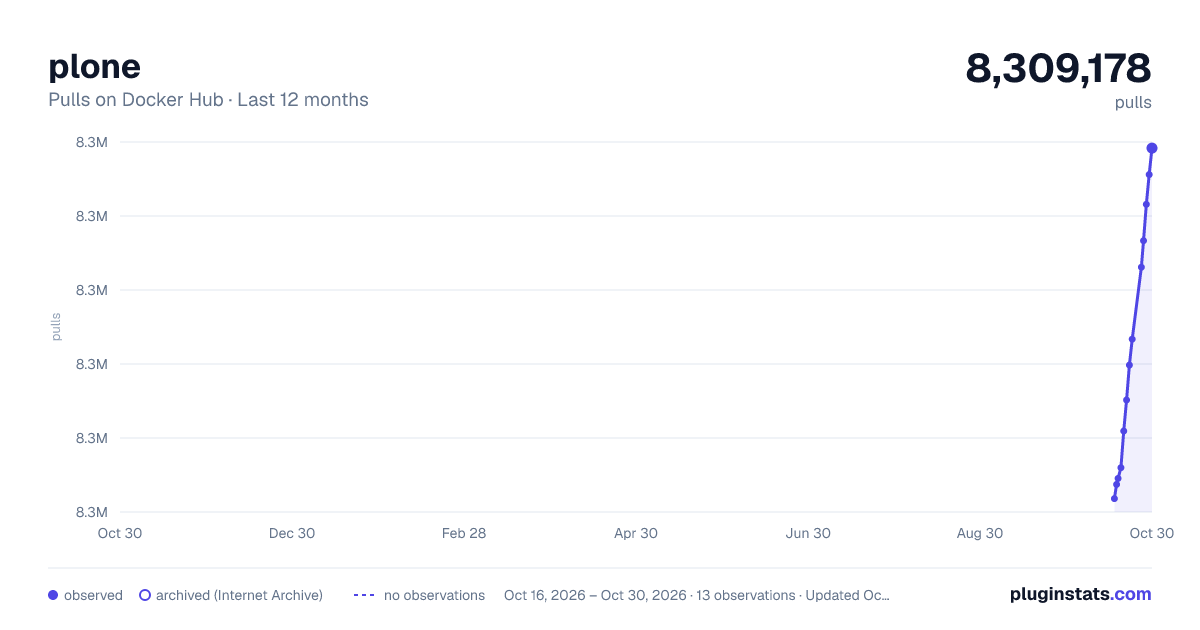
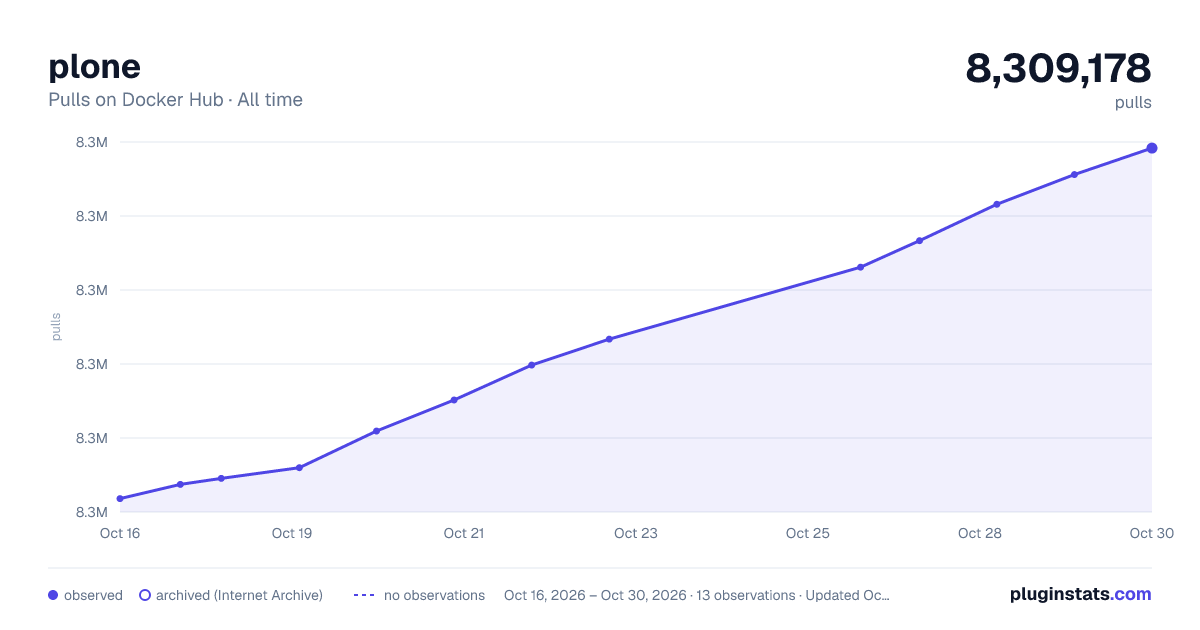

Adoption over time
7/30/90-day growth
Ranking history
Listing placement
Listing placement
Filled points are observed values; hollow points come from Internet Archive snapshots of the listing page. Dashed segments span periods with no observations — values between points are not interpolated.
Each band is one page of 20. Pulls on a linear scale. Placement is projected from pulls, so it can differ from the marketplace's own sort order. Hover a dot to see the listing.
Recent observations
Full history (4)Similar Docker Hub Content management system plugins
All 20 plone alternativesData source
Cumulative pull counts and stars come from the public Docker Hub API. Pulls count image downloads (including automated CI pulls), not installs or users.
Listing: https://hub.docker.com/_/plone. First seen Oct 16, 2026; last successful collection Oct 19, 2026. See the methodology.