 PluginStats
clefos has 866,504 recorded pulls on Docker Hub.
It ranks #270 of 1,263 tracked Docker Hub listings by pulls.
PluginStats has 3 daily observations since Oct 16, 2026; the latest is from Oct 18, 2026.
About clefos
DEPRECATION NOTICE
With the EOL of CentOS 7 (June 30, 2024), this image/project is officially deprecated. Please adjust your usage accordingly.
Quick reference
• Maintained by: The ClefOS Project • Where to get help: the Docker Community Slack, Server Fault, Unix & Linux, or Stack Overflow
Supported tags and respective Dockerfile links
No supported tags
Quick reference (cont.)
• Where to file issues: GitHub • Supported architectures: (more info) No supported architectures • Published image artifact details: repo-info repo's repos/clefos/ directory (history) (image metadata, transfer size, etc) • Image updates: official-images repo's library/clefos label official-images repo's library/clefos file (history) • Source of this description: docs repo's clefos/ directory (history)
ClefOS
ClefOS Linux is a community-supported distribution for IBM Z (aka "mainframe") derived from sources freely provided to the public by CentOS which in turn is derived from the Red Hat sources for Red Hat Enterprise Linux (RHEL). As such, ClefOS Linux aims to be functionally compatible with CentOS and RHEL. The ClefOS Project mainly changes packages to remove upstream vendor branding and artwork. ClefOS Linux is no-cost and free to redistribute. Each ClefOS Linux version is maintained and released according to the CentOS schedule.
ClefOS image documentation
The clefos:latest tag is always the most recent version currently available.
Building the Base Image
The image is built via the make command which will create the tarball and build the image.
The createBase.sh script is used to create the tarball for the docker build command. The script uses the yum command with the tsflags=nodocs option set to reduce the size of the image. In addition a lot of the locale files are eliminated from the image.
The VERSION file contains the id of the current ClefOS version and will be added as a label within the image.
Rolling builds
The ClefOS Project offers regularly updated images for all active releases. These images will be updated monthly or as needed for emergency fixes. These rolling updates are tagged with the major version number and minor tags as well. For example, if 7.4.1708 is the most current then the build will result in clefos:7 and clefos:7.4.1708. When the next minor level is available then clefos:7 and clefos:7.x.yymm will be identical.
Overlayfs and yum
Recent Docker versions support the overlayfs backend, which is enabled by default on most distros supporting it from Docker 1.13 onwards. On ClefOS 7, that backend requires yum-plugin-ovl to be installed and enabled; while it is installed by default in recent clefos images, make it sure you retain the plugins=1 option in /etc/yum.conf if you update that file; otherwise, you may encounter errors related to rpmdb checksum failure - see Docker ticket 10180 for more details.
Package documentation
By default, the ClefOS containers are built using yum's nodocs option, which helps reduce the size of the image. If you install a package and discover files missing, please comment out the line tsflags=nodocs in /etc/yum.conf and reinstall your package.
Systemd integration
Systemd is not included in both the clefos:7 and clefos:latest base containers, but can be created from these bases:
Dockerfile for systemd base image
This Dockerfile deletes a number of unit files which might cause issues. From here, you are ready to build your base image.
Example systemd enabled app container
In order to use the systemd enabled base container created above, you will need to create your Dockerfile similar to the one below.
Build this image:
Running a systemd enabled app container
In order to run a container with systemd, you will need to mount the cgroups volumes from the host. Below is an example command that will run the systemd enabled httpd container created earlier.
This container is running with systemd in a limited context, with the cgroups filesystem mounted. There have been reports that if you're using an Ubuntu host, you will need to add -v /tmp/$(mktemp -d):/run in addition to the cgroups mount.
License
View license information for the scripts which created this image.
As with all Docker images, these likely also contain other software which may be under other licenses (such as Bash, etc from the base distribution, along with any direct or indirect dependencies of the primary software being contained).
Some additional license information which was able to be auto-detected might be found in the repo-info repository's clefos/ directory.
As for any pre-built image usage, it is the image user's responsibility to ensure that any use of this image complies with any relevant licenses for all software contained within.
Description from the Docker Hub listing.
Where clefos sits in the listing
Each band is one page of 20. Pulls on a log scale. Placement is projected from pulls, so it can differ from the marketplace's own sort order. Hover a dot to see the listing.


Charts
Images: 30d · 1y · all time · 1600×900 dark
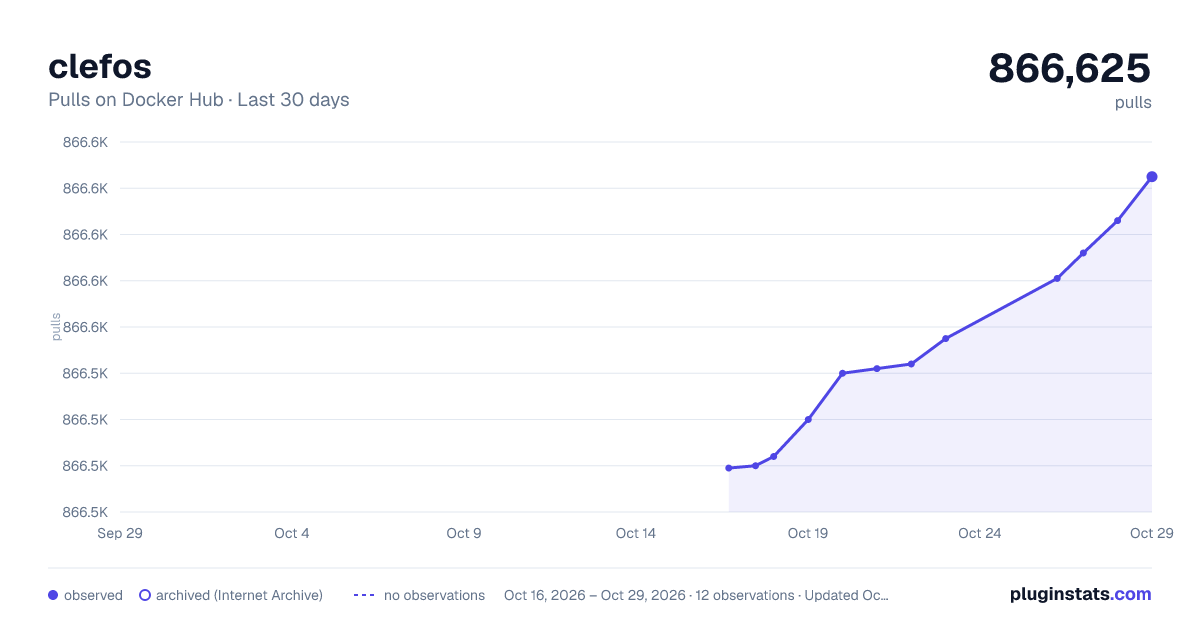
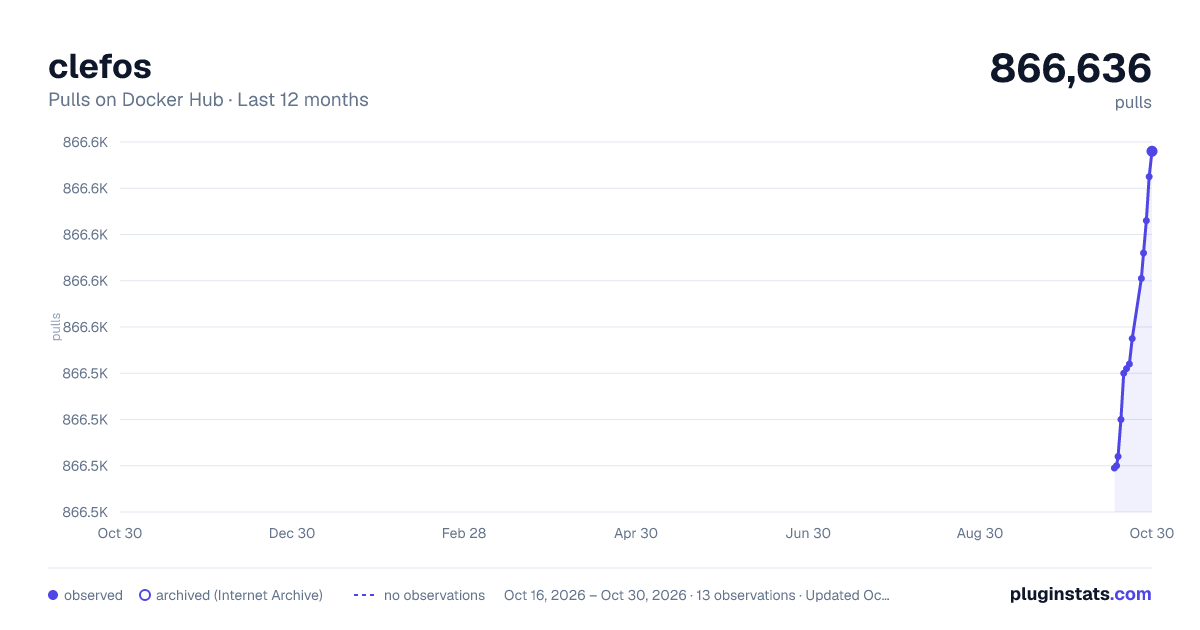
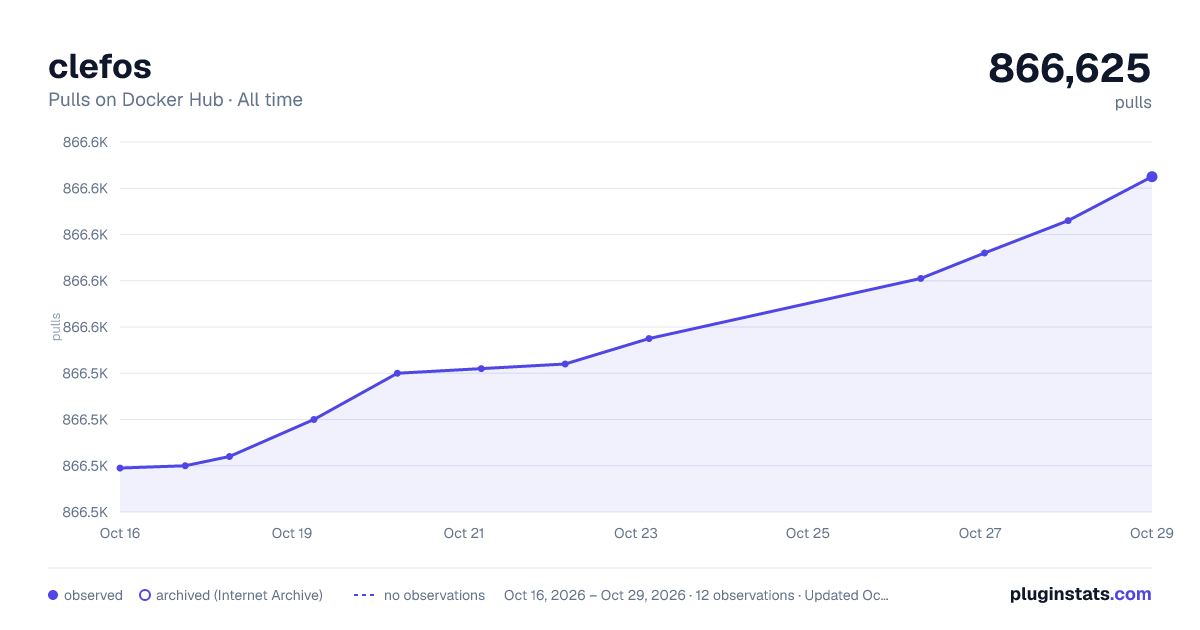

Adoption over time


7/30/90-day growth


Filled points are observed values; hollow points come from Internet Archive snapshots of the listing page. Dashed segments span periods with no observations — values between points are not interpolated.
Recent observations
Full history (3)Similar Docker Hub Operating systems plugins
Data source
Cumulative pull counts and stars come from the public Docker Hub API. Pulls count image downloads (including automated CI pulls), not installs or users.
Listing: https://hub.docker.com/_/clefos. First seen Oct 16, 2026; last successful collection Oct 18, 2026. See the methodology.