 PluginStats
websphere-liberty pulls statistics
WebSphere Liberty multi-architecture images based on Ubuntu
websphere-liberty has 25,088,950 recorded pulls on Docker Hub.
It ranks #89 of 1,263 tracked Docker Hub listings by pulls.
PluginStats has 3 daily observations since Oct 16, 2026; the latest is from Oct 18, 2026.
About websphere-liberty
Quick reference
• Maintained by: the IBM WASdev Community • Where to get help: the WASdev community
Supported tags and respective Dockerfile links
• kernel, kernel-java8-ibmjava • kernel-java11-openj9 • kernel-java17-openj9 • full, latest, full-java8-ibmjava • full-java11-openj9 • full-java17-openj9 • 25.0.0.12-kernel-java8-ibmjava • 25.0.0.12-kernel-java11-openj9 • 25.0.0.12-kernel-java17-openj9 • 25.0.0.12-full-java8-ibmjava • 25.0.0.12-full-java11-openj9 • 25.0.0.12-full-java17-openj9 • 26.0.0.3-kernel-java8-ibmjava • 26.0.0.3-kernel-java11-openj9 • 26.0.0.3-kernel-java17-openj9 • 26.0.0.3-full-java8-ibmjava • 26.0.0.3-full-java11-openj9 • 26.0.0.3-full-java17-openj9 • 26.0.0.6-kernel-java8-ibmjava • 26.0.0.6-kernel-java11-openj9 • 26.0.0.6-kernel-java17-openj9 • 26.0.0.6-full-java8-ibmjava • 26.0.0.6-full-java11-openj9 • 26.0.0.6-full-java17-openj9 • 26.0.0.8-kernel-java8-ibmjava • 26.0.0.8-kernel-java11-openj9 • 26.0.0.8-kernel-java17-openj9 • 26.0.0.8-full-java8-ibmjava • 26.0.0.8-full-java11-openj9 • 26.0.0.8-full-java17-openj9
Quick reference (cont.)
• Where to file issues: https://github.com/WASdev/ci.docker/issues • Supported architectures: (more info) amd64, arm64v8, ppc64le, s390x • Published image artifact details: repo-info repo's repos/websphere-liberty/ directory (history) (image metadata, transfer size, etc) • Image updates: official-images repo's library/websphere-liberty label official-images repo's library/websphere-liberty file (history) • Source of this description: docs repo's websphere-liberty/ directory (history)
Overview
All of the images in this repository use Ubuntu as the Operating System. For variants that use the Universal Base Image, please see this repository.
For more information on these images please see our GitHub repository.
Image User
This image runs by default with USER 1001 (non-root), as part of group 0. Please make sure you read below to set the appropriate folder and file permissions.
Updating folder permissions
All of the folders accessed by WebSphere Liberty have been given the appropriate permissions, but if your extending Dockerfile needs permission to another location you can simply temporarily switch into root and provide the needed permissions, example:
Updating file permissions
You have to make sure that all the artifacts you are copying into the image (via COPY or ADD) have the correct permissions to be read and executed by user 1001 or group 0, because the ownership of the file is changed to be root:0 when transferring into the docker image.
You have a few options for doing this: before copying the file, during copy, or after copy.
Updating permissions before copying
Since the ownership of the file will change to root:0, you can simply set the permissions for the owner's group to be able to read/execute the artifact (i.e. the middle digit of a chmod command). For example, you can do chmod g+rx server.xml to ensure your server.xml can be read and executed by group 0, as well as any artifacts such as the application's EAR or WAR file, JDBC driver, or other files that are placed on the image via COPY or ADD.
Updating permissions during copy
If you're using Docker v17.09.0-ce and newer you can take advantage of the flag --chown=: during either ADD or COPY. For example: COPY --chown=1001:0 jvm.options /config/jvm.options. This is the preferred approach as you don't need to worry about changing permissions before calling docker build and you also do not duplicate layers in the resulting image.
Updating permissions after copy
If you need your Dockerfile to work with older versions of Docker CE and don't want to pre-process the permissions of the files you can temporarily switch into root to change the permissions of the needed files. For example:
Please note that this pattern will duplicate the docker layers for those artifacts, which can heavily bloat your resulting docker image (depending on the size of the artifact). So it is recommended to set the permissions before or during copy.
Tags
There are multiple tags available in this repository. The image with the tag beta contains the contents of the install archive for the latest monthly beta. The other images are all based on the latest generally available fix pack.
The kernel image contains just the Liberty kernel and no additional runtime features. This image is the recommended basis for custom built images, so that they can contain only the features required for a specific application. For example, the following Dockerfile starts with this image, copies in the server.xml that lists the features required by the application, and then uses the configure.sh script to download those features from the online repository.
Usage
The images are designed to support a number of different usage patterns. The following examples are based on the Java EE8 Liberty application deployment sample and assume that DefaultServletEngine.zip has been extracted to /tmp and the server.xml updated to accept HTTP connections from outside of the container by adding the following element inside the server stanza (if not using one of the pre-packaged server.xml files with our tags):
Application Image
It is a very strong best practice to create an extending Docker image, we called it the application image, that encapsulates an application and its configuration. This creates a robust, self-contained and predictable Docker image that can span new containers upon request, without relying on volumes or other external runtime artifacts that may behave different over time.
If you want to build the smallest possible WebSphere Liberty application image you can start with our kernel tag, add your artifacts, and run configure.sh to grow the set of features to be fit-for-purpose. Please see our GitHub page for more details.
Enabling Enterprise functionality…
Description from the Docker Hub listing.
Where websphere-liberty sits in the listing
Each band is one page of 20. Pulls on a log scale. Placement is projected from pulls, so it can differ from the marketplace's own sort order. Hover a dot to see the listing.


Charts
Images: 30d · 1y · all time · 1600×900 dark
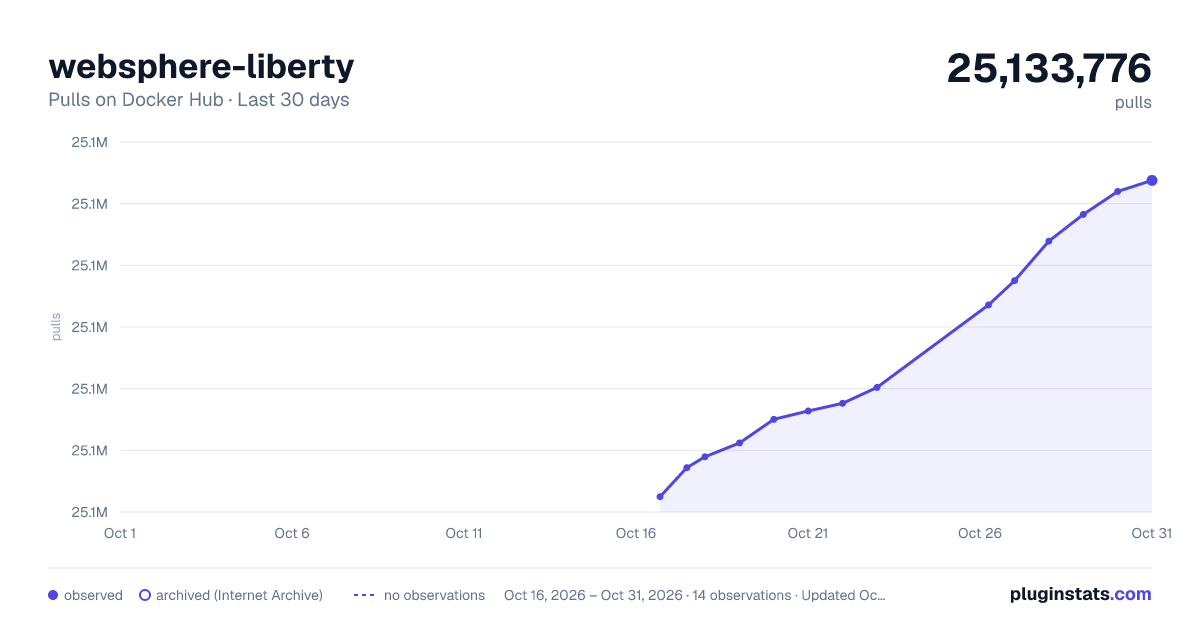
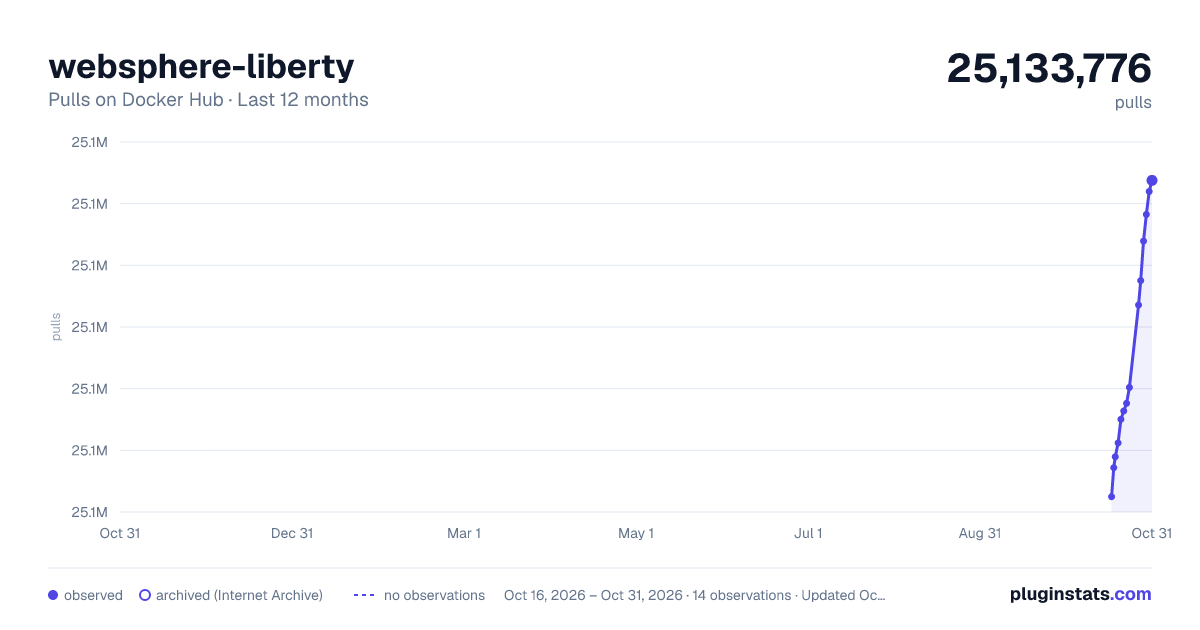
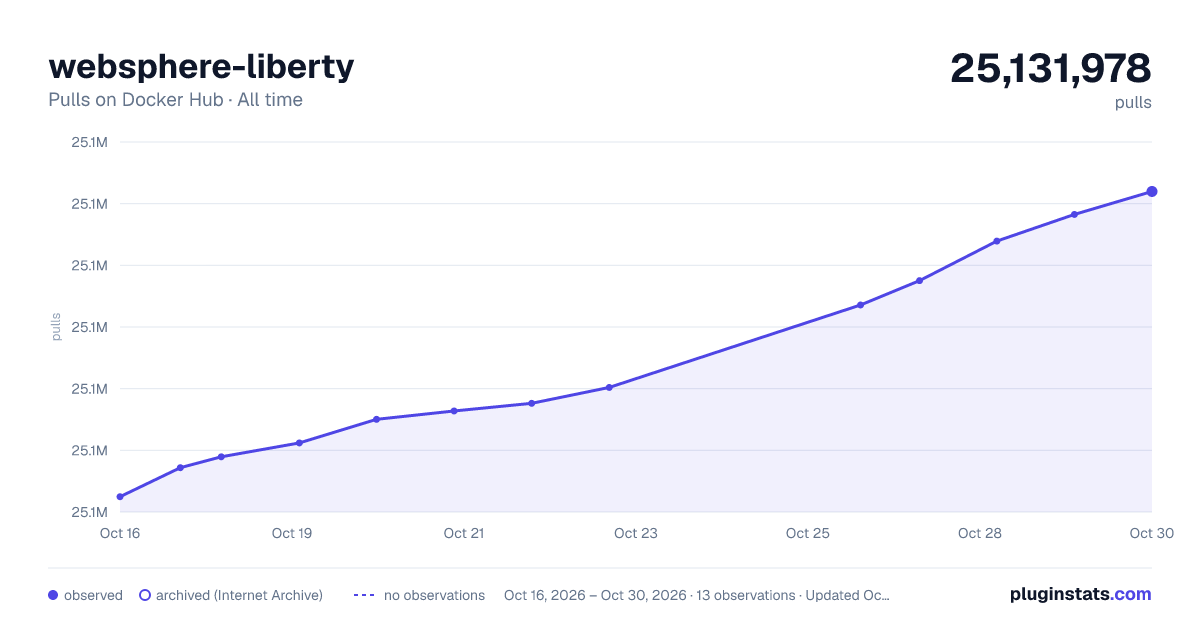

Adoption over time


7/30/90-day growth


Filled points are observed values; hollow points come from Internet Archive snapshots of the listing page. Dashed segments span periods with no observations — values between points are not interpolated.
Recent observations
Full history (3)Similar Docker Hub Web servers plugins
Data source
Cumulative pull counts and stars come from the public Docker Hub API. Pulls count image downloads (including automated CI pulls), not installs or users.
Listing: https://hub.docker.com/_/websphere-liberty. First seen Oct 16, 2026; last successful collection Oct 18, 2026. See the methodology.