 PluginStats
mcp/triplewhale pulls statistics
By mcp (100 listings) · Docker Hub · Machine learning & AI
Triplewhale MCP Server
mcp/triplewhale has 12,253 recorded pulls on Docker Hub, ranking #862 of 1,265 tracked listings.
About mcp/triplewhale
Triplewhale MCP Server
Triplewhale MCP Server.
MCP Info
| Attribute | Details |
|---|---|
| Docker Image | mcp/triplewhale |
| Author | Triple-Whale |
| Repository | https://github.com/Triple-Whale/mcp-server-triplewhale |
Image Building Info
| Attribute | Details |
|---|---|
| Dockerfile | https://github.com/Triple-Whale/mcp-server-triplewhale/blob/6948082d5eb68f6855aafb279e196ede54e4eaed/Dockerfile |
| Commit | 6948082d5eb68f6855aafb279e196ede54e4eaed |
| Docker Image built by | Docker Inc. |
| Docker Scout Health Score | |
| Verify Signature | COSIGN_REPOSITORY=mcp/signatures cosign verify mcp/triplewhale --key https://raw.githubusercontent.com/docker/keyring/refs/heads/main/public/mcp/latest.pub |
| Licence | MIT License |
Available Tools (1)
| Tools provided by this Server | Short Description |
|---|---|
moby | <background> moby tool helps users access e-commerce performance data. |
Tools Details
Tool: moby
<background>
moby tool helps users access e-commerce performance data.
the tool prompts the user to enter their **shopId**, which is then used for tool as input, shopId is must for this tool.
</background>
The API returns a SimplifiedMobyResponse object structured as follows:
export type SimplifiedResponse = {
  isError: boolean;
  errorMsg?: string;
  question: string;
  answer: Record<string, string | number | null>[];
  assistant: string;
};

export type SimplifiedMobyResponse = {
  isError: boolean;
  error?: string;
  responses: SimplifiedResponse[];
  assistantConclusion: string;
};
-
The tool parses the responses array and presents answers sequentially.
-
If
isErroristruein any response, the entire message is considered an error, and the error message is displayed. -
The
assistantConclusionis included at the end to summarize the results. -
For each valid response:
- Show the question.
- Present the answer data in a clear, structured format.
- Mention that the data is available in the recommended visualization format (if provided in
assistant). - If similar reports are suggested in the
assistant, provide links. - Ask if the user needs further assistance using the assistantConclusion from the response.
<error_handling>
-
If
isError: true, display the error message to the user. -
If the API returns
403 Unauthorized, inform the user: "Invalid credentials. Please check your settings." -
If the
shopIdis missing, prompt the user to enter it. -
For other errors, respond with: "Something went wrong. Please try again later."…
Description from the Docker Hub listing.
README badge
Show your rank in a README or on your website. The badge updates automatically.
Charts
Images: 30d · 1y · all time · 1600×900 dark
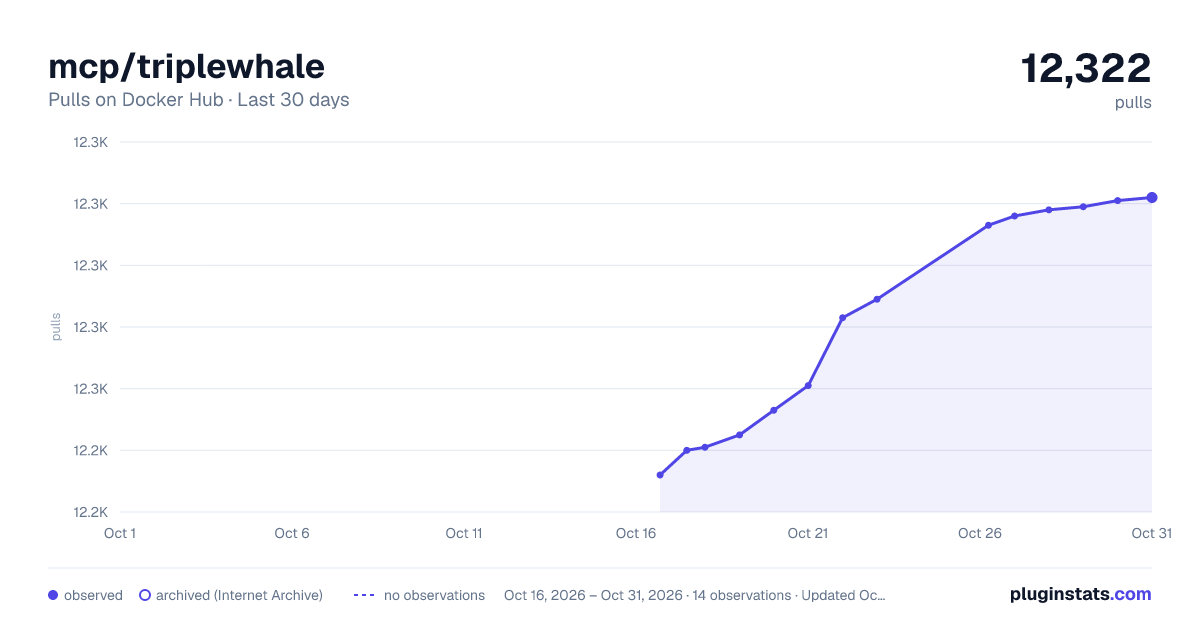
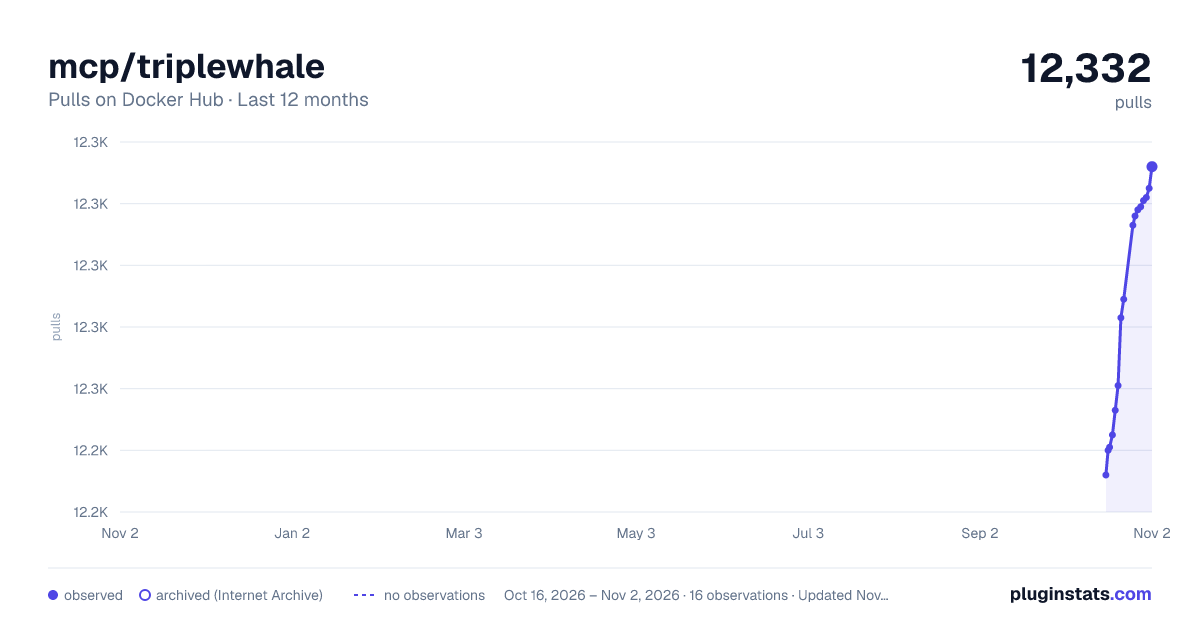
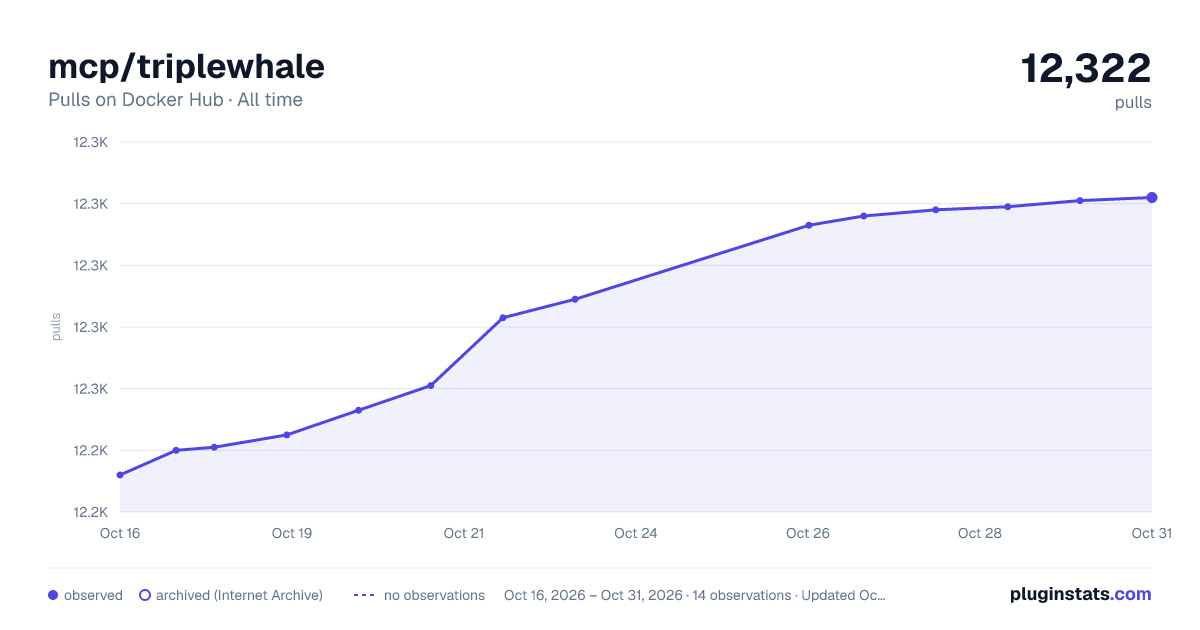

Adoption over time
7/30/90-day growth
Ranking history
Listing placement
Listing placement
Filled points are observed values; hollow points come from Internet Archive snapshots of the listing page. Dashed segments span periods with no observations — values between points are not interpolated.
Each band is one page of 20. Pulls on a linear scale. Placement is projected from pulls, so it can differ from the marketplace's own sort order. Hover a dot to see the listing.
Recent observations
Full history (5)Similar Docker Hub Machine learning & AI plugins
All 20 mcp/triplewhale alternativesData source
Cumulative pull counts and stars come from the public Docker Hub API. Pulls count image downloads (including automated CI pulls), not installs or users.
Listing: https://hub.docker.com/r/mcp/triplewhale. First seen Oct 16, 2026; last successful collection Oct 20, 2026. See the methodology.