 PluginStats
gazebo pulls statistics
Docker Hub · Languages & frameworks
Gazebo is an open source project for simulating robots, offering robust physics and rendering.
gazebo has 4,509,516 recorded pulls on Docker Hub.
It ranks #178 of 1,263 tracked Docker Hub listings by pulls.
PluginStats has 3 daily observations since Oct 16, 2026; the latest is from Oct 18, 2026.
About gazebo
Quick reference
• Maintained by: the Open Source Robotics Foundation • Where to get help: the Docker Community Slack, Server Fault, Unix & Linux, or Stack Overflow
Supported tags and respective Dockerfile links
No supported tags
Quick reference (cont.)
• Where to file issues: https://github.com/osrf/docker_images/issues • Supported architectures: (more info) No supported architectures • Published image artifact details: repo-info repo's repos/gazebo/ directory (history) (image metadata, transfer size, etc) • Image updates: official-images repo's library/gazebo label official-images repo's library/gazebo file (history) • Source of this description: docs repo's gazebo/ directory (history)
What is Gazebo?
Robot simulation is an essential tool in every roboticist's toolbox. A well-designed simulator makes it possible to rapidly test algorithms, design robots, and perform regression testing using realistic scenarios. Gazebo offers the ability to accurately and efficiently simulate populations of robots in complex indoor and outdoor environments. At your fingertips is a robust physics engine, high-quality graphics, and convenient programmatic interfaces. Best of all, Gazebo is free with a vibrant community.
wikipedia.org/wiki/Gazebo_simulator
How to use this image
Create a Dockerfile in your Gazebo project
You can then build and run the Docker image:
Deployment use cases
This dockerized image of Gazebo is intended to provide a simplified and consistent platform to build and deploy cloud based robotic simulations. Built from the official Ubuntu image and Gazebo's official Debian packages, it includes recent supported releases for quick access and download. This provides roboticists in research and industry with an easy way to develop continuous integration and testing on training for autonomous actions and task planning, control dynamics and regions of stability, kinematic modeling and prototype characterization, localization and mapping algorithms, swarm behavior and networking, as well as general system integration and validation.
Conducting such complex simulations with high validity remains computationally demanding, and oftentimes outside the capacity of a modest local workstation. With the added complexity of the algorithms being benchmarked, we can soon exceed the capacity of even the most formidable servers. This is why a more distributed approach remains attractive for those who begin to encounter limitations of a centralized computing host. However, the added complication of building and maintaining a distributed testbed over a set of clusters has for a while required more time and effort than many smaller labs and businesses would have deemed appropriate to implement.
With the advancements and standardization of software containers, roboticists are primed to acquire a host of improved developer tooling for building and shipping software. To help alleviate the growing pains and technical challenges of adopting new practices, we have focused on providing an official resource for using Gazebo with these new technologies.
Deployment suggestions
The gzserver tags are designed to have a small footprint and simple configuration, thus only include required Gazebo dependencies. The standard messaging port 11345 is exposed to allow for client connections and messages API.
Volumes
Gazebo uses the ~/.gazebo/ directory for storing logs, models and scene info. If you wish to persist these files beyond the lifecycle of the containers which produced them, the ~/.gazebo/ folder can be mounted to an external volume on the host, or a derived image can specify volumes to be managed by the Docker engine. By default, the container runs as the root user, so /root/.gazebo/ would be the full path to these files.
For example, if one wishes to use their own .gazebo folder that already resides in their local home directory, with a username of ubuntu, we can simple launch the container with an additional volume argument:
One thing to be careful about is that gzserver logs to files named /root/.gazebo/server-/*.log, where is the port number that server is listening on (11345 by default). If you run and mount multiple containers using the same default port and same host side directory, then they will collide and attempt writing to the same file. If you want to run multiple gzservers on the same docker host, then a bit more clever volume mounting of ~/.gazebo/ subfolders would be required.
Devices
As of Gazebo version 5.0, physics simulation under a headless instances of gzserver works fine. However some application may require image rendering camera views and ray traces for other sensor modalities. For Gazebo, this requires a running X server for rendering and capturing scenes. In addition, graphical hardware acceleration is also needed for reasonable realtime framerates. To this extent, mounting additional graphic devices into the container and linking to a running X server is required. In the interest of maintaining a general purpose and minimalistic image which is not tightly coupled to host system software and hardware, we do not include tags here with these additional requirements and instructions. You can however use this repo to build and customize your own images to fit your software/hardware configuration. The OSRF's Docker Hub organization profile contains a Gazebo repo at osrf/gazebo which is based on this repo but includes additional tags for these advanced use cases.
Development
If you not only wish to run Gazebo, but develop for it too, i.e. compile custom plug-ins or build upon messaging interfaces for ROS, this will require the development package included in the libgazebo tag. If you simply need to run Gazebo as a headless server, then the gzserver tag consist of a smaller image size.
Deployment example…
Description from the Docker Hub listing.
Where gazebo sits in the listing
Each band is one page of 20. Pulls on a log scale. Placement is projected from pulls, so it can differ from the marketplace's own sort order. Hover a dot to see the listing.


Charts
Images: 30d · 1y · all time · 1600×900 dark
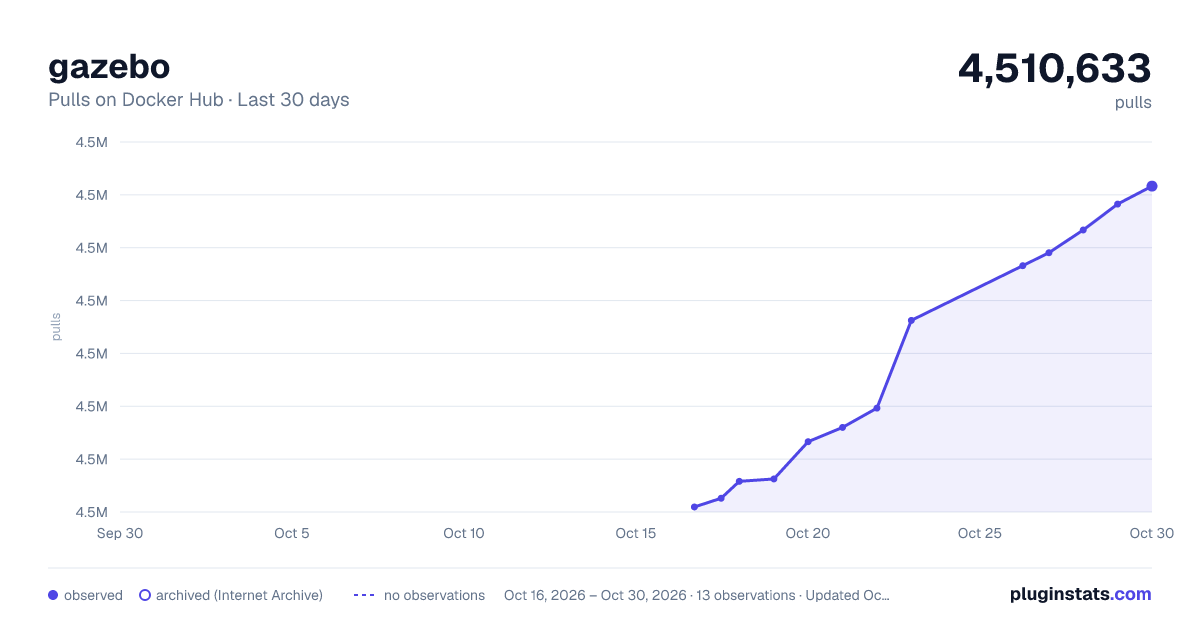
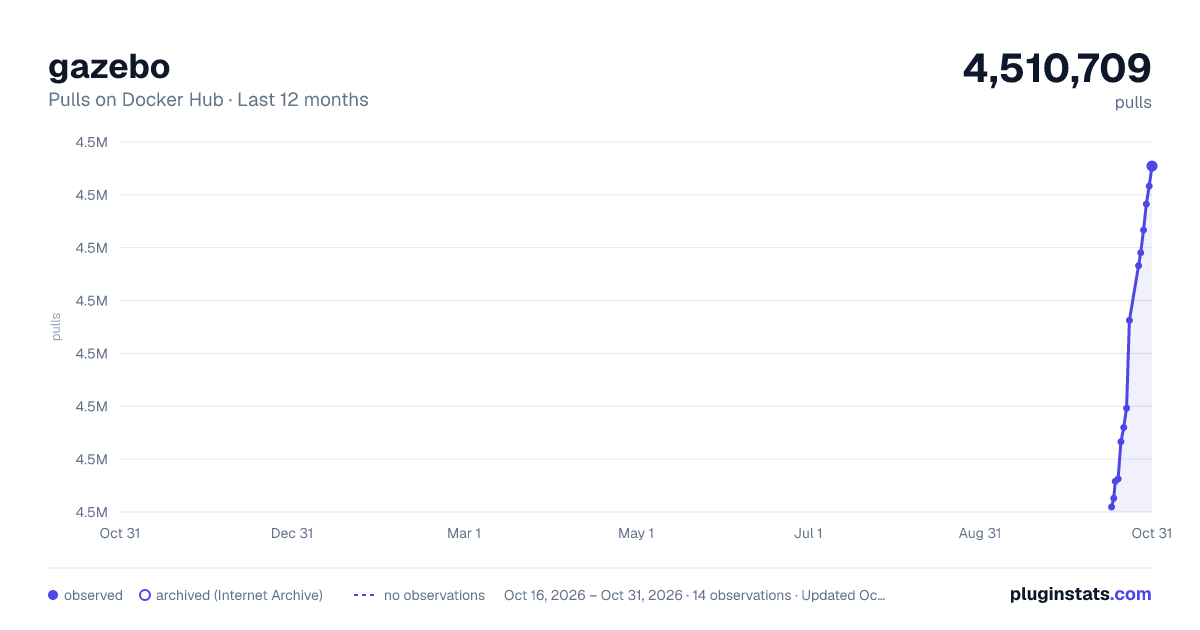
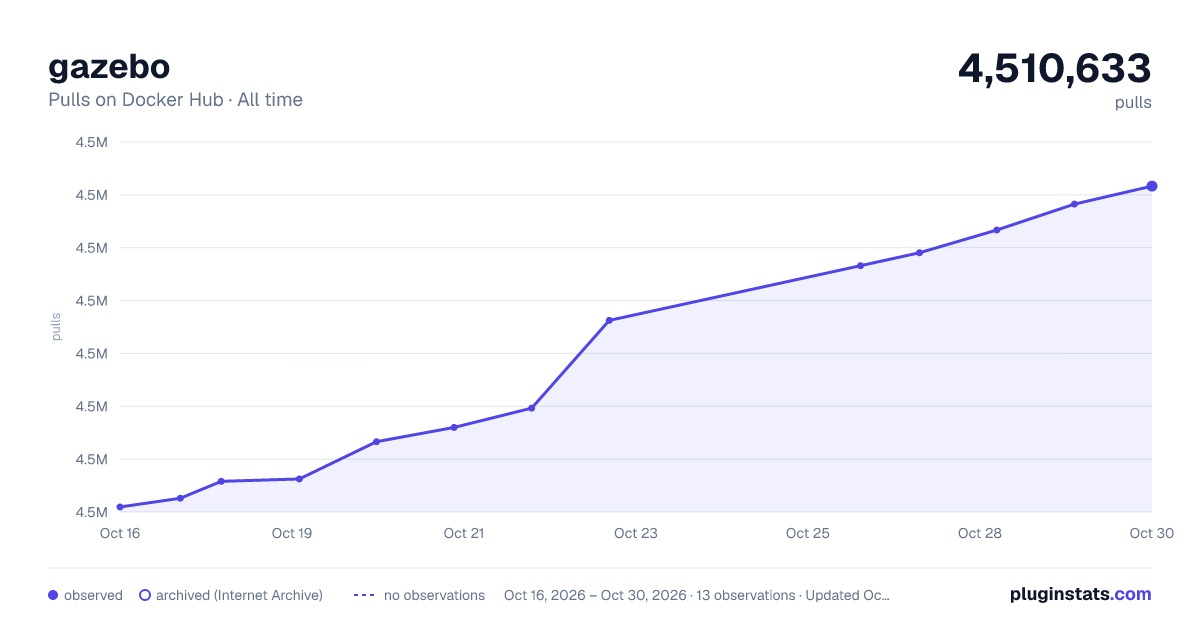

Adoption over time


7/30/90-day growth


Filled points are observed values; hollow points come from Internet Archive snapshots of the listing page. Dashed segments span periods with no observations — values between points are not interpolated.
Recent observations
Full history (3)Similar Docker Hub Languages & frameworks plugins
Data source
Cumulative pull counts and stars come from the public Docker Hub API. Pulls count image downloads (including automated CI pulls), not installs or users.
Listing: https://hub.docker.com/_/gazebo. First seen Oct 16, 2026; last successful collection Oct 18, 2026. See the methodology.