 PluginStats
api-firewall pulls statistics
A light-weighted API Firewall to protect your API endpoints with API Schema validation.
api-firewall has 146,940 recorded pulls on Docker Hub.
It ranks #360 of 1,263 tracked Docker Hub listings by pulls.
PluginStats has 4 daily observations since Oct 16, 2026; the latest is from Oct 19, 2026.
About api-firewall
Quick reference
• Maintained by: The Wallarm Team • Where to get help: the Docker Community Slack, Server Fault, Unix & Linux, or Stack Overflow
Supported tags and respective Dockerfile links
• 0.9.6, latest
Quick reference (cont.)
• Where to file issues: https://github.com/wallarm/api-firewall/issues • Supported architectures: (more info) amd64, arm64v8, i386 • Published image artifact details: repo-info repo's repos/api-firewall/ directory (history) (image metadata, transfer size, etc) • Image updates: official-images repo's library/api-firewall label official-images repo's library/api-firewall file (history) • Source of this description: docs repo's api-firewall/ directory (history)
What is API Firewall?
Wallarm API Firewall is an open-source light-weighted proxy designed to protect REST API endpoints in cloud-native environments by hardening based on a strict OpenAPI/Swagger schema validation. Wallarm API Firewall relies on a positive security model allowing calls that match a predefined API specification for requests and responses, while rejecting everything else.
The key features of API Firewall are:
• Protect REST API endpoints by blocking requests and responses that do not match the OAS/Swagger schema • Discover Shadow API endpoints • If using OAuth 2.0 protocol-based authentication, validate access tokens • Quick and easy deployment and configuration • Customization of request and response processing modes, response codes and log format
Use cases
• Block abnormal requests and responses that do not match the OpenAPI 3.0 specification (if running API Firewall in the blocking mode) • Discover Shadow APIs and undocumented endpoints (if running API Firewall in the logging mode) • Log abnormal requests and responses that do not match the OpenAPI 3.0 specification (if running API Firewall in the logging mode)
API schema validation and positive security model
When starting API Firewall, you should provide the OpenAPI 3.0 specification of the application to be protected with API Firewall. The started API Firewall will operate as a reverse proxy and validate whether requests and responses match the schema defined in the specification.
The traffic that does not match the schema will be logged using the STDOUT and STDERR Docker services or blocked (depending on the configured API Firewall operation mode). If operating in the logging mode and detecting the traffic on endpoints that are not included in the specification, API Firewall also logs these endpoints as the shadow ones (except for endpoints returning the code 404).
Provided API schema should be described using the OpenAPI 3.0 specification in the YAML or JSON file (.yaml, .yml, .json file extensions).
By allowing you to set the traffic requirements with the OpenAPI 3.0 specification, Wallarm API Firewall relies on a positive security model.
Technical characteristics
API Firewall works as a reverse proxy with a built-in OpenAPI 3.0 request and response validator. The validator is written in Go and optimized for extreme performance and near-zero added latency.
Starting API Firewall
To download, install, and start Wallarm API Firewall on Docker, see the instructions.
Demos
You can try API Firewall by running the demo environment that deploys an example application protected with Wallarm API Firewall. There are two available demo environments:
• Wallarm API Firewall demo with Docker Compose • Wallarm API Firewall demo with Kubernetes
Wallarm's blog articles related to API Firewall
• Discovering Shadow APIs with API Firewall • Wallarm API Firewall outperforms NGINX in a production environment
Performance
When creating API Firewall, we prioritized speed and efficiency to ensure that our customers would have the fastest APIs possible. Our latest tests demonstrate that the average time required for API Firewall to process one request is 1.339 ms:
These performance results are not the only ones we have got during API Firewall testing. Other results along with the methods used to improve API Firewall performance are described in this Wallarm's blog article.
License
View license information for the software contained in this image.
As with all Docker images, these likely also contain other software which may be under other licenses (such as Bash, etc from the base distribution, along with any direct or indirect dependencies of the primary software being contained).
Some additional license information which was able to be auto-detected might be found in the repo-info repository's api-firewall/ directory.
As for any pre-built image usage, it is the image user's responsibility to ensure that any use of this image complies with any relevant licenses for all software contained within.
Description from the Docker Hub listing.
Where api-firewall sits in the listing
Each band is one page of 20. Pulls on a log scale. Placement is projected from pulls, so it can differ from the marketplace's own sort order. Hover a dot to see the listing.


Charts
Images: 30d · 1y · all time · 1600×900 dark
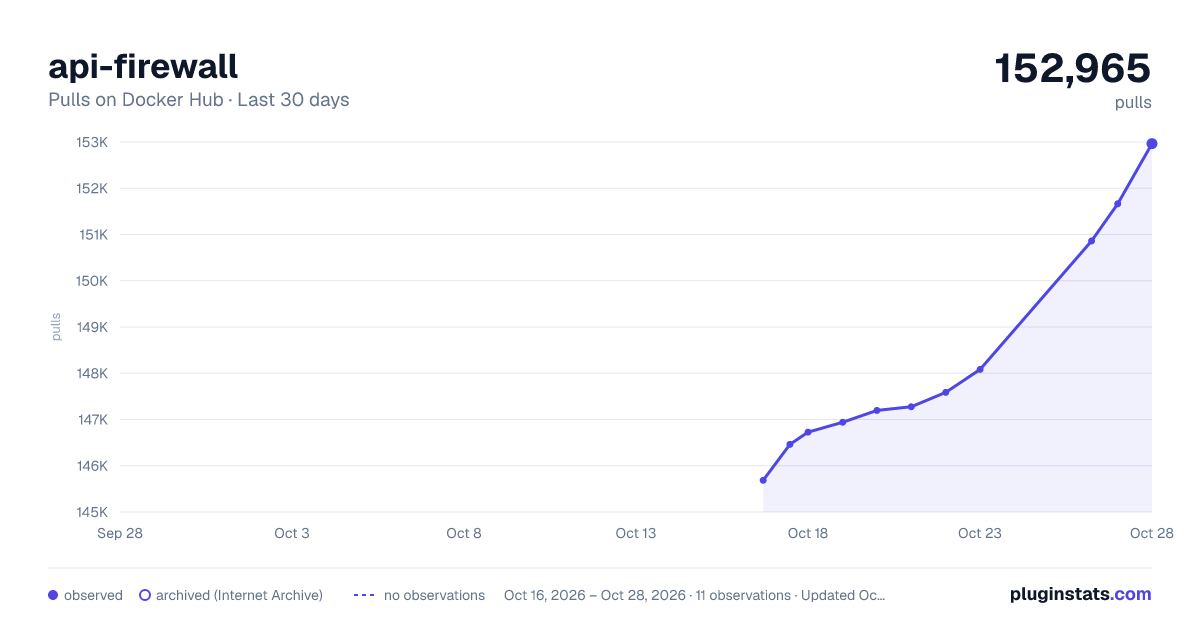
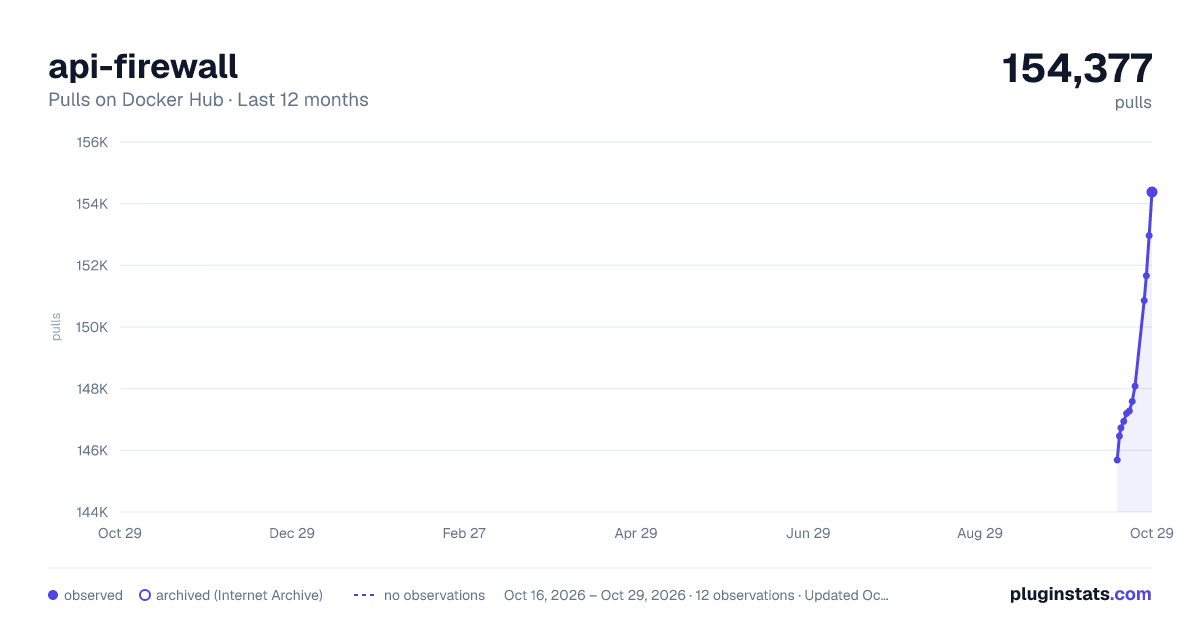
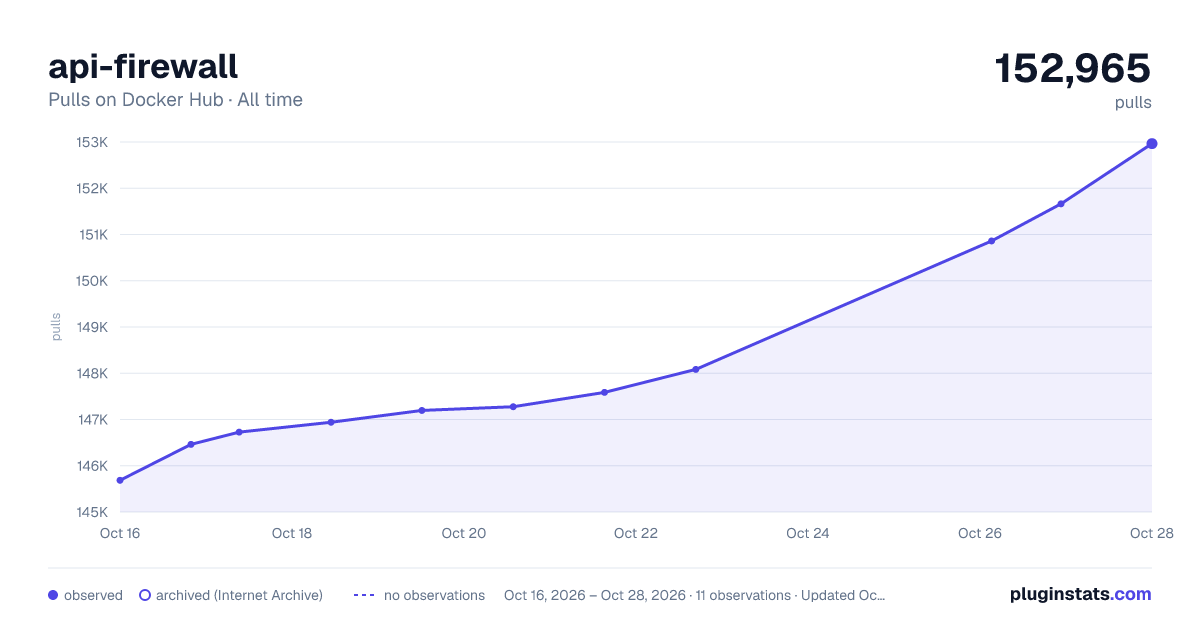

Adoption over time


7/30/90-day growth


Filled points are observed values; hollow points come from Internet Archive snapshots of the listing page. Dashed segments span periods with no observations — values between points are not interpolated.
Recent observations
Full history (4)Similar Docker Hub API management plugins
Data source
Cumulative pull counts and stars come from the public Docker Hub API. Pulls count image downloads (including automated CI pulls), not installs or users.
Listing: https://hub.docker.com/_/api-firewall. First seen Oct 16, 2026; last successful collection Oct 19, 2026. See the methodology.