 PluginStats
eggdrop pulls statistics
The official Docker image of Eggdrop- IRC's oldest actively-developed bot!
eggdrop has 2,903,999 recorded pulls on Docker Hub.
It ranks #203 of 1,263 tracked Docker Hub listings by pulls.
PluginStats has 3 daily observations since Oct 16, 2026; the latest is from Oct 18, 2026.
About eggdrop
Quick reference
• Maintained by: Eggheads (the Eggdrop community) • Where to get help: the Docker Community Slack, Server Fault, Unix & Linux, or Stack Overflow
Supported tags and respective Dockerfile links
• develop • 1.10, 1.10.2, stable, latest
Quick reference (cont.)
• Where to file issues: https://github.com/eggheads/eggdrop-docker/issues • Supported architectures: (more info) amd64, arm32v6, arm64v8 • Published image artifact details: repo-info repo's repos/eggdrop/ directory (history) (image metadata, transfer size, etc) • Image updates: official-images repo's library/eggdrop label official-images repo's library/eggdrop file (history) • Source of this description: docs repo's eggdrop/ directory (history)
What is Eggdrop?
Eggdrop is the world's most popular Open Source IRC bot, designed for flexibility and ease of use, and is freely distributable under the GNU General Public License (GPL). It is designed to Linux, BSD, SunOs, Windows, and Mac OS X, among others. The core codebase is extendable via TCL scripts or C modules and bots can be linked to form botnets, enabling the sharing of userfiles and partylines across multiple bots.
How to use this image
First Run
To run this container the first time, you'll need to pass in, at minimum, a nickname and server via Environmental Variables. At minimum, a docker run command similar to
should be used. This will modify the appropriate values within the config file, then start your bot with the nickname FooBot and connect it to irc.libera.chat. These variables are only needed for your first run- after the first use, you can edit the config file directly. Additional configuration options are listed in the following sections.
Please note that, even in daemon mode, the -i flag for docker run is required.
Environmental Variables
SERVER
This variable sets the IRC server Eggdrop will connect to. Examples are:
Note that specifiying a port or password will require enclosing the entire argument within quotes. Only one server can be specified via an environmental variable. The + denotes an SSL-enabled port. After the first run, it is advised to edit the eggdrop config directly to add additional servers (see Long-term Persistence below).
NICK
This variable sets the nickname used by eggdrop. After the first use, you should change it by editing the eggdrop config directly (see Long-term Persistence below).
LISTEN
This variable will set the TCP port that Eggdrop will listen for incoming connections on (the equivilent of listen XXXX all in the config). If you set this, you will likely need to adjust the -p flag to match in your docker run command.
EGGOWNER
This variable creates the first account handle for Eggdrop. This is the handle you will log in with, and will have full owner permissions. If you use this environment variable, you must also set the EGGOWNER_PASS environment variable or the container will not start. It can only be used the first time Eggdrop is run. If you are providing your own config file (not using one the one generated by docker on first run), you must add "source scripts/docker.tcl" to the end of your config file to enable this functionality. This variable may be removed after the first run of a container.
EGGOWNER_PASS
This variable sets the password for the EGGOWNER handle. Setting it without setting the EGGOWNER environment variable will not do anything. This variable may be removed after the first run of a container.
CHANNELS
This variable contains a list of channels Eggdrop will attempt to create when the container runs (if they do not already exist). The format for this variable is a comma-separated list (CHANNELS=#chan1,chan2,#chan3"). This variable can be removed once a channel has been added.
Long-term Persistence
After running the eggdrop container for the first time, the configuration file, user file and channel file will all be available inside the container at /home/eggdrop/eggdrop/data/ . HOWEVER! These files are only as persistent as the container they exist in. If you expect to use a different container over the course of using the Eggdrop docker image (intentionally or not) you will want to create a persistent data store.
The easiest way to do this is to mount a directory on your host machine to /home/eggdrop/eggdrop/data. If you do this prior to your first run, you can easily edit the eggdrop configuration file that this docker image generated in the directory on the host. Otherwise, you can also drop in existing config, user, or channel files into the mounted data directory for use in the eggdrop container.
If you use a config file from a previous eggdrop install (ie, you don't use the config file that this image generates, PLEASE do not forget to modify the userfile and channelfile paths to utilize the data dir- this means edit the config file to use set userfile data/ and set channelfile data/. If you do not do this, your data IS NOT PERSISTENT. You'll also likely want to daemonize eggdrop (ie, run it in the background).
To do this, start your container with something similar to
If you provide your own config file, place it in the data dir and specify it as the argument to the docker container:
Any config file used with docker MUST end in .conf, such as eggdrop.conf or mybot.conf
Adding scripts
An easy way to add scripts would be to create a scripts directory on the host and mount it to /home/eggdrop/eggdrop/scripts (or the path of your choosing). This would be accomplished by adding an option similar to…
Description from the Docker Hub listing.
Where eggdrop sits in the listing
Each band is one page of 20. Pulls on a log scale. Placement is projected from pulls, so it can differ from the marketplace's own sort order. Hover a dot to see the listing.


Charts
Images: 30d · 1y · all time · 1600×900 dark
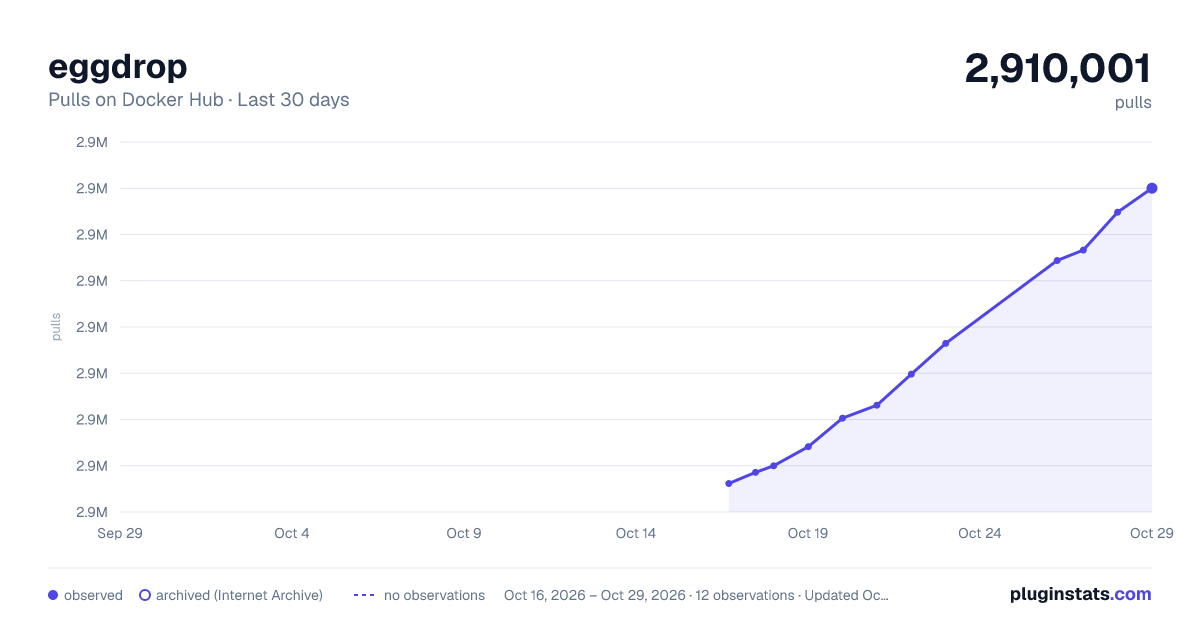
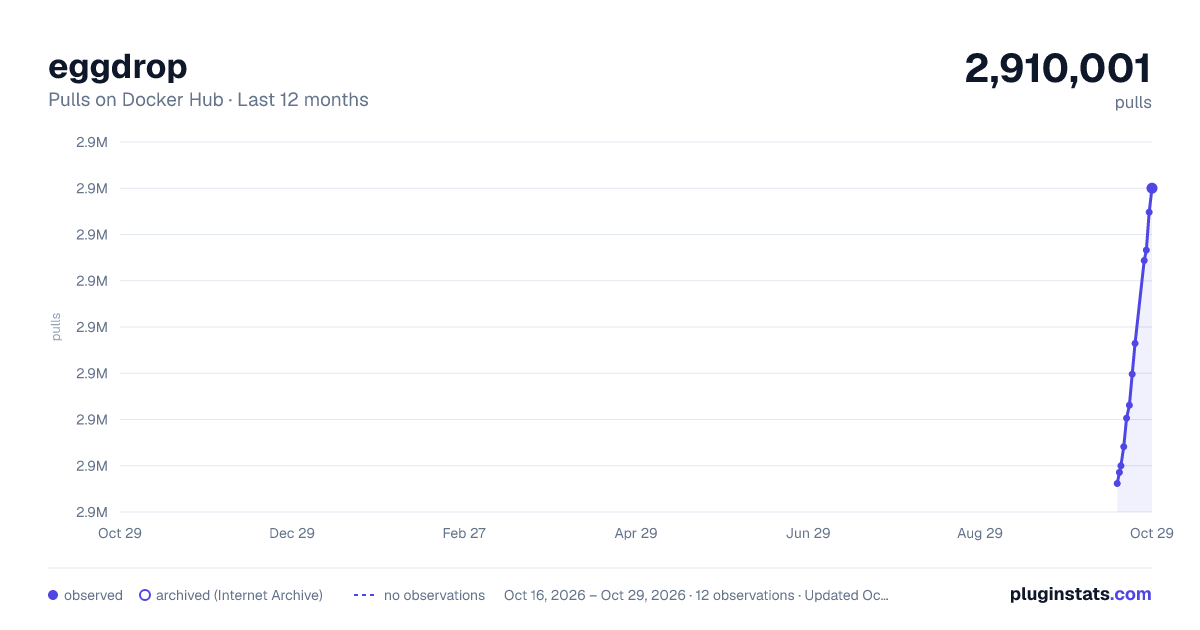
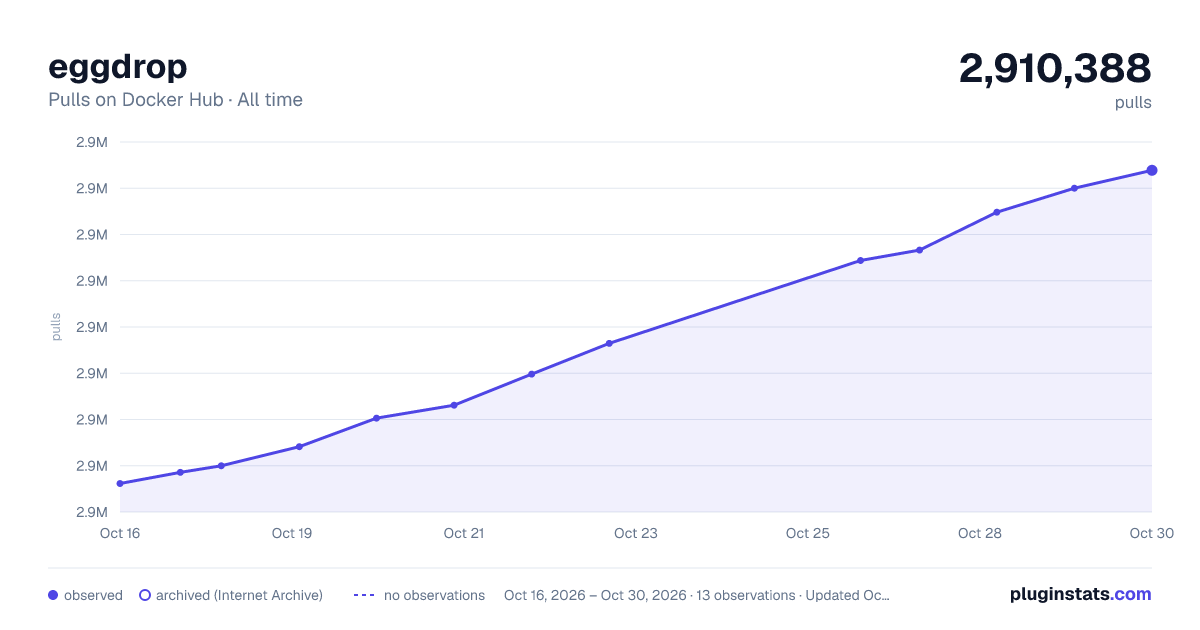

Adoption over time


7/30/90-day growth


Filled points are observed values; hollow points come from Internet Archive snapshots of the listing page. Dashed segments span periods with no observations — values between points are not interpolated.
Recent observations
Full history (3)Similar Docker Hub plugins
Data source
Cumulative pull counts and stars come from the public Docker Hub API. Pulls count image downloads (including automated CI pulls), not installs or users.
Listing: https://hub.docker.com/_/eggdrop. First seen Oct 16, 2026; last successful collection Oct 18, 2026. See the methodology.